
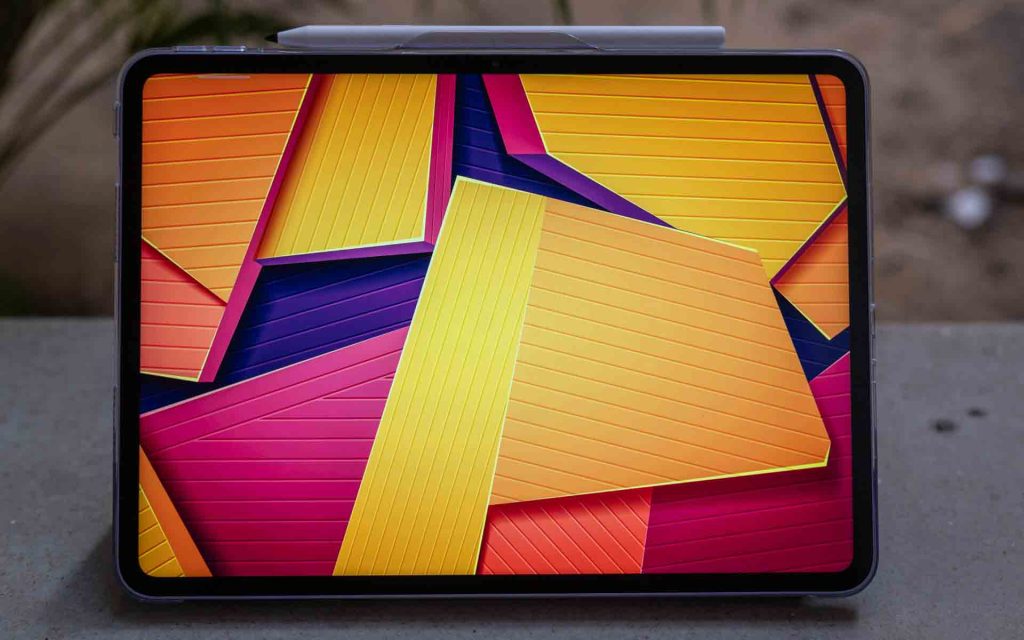
A little over 2 years ago, OnePlus entered the Android tablet segment with the launch of the OnePlus Pad. Since then, they have expanded their portfolio, launching a couple of models at both premium and budget price points. However, it is their mid-range tablets that are the most interesting, offering a good compromise on premium design, performance but at reasonable prices.
The OnePlus Pad Go 2 is the latest entry in this segment, offering a high-quality display and strong battery life. However, is it worth the price increase over the previous generation? Read on in our review to find out.
Design and Build Quality
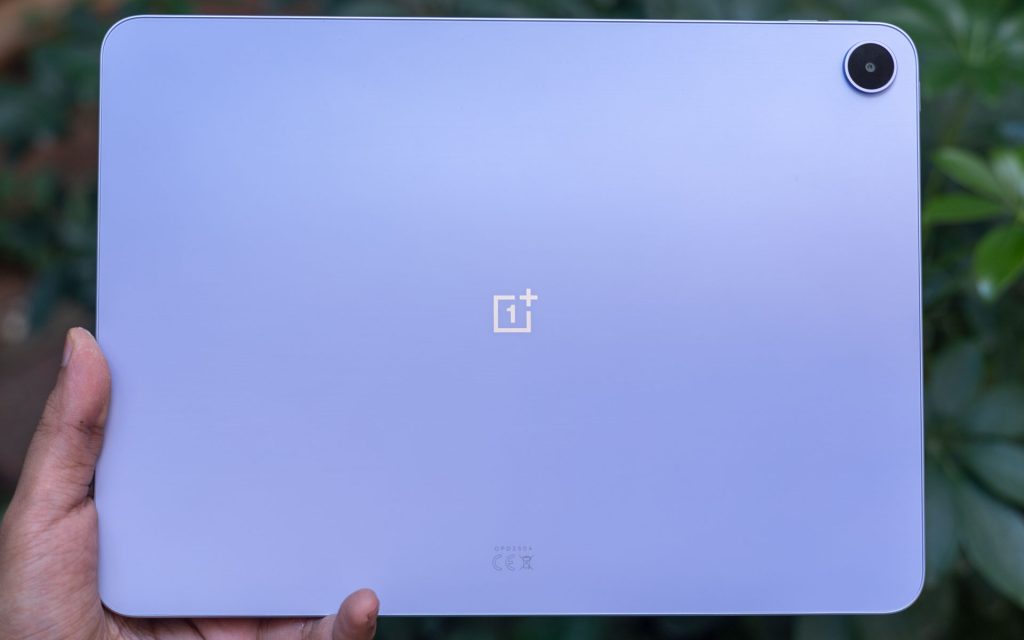
Although it occupies the middle ground in OnePlus’ tablet lineup, the Pad Go 2 feels anything but compromised in terms of design and build quality. The rounded edges of the previous model have been replaced by a flat-edged design, bringing the Pad Go 2 closer in line with the more premium OnePlus Pad 3.
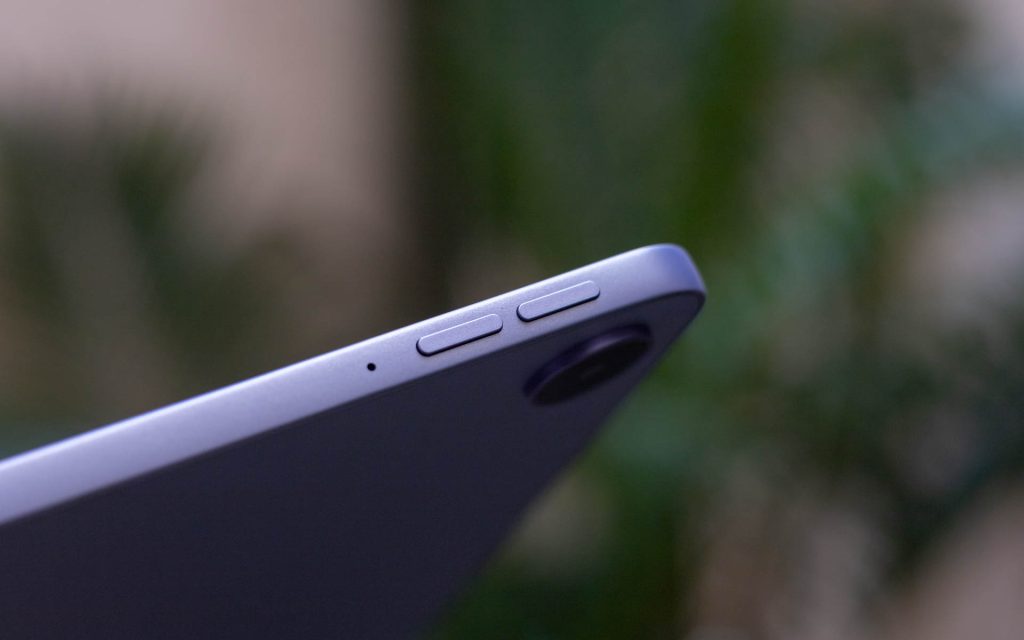
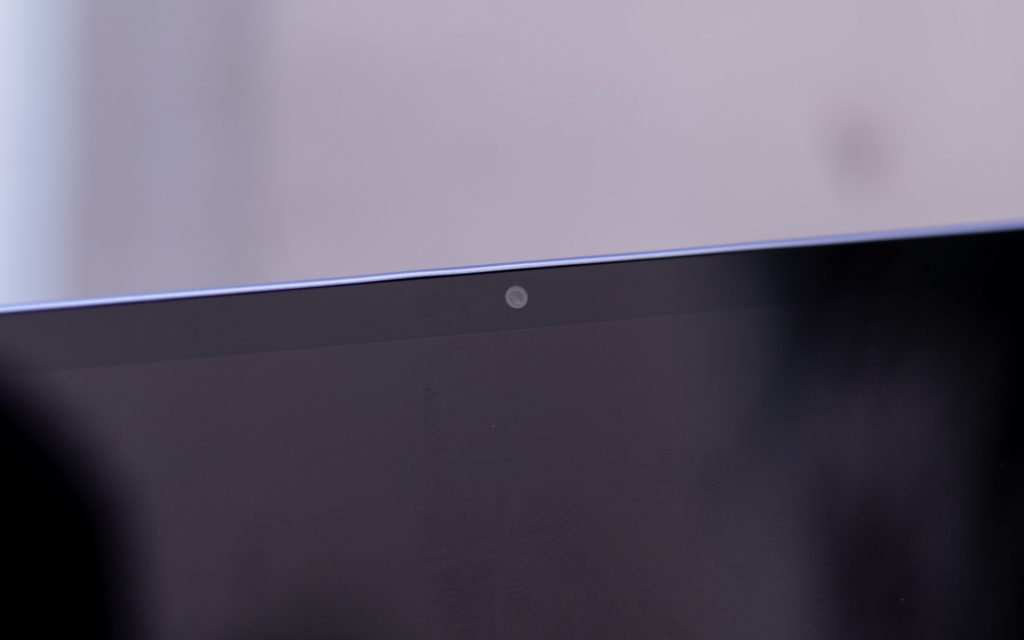
Measuring in at 6.83mm, the Pad Go 2 feels sleek and it weighs just under 600gms with good weight distribution. The tablet features thin, uniform bezels, and the front-facing camera is positioned on the side bezel, which works better for landscape-oriented use.
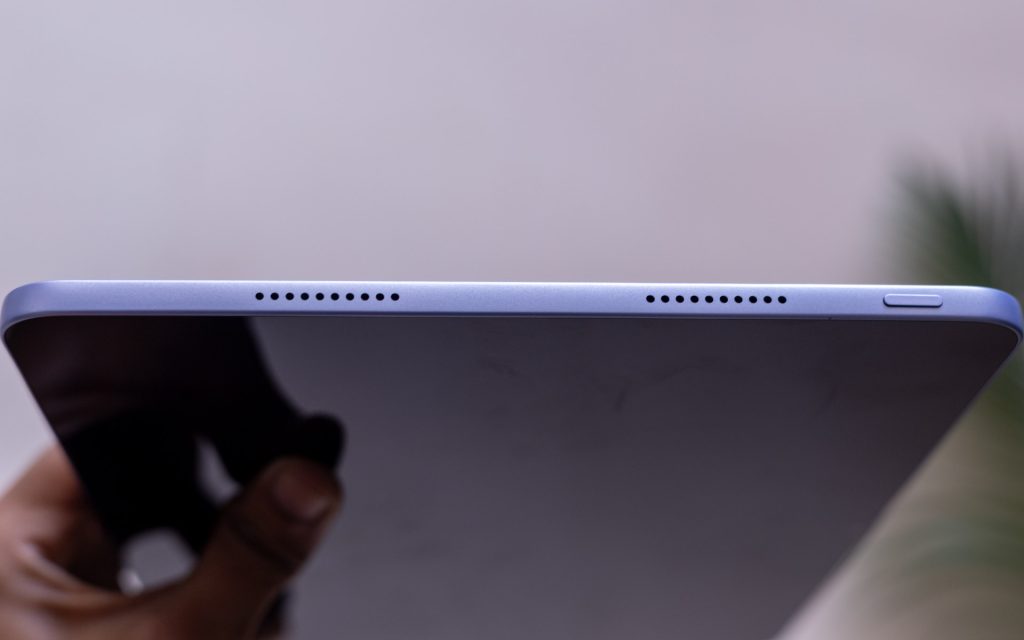
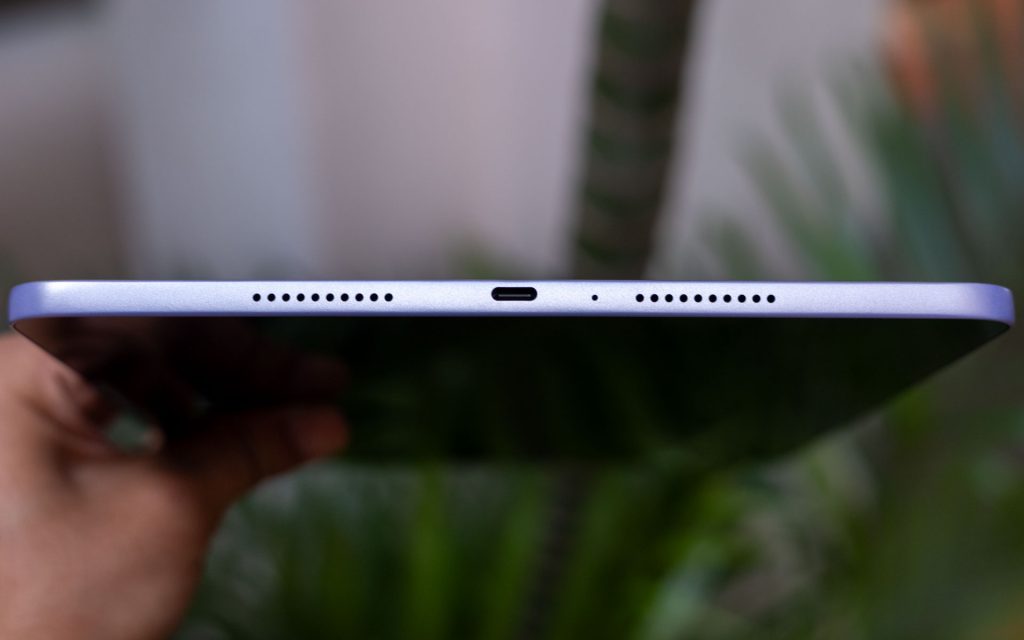
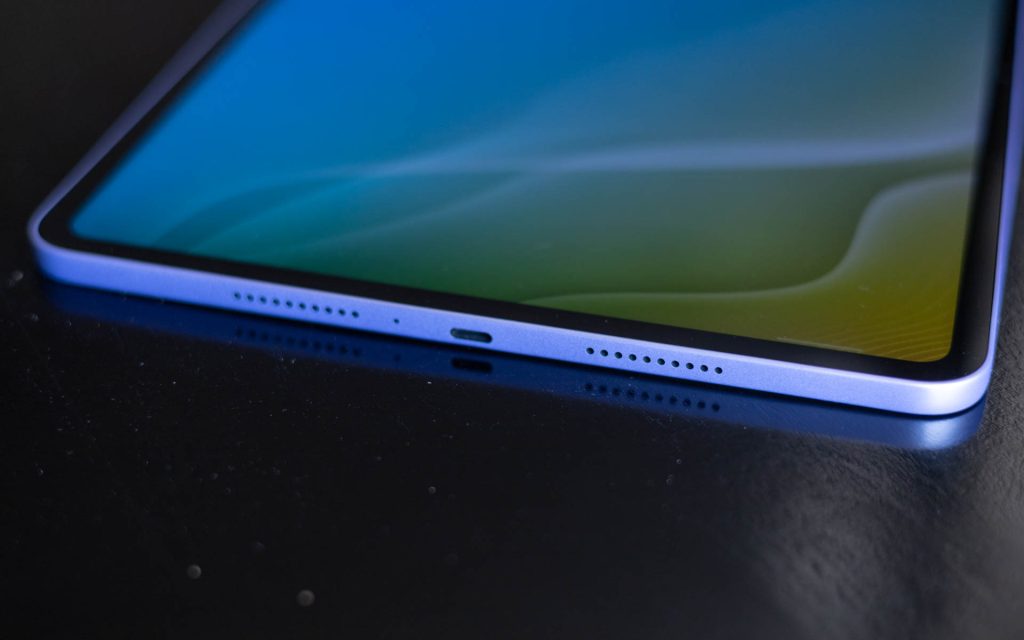
The power button can be found at the top bezel, while the volume rocker can be beside it on the right side bezel. There are 4 speaker grills overall and a USB Type-C port on the bottom edge, but no headphone jack. There isn’t any magnetic connector or pogo pins this time around as OnePlus is not offering a keyboard accessory with the Pad Go 2, and the OnePlus Pad Go 2 Stylus charges via USB-C.
OnePlus offers the Pad Go 2 in two colourways: Shadow Black and Lavender Drift. Our review unit is the Lavender Drift variant. It features a beautiful lavender-coloured back that looks pleasing from every angle and in any light. Material choices are nice and the build quality feels solid and well-constructed.
Display
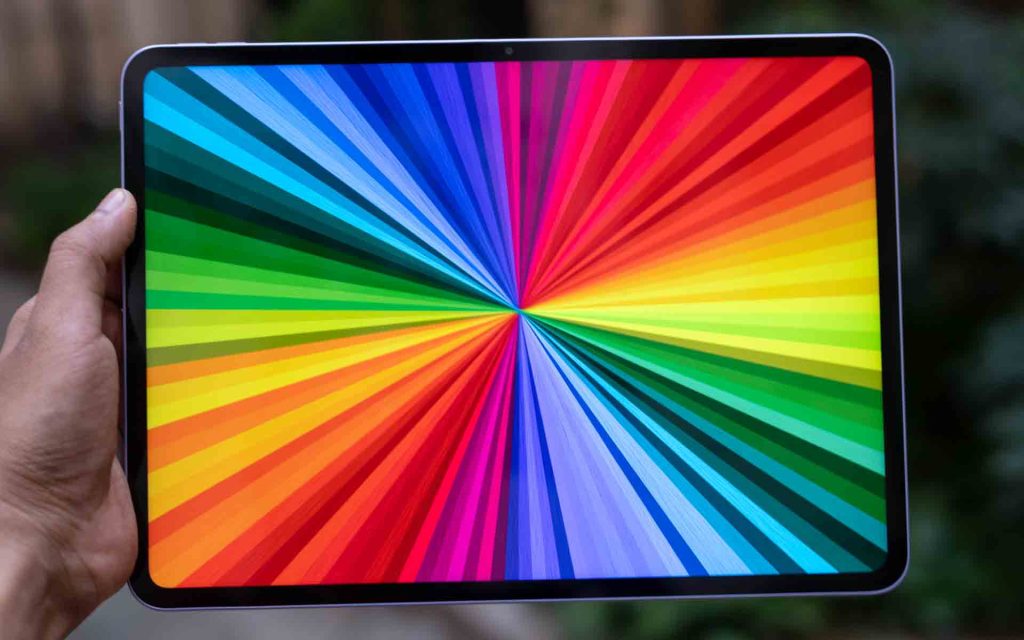
The display is an area where OnePlus has made meaningful upgrades over the previous generation. The Pad Go 2 features a larger 12.1-inch LCD panel, with a higher resolution of 2800×1980 (which equates to 284 PPI). The screen supports a maximum refresh rate of 120Hz and it has a rather unique aspect ratio of 7:5. The display can sustain up to 600 nits of brightness, making it well-suited for indoor use. However, the glossy finish does make outdoor visibility a bit challenging.
All of these display features combined result in a great media-viewing experience on the Pad Go 2. With 98% DCI-P3 colour coverage, colours look accurate and vibrant. The display can also reach up to 900 nits in High Brightness Mode, helping HDR and Dolby Vision content really stand out.
Another interesting design choice is the 7:5 aspect ratio, which delivers roughly 14% more active display area compared to a similarly sized 16:10 panel. This makes a tangible difference in productivity-focused apps such as Google Docs and the built-in Notes app, while also improving the e-book reading experience by fitting more text per line in portrait orientation.
With support for up to a 120Hz refresh rate, the tablet delivers fluid scrolling and snappy animations throughout the UI. This also extends to gaming, where titles that support higher refresh rates feel smoother and more responsive.
Audio

Supporting the impressive display is the quad-speaker setup present on both side-edges of the tablet. This time, the speakers feature their OnePlus Omnibearing Sound Field technology which can detect the orientation of the tablet and adjust the stereo channels accordingly. However, unlike its predecessor, the Pad Go 2 misses out on Dolby Atmos support, which is a bit disappointing.
Up to around 80% volume, the speakers offer clear mids and crisp highs. The bass is a bit lacking, so it does feel like the audio lacks depth, but the stereo separation was well defined. Beyond 80% volume, depending on the type of content, I did notice some distortion creeping in.
Performance
Powering the Pad Go 2 is the MediaTek Dimensity 7300-Ultra octa-core processor, which is paired with 8GB of LPDDR5X RAM and up to 256GB UFS 3.1 storage. It offers a noticeable jump in performance over the previous generation OnePlus Pad Go, which was powered by the MediaTek Helio G99 SoC. During my review, I used the tablet primarily for watching content on YouTube, Twitch and Netflix, along with some browsing on Google Chrome and notetaking. The tablet handled all of these tasks smoothly, without any hiccups. Multitasking was equally effortless, as long as you were switching between a reasonable number of apps.
For gaming, the OnePlus Pad Go 2 comfortably runs lighter titles such as Alto’s Odyssey, Fruit Ninja, and Angry Birds without breaking a sweat. With heavier titles, you’ll need to dial down the graphics settings to maintain playable frame rates.
Software
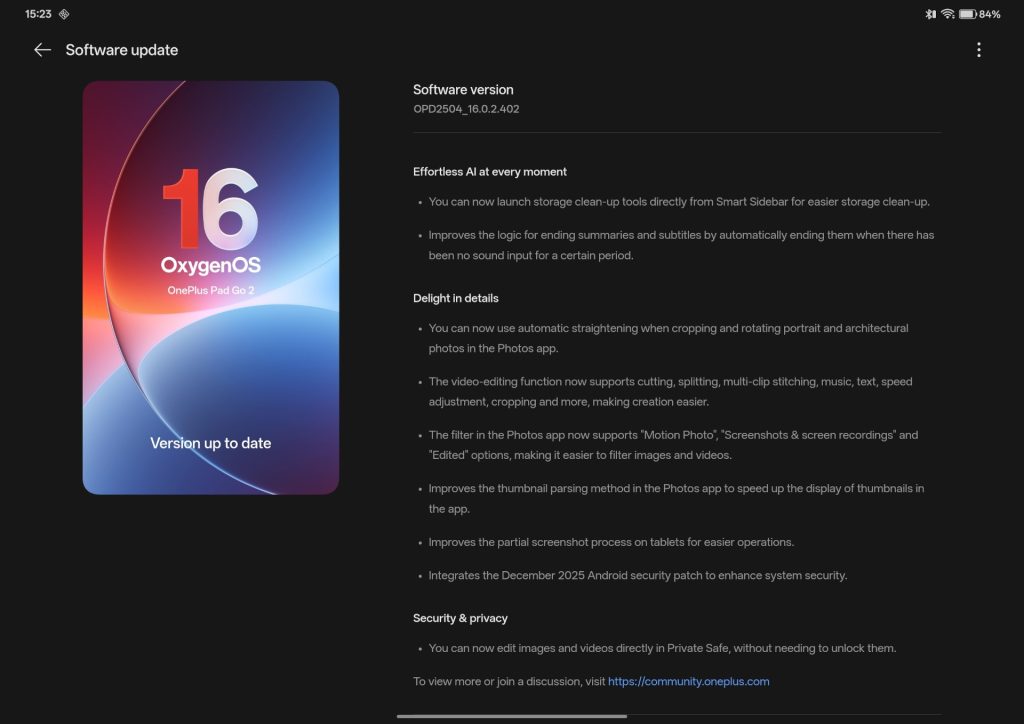
Out of the box, the OnePlus Pad Go 2 comes with OxygenOS 16, which is based on Android 16. During the time of our review, it was running the November 2025 security patch as well. OnePlus has not specified the number of OS upgrades the Pad Go 2 will get, but it is safe to assume that it will at least get 2 major upgrades.
Anyone already using a OnePlus smartphone will feel right at home with the Pad Go 2. OxygenOS 16 is smooth, familiar, and easy to navigate, and the tablet form factor brings a few additions that improve multitasking. Gestures make it quick to split the screen between two apps, and a third app can be run in a floating window when needed.
That said, these multitasking features still feel somewhat limited when compared to what a full-fledged PC or laptop running macOS or Windows can offer. Apple, for instance, has made significant progress with iPadOS, allowing users to freely resize and manage multiple app windows. These shortcomings aren’t the fault of OnePlus alone of course, rather it is an issue with Android tablets as a whole, and meaningful improvements will ultimately need to come from Google.
Like previous OnePlus tablets, the Pad Go 2 offers additional features when used within the OnePlus ecosystem. When paired with a OnePlus smartphone, you can easily share your 5G connection, mirror your phone’s display, sync the clipboard, and quickly transfer photos and files.
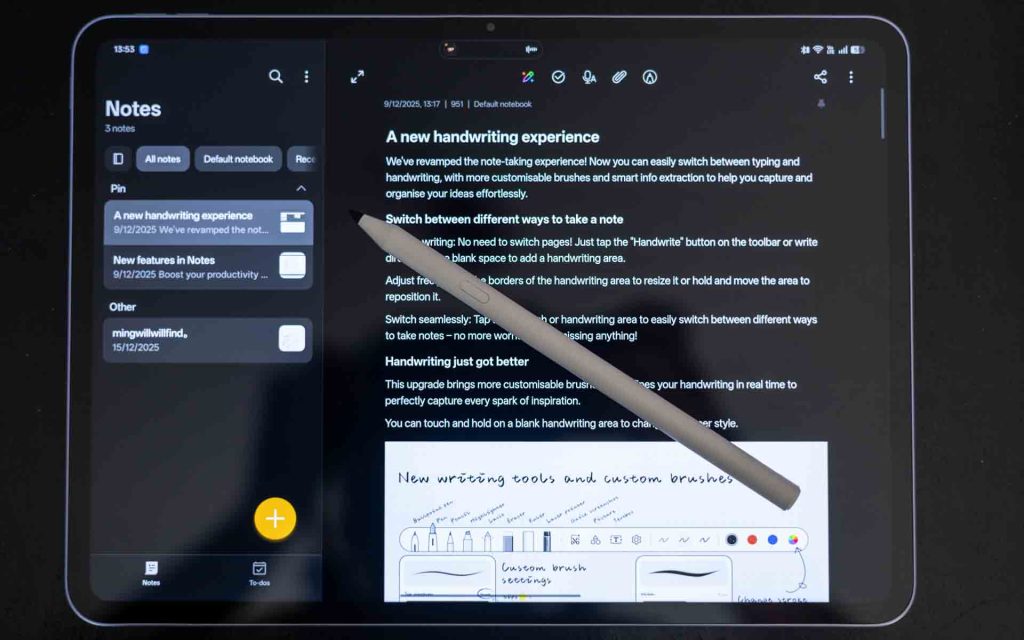
As expected, there are quite a few AI features available with the Pad Go 2 as well. The Notes app offers improved handwriting recognition, a Handwriting calculator, Image Unblur, and Image Cutout. If you use the Notes app a lot, these features are definitely useful.
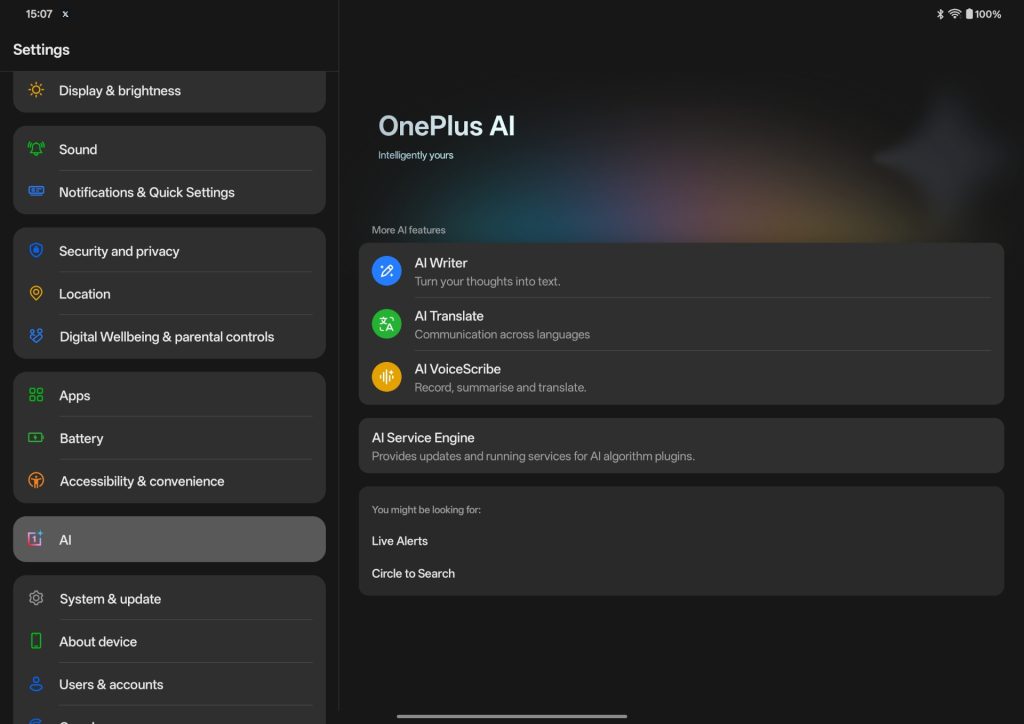
Other AI features include an AI Writer, AI Recorder, AI Image Editor and AI Translate. A lot of these can be useful in a pinch, and I expect OnePlus to improve on them over time.
Accessories – OnePlus Pad Go 2 Stylo
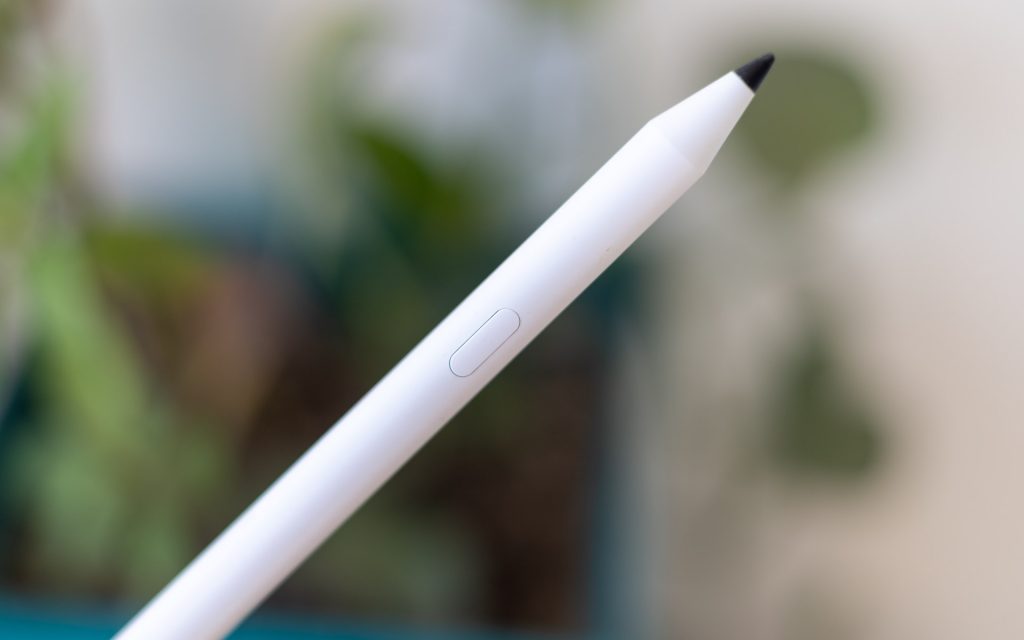
When it comes to accessories for input, the Pad Go 2 only comes with one option – the OnePlus Pad Go 2 Stylo. This is a new accessory offered by the company made specifically for this tablet, and older OnePlus Stylus’ are not compatible with this tablet.
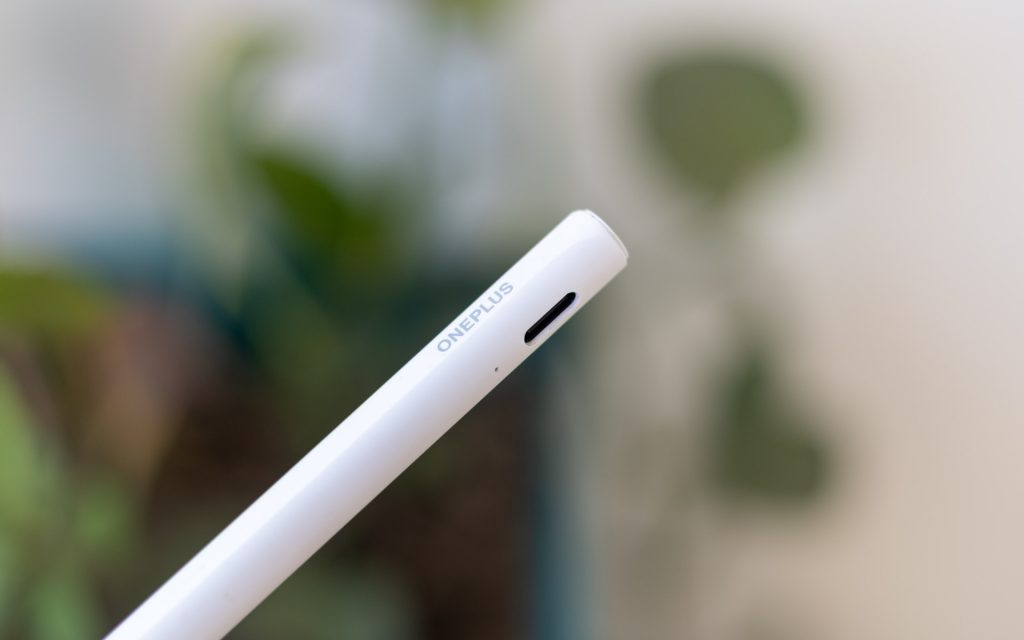
The Pad Go 2 Stylo features a physical button near the top, along with a USB-C port for charging. It features support for 4096 levels of pressure and it has a 20 hour battery life with support for quick charging.
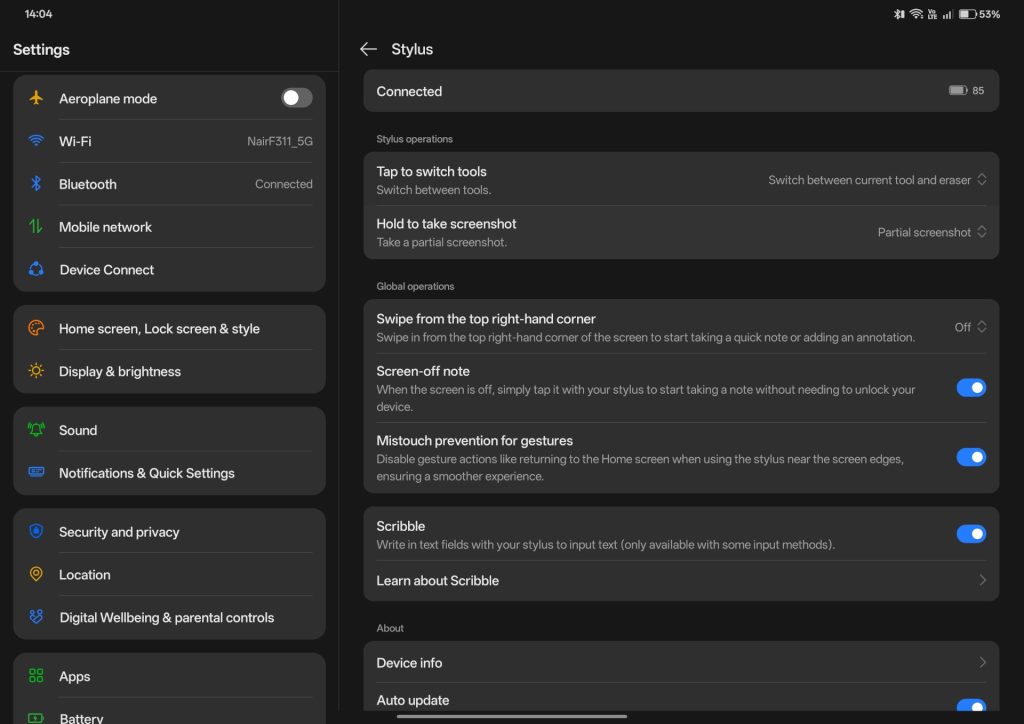
OnePlus has added a number of features in OxygenOS 16 that improve the functionality of the Stylo. You can quickly jot down a note straight from the lock screen without turning on the display, which is neat. The button can be used to quickly switch between tools in supported apps, and with a long press, you can also take partial screenshots in various shapes including rectangular, elliptical or freeform.
Camera
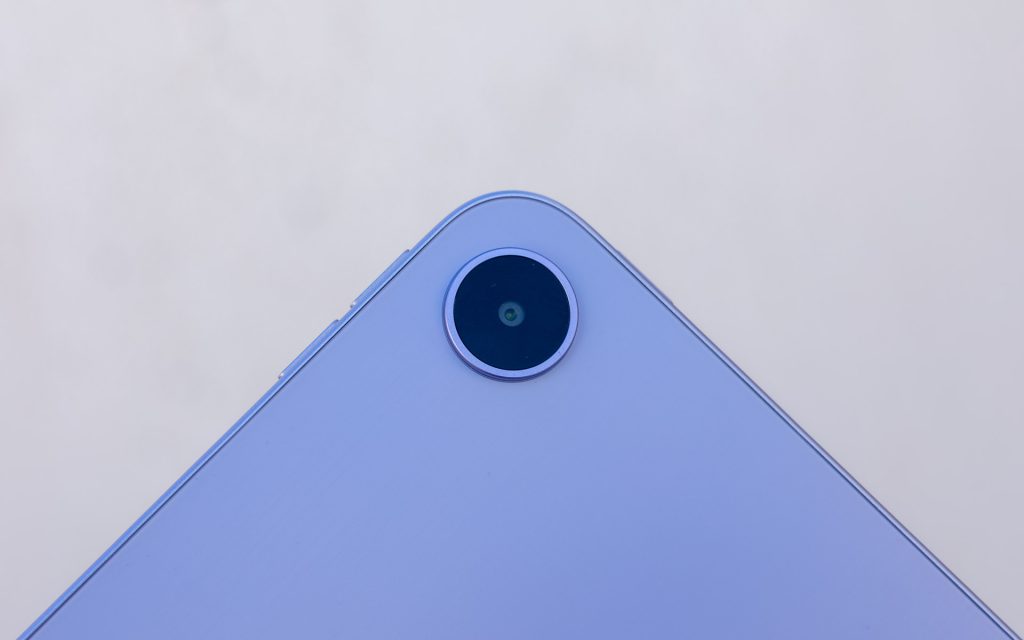
On the rear, there is a single 8MP camera that can shoot decent photos in good lighting conditions. The photos are usable in a pinch, which is all I can expect for a camera in an Android tablet. The front-facing camera is also 8MP and it offers good-enough quality for video calls and quick selfies. Regarding video, the tablet supports up to 1080p 30fps quality only.
Here are some camera samples:




5G and Wireless Connectivity
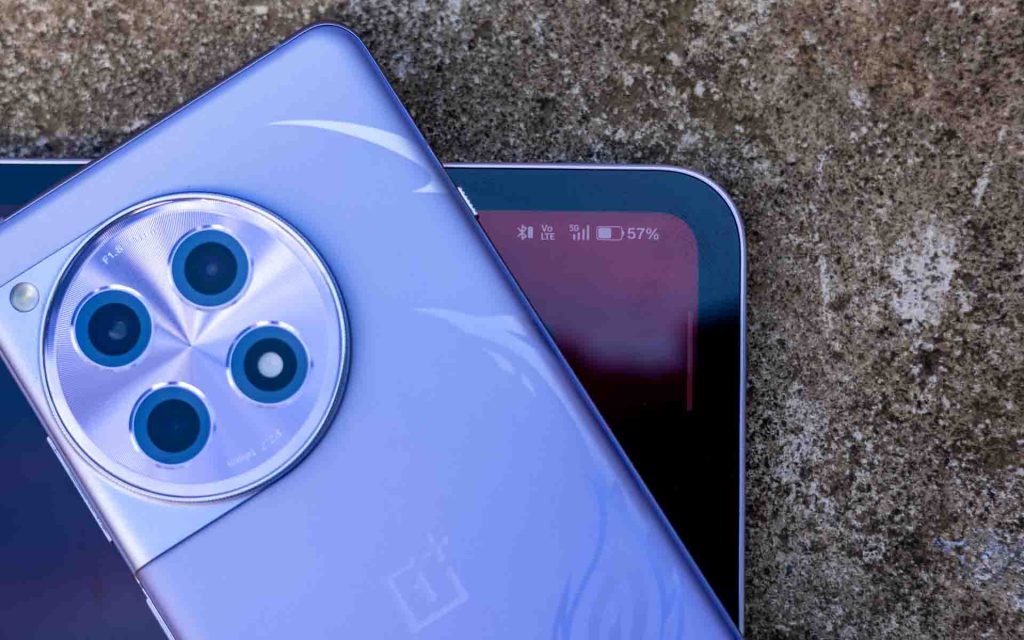
This is the first tablet from OnePlus to feature support for 5G connectivity. With a SIM inserted, you can make calls, send messages, and browse the internet without needing to be connected to a stationary Wi-Fi network. Our review unit was a non-5G variant unfortunately, so we were unable to test the support ourselves. It is currently only available with the Shadow Black colour variant.
As with previous OnePlus tablets, pairing the Pad Go 2 with a OnePlus phone allows you to seamlessly share your phone’s 5G connection for internet access. In our testing, the feature worked reliably and proved quite convenient. Apart from this, the tablet also supports Wi-Fi 6 and Bluetooth 5.4
Battery Life
Battery life is another strong point for the Pad Go 2 with its larger 10,050mAh battery. That is about 31% larger than its predecessor, and with the efficiency of the Dimensity 7300-Ultra and OxygenOS 16’s optimization, the tablet delivers excellent battery life for general tasks.
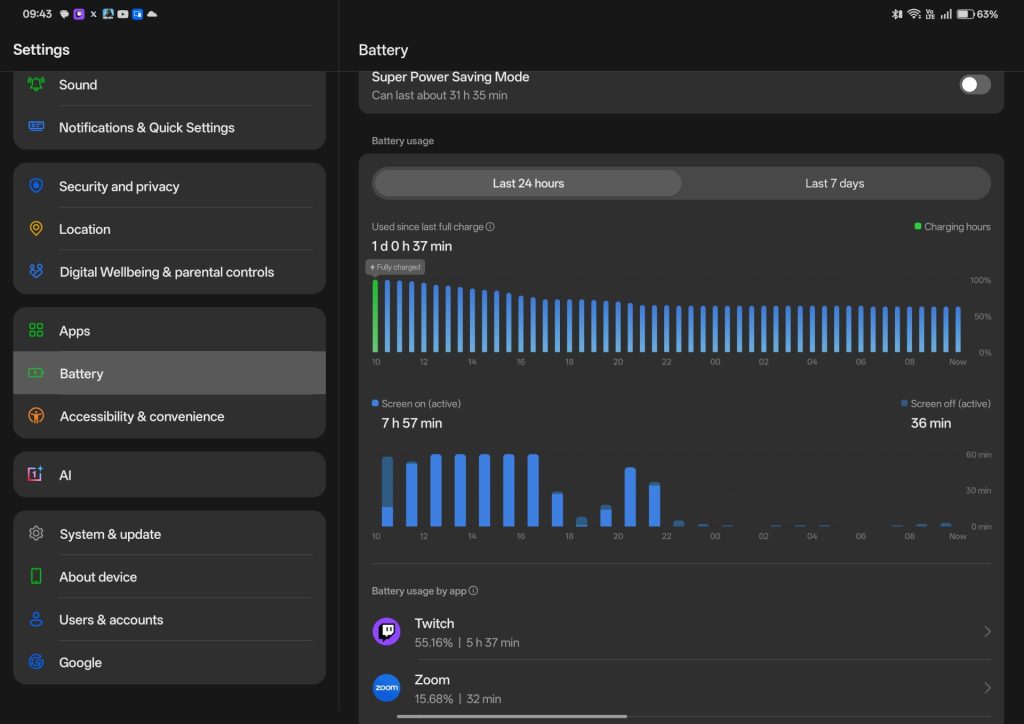
During my review, I used the tablet primarily for media consumption, including YouTube, Netflix and Twitch, and I consistently got about 16-17 hours of screen on time, which is impressive. The battery does drain a bit faster during gaming, but it still does not disappoint.
In the box you get a two-pin 45W SuperVOOC charger, however the tablet can only charge at a maximum rate of 33W. According to our testing, this gets the tablet from 0-100% in about 125 minutes, which is not the fastest, but good enough considering the size of the battery. Another useful-in-a-pinch feature is support for reverse wired charging at up to 6.5W, which is appreciated.
Conclusion
Taken as a whole, the Pad Go 2 is well-suited for media consumption and light productivity. A great display, reliable performance, and excellent battery life make it a well-rounded package, while the solid build quality inspires confidence in day-to-day use. While 5G support is a welcome addition, the software remains the weakest link. The Android tablet experience continues to cap the Pad Go 2’s productivity potential.
When paired with the Pad Go 2 Stylo, which is sold separately, OnePlus rounds out the experience into a compelling mid-range Android tablet package, making the Pad Go 2 well worth considering.
The OnePlus Pad Go 2 is offered in 3 variants:
- OnePlus Pad Go 2 8GB+128GB Wi-Fi: Rs. 26,999
- OnePlus Pad Go 8GB+256GB Wi-Fi: Rs. 29,999
- OnePlus Pad Go 8GB+256GB 5G: Rs. 32,999
The entry variant 8GB+128GB Wi-Fi is available across Amazon.in & Flipkart, while, the 8GB + 256GB Wi-Fi is on Flipkart and 8GB + 256GB 5G is available on Amazon.