
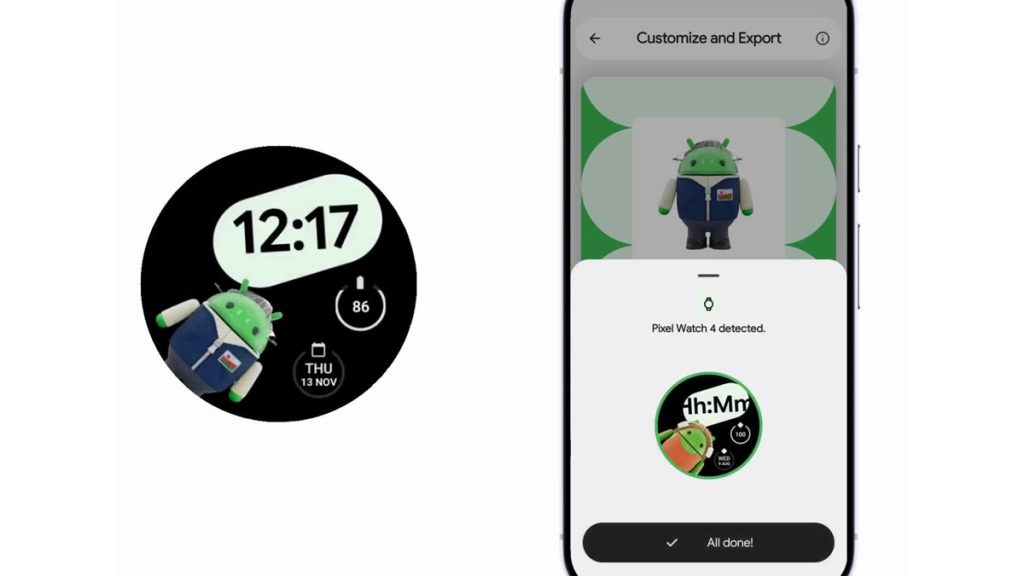
Google on Thursday announced an update to Androidify that allows users to create custom Android bot avatars and set them as Wear OS watch faces. The update enables seamless transfer of a personalized avatar from an Android device to a Wear OS watch within seconds.
Androidify: Avatar creation and app details
Androidify allows users to generate Android bot avatars from selfies or text prompts. The app uses the Gemini API and Imagen models to create high-quality images. It is built using Jetpack Compose for the interface, Navigation 3 for screen transitions, CameraX for camera support, and Media3 Compose for media handling. Androidify is an open-source project, and its code is available on GitHub.
Watch Face Push integration
The update introduces support for Watch Face Push, a Wear OS 6 API that allows a watch face to be installed and set as active directly from the phone.

Users’ avatars are combined with a Watch Face Format template created in Watch Face Designer, exported as Watch Face Format (WFF) resources, and compiled into an APK using the Portable Asset Compiler Kit (Pack). The APK is validated using the Watch Face Push validator before being transmitted to the watch.
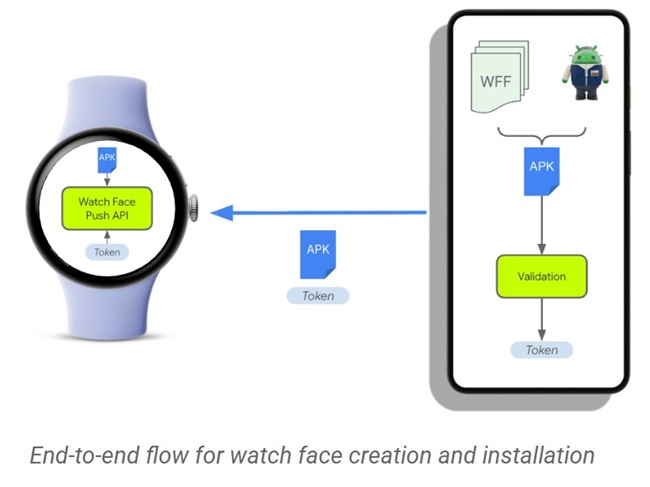
The Androidify app uses WearableListenerService to receive the APK on the watch, and Watch Face Push API methods (addWatchFace or updateWatchFace) are used depending on available slots. Once installed, the runtime permission com.google.wear.permission.SET_PUSHED_WATCH_FACE_AS_ACTIVE allows the watch face to be set as active.
Implementation and developer tools
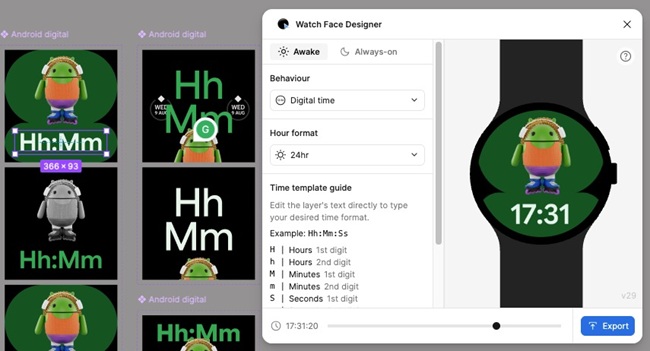
Watch Face Designer, a Figma plugin, is used to create templates that can be dynamically combined with avatars in Androidify. Developers can use this workflow to experiment with personalized watch faces or build their own marketplaces.
Availability & Getting started
To use the feature, users download the Androidify app from Google Play, create a custom avatar, and follow the steps to push it to their Wear OS watch, where it is installed and activated automatically.