

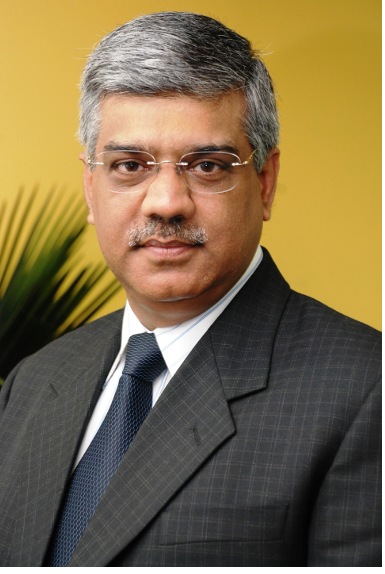
Research In Motion (RIM) has appointed Sunil Dutt as Managing Director for India. He worked for Hewlett Packard India Sales Pte Ltd previously as President, Personal Systems Group and was responsible for expanding their business in enterprise, mid-market and consumer space. Frenny Bawa, previous Managing Director of RIM quit last month.
Continue reading “RIM announces Sunil Dutt as Managing Director for India”
Category: News
most important news
Chaze Mobiles to enter Indian mobile phone market soon
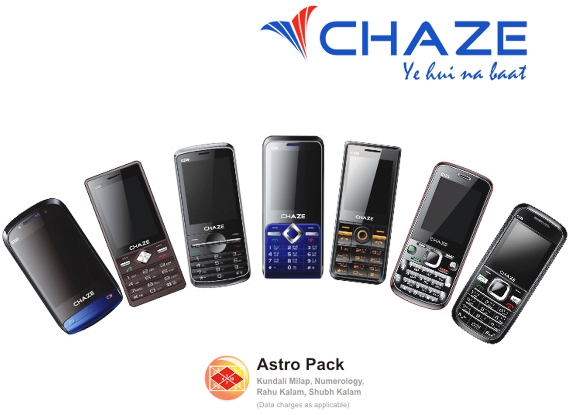
Chaze, a new mobile phone brand by K.R.Mangalam Group is all set to enter Indian market with range of Mobile Phones soon. These phone are targeted at Indian youth market and would be available in competitive price range. It would also come with features such as Announcement System,Auto Call Recording, Answering Machine, Big Sound and more. Continue reading “Chaze Mobiles to enter Indian mobile phone market soon”
Nokia Lumia 800 Pre-Orders start in India
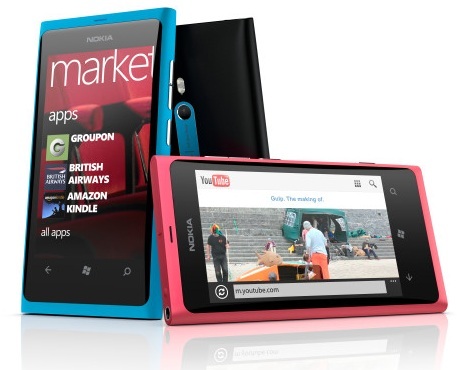
Nokia Stores across India have started to take Pre-orders for the first Windows Phone device from Nokia , the Lumia 800. Most Nokia Priority Stores across the country have the device on display as well. In case you wanted to check out the 1st Windows phone from Nokia , you can walk in and get your hands on the device. In order to reserve your unit , you must pay a small advance in the range of Rs.1000-2000 and the device will be made available in the next 10 days according the the store. The final retail price of the Lumia 800 is not yet fixed due to the fluctuating dollar we assume, but the person in a store hinted at a final retail price of Rs.30000-33000. Continue reading “Nokia Lumia 800 Pre-Orders start in India”
Nokia X2-02 Dual SIM Phone – Photo Gallery

Finally Nokia is taking the Dual SIM market seriously in India as the company launched yet another Dual SIM phone , the X2-02 last week at it’s Annual Strategy Sharing Summit in Udaipur. The X2-02 reminds us of the X1-01 but the big difference is the presence of a hot-swappable SIM card slot on the outside. There is a Easy Swap feature which lets to store settings of up to 5 SIM cards. The phone also has a hot-swappable microSD card slot with support for 32GB cards.One of the killer features is the built-in FM Transmitter which Nokia calls as Play via Radio.You can have your own radio station in your car. One can also tune-in to radio stations without connecting a headset , thanks to the internal FM receiver. Continue reading “Nokia X2-02 Dual SIM Phone – Photo Gallery”
HTC Rhyme launched in India
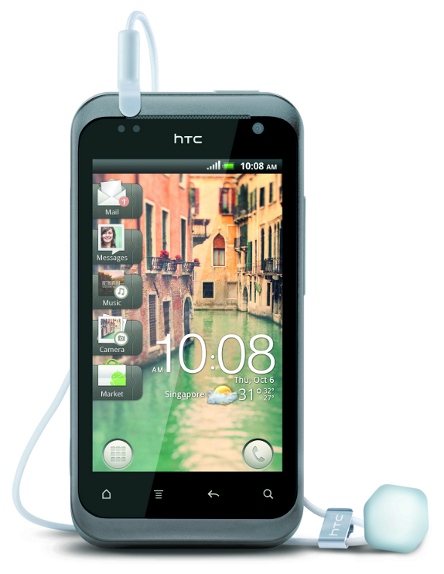
HTC has launched the HTC Rhyme in India. It is powered by 1GHz Qualcomm MSM8255 processor and runs on Android 2.3 (Gingerbread) OS with HTC Sense UI and comes in 3 distinctive colors. It has a 3.7 inch (800×480 pixels) super LCD display, 5MP Auto-focus camera with flash and VGA front-facing camera, 3.5mm headset jack, Stereo FM radio with RDS, 768 MB RAM, 4 GB internal memory with 32 GB expandable memory.
FIFA 12 exclusively available for Sony Ericsson Xperia PLAY, free for limited period

EA Mobile has launched the FIFA 12 that is exclusively available on the Sony Ericsson Xperia PLAY free of cost for limited period. Sony Ericsson already announced that they made a limited time agreement with EA Mobile to offer FIFA 12 game optimized for Xperia PLAY that would be available exclusively for the Xperia PLAY owners, before it comes to the Android Market. Continue reading “FIFA 12 exclusively available for Sony Ericsson Xperia PLAY, free for limited period”
Box.net offers 50 GB Free storage for LG Android devices

Box.net has teamed up with LG to offer free 50GB Box personal accounts on all LG phones and tablets running Android OS 2.1 and above. Box.net lets you easily store files online, send big files fast, access content on your Android phone or tablet, and collaborate with others. Users can Just log into Box for Android on their LG Android device before March 31, 2012. They already offer 50GB free storage for the iPhone and iPad users through Box.net app till December 2, 2011. Continue reading “Box.net offers 50 GB Free storage for LG Android devices”
Airtel offers free Mobile Twitter access for 3 months

Airtel subscribers can now access Twitter on their mobile phones free of cost till 1st March 2012. They can visit mobile.twitter.com or SMS 53000 from their mobile phones to get access to Twitter free without any data charges. This would let the users to view their timeline, find and follow accounts, post new Tweets, see Tweets mentioning them, and reply to other users and retweet their Tweets for free. Those who doesn’t have an account can sign up for Twitter or subscribe to SMS updates of specific users (via short code 53000) on their mobile phones free for the period of this offer.
Continue reading “Airtel offers free Mobile Twitter access for 3 months”
Nokia Asha 300 Touch and Type launched in India for Rs. 7409
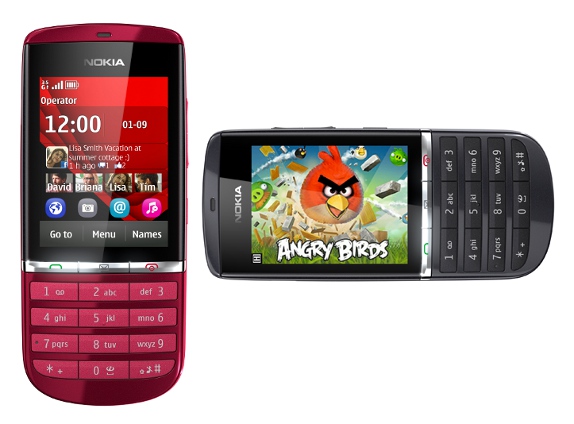
Nokia has launched Nokia Asha 300, Touch and Type phone in India. It was announced at Nokia World 2011 in October. runs on S40 OS and is powered by 1 Ghz processor and has 3G capability. It is one of the phone to come with Angry birds pre-installed. It has 2.4-inch resistive touch display and is 12.7mm thick and weighs 85g. It has 5MP camera with video recording at 25 fps and has 32GB expandable memory. It also comes with Nokia Music Unlimited, DRM free Music service with 3 months free subscription. Continue reading “Nokia Asha 300 Touch and Type launched in India for Rs. 7409”
Nokia Asha 200 Dual SIM QWERTY phone launched in India for Rs. 4759
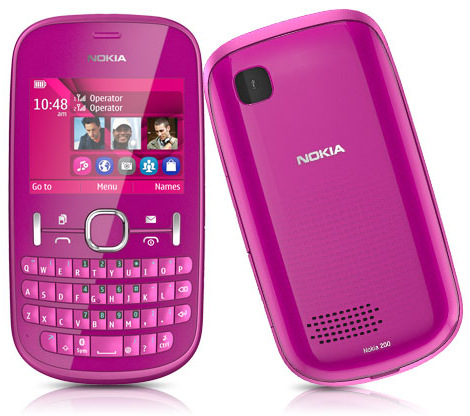
Nokia has launched Nokia Asha 200, Dual SIM QWERTY phone in India. It was announced in Nokia World 2011 in October. It comes with Easy Swap (possible to change the SIM card without turning off the device) option and has expandable memory upto 32GB. It also comes with Nokia Music Unlimited, DRM free Music service with 3 months free subscription. Continue reading “Nokia Asha 200 Dual SIM QWERTY phone launched in India for Rs. 4759”
Nokia unveils Nokia Music Unlimited DRM free Music service in India
Nokia has launched Nokia Music Unlimited Service with DRM free Music for their newly launched phones, Nokia X2-02, Nokia Asha 200 and Nokia Asha 300. It would offer users to download and share music from the Nokia Music Store that are DRM-free, pre-activated (on the device) and also offers easy browsing and renewal. Continue reading “Nokia unveils Nokia Music Unlimited DRM free Music service in India”
Nokia X2-02 Dual SIM Music Phone launched in India
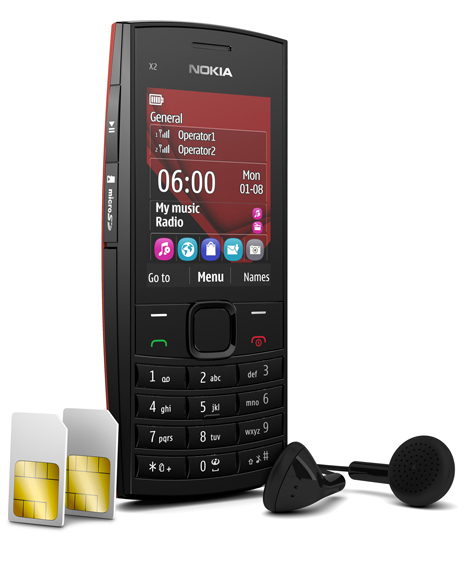
Nokia has launched Nokia X2-02, Dual SIM music phone with dual standby and easy swap functionality in India. This is the successor of the Nokia X1-01 that was launched earlier this year. It comes with Wireless FM Radio with recording, MP3 player, dedicated music keys, an in-built loudspeaker for music playback with 106 phon strength, Nokia browser, 3.5mm audio jack and 32GB expandable memory card slot. It is 15mm thick and weighs 93g and runs on S40 OS. It also comes with Nokia Music Unlimited, DRM free Music service. Continue reading “Nokia X2-02 Dual SIM Music Phone launched in India”
Galaxy Nexus volume bug fix rolling out via OTA update
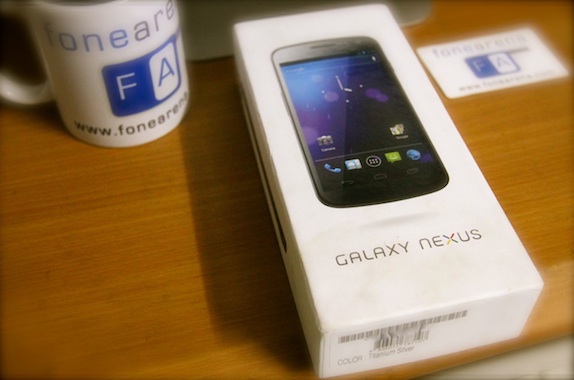
The Samsung Galaxy Neus volume bug is getting fixed through an Over the Air (OTA) firmware update that is rolling out in UK. Some of the Galaxy Nexus owners have been facing volume bug that mutes their device automatically and then becomes unresponsive while keeping their phone in 2G mode. Google has already said that they are working on an update to fix this issue. Clove UK has confirmed through their UK distributors that the update had already been completed on the new stocks and would be available very soon for new and existing customers. Continue reading “Galaxy Nexus volume bug fix rolling out via OTA update”
Idea launches new voice calling vouchers for prepaid subscribers in Kolkata and West Bengal

Idea Cellular has launched new voice calling vouchers for prepaid subscribers in Kolkata and West Bengal. This would offer free local on-net (Idea to Idea) minutes and also off-net minutes for both existing and new customers. Continue reading “Idea launches new voice calling vouchers for prepaid subscribers in Kolkata and West Bengal”
Samsung announces Exynos 5250 with 2GHz Cortex-A15 dual-core processor
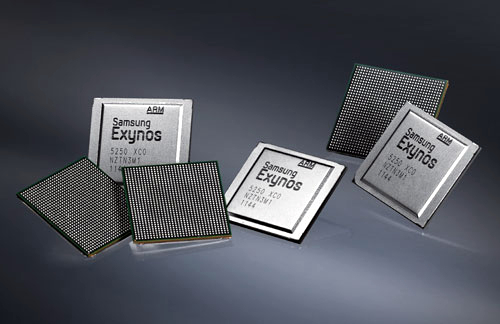
Samsung Electronics has announced their next-generation Cortex-A15 processor equipped with 2.0GHz, high-performance dual-core Exynos 5250 SoC (System on Chip) that would use less power while offering 2x better performance than existing CPUs. It is created using a 32nm-low power HKMG process and could process 2 instructions per second to 14 billion (14,000 DMIPS) while the existing 1.5GHz dual-core Cortex-A9-based products process 2 instructions per second to 7.5 billion (7,500 DMIPS ).This was already rumored back in April this year. Continue reading “Samsung announces Exynos 5250 with 2GHz Cortex-A15 dual-core processor”