
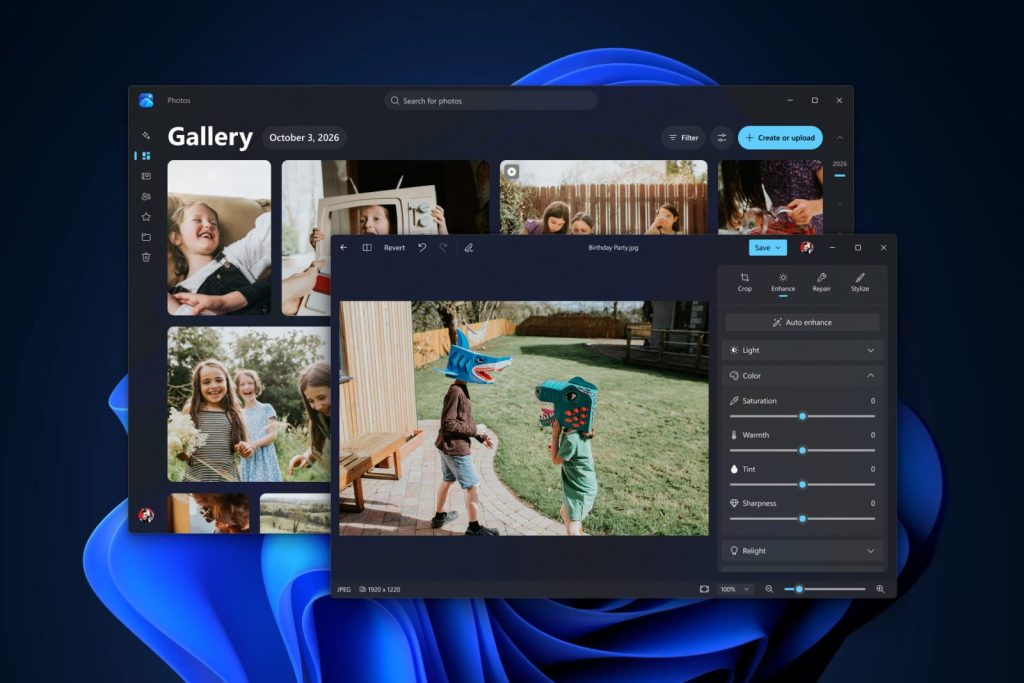
Microsoft has introduced new experiences for the Windows 11 Photos app, covering photo organization, editing, and viewing with a redesigned Gallery, a rebuilt Editor, and a faster Viewer. The update is beginning to roll out to Windows Insiders, with availability for all Windows 11 users planned for later this year.
Windows 11 Photos app: New Gallery combines photos from PC, OneDrive and iCloud
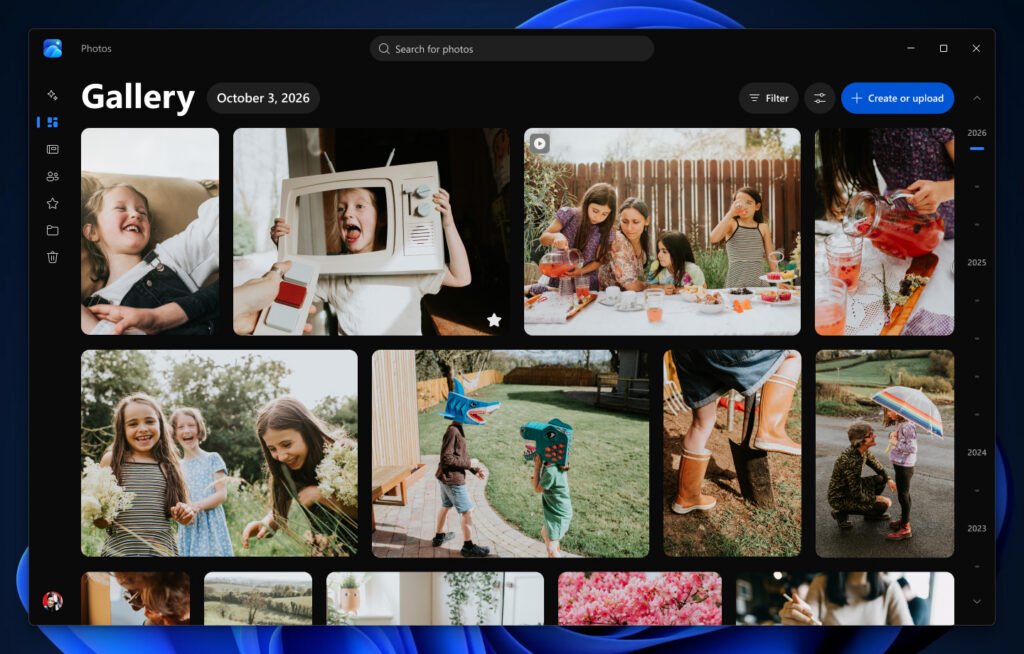
The redesigned Gallery in the Windows 11 Photos app brings together photos and videos stored on a PC, OneDrive, and Apple iCloud. Users can browse pictures by date, search for people, filter collections, organize albums, mark individual photos as favorites, and find images using natural-language queries. Microsoft has also improved Gallery’s launch and scrolling performance.
The Gallery includes the following features:
- OneDrive integration: Users can enable Camera Backup in the OneDrive mobile app on Android or iOS to automatically back up photos and videos. Backed-up content is accessible on their phones, through a browser, and in Photos on Windows. People search, album organization and sharing, and Moments features available in OneDrive’s web and mobile photo experiences are also supported on Windows.
- iCloud integration: Apple’s iCloud for Windows app brings iCloud photos and videos into Gallery alongside the local collection and keeps them up to date across the PC and other devices. Users can download photos and videos through File Explorer for offline access. The iCloud Shared Albums app lets users create shared albums and invite friends and family to contribute photos, videos, and comments.
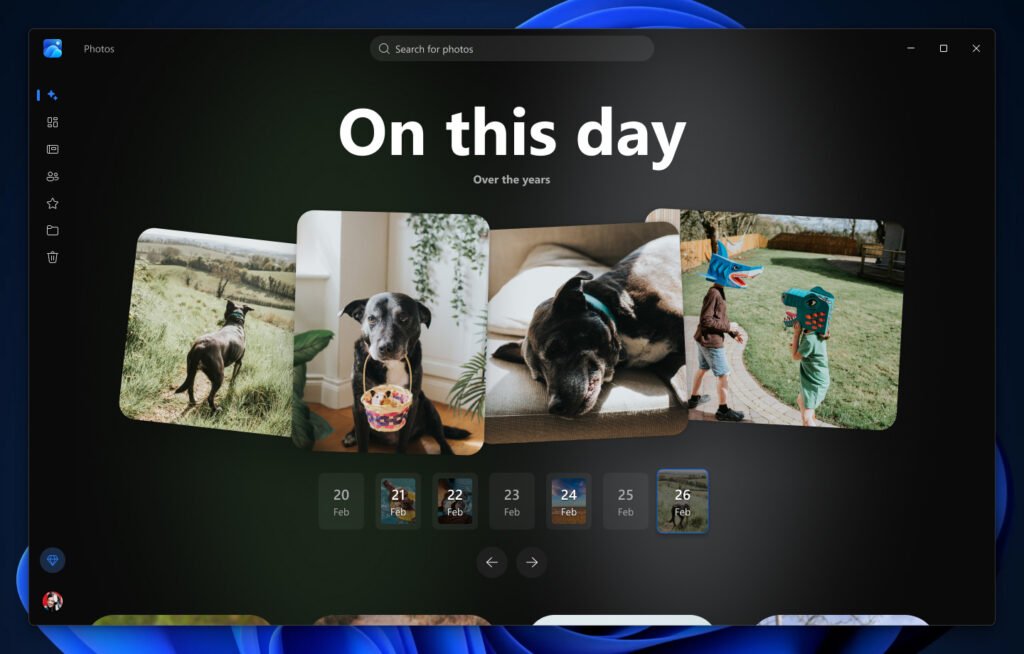
- Moments: For photos stored in OneDrive, Moments identifies themes and groups related pictures into memories throughout the year, assigning names such as Peaceful Moments. OneDrive also automatically creates seasonal recaps. Each memory can be viewed as a slideshow, shared with family and friends, or saved as a video.
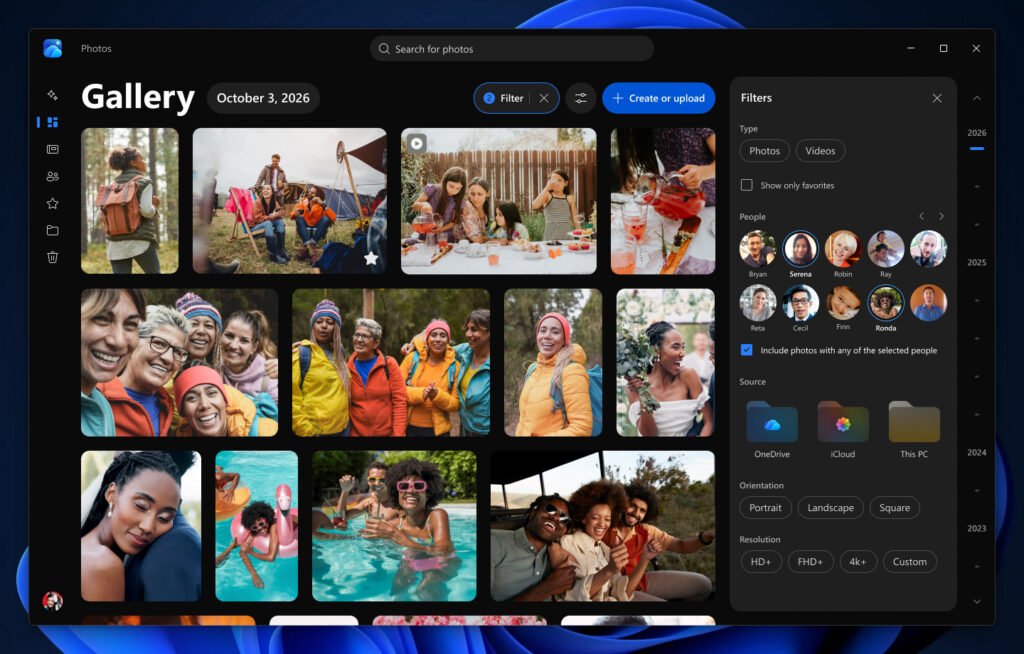
- People and filters: Users can search for photos featuring specific friends or family members without remembering the date or album. Filters narrow collections by storage location and the people appearing in them, such as OneDrive photos featuring a particular family member or two friends together.
- Albums and Favorites: Users can organize photos around trips, celebrations, and other events in albums and share them with others. Individual photos can be marked as favorites and accessed through a dedicated Favorites view.
- Natural-language search: Users can describe pictures in their own words, such as “a family picnic by the lake” or “sunset at the beach,” instead of relying on filenames or exact dates. On supported hardware, improved Windows Search also works with photos stored locally in the Pictures Library.
Photos stored on the device remain accessible offline, and users can continue using Photos without signing in to OneDrive to access locally stored and iCloud content.
Native Editor launches 25% faster
Microsoft has rebuilt the native Editor in the Windows 11 Photos app from the ground up using WinUI 3. Available for photos opened from Gallery or elsewhere on the PC, the Editor launches 25% faster and offers smoother navigation, according to the company. Its tools are organized into four categories:
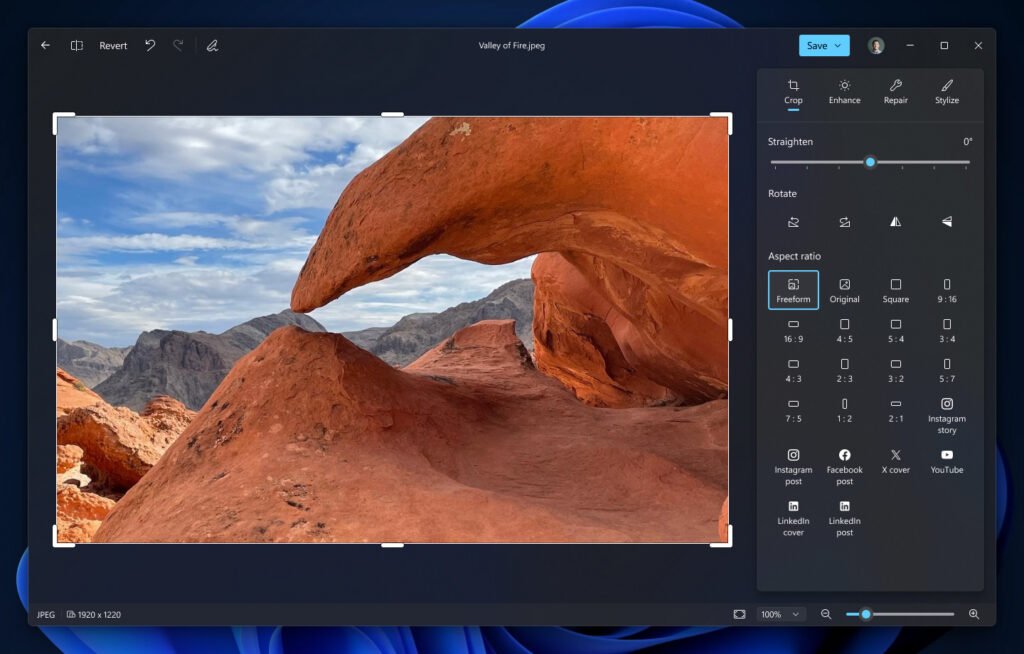
- Crop: Adjust framing, composition, and aspect ratio.
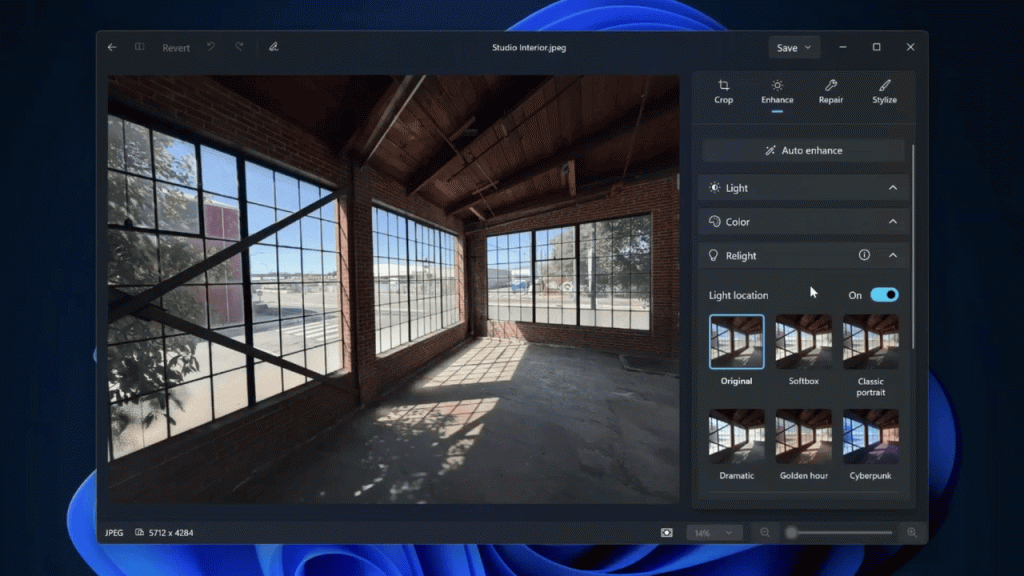
- Enhance: Fine-tune lighting, colors, and the overall appearance of a photo.
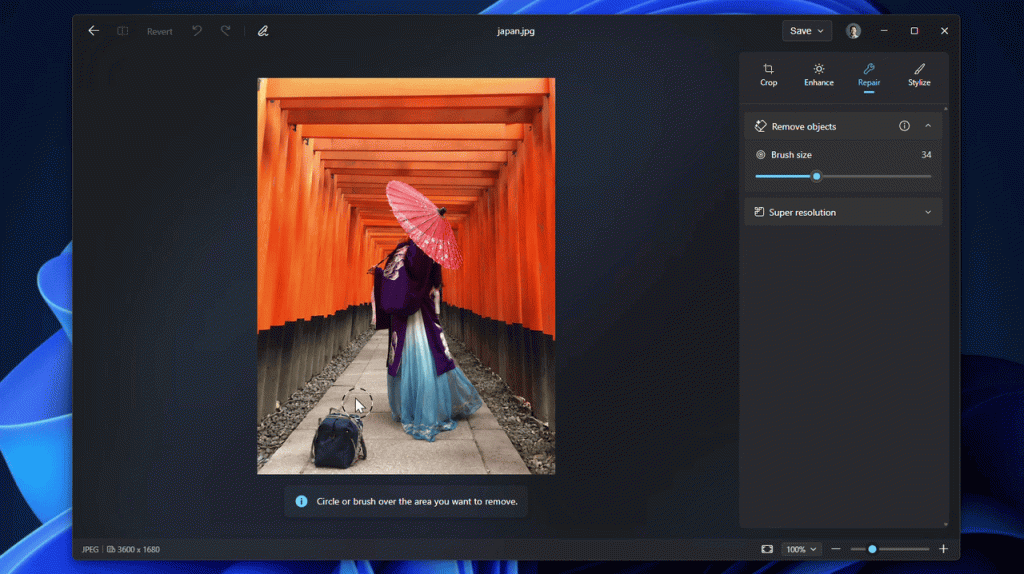
- Repair: Correct flaws and remove unwanted objects.
- Stylize: Apply creative changes to a photo’s appearance.
The Editor preserves HDR color and contrast throughout the editing process and supports editing and saving HEIC and WebP images in their original formats, including photos captured on an iPhone. In Repair, users can remove unwanted objects by circling or brushing over them. Microsoft says an improved AI model delivers higher-quality results and faster processing.
The Enhance category includes Relight, which lets users adjust lighting after taking a photo. Users can position up to three light sources, set their colors, and choose a focus point that all the lights automatically target. Brightness and intensity controls provide further adjustments, while built-in presets such as golden hour offer ready-made lighting effects. Microsoft is expanding Relight availability to all Windows 11 devices.
The Editor also includes social media crop templates, allowing users to select a format for their preferred social network and adjust the framing before sharing a photo.
Redesigned Viewer opens photos up to 30% faster
The redesigned Viewer in the Windows 11 Photos app improves startup performance by 15% on average, with improvements of up to 30% for HEIC images, according to Microsoft. It also features a photo-focused layout, smoother arrow-key navigation, improved HDR viewing, and expanded file-format support, including SVG files.
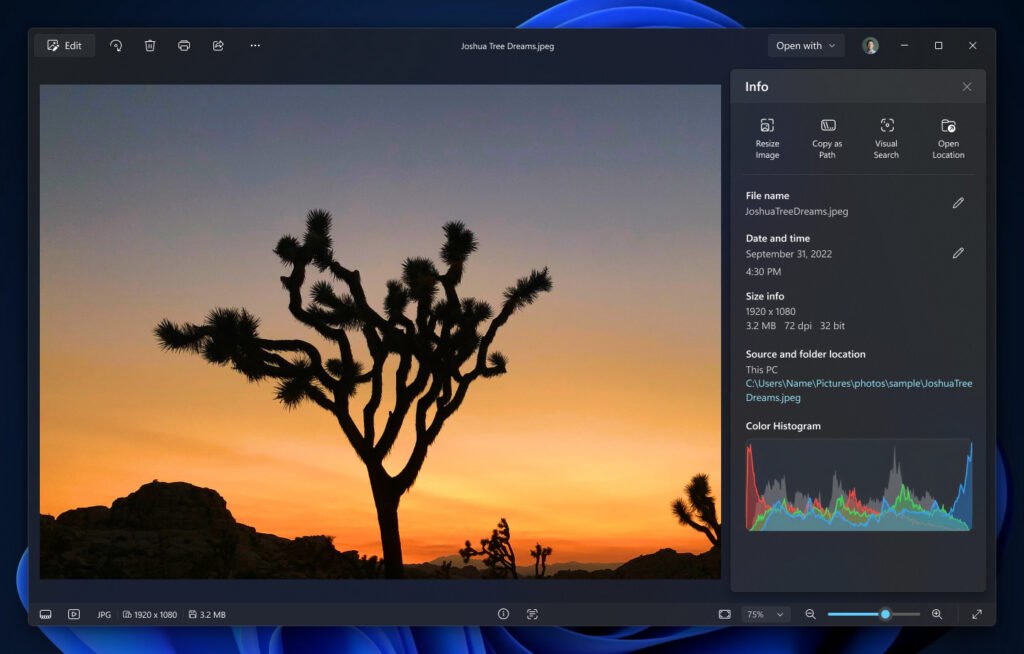
Editing, printing, and sharing actions remain accessible through the interface, while a single menu organizes navigation and app choices. An information panel displays the file name, date, camera details, a location map when location data is available, a color histogram, and visual search. Opening an image directly from File Explorer launches it in the new lightweight Viewer, allowing users to navigate through photos stored on their PC.
Availability
Microsoft is beginning to roll out the updated Photos Gallery, Editor, and Viewer to Windows Insiders on Windows 11. The company plans to expand availability to all Windows 11 users later this year. Users can submit feedback through Feedback Hub by pressing Win + F and navigating to Apps > Photos.