
Skip to content
Fone Arena

Fone Arena

The Mobile Blog

  • Main Site
  • Phones
  • Gadgets
  • About
  • Media Coverage
  • Advertising
  • Contact
  • Tip Us
  • Twitter
  • FB
  • Youtube

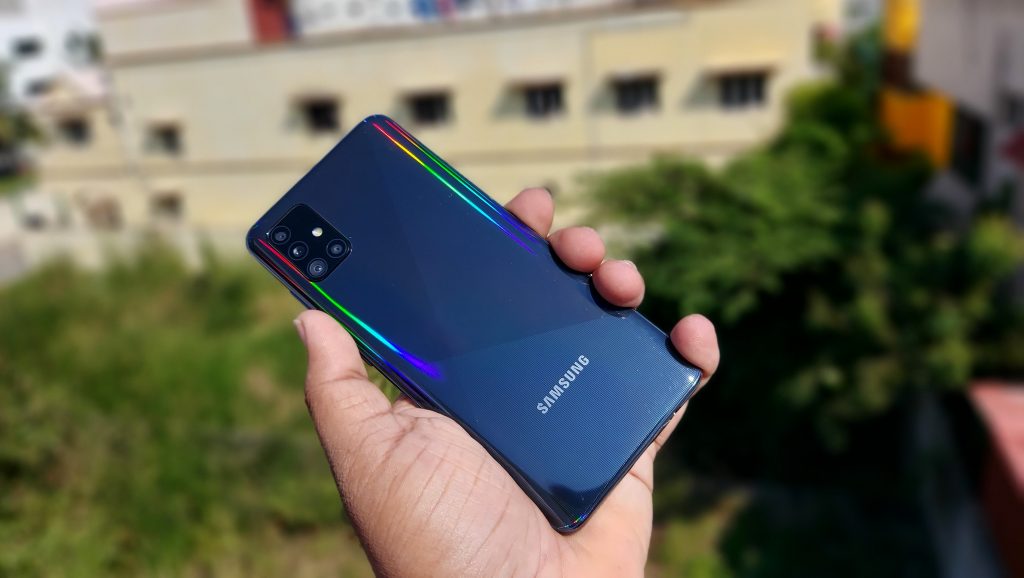
Samsung brings Single take, Manual Focus, Quick Share and more to the Galaxy A51 and Galaxy A71


Samsung has announced that they are bringing many flagship features from its Galaxy S20 series down to its Galaxy A51 and Galaxy A71 smartphones. These include camera features like Single Take, Manual Focus, Shutter Speed control, other features like Quick share, Music share and more.

Single Take was introduced with the launch of the Galaxy S20 series and now it’s coming to the Galaxy A51 and A71. With it, the smartphone will capture up to ten seconds of footage with a wide range of capture modes, including Live Focus, Smart Crop, video and AI filter. Users can then later choose which capture style they liked the best.

Other camera features that are added to the Galaxy A51 and A71 includes Night Hyperlapse, My Filters and Pro Mode functionalities like Manual Focus and Shutter Speed control.

The next set features added are aimed at conveniently sharing media — Quick Share and Music Share. Quick Share enables users to easily and quickly share media from the gallery to other nearby users. Music Share lets users connect to another nearby user’s Bluetooth speaker directly via the user’s smartphone.

Samsung is also adding adding a few Keyboard and Gallery functionalities to the Galaxy A51 and A71. Typing in the search bar in the app tray will now show results like predicted Apps, Settings, Quick Panel and Contacts. User’s can translate text directly from the keyboard tray and swipe left or right with two fingers on the keyboard will undo or redo the typing respectively.

And lastly, the Galley app on these two smartphone is getting two features, namely Clean View and Quick Crop. With Clean View, the Gallery will group up to 100 images shot consecutively into one bundle for easy viewing and Quick Crop is a feature that lets users instantly save an edited picture when zooming on the image.

Source

Author Milan NairPosted on July 7, 2020Categories News, SamsungTags Galaxy A51 Music Share, Galaxy A51 Quick Crop, Galaxy A51 Quick Share, Galaxy A51 Single Take, Galaxy A71 Music Share, Galaxy A71 Quick Crop, Galaxy A71 Quick Share, Galaxy A71 Single Take

Post navigation

Previous Previous post: Samsung Galaxy Note20 series could go on sale from August 21; Note20 Ultra live images surface
Next Next post: OnePlus Nord AR launch event set for July 21, India pre-orders begin July 15

Trending Phones

  • OnePlus 6
  • Xiaomi Mi 8
  • Honor 10
  • Samsung Galaxy S9
  • Apple iPhone X
  • Nokia 7 Plus

Mobile Phones

  • Nokia
  • Sony Ericsson
  • Samsung
  • Motorola
  • i-Mate
  • Dopod
  • HTC
  • LG
  • 02
  • BlackBerry
  • Sagem
  • Haier
  • palmOne
  • HP
  • Spice
  • Fly
  • Apple

Latest Phones

  • Oppo Find X
  • Xiaomi Redmi 6 Pro
  • vivo NEX S
  • Nokia X6
  • Blackberry KEY2
  • Motorola Moto G6

Featured Video

Recent Posts

  • Tata Play Binge gets Shots hub for vertical micro-dramas
  • FUJIFILM instax mini Evo Cinema hybrid instant camera launched in India
  • HONOR overseas shipments grew 55% YoY in 2025: Report
  • OPPO A6 5G with 6.75″ 120Hz display, IP69 ratings, 7000mAh battery launched in India
  • LG launches 2026 BEE star rated ACs in India
  • BenQ MOBIUZ EX271UZ 27″ 4K 240Hz OLED gaming monitor launched in India
  • India smartphone shipments fell 1% in 2025: Report
  • Airtel deploys mobile connectivity on Vidyasagar Setu
  • OnePlus India CEO Robin Liu refutes shutdown rumors
  • Unix UX-800 Off Beat Wireless headphones with up to 42h playtime launched

Popular stories

  • Netflix Plans
  • Airtel 5G phones
  • Jio 5G phones
  • Jio Recharge Plans
  • Airtel USSD codes

Categories

Latest phones

  • Lenovo Phab 2
  • Lenovo Phab 2 Plus
  • Lenovo Phab 2 Pro
  • Motorola Moto Z
  • Motorola Moto Z Force
  • Reliance Lyf Wind 5
  • Main Site
  • Phones
  • Gadgets
  • About
  • Media Coverage
  • Advertising
  • Contact
  • Tip Us
  • Twitter
  • FB
  • Youtube
© FoneArena - 2005-2026