
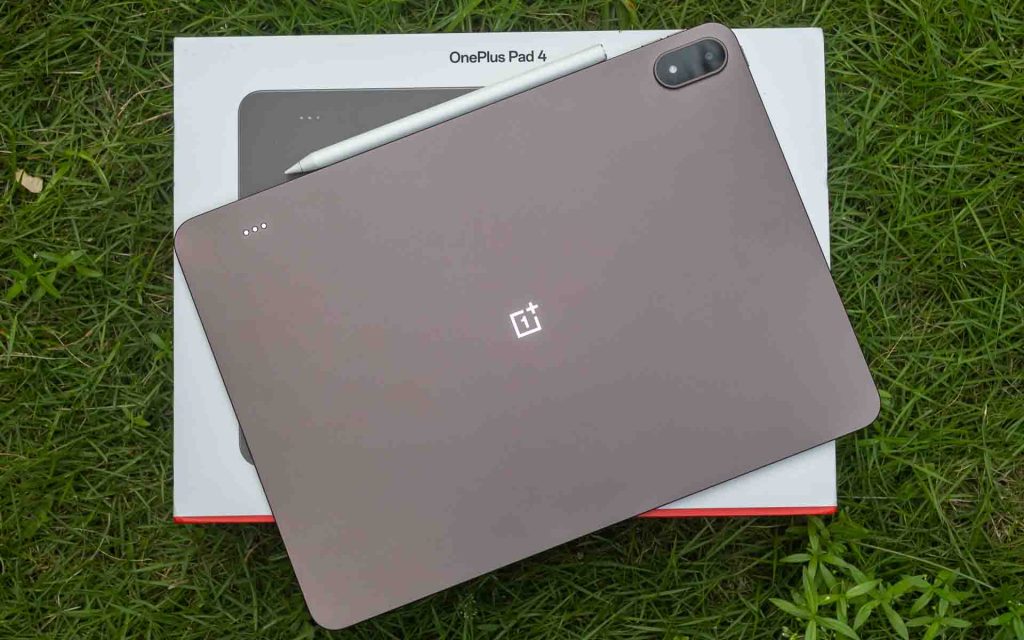
Back in 2023, OnePlus made its first foray into the Android tablet segment with the OnePlus Pad. Since then, the Android tablet market has grown considerably, with Samsung, Lenovo, Xiaomi, and OnePlus itself offering options across various price points. The original OnePlus Pad targeted the upper mid-range segment, but the Pad 4 makes a clear step up, positioning itself firmly in the premium space at Rs. 59,999. At that price, it promises a premium tablet experience, but does it deliver? We put it to the test.
Design and Build Quality
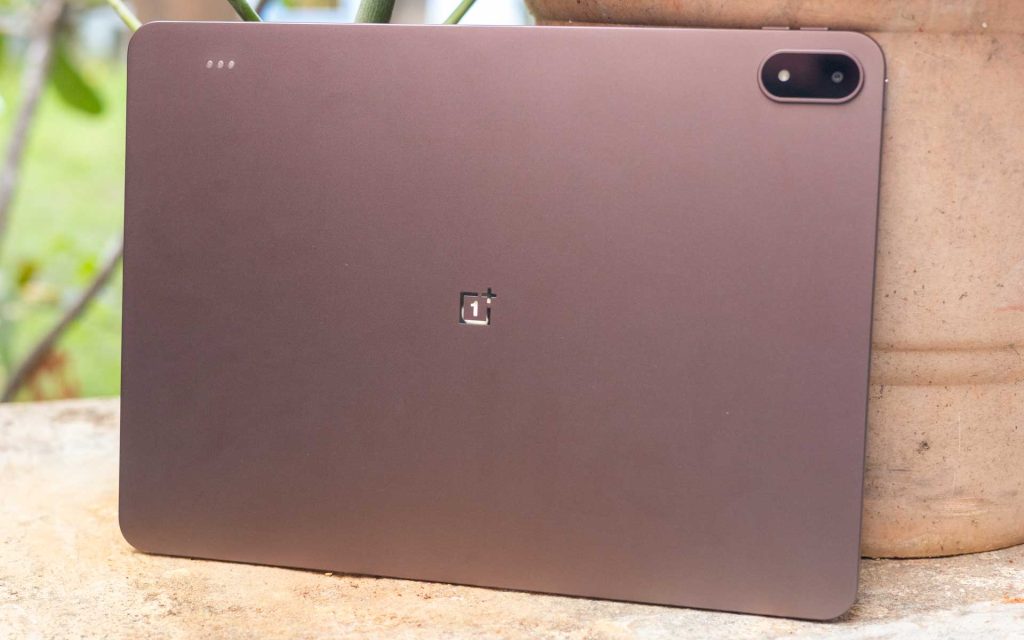
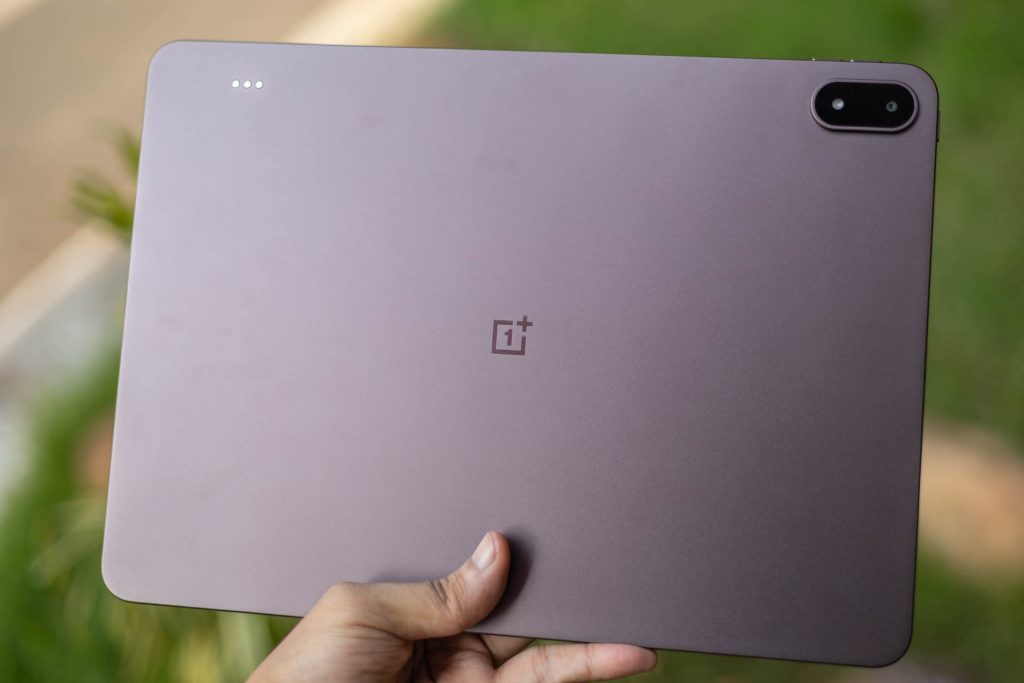
Pick up the OnePlus Pad 4 and you immediately realise just how premium it feels. The metal unibody construction is unbelievably thin at just 5.94mm, and at 672g, the weight is well-distributed across the chassis. The sides are flat with a subtle curve along the edges that aids handling, and OnePlus has sized the bezels just right for comfortable use in hand.
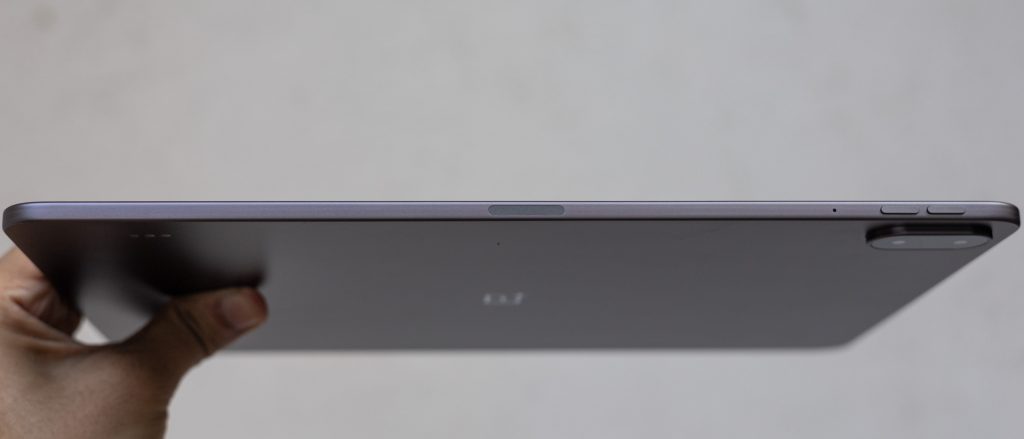
That 5.94mm thinness does take some getting used to on a device with a 13.2-inch display, it feels almost shockingly slim. That said, pairing it with a case or the OnePlus Pad 4 Smart Keyboard makes it considerably easier to handle day-to-day.
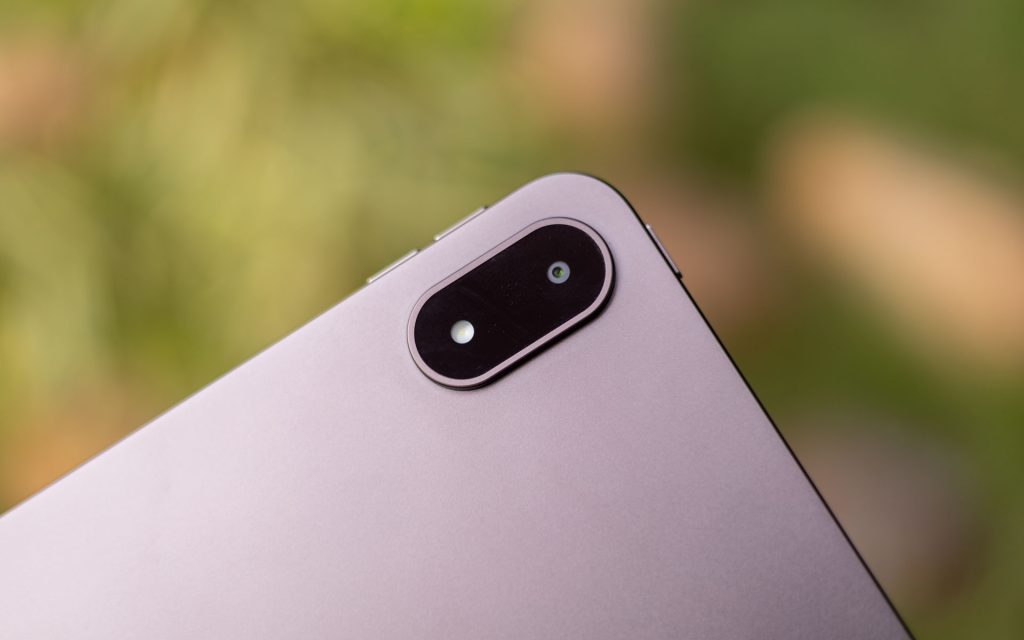
We received the Dune Glow colour variant for review, which has a warm bronze tone to it that looks stunning when the light catches the rear panel. The other option, Sage Mist, offers a cooler frosted aesthetic and looks equally refined. OnePlus has done a great job with both colourways.
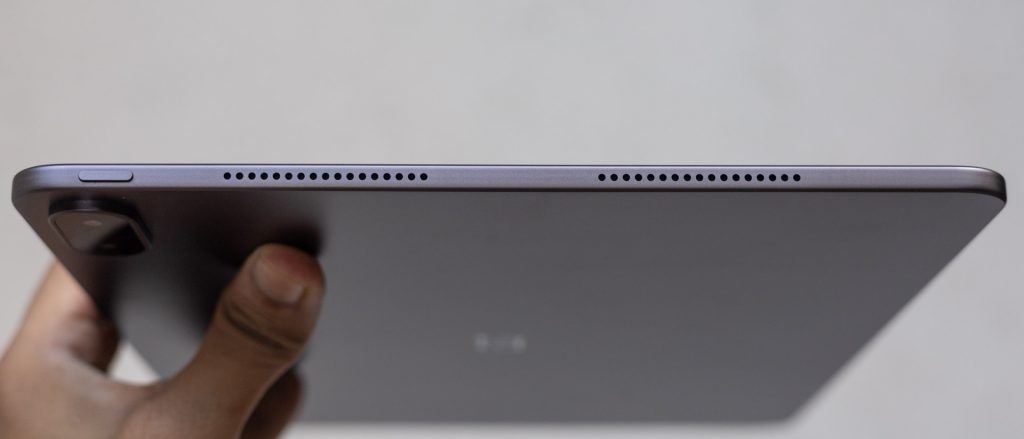
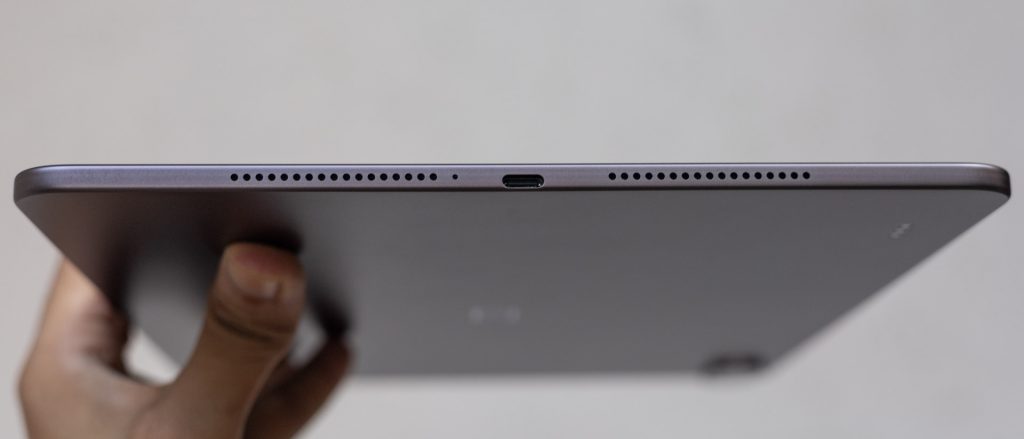
The button layout is straightforward — a volume rocker on the right spine and a power button on the top edge. Four speaker grilles line the sides for the eight internal speakers, and the USB-C port sits on the bottom edge. There is no microSD card slot or SIM support, so what you see is what you get in terms of storage. On the rear, a pill-shaped camera module housing the lens and flash sits near the top, while the Smart Keyboard pogo pins are found along the opposite side.
Display
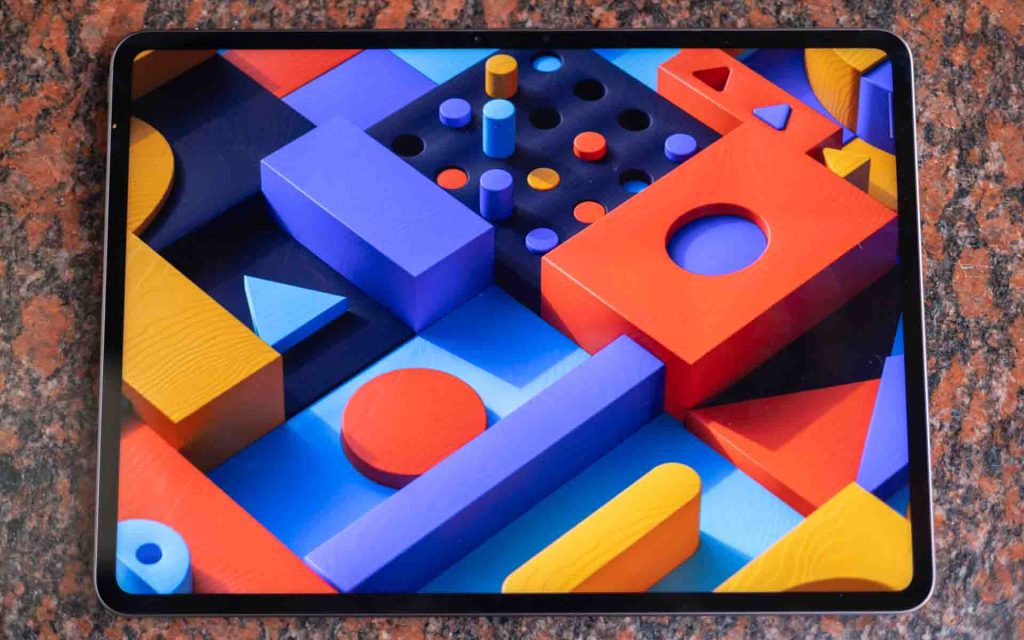
The display on the OnePlus Pad 4 carries forward much of what made the Pad 3’s screen so well-regarded, and that is largely a good thing. It is the same 13.2-inch, 12-bit LCD panel with a 7:5 aspect ratio, a resolution of 3392×2400, and a maximum refresh rate of 144Hz. Colour coverage sits at 98% of the DCI-P3 gamut, and a DeltaE of 0.7 means colour accuracy is genuinely impressive for a tablet at this price.
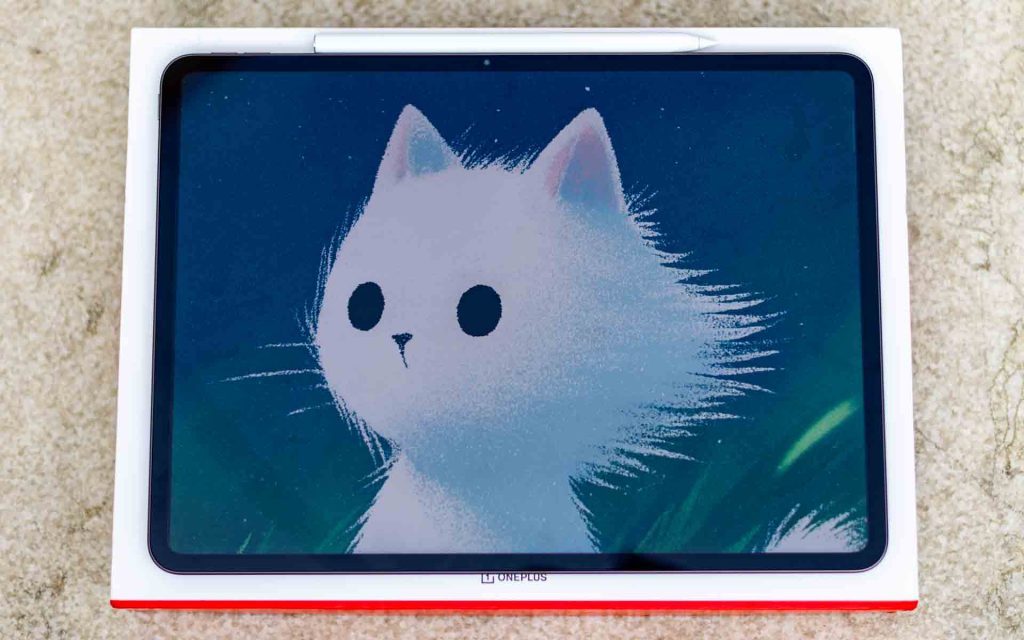
The most notable upgrade over its predecessor is brightness. The Pad 4 now reaches 700 nits for standard content and climbs up to 1000 nits in High Brightness Mode. This makes a real difference in bright environments and outdoors, where readability has meaningfully improved compared to the previous generation. HDR content also benefits from the extra headroom.
In terms of everyday viewing, the display excels. Colours are rich and well-saturated, contrast is strong, and content on YouTube and Netflix looks vivid and punchy. Dolby Vision support further elevates the HDR experience. While the LCD panel cannot match the inky blacks of an OLED display, it is comfortably one of the better LCD screens you will find on a tablet today.
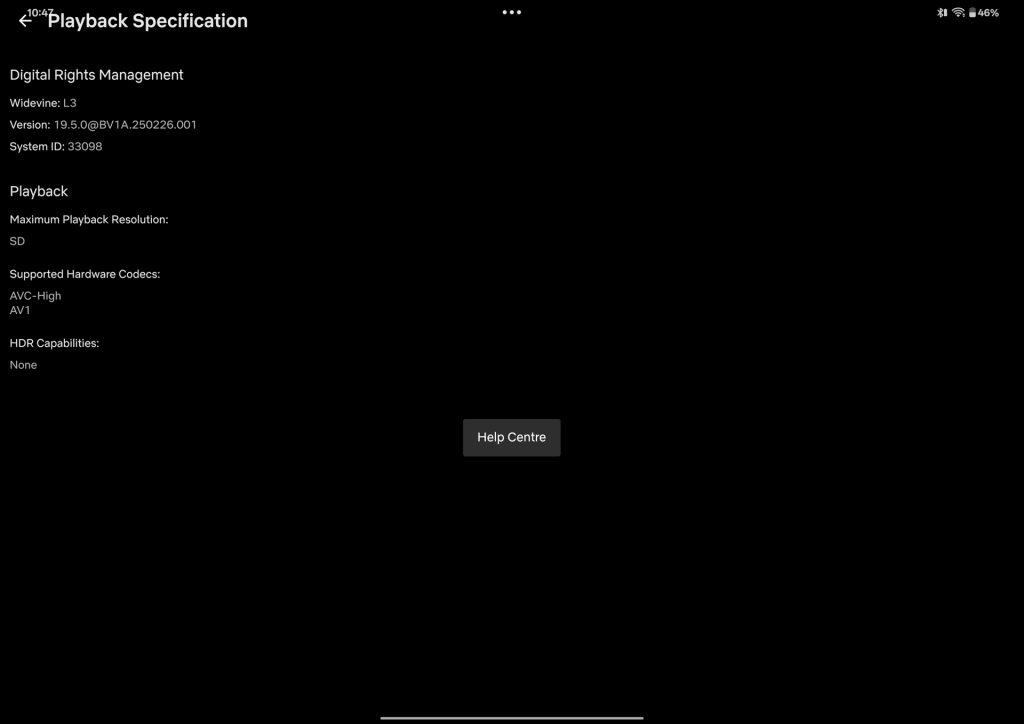
However, there is one significant issue that cannot be overlooked. The OnePlus Pad 4 lacks Widevine L1 certification, which means Netflix and Amazon Prime Video are limited to SD resolution playback. On a 13.2-inch display that OnePlus has put so much emphasis on, this is a serious shortcoming. SD content looks noticeably soft and blurry at this screen size, and it is frankly difficult to excuse for a device priced at Rs. 59,999. Hopefully, OnePlus addresses this through a future software update.
The 144Hz refresh rate, at least, delivers consistently smooth performance throughout. Whether you are navigating the OS, scrolling through apps, or playing a supported title where the higher frame rate gives a tangible edge, the display keeps up without complaint. Overall, the OnePlus Pad 4 houses an excellent display let down by one critical omission that OnePlus needs to address urgently.
Audio
Supporting the fantastic display on the Pad 4 is a splendid array of eight speakers, comprising four woofers and four tweeters. The setup delivers a stereo experience and automatically switches the left and right channels based on the tablet’s orientation, which is a neat touch.
Audio quality is impressive for a tablet this thin. There is a remarkable level of clarity in the mids and highs, and the bass holds up reasonably well too. There is not a great deal of low-end, as you would expect from an ultra-thin device, but the speakers punch well above their weight given the form factor. Separation between channels is clean and adds to the experience when watching movies or listening to music.
That said, performance does begin to drop off beyond 75% volume. The speakers do not distort as such, but there is a noticeable harshness to the trebles at higher volumes, with the sound tending towards a blare rather than remaining composed. It is evident that the upper limits of the volume range push the speakers beyond their comfort zone.
Performance and Connectivity
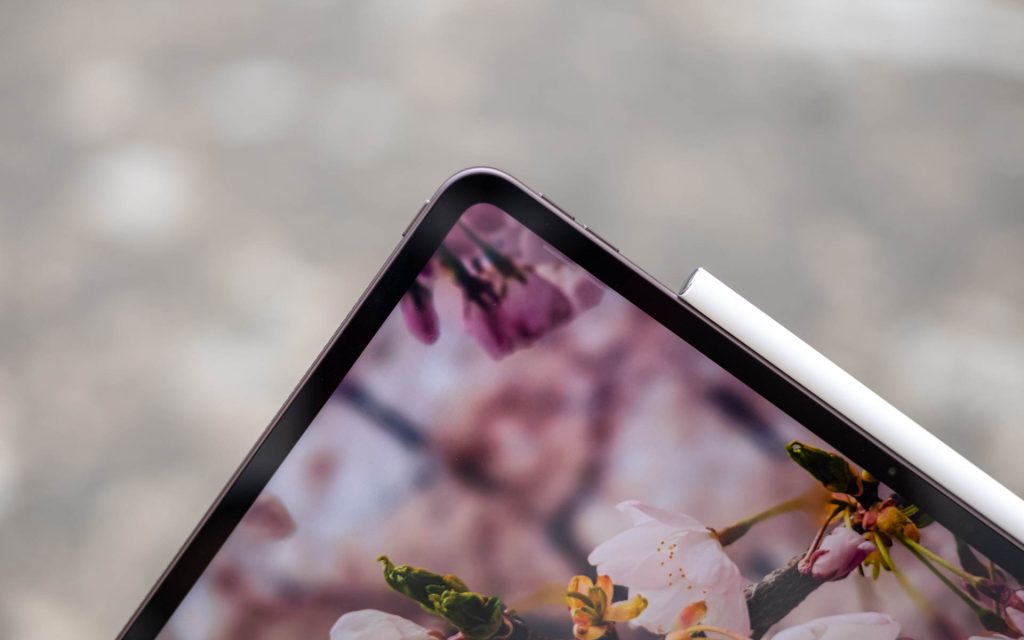
Being a flagship tablet, top-notch performance is an expectation, and the OnePlus Pad 4 delivers. Powering the device is the Qualcomm Snapdragon 8 Elite Gen 5, paired with 12GB of LPDDR5X RAM and 512GB of UFS 4.1 storage. The Adreno 840 GPU, clocked at 1200MHz, handles graphics duties..
The Snapdragon 8 Elite Gen 5 is currently the fastest mobile processor available on any Android device, and the Pad 4 makes full use of it. To keep thermals in check, OnePlus has implemented the same Cryo-velocity Cooling technology found in the OnePlus 15, though the vapour chamber here is considerably larger, spanning 45,260mm² to account for the tablet form factor.
The result is a device that handles everything thrown at it with ease. Everyday tasks, multitasking across up to five simultaneous windows, and demanding workloads all feel fluid and responsive. The 12GB of RAM keeps most apps active in memory without issue as well.
Gaming performance is equally strong. Lighter titles such as Angry Birds and Alto’s Odyssey run without a hitch, while demanding games like Genshin Impact hold up well too. The large vapour chamber does its job effectively, allowing the processor to sustain peak performance for longer periods while keeping temperatures well in check. There are no noticeable hotspots on the rear panel even during extended gaming sessions.
Wireless Connectivity
On the connectivity front, the Pad 4 supports Wi-Fi 7 and Bluetooth 6.0. OnePlus has also introduced their self-developed AI-powered smart antenna design for the first time in a tablet, which intelligently switches between antennas to maintain the strongest possible connection. In practice, wireless performance was excellent. Speeds were consistently fast and signal strength remained strong throughout our testing space, with no drops or dead zones encountered.
The more puzzling omission is the lack of any cellular connectivity. Even the more affordable OnePlus Pad Go 2 offers 5G support, making its absence on the Pad 4 difficult to justify at this price point. While OnePlus device owners can tether seamlessly to a OnePlus smartphone’s 5G connection, that is a fairly specific scenario and not a substitute for native SIM support. For a premium tablet at Rs. 59,999, the Wi-Fi-only limitation is a notable gap.
Software
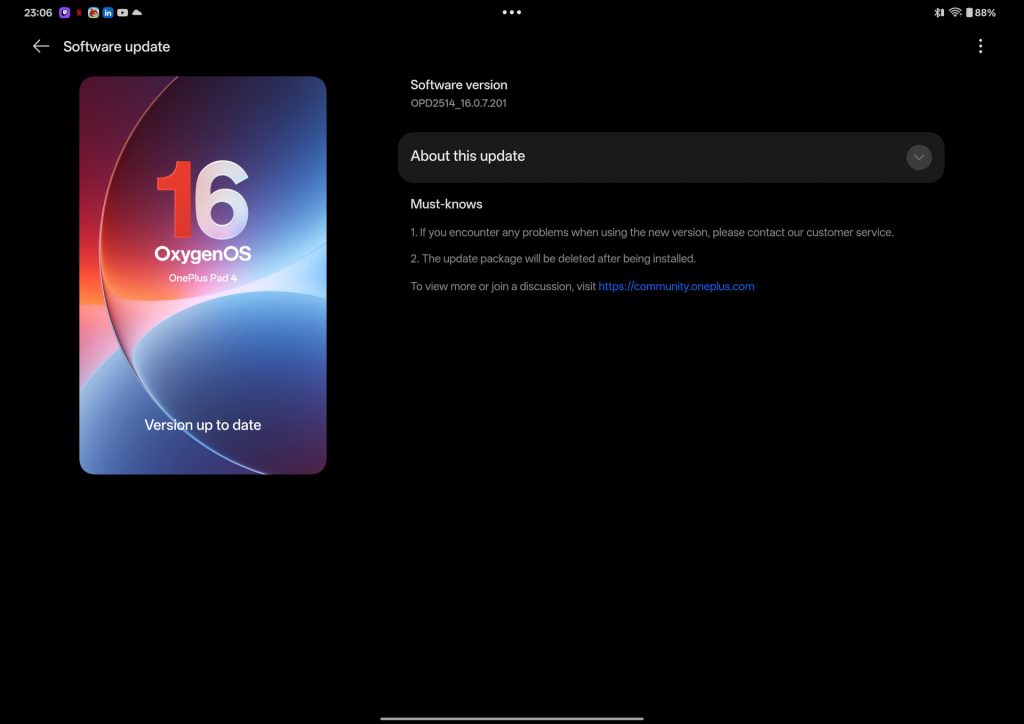
The OnePlus Pad 4 runs OxygenOS 16, based on Android 16, with the April 2026 Android Security Patch out of the box.
Since entering the tablet segment, OnePlus has always been held back from delivering a true laptop replacement experience by its software. File management lacked robustness, and multitasking remained cumbersome despite the various gestures on offer.
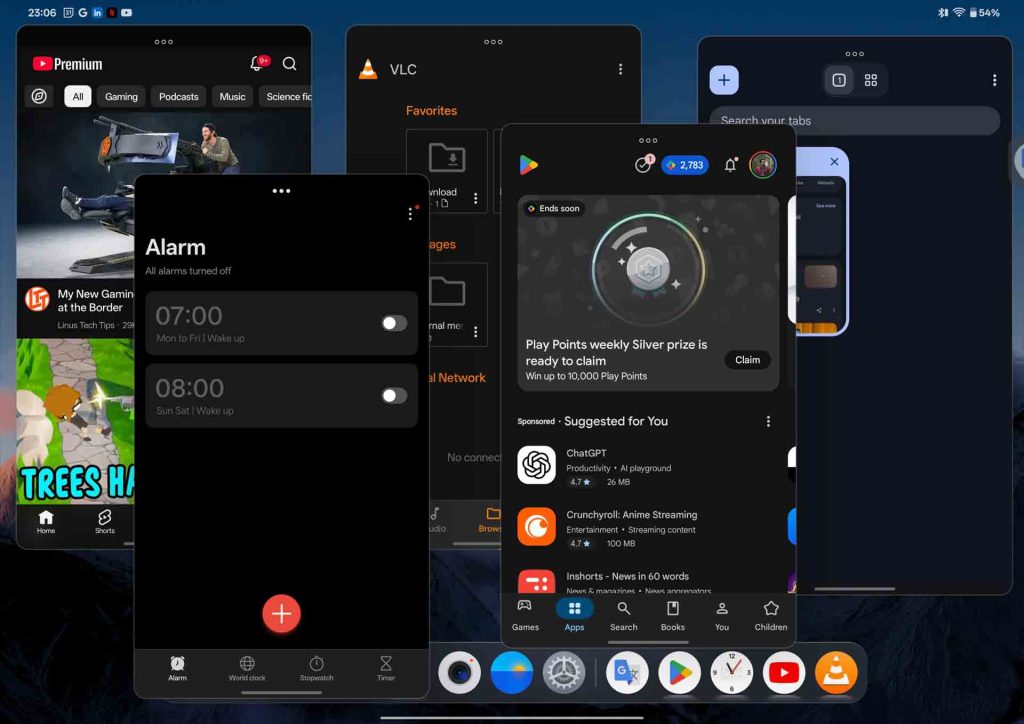
With the Pad 4, however, OnePlus has made significant strides. You can now open up to five apps simultaneously in resizable windows, with gestures to quickly minimise apps and toggle between a predefined three-app layout and freely positioned windows.
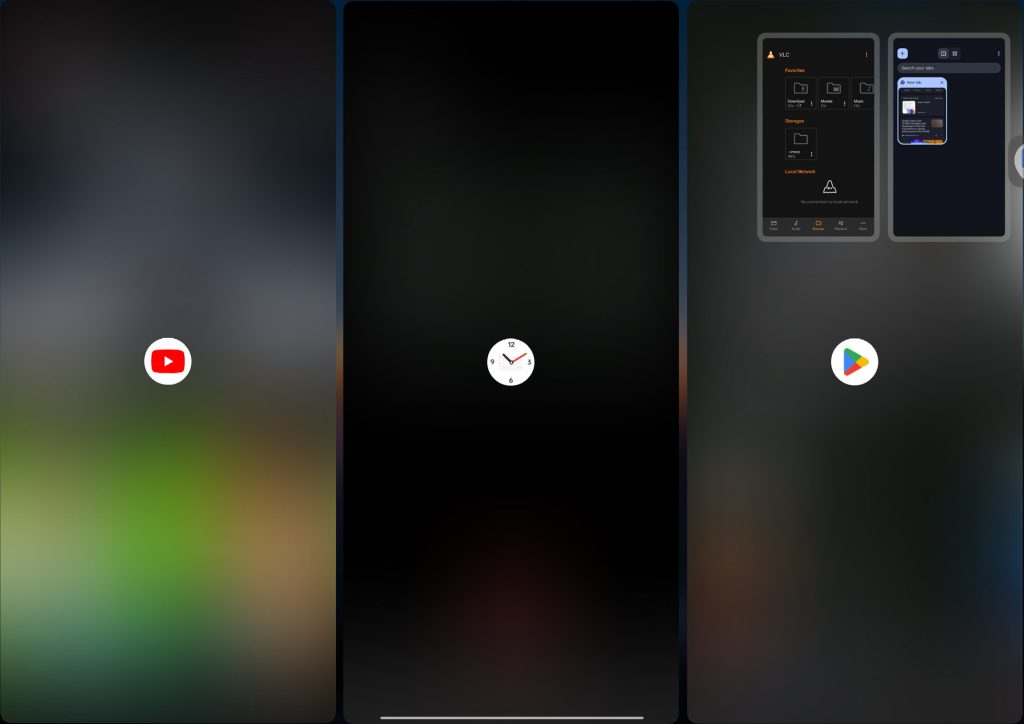
There is a learning curve involved, given that Android has not supported anything quite like this until recently, but with time, these gestures genuinely make multitasking on the Pad 4 feel closer to a laptop than any previous OnePlus tablet has managed. File management has also seen meaningful improvements, with the ability to drag and drop files across apps, multi-column folder views, and cover previews that let you identify files at a glance without opening them.
Cross-device connectivity has been part of the OnePlus tablet experience since the original Pad, and the Pad 4 continues in the same vein. Using O+ Connect, you can mirror your OnePlus phone’s screen, share clipboards, transfer files, and even hand off active calls or videos between devices. Support extends beyond the OnePlus ecosystem as well, with file sharing available across other Android devices, iOS, Windows, and Mac. The experience feels on par with previous OnePlus tablets, which is a testament to how solid the foundation already was.
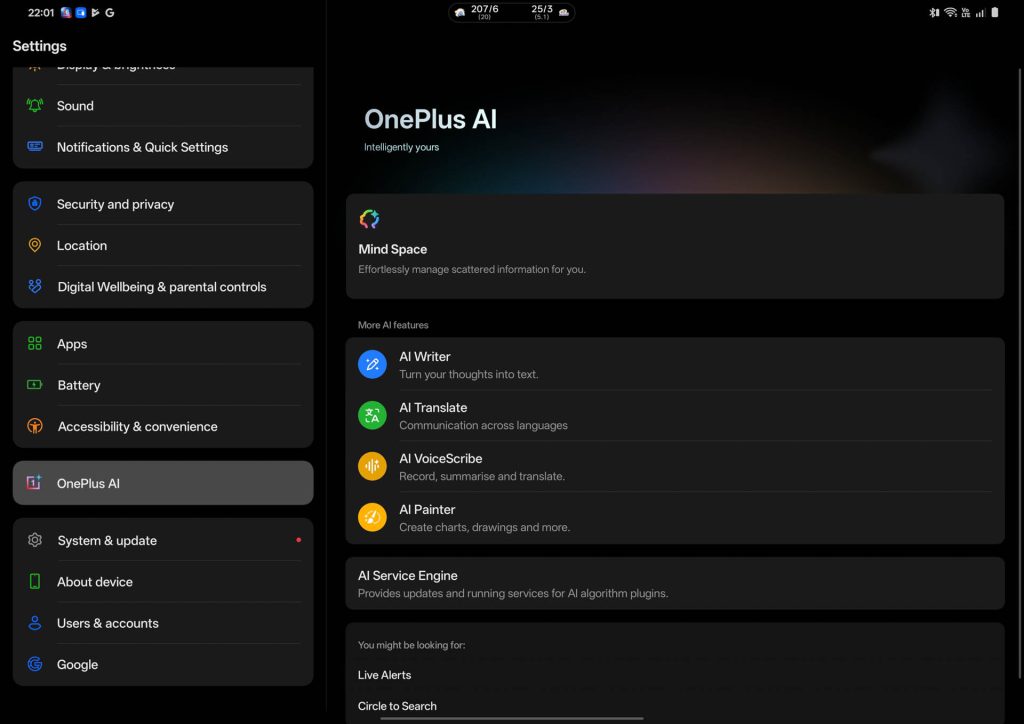
OxygenOS 16 also brings an expanded suite of OnePlus AI tools, including AI Writer, AI Summary, AI Translate, AI Painter, AI Clear Call, and AI Recorder. Each serves a practical purpose in day-to-day productivity, and it is encouraging to see OnePlus steadily refining these tools with each iteration rather than treating them as an afterthought.
Accessories
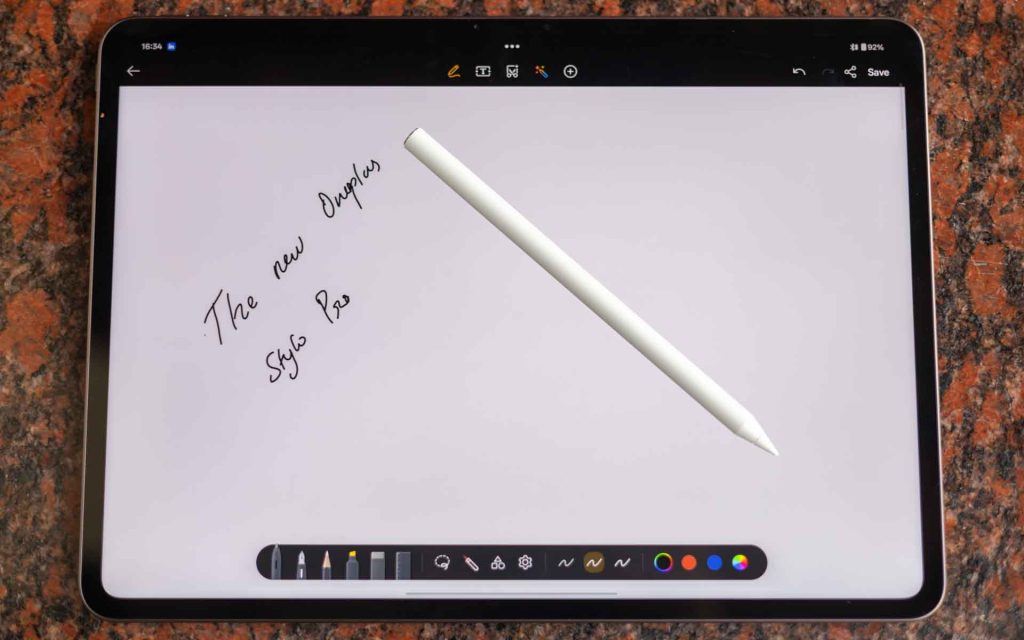
To complement the Pad 4, OnePlus has introduced two new accessories: the Stylo Pro stylus and the Smart Keyboard.
Stylo Pro
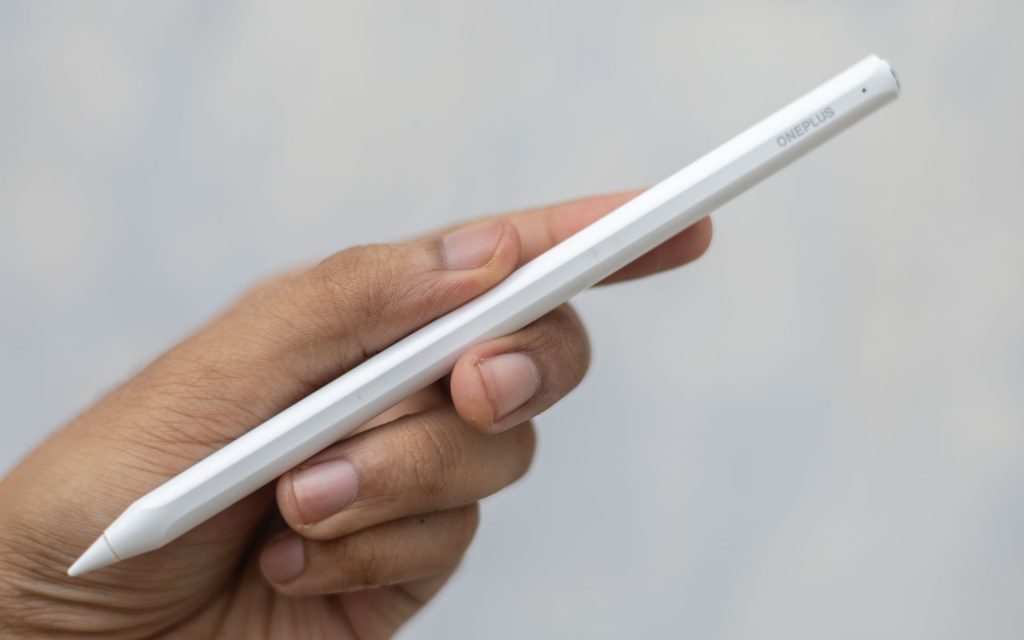
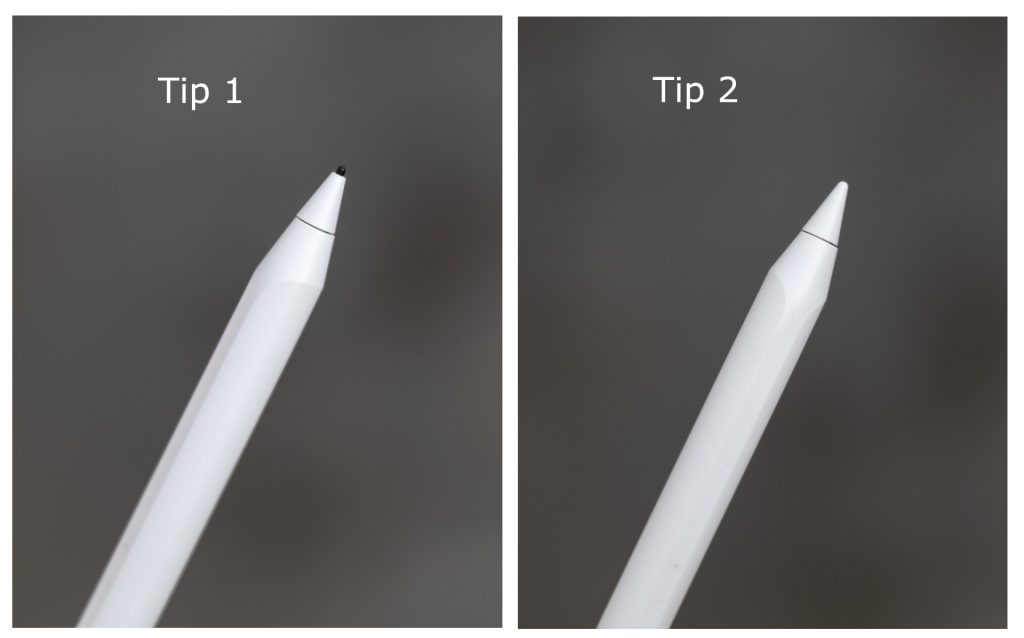
The Stylo Pro brings several upgrades over its predecessor, including 16,000 levels of pressure sensitivity, a haptic motor, and a redesigned weight distribution that shifts the centre of gravity toward the middle for a more balanced grip during extended use. A new Writing Tip has also been added, made from a high-friction material that offers steadier, slip-free writing and absorbs impact more effectively than a standard tip. The previous Drawing Tip, with its low-friction material suited to sketching, is also included in the box and can be swapped out depending on your use case.
In practice, taking notes with the Writing Tip felt comfortable and natural, though a slight lag was noticeable when writing at higher speeds, which affected handwriting legibility. Slowing down mitigated the issue, but it is something OnePlus should look to address. It is also worth noting that the Stylo Pro is not forward or backward compatible with previous OnePlus Pad tablets. With OnePlus releasing a new stylus with each Pad generation, users upgrading from an older model will need to purchase a new one, which is an added cost that feels unnecessary.
Smart Keyboard
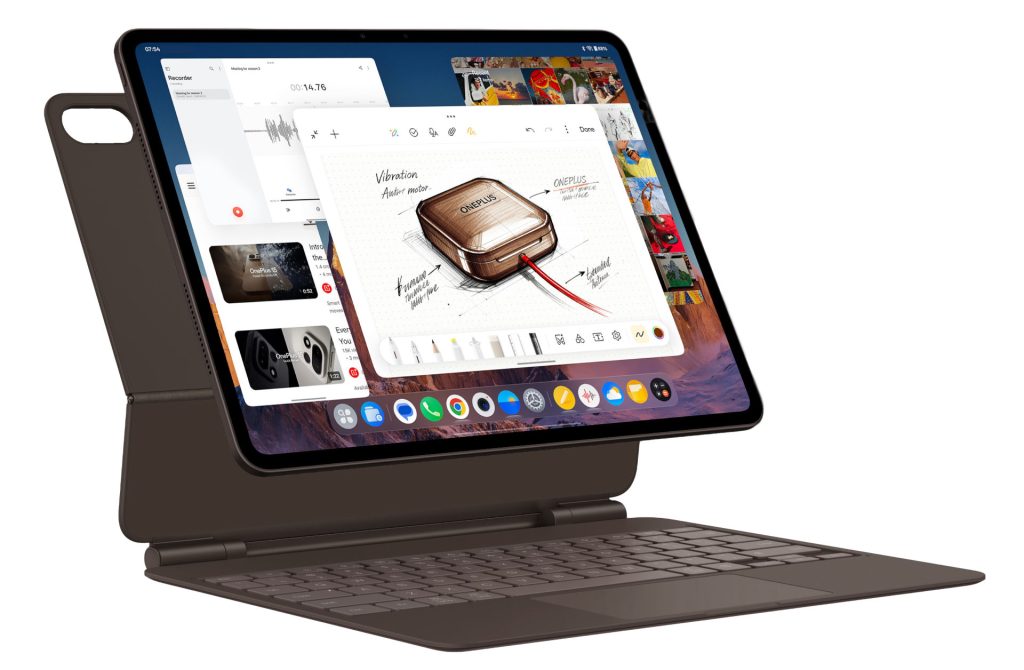
The Smart Keyboard is the other notable accessory, featuring 16.05mm keycaps, along with a 109.9 x 59.6mm touchpad with gesture support. For anyone looking to use the Pad 4 as a genuine laptop replacement, the Smart Keyboard makes a compelling case and is worth the investment.
Battery and Charging
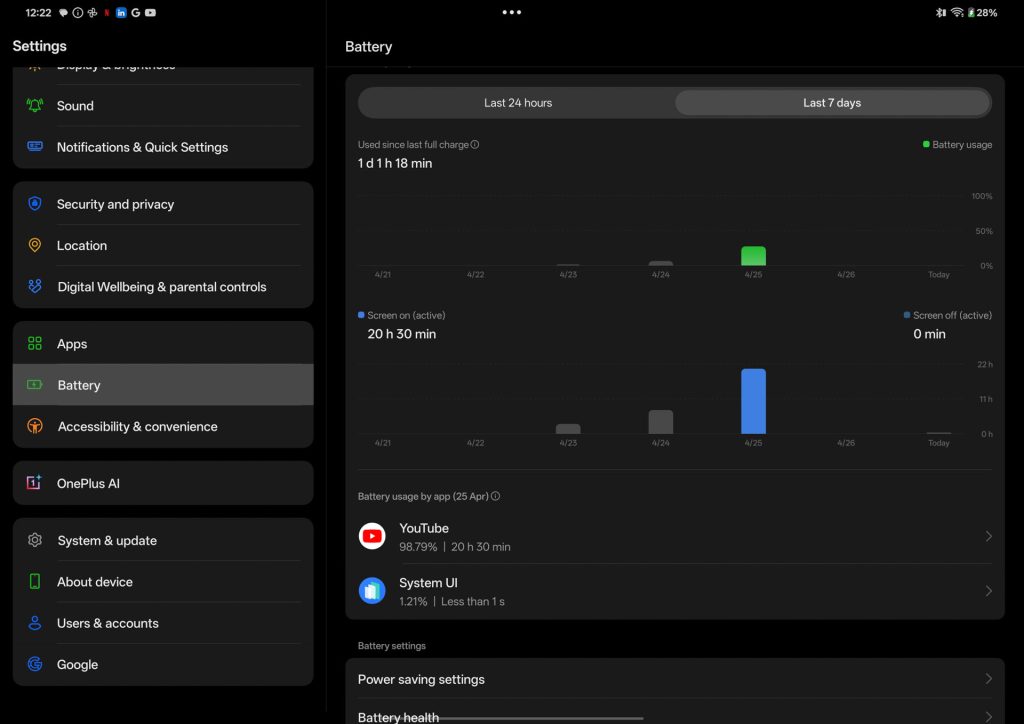
Powering the Pad 4 is a massive 13,380mAh cell with support for 80W SUPERVOOC charging. Battery life is easily one of the Pad 4’s strongest suits, comfortably lasting multiple days under moderate use. During our testing, the tablet managed a full 24 hours of continuous YouTube streaming, which is impressive. The Snapdragon 8 Elite Gen 5 contributes meaningfully here, offering strong efficiency during lighter tasks. The sheer capacity of the battery ensures that demanding workloads like gaming or video editing can be sustained all day without reaching for the charger.
Fast charging is not a given on tablets, and the Pad 4 stands out here as well. The 80W SUPERVOOC charging topped the tablet from zero to full in approximately two hours. For a battery of this capacity, that is a very reasonable turnaround.
Verdict
The OnePlus Pad 4 is a confident step into the premium tablet segment, and for the most part, it justifies its Rs. 59,999 price tag. The hardware is flagship grade in every sense, from the Snapdragon 8 Elite Gen 5 and its exceptional thermal management, to the stunning 13.2-inch display, the remarkable battery life, and the impressive eight-speaker audio setup. OxygenOS 16 has also matured considerably, bringing multitasking and file management capabilities that finally make the case for the Pad 4 as a genuine laptop replacement.
That said, the Pad 4 is not without its frustrations. The absence of Widevine L1 certification is a significant oversight for a display-first device at this price, and the lack of any cellular connectivity option is difficult to overlook when more affordable tablets offer 5G support. These are not deal-breakers, but they are omissions that OnePlus needs to address, whether through a software update or with a future variant.
If you are looking for a premium Android tablet for productivity, content consumption, and everyday use, the OnePlus Pad 4 is one of the best options available in India right now. Pair it with the Stylo Pro and Smart Keyboard, and it comes remarkably close to replacing a laptop for most users. Just be aware of its limitations going in.
The OnePlus Pad 4 is priced at Rs. 59,999 for the 8GB + 256GB model and the 12GB + 512GB model costs Rs. 64,999. It will be available from OnePlus.in, Amazon.in, Flipkart, OnePlus Store App, and OnePlus Experience Stores and select partner stores. starting from May 5th.