
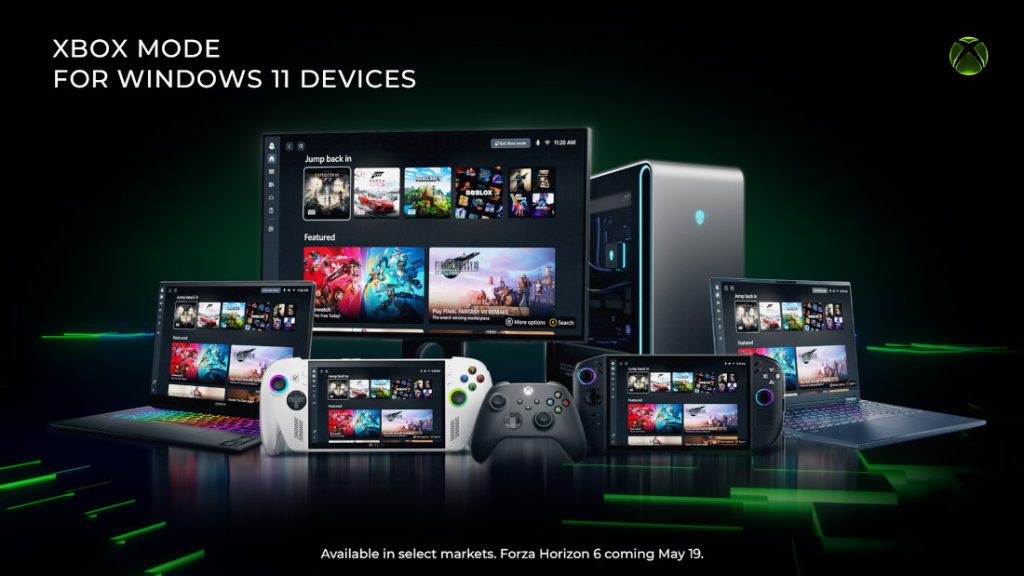
Microsoft has announced the gradual rollout of “Xbox mode” for Windows 11 PCs, expanding a console-inspired interface to desktops, laptops, and tablets in select markets. The update aims to provide a dedicated, full-screen gaming environment on standard PC hardware.
Features and Functionality
Xbox mode provides a controller-optimized experience designed to streamline PC gaming. Built natively on the Windows 11 operating system, it minimizes background desktop distractions by placing the user’s game library and recently played titles at the forefront of the interface.
Key features of the new mode include:
- Controller Navigation: A user interface specifically designed for browsing and launching games using a standard game controller.
- Seamless Switching: The ability for users to transition freely between the isolated Xbox mode interface and the standard Windows 11 desktop environment.
- Aggregated Library: A centralized gaming hub that compiles installed games from various leading PC storefronts, alongside the full catalog available through Xbox Game Pass.
Development Background
The feature was originally introduced on Windows gaming handhelds under the preliminary name “full screen experience.” According to the company, player feedback from these handheld devices directly shaped the development of Xbox mode for broader Windows 11 PC formats. The feature represents an ongoing effort by Microsoft to unify the visual and functional experience of the Xbox ecosystem across different hardware types, while retaining the standard flexibility of the open PC platform.
Availability and Installation
The update is currently being distributed to a limited number of users in select markets, with wider availability expected to expand over the next several weeks. The rollout is being conducted gradually to monitor the software’s stability.
How to Check for the Update: Users who wish to access Xbox mode as soon as it becomes available for their specific hardware can do so by adjusting their system settings:
- Open Settings on the Windows 11 PC
- Select Windows Update
- Toggle on Get the latest updates as soon as they are available
Once the corresponding update is downloaded and installed, users will be able to launch directly into Xbox mode. Microsoft has indicated that the interface will continue to evolve based on ongoing user feedback.