
Google has rolled out a significant update to the Google Photos editor for Android users across India.
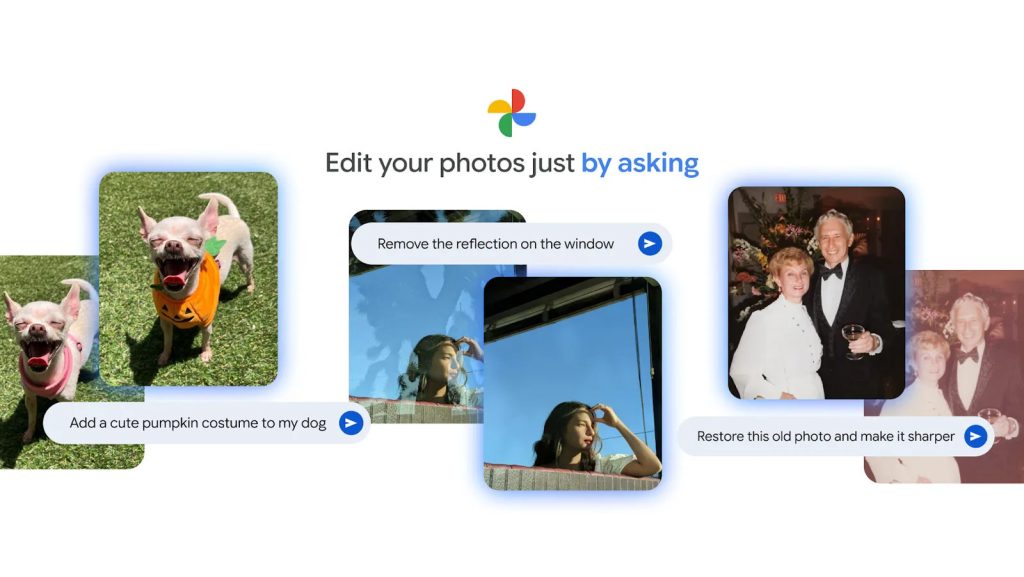
Powered by Gemini, the update shifts the editing experience from manual sliders to conversational prompts, allowing users to modify images by simply describing the desired changes.
Edit your photos just by asking — now starting to roll out in India, Japan, and Australia! 🌏✨
Complex editing tools just became a whole lot simpler. Just tap “Help me edit”, tell Google Photos what you want to change, and watch your vision come to life 🖼️
Rolling out now to… pic.twitter.com/vmYkvYoqIz
— Google Photos (@googlephotos) January 27, 2026
Key Features
The update introduces three primary tools designed to streamline the editing process:
- Conversational Editing: This feature replaces the need to manually navigate through various tools and sliders. Users can now input natural language commands to execute specific edits. Examples include prompts such as “make the background blurry,” “remove the glare,” or “make the colors pop.”
- Personalized Edits: Utilizing facial recognition data from a user’s private face groups, this tool addresses specific issues in group photos. Users can request targeted changes, such as “remove [Name]’s sunglasses” or “make [Name] smile,” generating edits based on existing reference photos of the subject.
- Nano Banana: This feature focuses on generative transformations and stylistic changes. Users can describe a new visual style or comprehensive alteration, and the software generates the transformation within seconds.
Language Support and System Requirements
To ensure accessibility across the region, these features are launching with support for English and six Indian languages: Hindi, Tamil, Marathi, Telugu, Bengali, and Gujarati.
Device Compatibility: The new Gemini-powered features are available on Android devices meeting the following specifications:
- RAM: 4 GB or higher
- Operating System: Android 8.0 or higher
Practical Applications
Google has outlined several scenarios where these conversational tools can be utilized, ranging from basic restoration to complex generative edits:
- Cleanup and Restoration: Users can combine multiple commands to remove distractions (such as fences or window reflections), erase old timestamps, and sharpen faded images from the past.
- Composition and Lighting: The tools allow users to expand the framing of a photo that is cropped too tightly or add studio-style lighting to selfies for a more polished appearance.
- Creative Transformations: The editor can insert new elements into a scene. Examples include visualizing interior decor changes by adding furniture, turning a grassy hill into a sunflower field, or adding holiday costumes to pets.
- Complex Scenarios: Users can request fantastical edits, such as placing a subject in a fictional setting (e.g., “a skiing dog on the moon”), or execute multiple complex edits simultaneously via a single text prompt.
Availability
These features begin rolling out to eligible Android devices today. Additionally, Google has updated the Create tab within the Photos app to help users explore these new tools and find inspiration for editing their image libraries.