
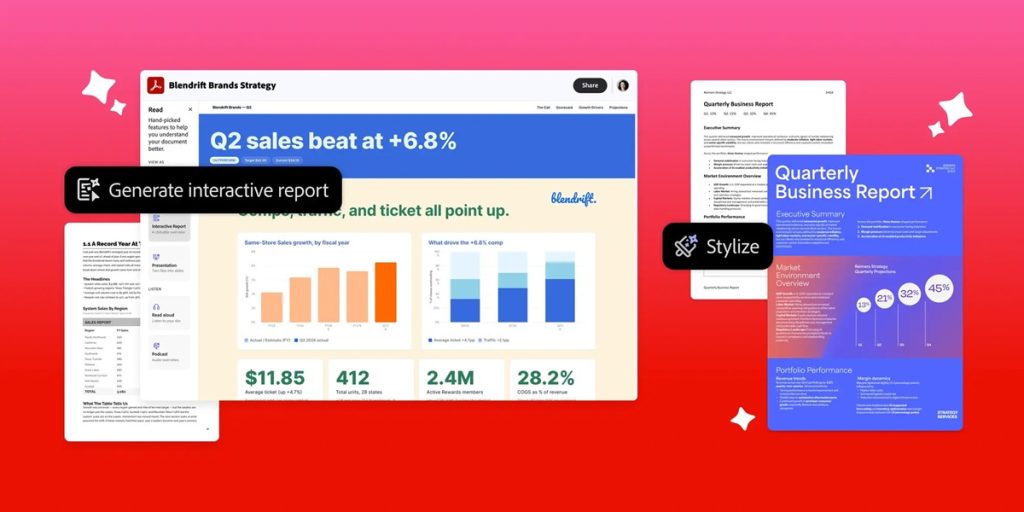
Adobe has announced new AI capabilities powered by Adobe Productivity Agent in Acrobat. The update adds tools for understanding documents, creating content and working with information across multiple files, including new capabilities for enterprise users handling large document collections.
Adobe says more than 400 billion PDFs are opened in Acrobat every year. The company says it invented PDF and Acrobat, which have been used to communicate information for three decades.
Productivity Agent expands Acrobat into a document productivity platform for understanding, creating and sharing information in one workflow. It can work across documents, data and systems to:
- Execute tasks and coordinate the steps required to generate insights and content
- Extend Acrobat capabilities across ChatGPT, Claude, WhatsApp, Microsoft Edge and Google Chrome
Understand documents faster
Acrobat can analyze dense documents and turn them into interactive reports and summary slides. It can ask clarifying questions to understand the user’s intent and generate reports with charts, images and built-in navigation. Examples include:
- Small and medium-sized businesses: Business reports, growth plans and financial statements
- Marketers: Competitor information, customer feedback and research insights
- HR teams: Survey and headcount data
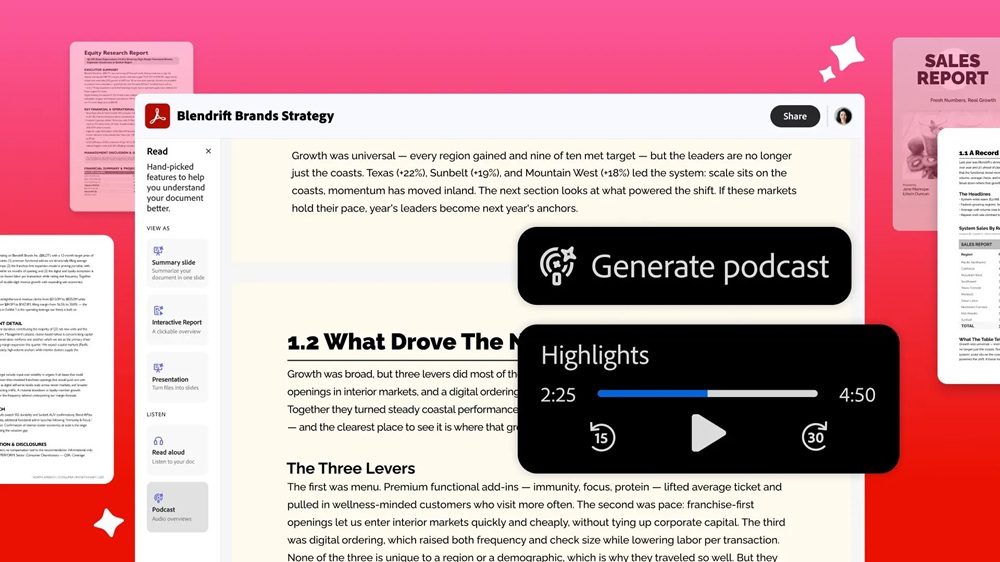
Acrobat also adds personal podcasts, audio summaries and read-aloud capabilities. Users can add documents or web links to a PDF Space and ask Acrobat to summarize the information as a podcast. Multiple market research reports can also be combined into a podcast.
The Knowledge Base provides answers from collections containing:
- PDFs and Microsoft Office files
- Web pages, text and email
- Files synced from SharePoint or Google Drive
Adobe gives sales teams as an example, allowing them to search large enablement libraries for information and identify the relevant approach for an opportunity.
Analyzer can extract structured data from thousands of documents and turn unstructured information into structured insights for finance, procurement, operations and IT. For vendor management, it can extract key information, terms and clauses from agreements and statements of work for portfolio-level tracking of:
- Auto-renewals
- Service-level agreements (SLAs)
- Inflation adjustments
- Reporting requirements
Create documents and presentations
Acrobat’s Stylize feature can format documents such as resumes, invoices and reports. Users can bring a plain document into Acrobat and choose from thousands of Adobe Express templates. AI then reflows the source information into the selected template in real time while preserving the original content.
Acrobat can also create presentations directly from source documents. Adobe gives small business proposals and job seeker resumes as examples of documents that users can transform with these capabilities.
AI document understanding
Adobe says its AI capabilities are purpose-built for understanding PDF and document content. Acrobat provides clickable citations with answers so users can verify information and access the relevant source. Adobe also says it does not use customer document data to train its generative AI models and provides enterprise-grade governance and security for its AI-powered document capabilities.
Student Spaces
Adobe’s Student Spaces in Acrobat are now available globally in English, following the beta launch in April 2026. Adobe says the beta has attracted more than 1 million monthly active users. Students can generate:
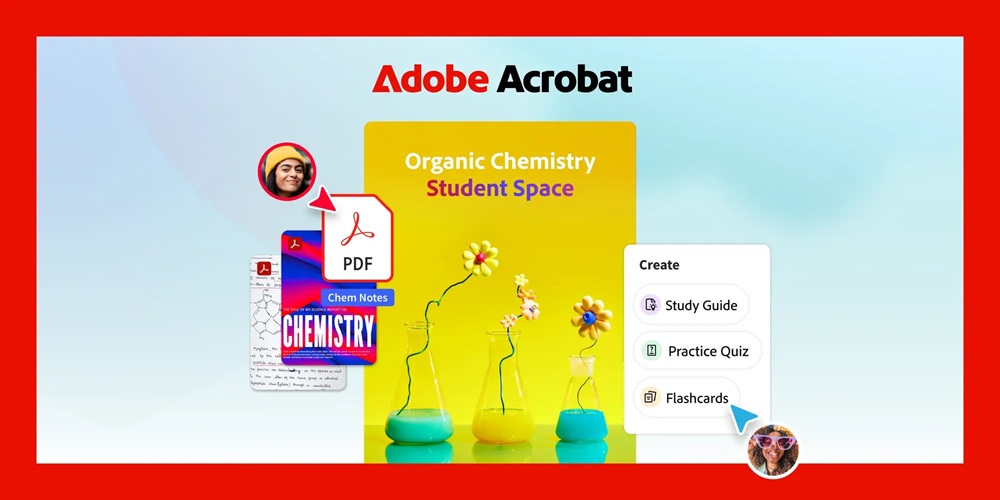
- Flashcards
- Quizzes
- Study guides
- Presentations
The AI Assistant can answer questions, break down complex topics and provide explanations with interactive citations linking directly to source material. New capabilities include adding citations to classroom documents, digitizing handwritten notes into personalized study tools and generating fact sheets.
The AI Assistant can also review resumes and provide feedback for internship and job interview preparation. Student Spaces is available on the web and through the Acrobat Reader app on Android, with more languages coming soon.
Adobe is also planning student packages for Acrobat Studio and Acrobat Express.
Pricing and Availability
- All audio and visual capabilities are available with Acrobat Studio, Acrobat Express and Acrobat AI Assistant Plus plans.
- Knowledge Base, Analyzer and all audio and visual capabilities are available with Acrobat Studio for enterprise.
- Student Spaces is available globally in English, with additional languages coming soon.
Speaking on the announcement, Abhigyan Modi, SVP, Productivity Product Group, Adobe, said:
Acrobat is already where millions of people come to read their most important information, and now it’s where people can understand it faster and more comprehensively, so they can show up smarter and accomplish their goals. We’re bringing decades of document innovation into an experience that helps individuals learn faster, teams work more productively and enterprises unlock the intelligence inside their documents, all in one place.