

Google has announced ADB Wi-Fi 2.0, an update to Android wireless debugging that introduces a new server stack, smarter network handling, and easier Wi-Fi pairing.
ADB Wi-Fi 2.0 reworks all three core components of the stack: the adb server, the adbd daemon, and Android Studio.
ADB Wi-Fi 2.0 improvements
The new adb server stack uses an mDNS implementation that replaces Bonjour and legacy mDNS. Previously, wireless device connections could drop when network configurations changed or devices were turned off. The new mDNS stack keeps wireless devices connected more reliably under these conditions.
The adbd daemon now manages ADB Wi-Fi based on network trust. Previously, the workstation’s mDNS client could sporadically drop services. The daemon turns off ADB Wi-Fi when it detects an untrusted network and re-enables it once the device runs on a user-allowed network.
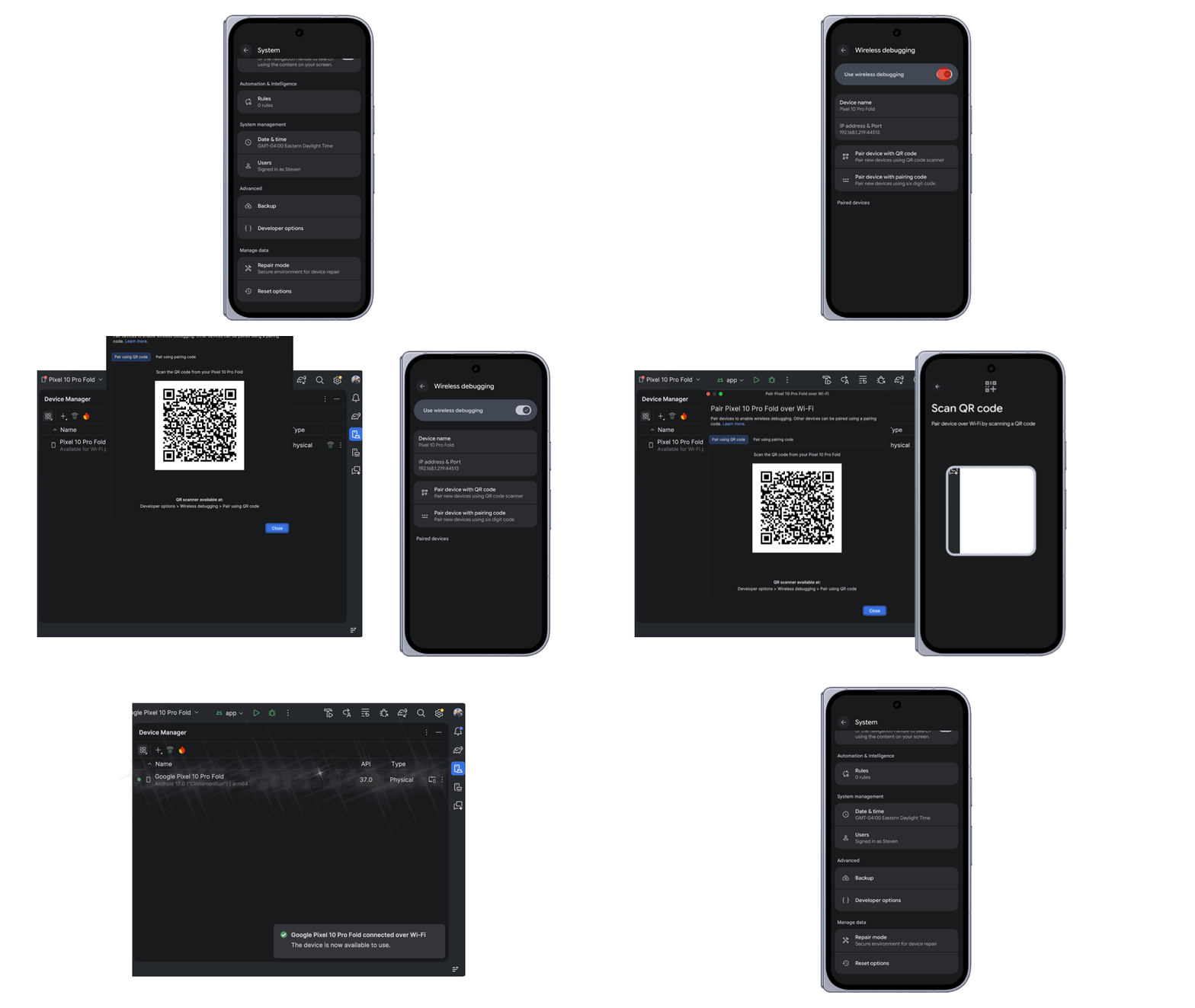
Android Studio improves Wi-Fi pairing discoverability. Previously, users could have difficulty finding Wi-Fi pairing. After users enable Wireless debugging on an Android device, the device appears in Android Studio’s Device Manager.
ADB Wi-Fi 2.0 improves auto-connection success rates by 32% and increases connection speeds by 66% for 90% of connections.
Getting started
ADB Wi-Fi 2.0 works on phones, tablets, Wear OS devices, and TVs. The requirements are:
- Android 17
- Android SDK Platform-Tools 37.0.0
- Android Studio Quail 3 or later
- The workstation and Android device connected to the same Wi-Fi network
To pair a device, open Developer Options and enable Wireless debugging. Then open Android Studio’s Device Manager and click the pair over Wi-Fi icon. Scan the QR code with the device or use a pairing code to complete the pairing.
Google provides more information in the documentation and in a presentation at Android Makers by droidcon 2026.