
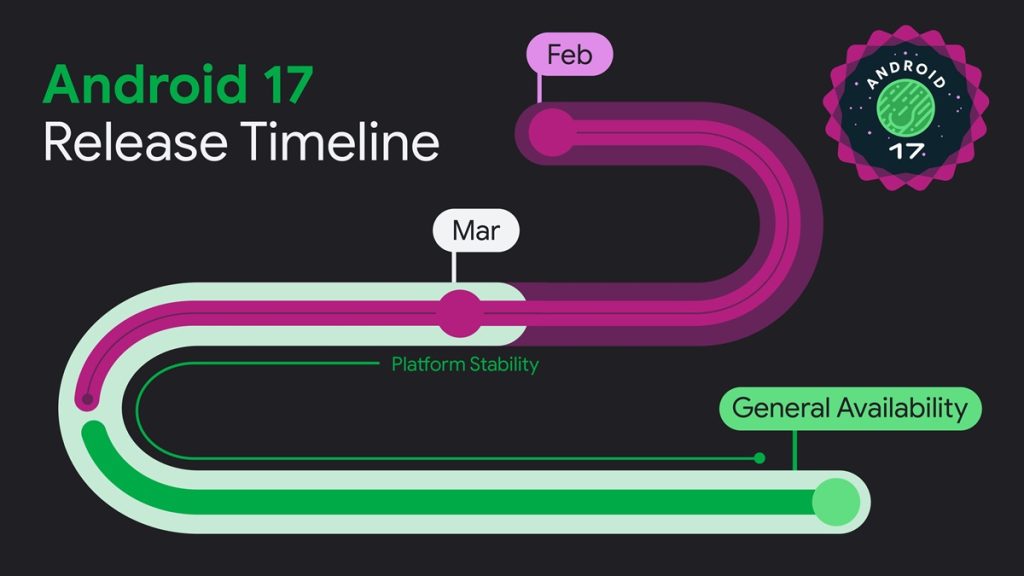
Google has released Android 17 Beta 4, the final scheduled beta in this release cycle and the last planned phase before the stable release. It serves as a near-final environment for validating app compatibility, ensuring platform stability, and verifying consistent system behavior across apps and devices.
Developers are expected to prepare apps, libraries, tools, and game engines for Android 17 and inform downstream developers if updates are required to prevent integration issues and ensure compatibility with the latest SDK features, avoiding blockers in dependent apps.
Android 17 Beta 4
Testing should be done by installing production or test builds via Google Play or other distribution methods on devices or emulators running Android 17 Beta 4, then running complete app flows to detect functional and UI issues. Each Android release introduces privacy, security, and system behavior changes, making thorough end-to-end validation essential before the stable rollout.
Key App Compatibility Changes in Android 17
- Resizability on large screens: Apps targeting Android 17 must follow system-enforced orientation, resizability, and aspect ratio rules on large screens, with no opt-out option.
- Safer Dynamic Code Loading (DCL): Native libraries loaded using System.load() must be read-only, or the system triggers UnsatisfiedLinkError. This extends Android 14 protections to native code.
- Certificate Transparency enabled by default: Certificate Transparency is enforced by default for HTTPS verification, strengthening network security compared to Android 16 where it was optional.
- Local network protections: Apps targeting Android 17 block local network access by default. Developers must use privacy-preserving alternatives or request ACCESS_LOCAL_NETWORK permission for broader access.
- Background audio hardening: Android 17 enforces stricter limits on background audio playback, audio focus, and volume control APIs, with exemptions for alarms and specific foreground services.
- App memory limits: Android 17 introduces RAM-based memory limits to improve stability and reduce extreme memory leaks. Apps exceeding limits may be terminated to prevent lag, battery drain, and system instability.
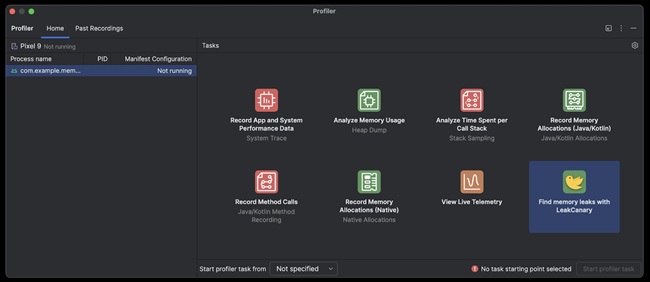
- Memory diagnostics: ApplicationExitInfo may include “MemoryLimiter” when limits are exceeded. TRIGGER_TYPE_ANOMALY can be used to capture heap dumps for debugging memory issues.
- Anomaly detection profiling: Android introduces an on-device system integrated with ProfilingManager to detect issues like memory spikes and excessive Binder activity. It can generate heap dumps and stack sampling profiles before system enforcement occurs.
- Post-Quantum Cryptography (PQC) support: Android Keystore adds ML-DSA-65 and ML-DSA-87 support for quantum-safe digital signatures using standard cryptographic APIs on supported hardware.
How to Get Started with Android 17 Beta 4
Developers can enroll a supported Pixel device in the Android Beta Program to receive OTA updates. Android Emulator in Android Studio can be used when a physical device is not available, and Android 17 Beta 4 system images are also available for testing.
Apps should be executed through complete user flows to verify UI behavior, stability, and edge-to-edge rendering support. Developers should compile apps against the Android 17 SDK and validate builds in CI environments while reviewing all behavior changes affecting apps targeting this version.
- Use Android Studio Panda preview for profiling and debugging
- Test thoroughly for compatibility issues before final release
- Submit feedback and bug reports via official Android channels