

Google has announced the largest update to Chrome since its 2008 launch, introducing AI-powered features designed to make browsing smarter, more productive, and secure. The updates highlight the integration of Gemini directly into Chrome, enhancements to the omnibox with AI Mode, and expanded AI-driven safety protections.
New AI Features for Chrome
Chrome now goes beyond rendering pages—it understands context, assists with multi-tab tasks, summarizes content, and maintains online safety.
1. Enhance Your Browsing with Gemini in Chrome
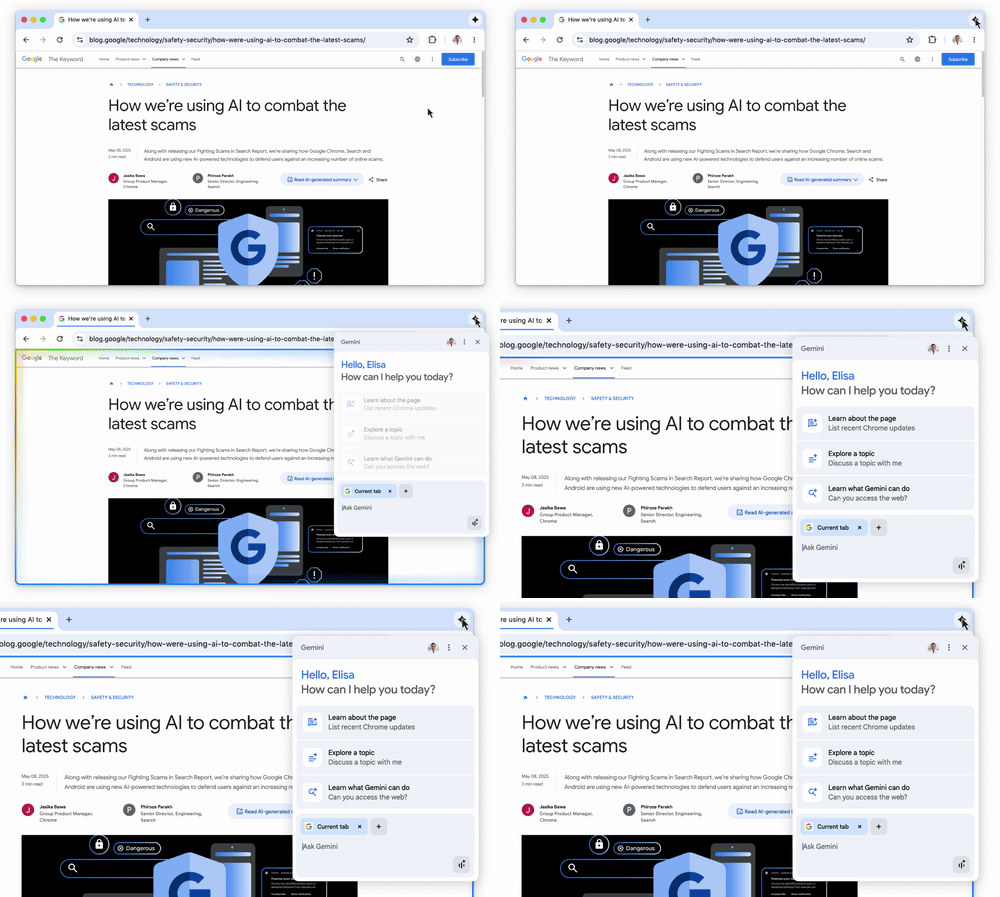
Gemini in Chrome clarifies complex information, summarizes multiple pages, and retrieves previously visited websites. It can answer questions about articles or extract references from YouTube videos.
2. Agentic Browsing Capabilities
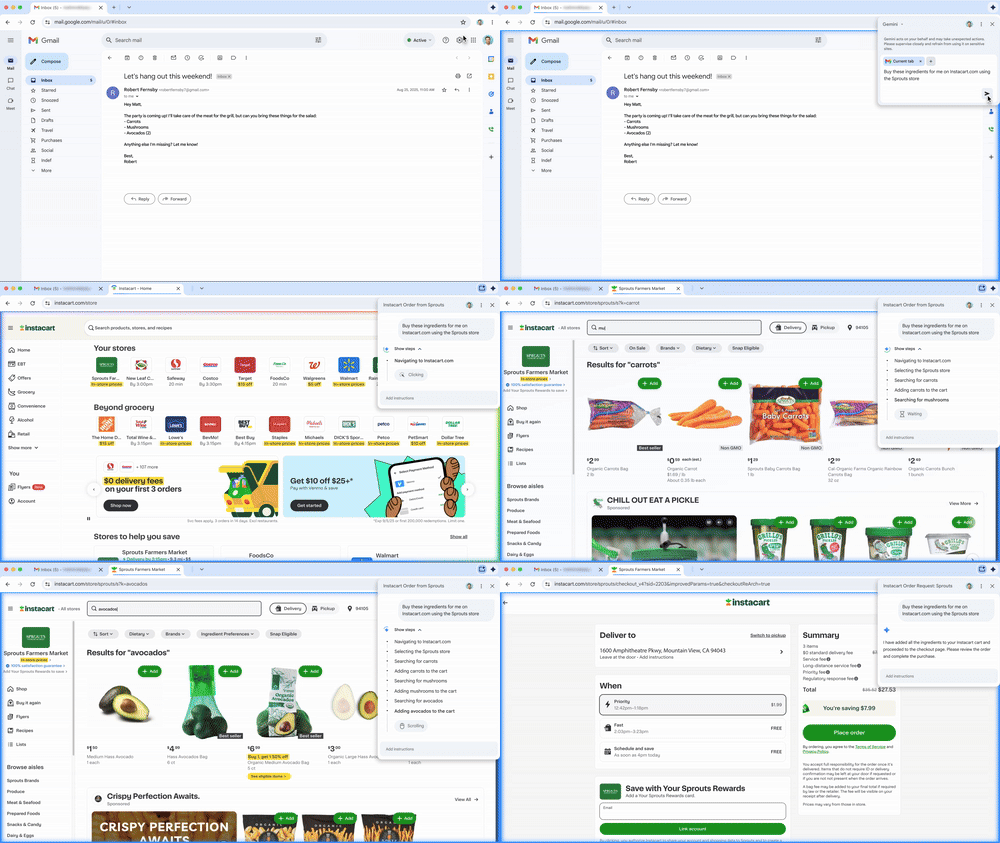
Gemini will soon perform multi-step tasks such as booking appointments or ordering groceries, with full user control to pause or stop actions at any time.
3. Manage Multiple Tabs Efficiently
Gemini works across multiple tabs to consolidate information. For example, travel planning across flights, hotels, and activities can be summarized into a single itinerary.

4. Recall Previously Visited Pages
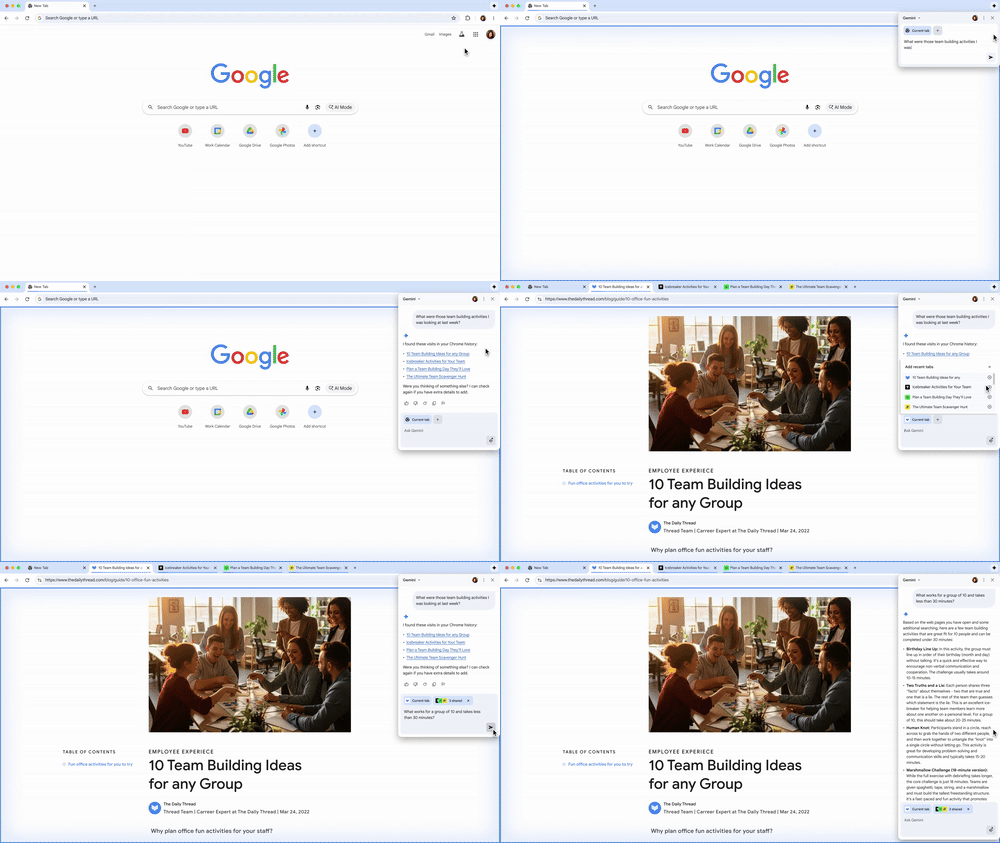
Users can request Gemini to retrieve past websites without searching history. Example prompts: “What was the website that showed the walnut desk last week?” or “Which blog did I read on back-to-school shopping?”
5. Integrate with Google Apps Seamlessly
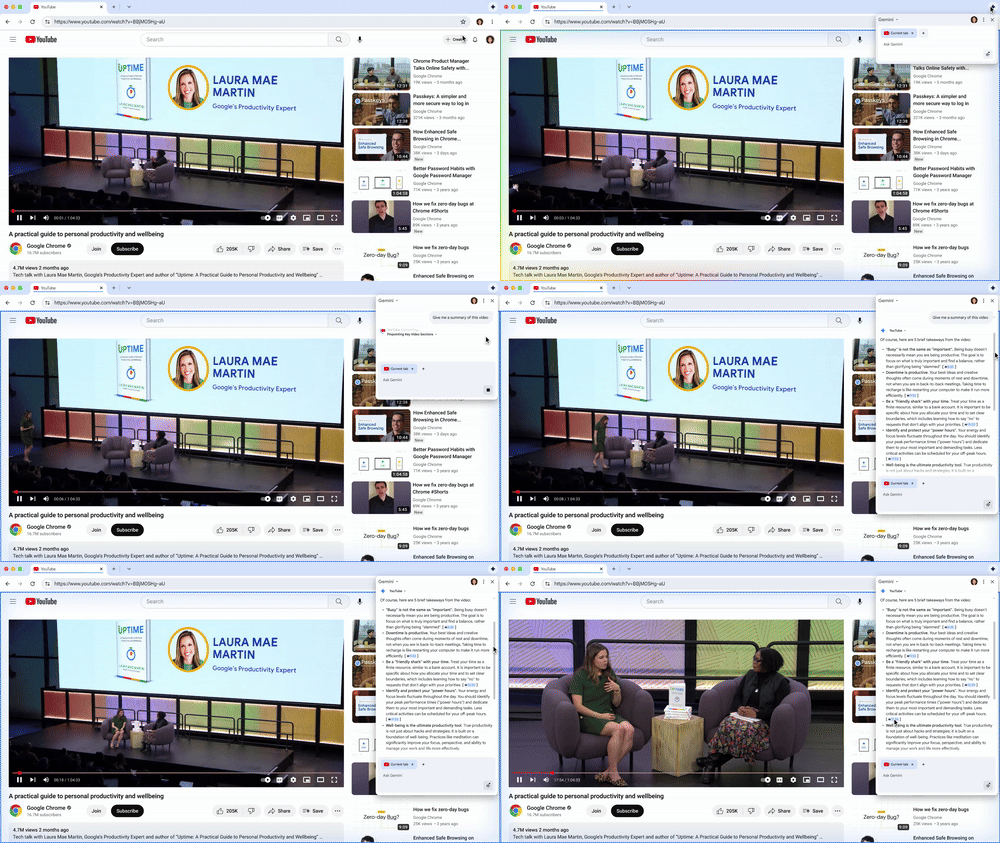
Gemini connects with apps such as Calendar, YouTube, and Maps, allowing scheduling, locating video timestamps, or checking locations without switching tabs.
6. AI Mode in the Omnibox
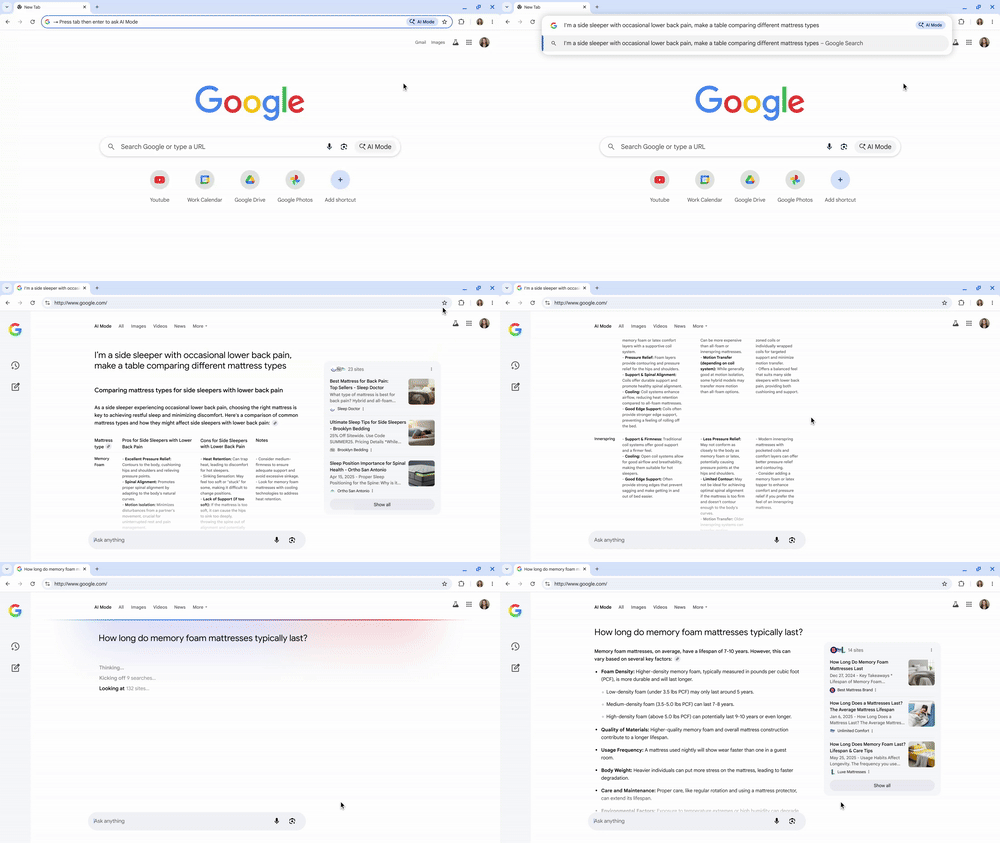
The Chrome omnibox now includes AI Mode, enabling longer, complex queries, follow-ups, and context-aware responses, providing AI-powered answers directly from the address bar.
7. Ask Questions About the Current Page
Users can ask questions about the page they are viewing. Chrome suggests relevant queries and provides AI Overviews, allowing information retrieval without leaving the page.

8. Combat Advanced Scams with Gemini Nano
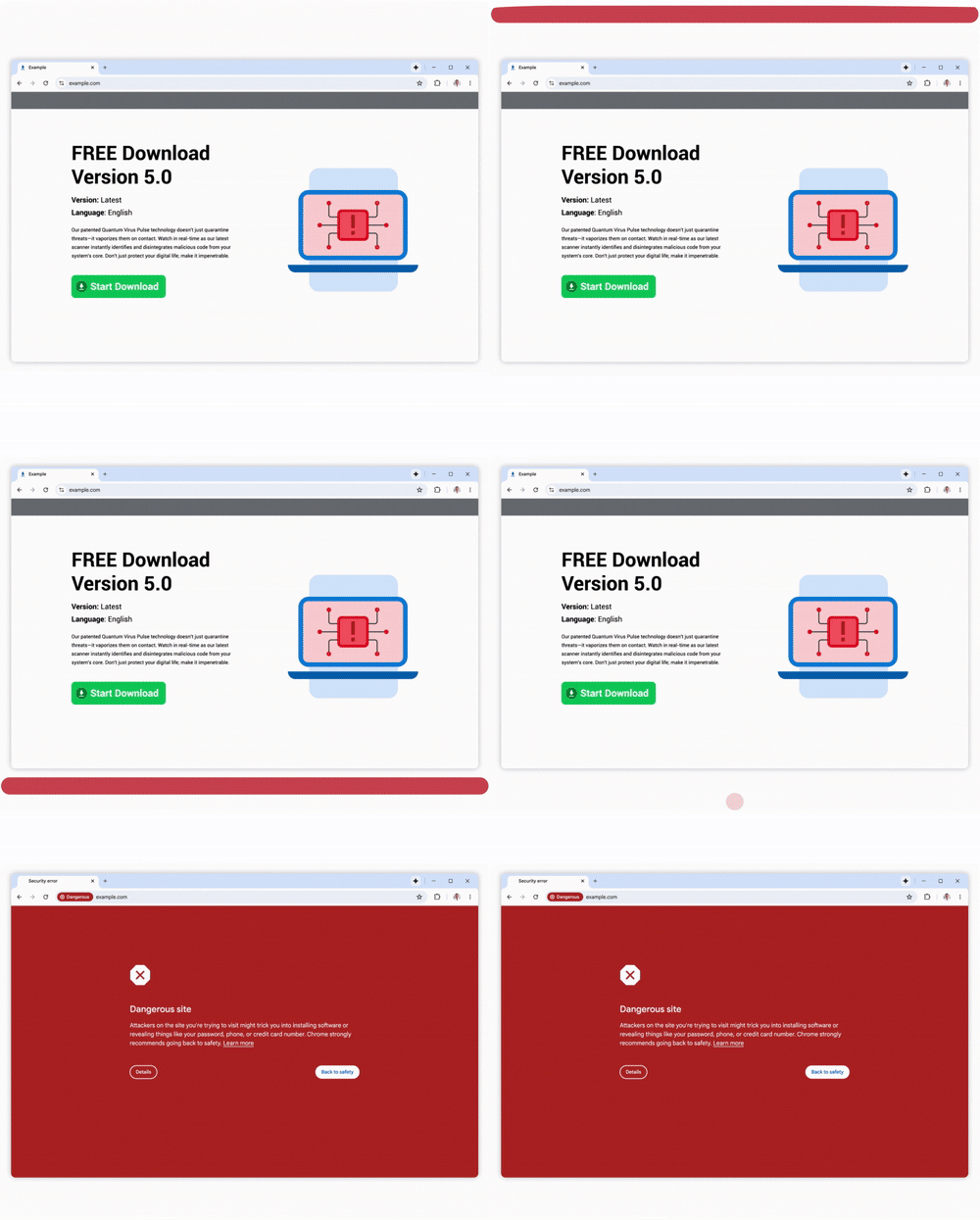
Safe Browsing’s Enhanced Protection uses Gemini Nano to identify tech support scams, fake viruses, and fraudulent giveaways.
9. Reduce Spammy Notifications and Manage Permissions
Chrome detects potentially spammy notifications and allows users to unsubscribe. AI also manages permission requests based on site quality and user behavior. Android users now receive ~3 billion fewer unwanted notifications per day.

10. Change Compromised Passwords Easily
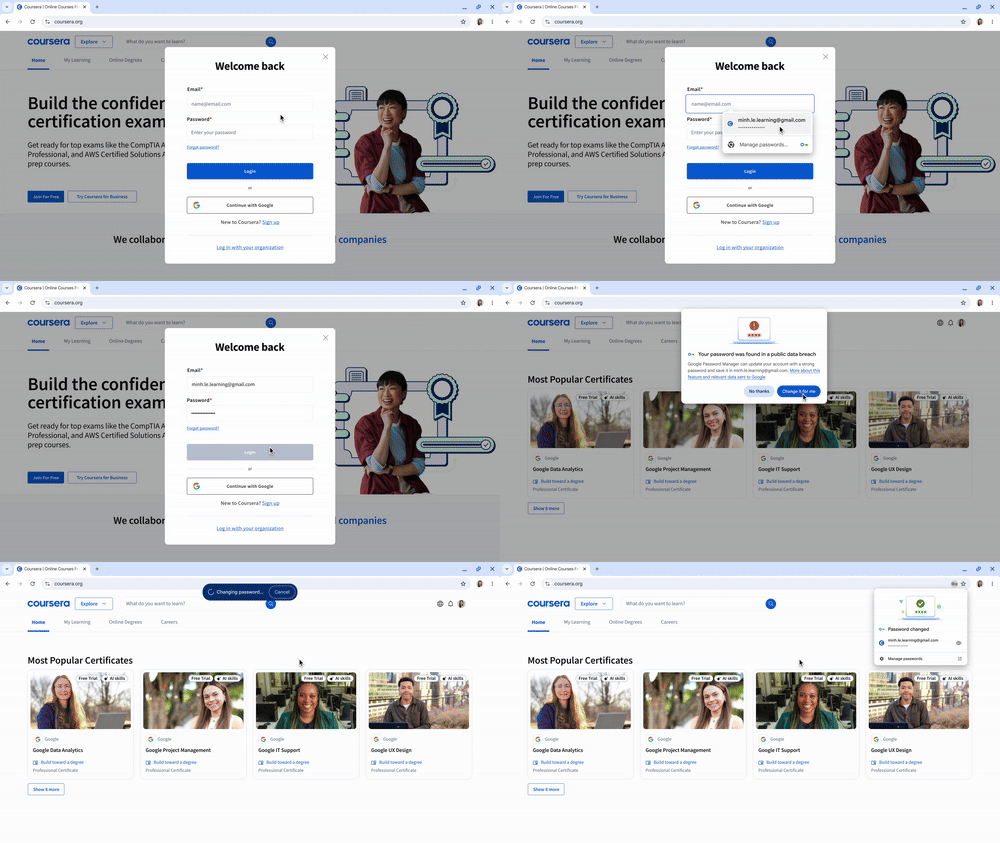
Chrome alerts users if passwords are compromised and will soon allow one-click password updates on supported sites like Coursera, Spotify, Duolingo, and H&M. Autofill continues to securely store and fill credentials.
Availability
- Gemini in Chrome (Desktop): Rolling out to Mac and Windows users in the U.S. with English language settings.
- Gemini in Chrome (Mobile Android): Accessible via holding the power button in Chrome or other supported apps.
- Gemini in Chrome (iOS): Integration coming soon.
- Enterprise rollout: Available via Google Workspace with enterprise-grade protections.
- AI Mode in Omnibox: Rolling out later this month in the U.S. (English), expanding globally over the coming weeks.
- Other features: Multi-tab summaries, agentic tasks, page queries, scam protection, password management, and spam reduction will gradually expand internationally.