Home » Maemo, News, Nokia, Software

Google Maps with GPS on the Nokia N900

on January 16, 2010 – 2:25 am9 Comments

Open Source means that you never have to wait for any company to release software in a rigid fashion. We are talking about the Nokia N900 and the Maemo platform.

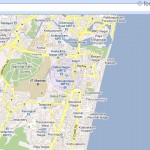
There is no Google Maps for Maemo so far and we are doubtful if Google will even make one as they are concentrating on Android.  So here is a Browser based Google maps application for Maemo which has come from the Maemo Community. Its got almost everything even Google Latitude

Its basically the mobile version of Google Maps on Steroids.

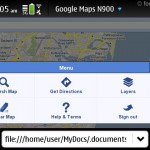
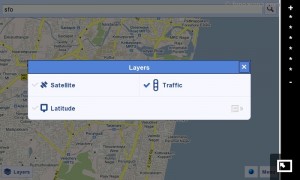
Its got Directions, Layers , Latitude , MyLocation using GPS , Search and even traffic information

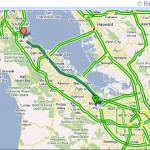
Do you notice the little red and yellow areas in the map below apart from the abundance of green ?
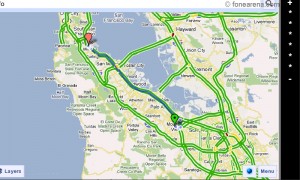
The steps which will get you Google Maps on the N900 with GPS

Grab maemo-geolocation v1.1.3-1 by Oleg Romashin which is a MicroB GeoLocation provider extension means your phone will get your GPS location within the browser using the phone’s GPS receiver

Visit http://www.google.com/maps/m on your N900 to use an Almost perfect google maps on your N900
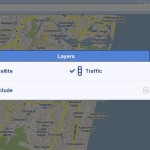
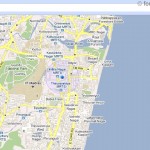
Yodude from HoFo took this to the next level by adding Zoom Controls using some html

Grab this code which contains a pair of html files and you will see the + – zoom controls on the right

This is not a perfect solution as there are some limitations.  The maps are fixed and don’t expand to other areas if you drag on the screen like on other platforms.

This is a limitation of the mobile version of Google Maps . Hope that someone finds a workaround to get the desktop version of Google Maps to work fine this extension as its not working fine now.

A Native app would be cool but for now something is better than nothing.

via HoFo

Related Posts with Thumbnails

A team of mobile geeks

  • sp3000

    At least the plain http://google.com/maps/m pans fine in manipulation mode, see http://maemo.nokia.com/features/maemo-browser/gestures/ — didn’t check the local frame file wrapped case.

    Indeed the +/- characters don’t zoom in/out as in the regular version of gmaps, which is a bit inconvenient…

  • denix

    Have you seen maeMaps?

  • Erik

    Nice! Thanks for posting this.
    Actually, it looks like you can scroll around
    if you bring up the browser pointer:

    1) using the stylus or a nail, drag to the right from the lower left
    side of the screen to the right.

    2) click on the white arrow box that shows up on the left.

    Now you should have a mouse pointer you can use to drag the map around. This seems to work well when combined with the zoom iframe container.

  • asys3

    If you still look for an real map appliction you could give ‘maep’ a try.
    It’s in the repositories and gets a fast development…

    Thanks for your blog entry…
    asys3

  • http://www.kongtechnology.com/ Kitkat

    Too bad Google wants to dominate the mobile OS market by developing Android OS. If Google uses Maemo for their phone, I bet Maemo will be the best OS out there.

  • Louis

    the zoom area should be wider so the ‘menu’ button will not overlap with ‘full screen’ button. this could be easily done by edit GMaps.htm and change ’50′ to ’70′ at frameset code.

    as per sp3000 comments, + **** – are not actually doing real zoom. if you open zoom.htm. you know what happen.
    solution:
    1. list out all zoom level and selectable on the area
    2. need someone to code how to use + / – to zoom. to me, not that easy

    • Gerg

      done ;)

  • Roger

    you can drag like on a computer by bringing out the arrow and then simultaneously holding the space bar. It drags the map and you can look any where in the world now like on desktop.

  • math

    + and – are faked to be max/min zoom, need RELATIVE zoom. Maep doesnt have any layers/directions :( but is very fast.