
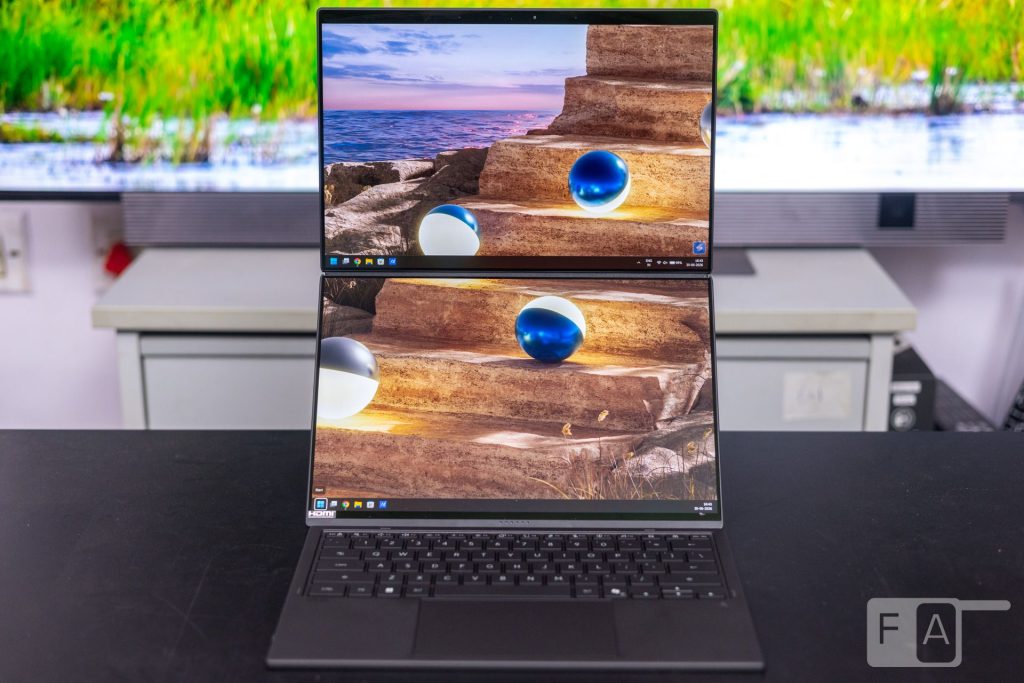
Every so often, the laptop market witnesses a halo product that pushes the boundaries of technology. The ASUS Zenbook Duo UX8407 is one such device, a rare blend of ambitious engineering, clever software and innovative design. Two Lumina Pro OLED displays, a detachable Bluetooth keyboard and Intel’s Core Ultra Series 3 chip headline the spec sheet. This makes it one of the most intriguing laptops we have tested this year. But does this dual-screen concept translate into real productivity gains, or is it simply a gimmick? We find out in this review.
Design and Build Quality
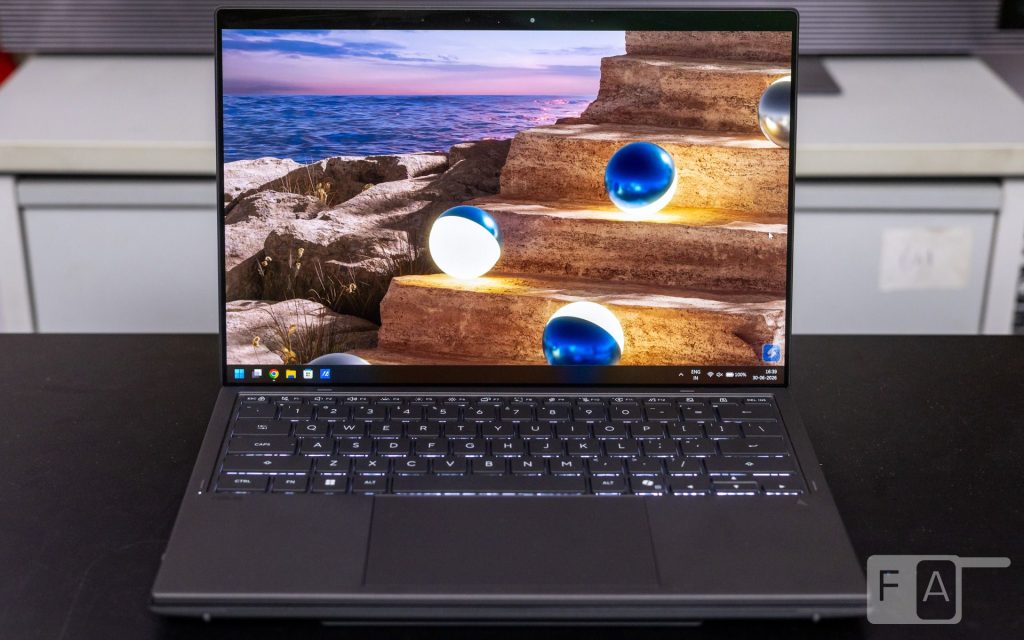
Dual-screen devices have been around for a while now. Foldable smartphones, in particular, have popularized the idea of extended displays in your hand. Dual-screen laptops, however, remain uncommon, and the Zenbook Duo will make you go “wow” the first time you see it. Before we discuss the displays, we must credit ASUS’s engineers for making a device like this possible.
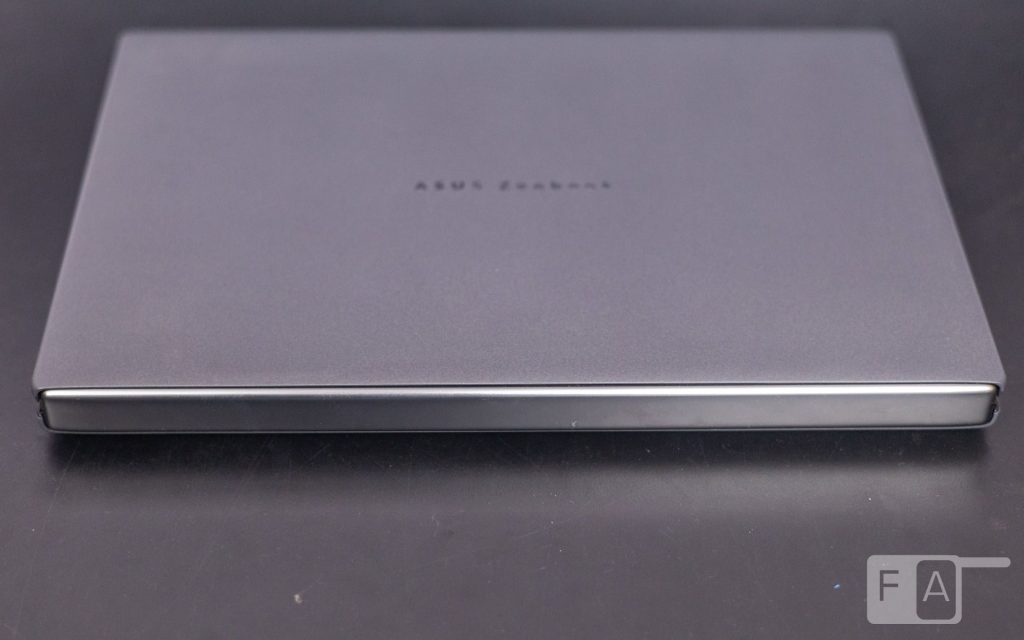
The laptop features an all-metal construction coated in ASUS’s proprietary Ceraluminum material. Developed in-house, Ceraluminum is excellent at resisting fingerprints and smudges. Based on our experience with ASUS’s older devices, Ceraluminum also holds up well over time, thanks to good scratch resistance.
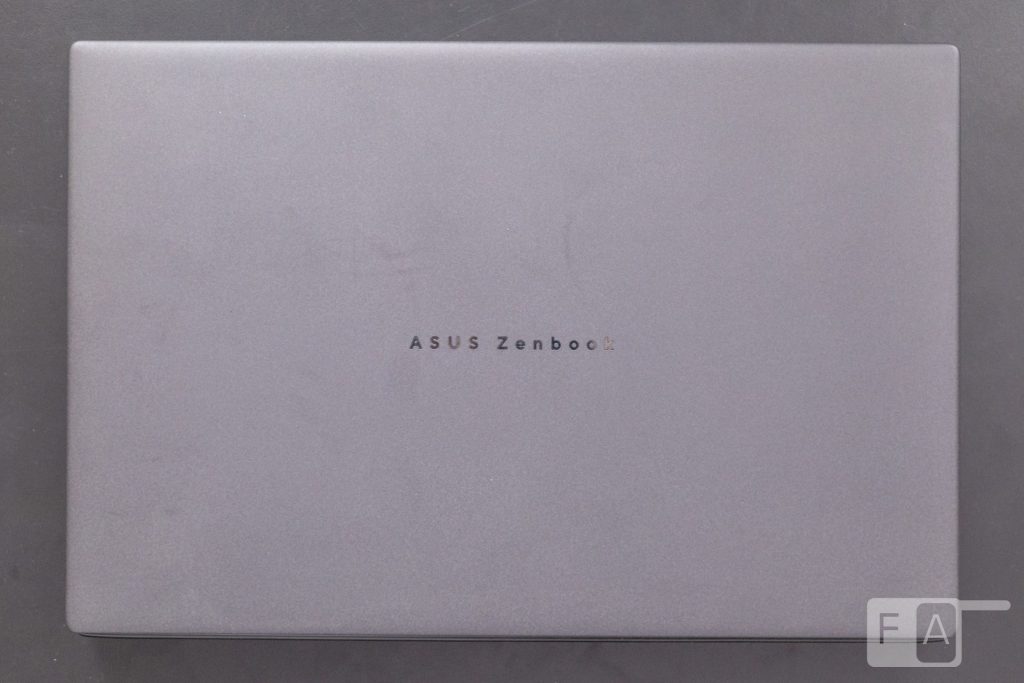
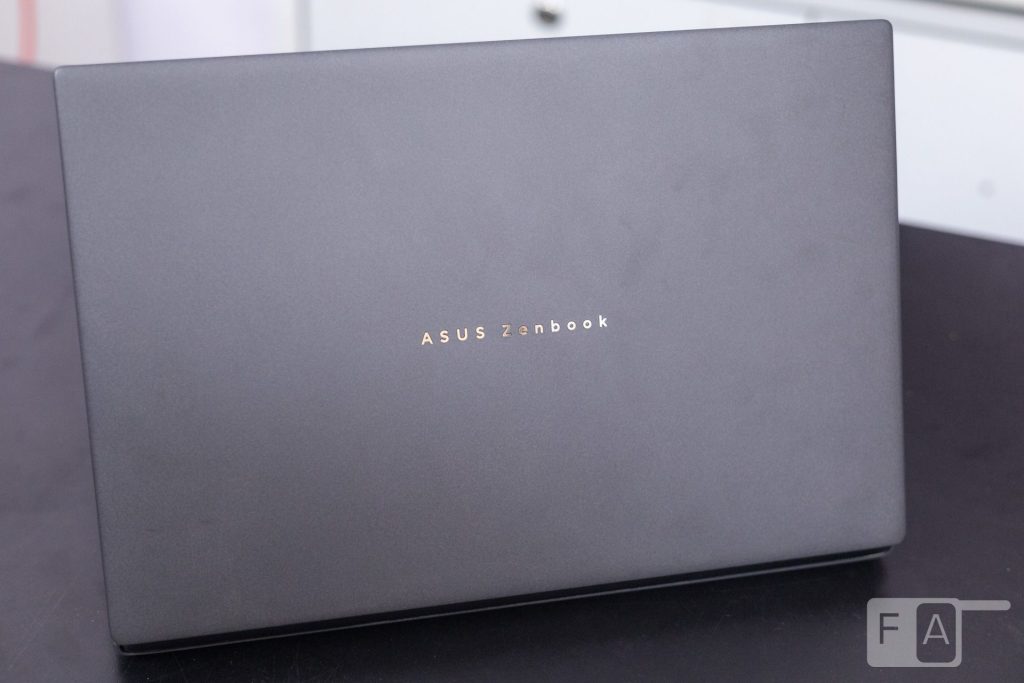
The design itself is minimalist, with just the “ASUS Zenbook” logo on the lid. The colour, called Moher Gray, looks clean and professional.
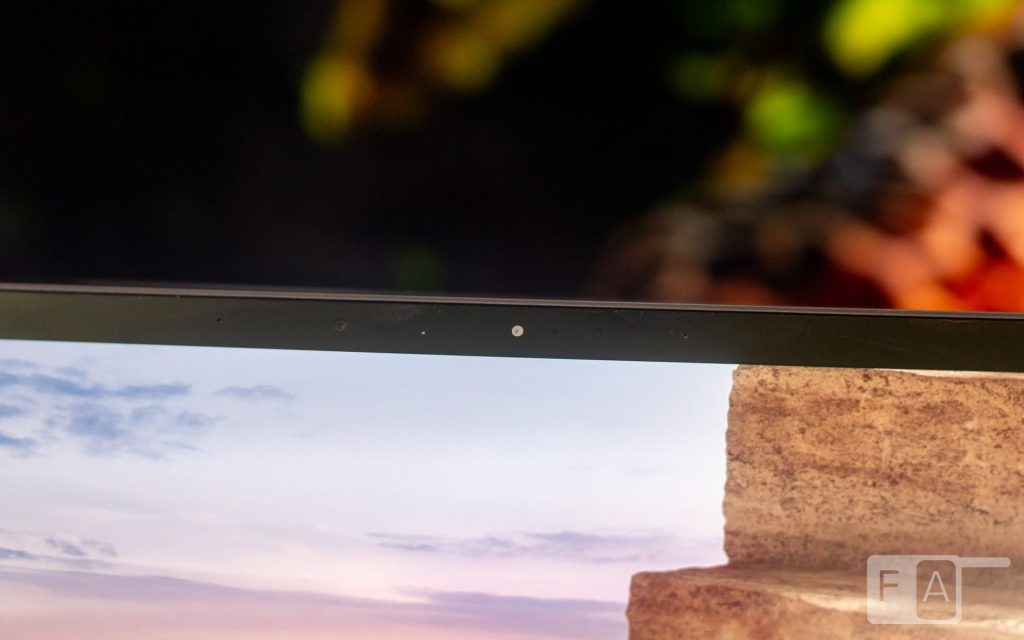
ASUS has reduced the bezels on the left and right sides compared to the previous generation. The topmost bezel is slightly wider this time, but it now houses the Windows Hello IR cameras, a worthy compromise.
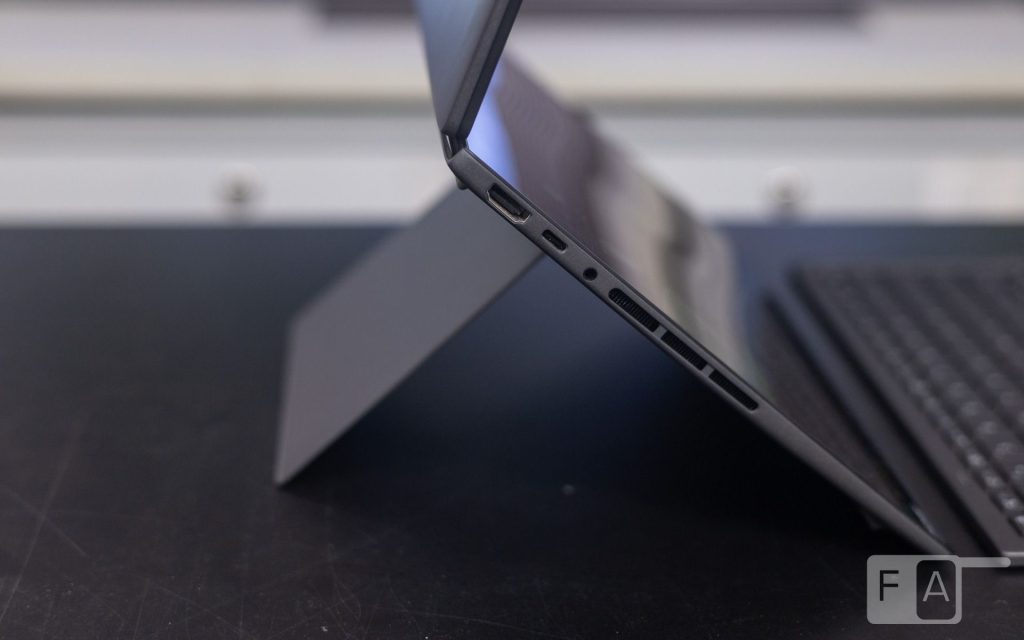
In our opinion, the upgraded hinge is the standout feature of this laptop. The tension itself is near perfect, enabling easy one-finger operation. The laptop can open up to 180°. This means you can place the displays flat on a table and share the screen with someone sitting opposite you.
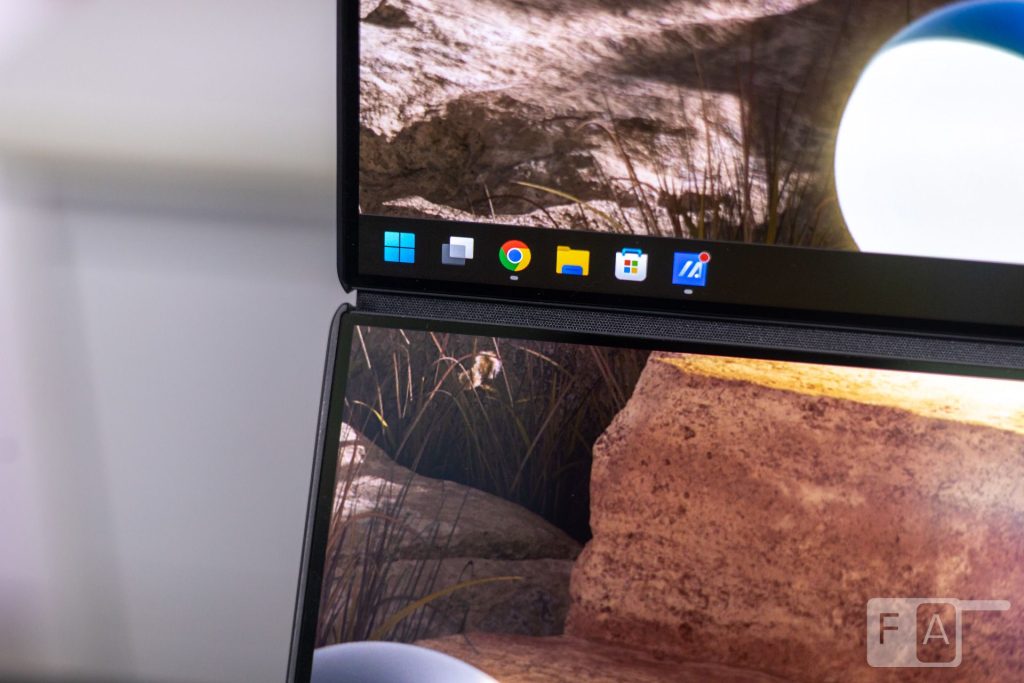
What is more impressive, however, is the reduction in the gap between the two displays. ASUS claims this gap is now 70% smaller than in the previous generation. The reduced gap makes a real difference to the perceived continuity between the two displays, improving overall immersion. The upgraded hinge also reduces the laptop’s overall thickness, an impressive feat in itself.
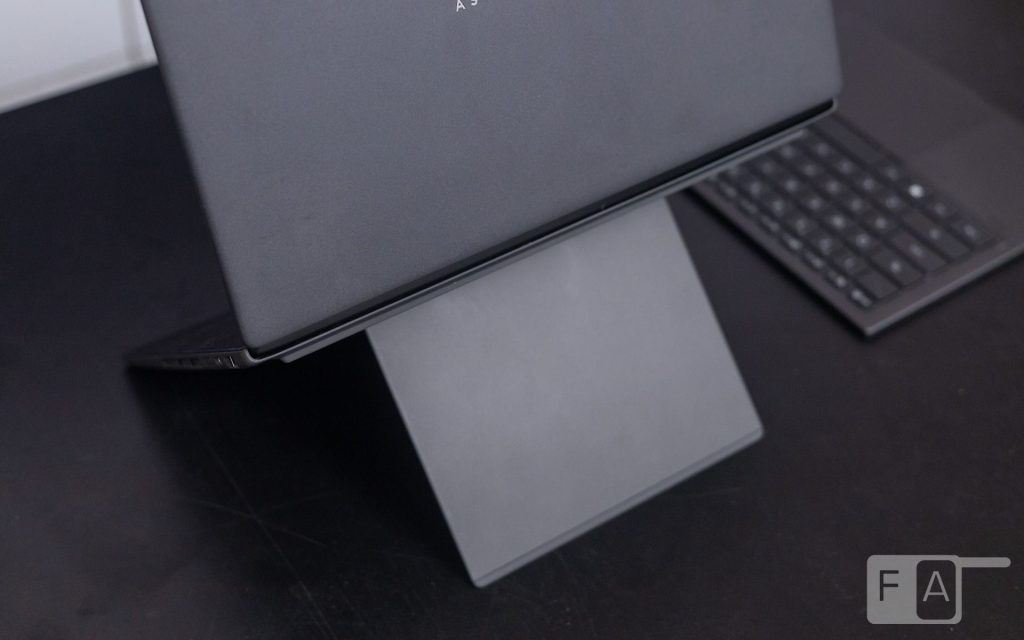
To improve the functionality of the two displays, ASUS has integrated a kickstand on the bottom of the laptop. This kickstand is adjustable between 40° and 70° and enables various modes of operation with the dual displays. When the displays are oriented vertically, one on top of the other, the kickstand can be adjusted accordingly. This keeps both screens in perfect line of sight for the user. Or you can rotate it horizontally for an extended widescreen experience. The kickstand itself feels sturdy, with enough tension for a stable experience.
Display Performance
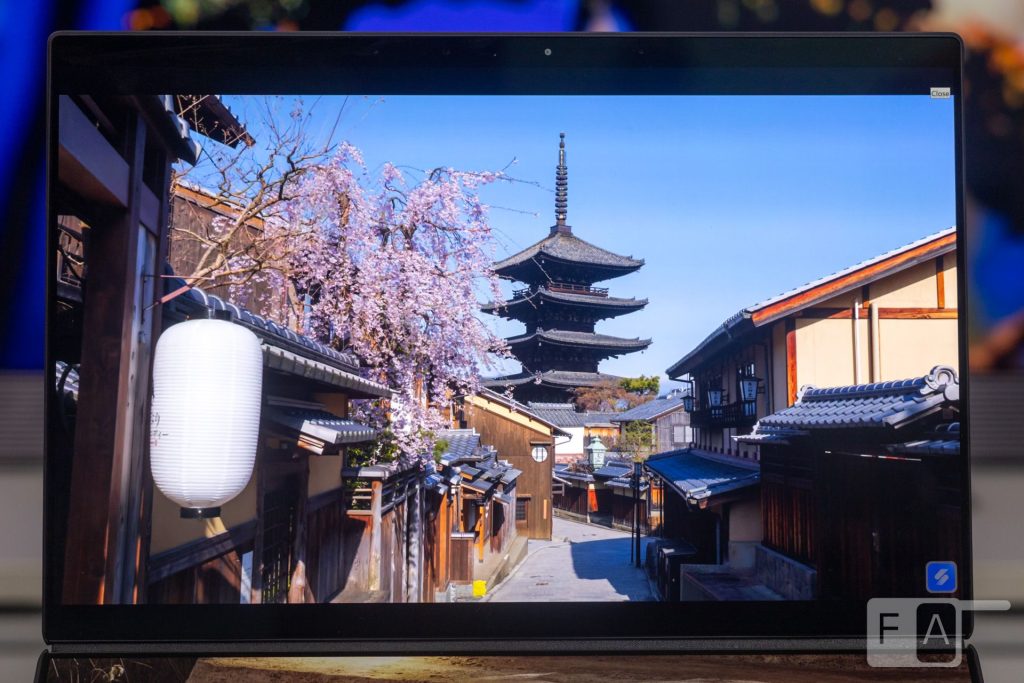
The Zenbook Duo features two 14-inch, 3K Lumina Pro OLED touch-screen panels with a 16:10 aspect ratio. Each panel offers a swift 0.2ms response time and a 144Hz refresh rate that can vary down to 48Hz. Brightness peaks at 500 nits in SDR and 1,000 nits in HDR. The panels also carry VESA Certified Display HDR True Black 1000 certification, 100% DCI-P3 colour gamut coverage and Pantone Validation.
The Lumina displays from ASUS have always impressed us, and the Zenbook Duo lives up to that reputation. This time, however, you get two excellent displays instead of one. With deep blacks, exceptional colour reproduction and high peak brightness, these OLED panels are among the best we have seen on a laptop. The 3K resolution is sharp at this screen size, and the 16:10 aspect ratio is ideal for productivity work. The variable refresh rate, up to 144Hz, works well for any use case, including gaming, aided by the quick 0.2ms pixel response time. The high colour accuracy also makes these displays suitable for colour-accurate work, including HDR video editing thanks to their high peak brightness.
Dual-Screen Experience
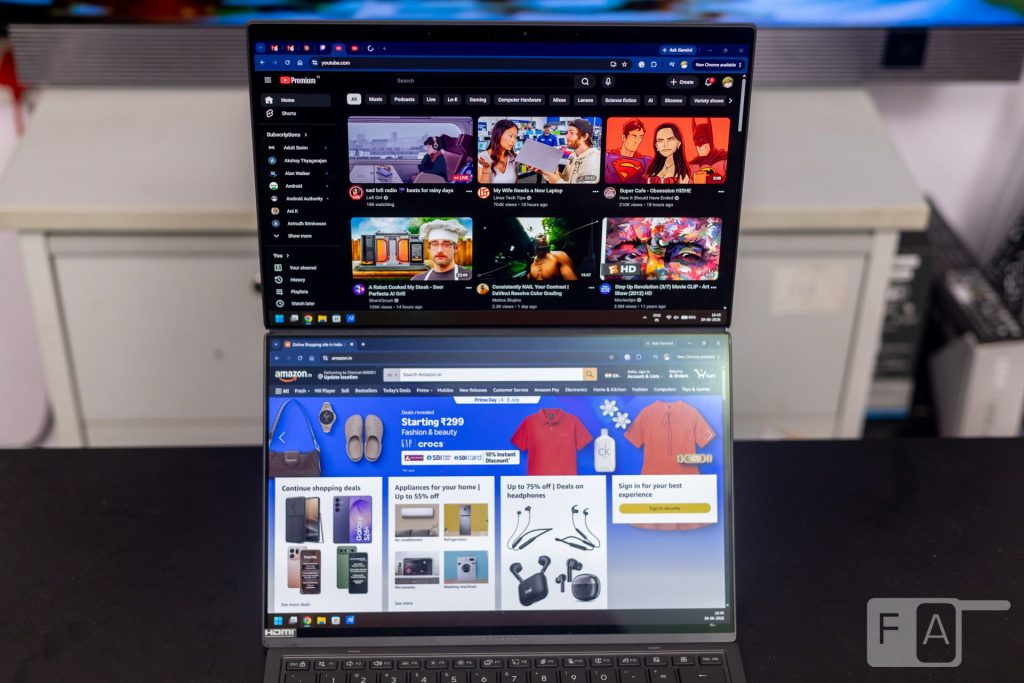
We travel frequently with our laptop and often find ourselves needing more screen real estate than a single display can offer. A 14-inch laptop is great for portability, but working across multiple applications can quickly feel cramped. The Zenbook Duo solves that problem neatly, offering twice the screen space of a regular laptop. However, ASUS has done far more than replace the keyboard deck with a second screen. There are several thoughtful functions and features designed to prevent the experience from feeling like a gimmick.
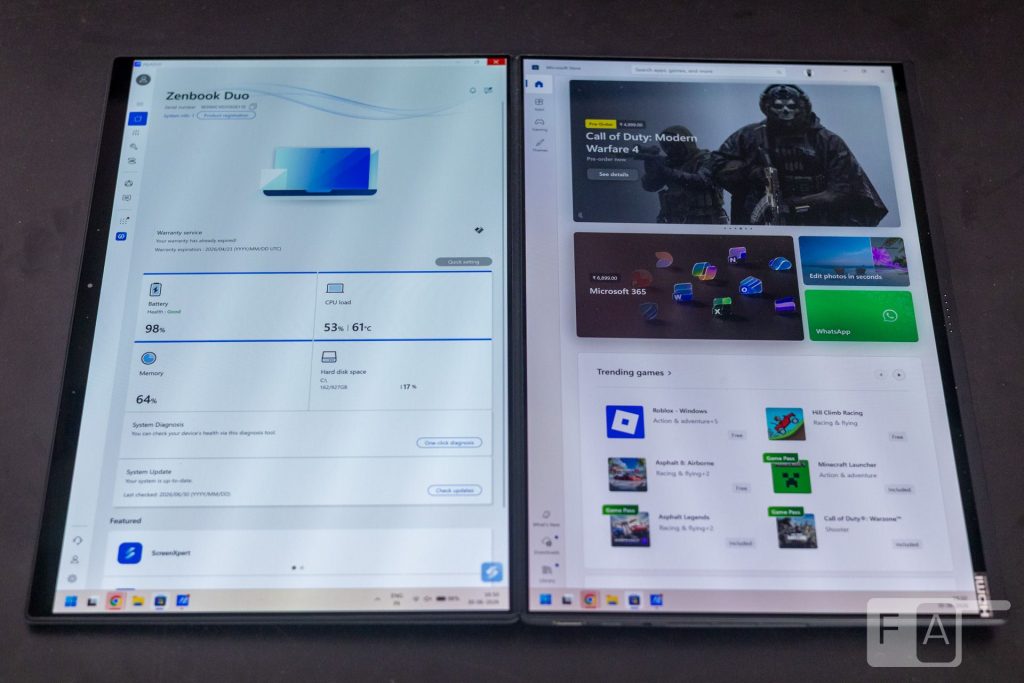
The bottom display behaves as a second connected screen, turning on automatically when you remove the keyboard. The laptop ships pre-loaded with the ASUS ScreenXpert app, which contains various shortcuts to maximize the second screen’s functionality. Under normal use, the second display runs in Extended Mode, but ScreenXpert lets you set it to duplicate the primary display instead, with the option to flip its orientation.
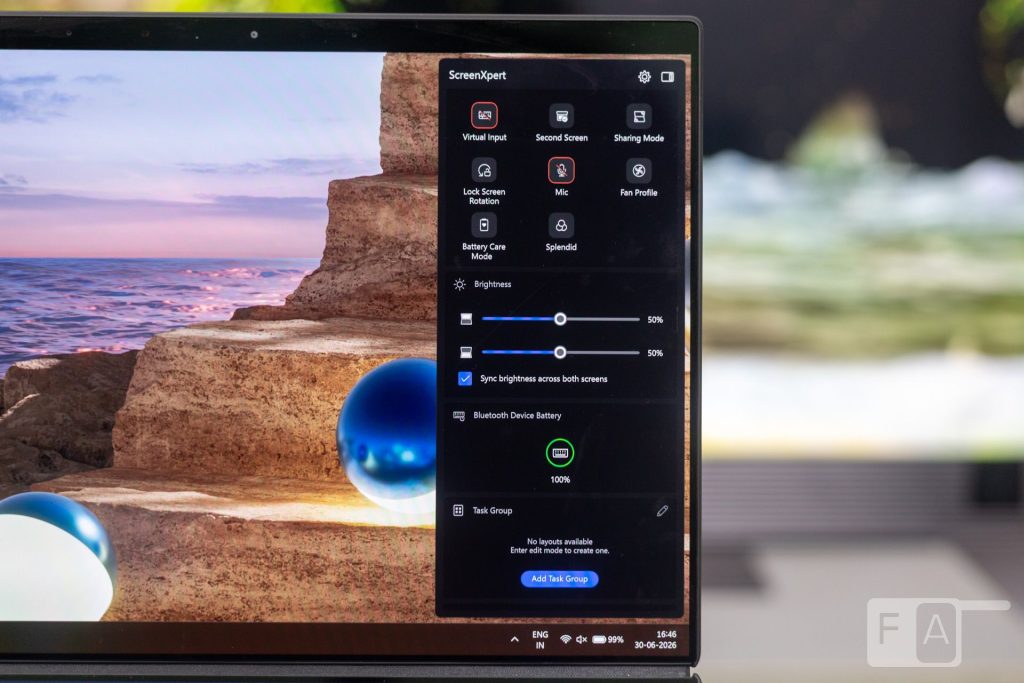
This enables unique use cases, such as sharing content with someone across the table while the laptop lies flat. You can control the brightness of each display independently or keep them synced. There are also window management shortcuts for quickly moving an app between displays, or a quick swipe extends it across both screens instead. ASUS has added dedicated buttons on the keyboard attachment to switch displays quickly and turn on the secondary screen.
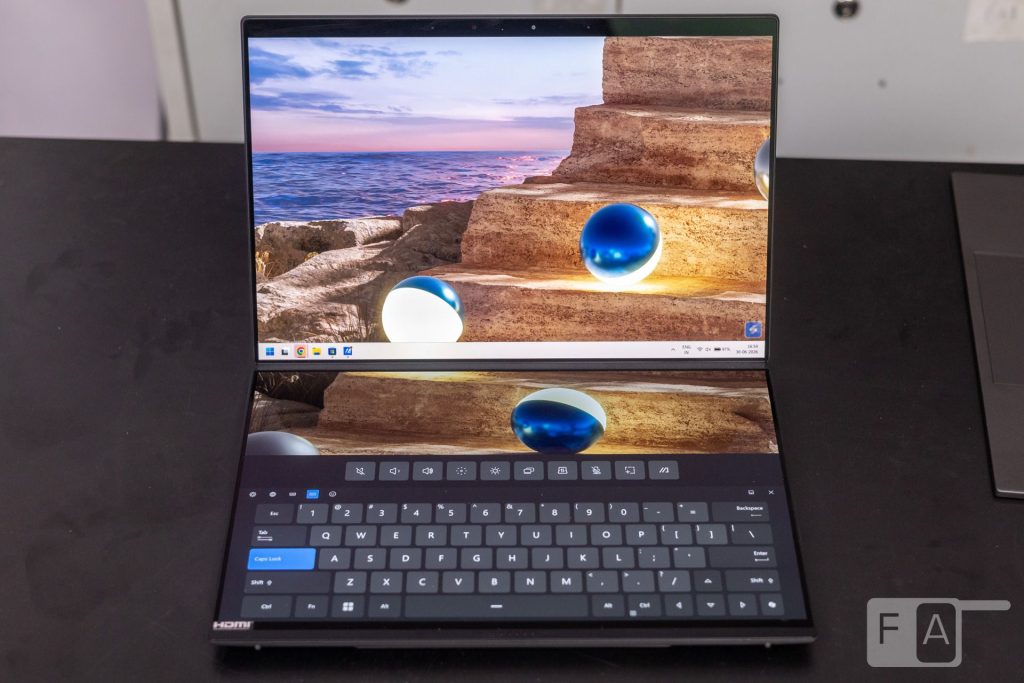
Another neat feature turns the secondary display into a virtual keyboard, complete with a trackpad and haptic feedback.
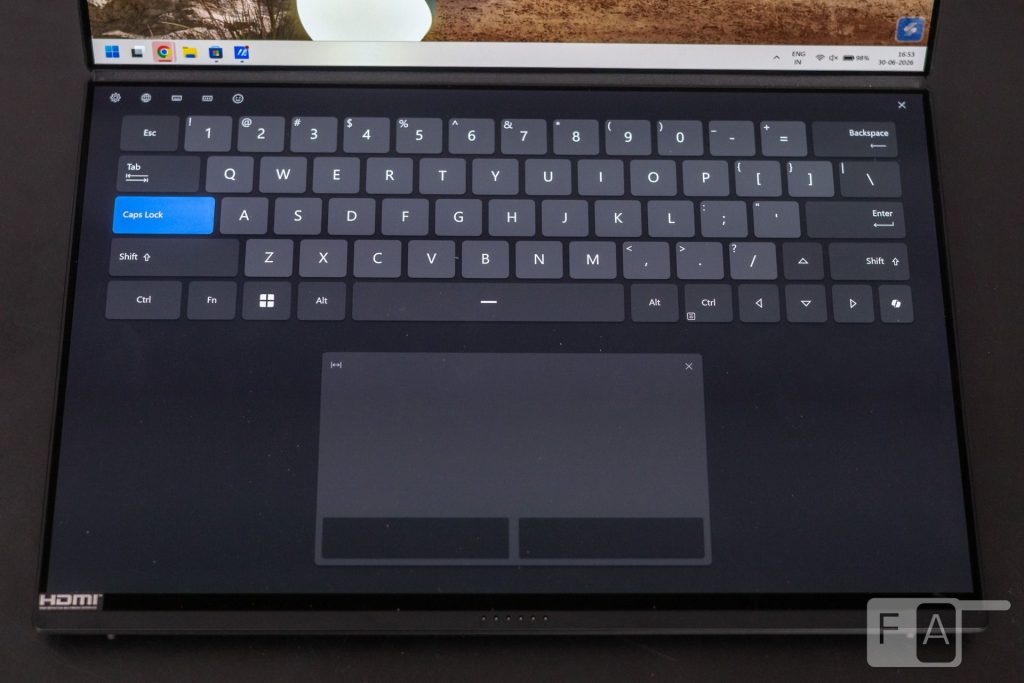
It can be useful when you need to type in a pinch and the keyboard attachment is not around. The haptic feedback works fine for that purpose, but we would not use the virtual keyboard for long typing sessions, since it cannot match the feel of a real keyboard.
One issue we would like ASUS to address in the next generation is toggle speed. The second display currently takes a moment to switch on or off, likely a Windows limitation tied to how quickly it recognizes and activates the secondary screen. It is not a dealbreaker, but the delay can occasionally break your productivity flow. Overall, the experience of using the second display is thoughtful and adds real value to the laptop’s productivity. ASUS has executed the idea well.
Audio
Typically, thin-and-light laptops have a compromised speaker setup, limited by the physics of the chassis design. However, the Zenbook Duo delivers a surprisingly great audio experience. It features a six-speaker setup with a smart amplifier and an improved DSP chip. Consisting of two high-frequency tweeters and four low-frequency woofers, the speakers can get loud while maintaining clarity across the range. Of the six speakers, two are front-facing, while the rest are side-facing. The resulting soundstage is impressive, and with Dolby Atmos support, the experience is even better. It is good to see more Windows laptops compete with Apple’s MacBook Pro lineup. The MacBook Pro has long been regarded as the gold standard for laptop audio.
Performance and Thermals
Under the hood is an Intel Core Ultra 7 Processor 355, paired with 32GB of LPDDR5X memory and a 1TB M.2 NVMe PCIe 4.0 SSD. Graphics duties are handled by integrated Intel Graphics, alongside the Intel NPU for on-device AI processing.
Intel has made significant improvements with its Core Ultra Series 3 processors, both in performance and efficiency, and these gains suit a device like the Zenbook Duo particularly well, given its form factor. The lower half that houses the secondary display needs to stay thin, which poses a real challenge for thermal management. Without a good cooling system, the processor would need to throttle its performance, and that would not be ideal.
The Core Ultra 7 Processor 355 packs eight cores, split between four Performance-cores and four Low Power Efficient-cores. It totals eight threads, with a Max Turbo Frequency of 4.7GHz. This mix of Performance-cores and Low Power Efficient-cores makes the processor versatile: background tasks can lean on the lower-powered cores to preserve battery, while demanding tasks tap the Performance-cores instead. The Panther Lake generation of CPUs delivers strong single-threaded performance, resulting in a snappy experience overall. Multi-threaded workloads also hold up well, as long as they do not demand more than four cores simultaneously.
For lighter workloads, such as browsing, word processing or streaming content, the Zenbook Duo performs well without a hitch. Multitasking across spreadsheets and other apps, essential for a device like this, benefits from a well-optimized Core Ultra 7. Longer, sustained workloads such as 3D modelling or video rendering do stretch the processor’s limits. Realistically, though, that is not the intended use case for a laptop like this. Those tasks are better suited to more purpose-built machines.
The integrated Intel Graphics handles basic tasks well but is not built for heavily GPU-intensive applications. The same applies to the NPU, which peaks at 49 TOPS. It is capable enough for quick image generation and local AI tasks, though it cannot match a dedicated GPU.
Here are some benchmarks:
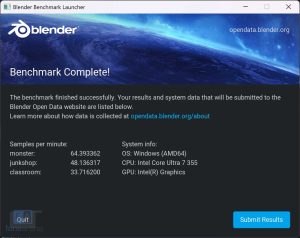
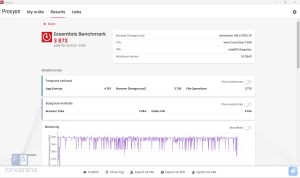
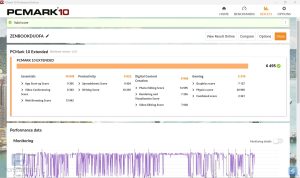
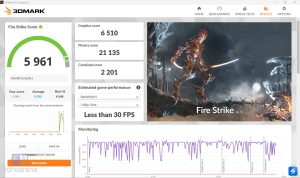
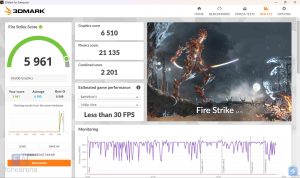
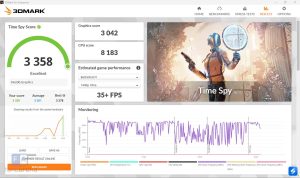
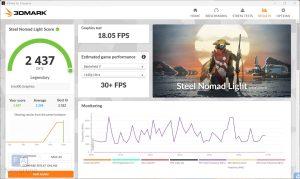
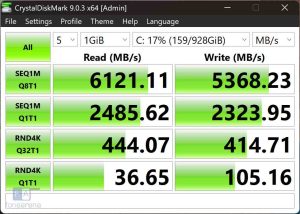
The processor is tuned for 45W of power, made possible by a strong cooling system. ASUS claims the laptop can exhaust 24% more air through its side vents compared to the previous generation. Under lighter workloads, the fans move enough air at lower speeds to keep operation quiet, staying unobtrusive throughout everyday use. Under heavier workloads, however, the fans do get noticeably loud, though never to a distracting degree.
Overall, the Intel Core Ultra 7 Processor 355 strikes a sensible balance for the Zenbook Duo’s unique dual-screen form factor. It comfortably handles everyday multitasking and light creative work, while ASUS’s cooling solution ensures the chip rarely feels constrained despite the laptop’s slim profile.
Keyboard and Trackpad
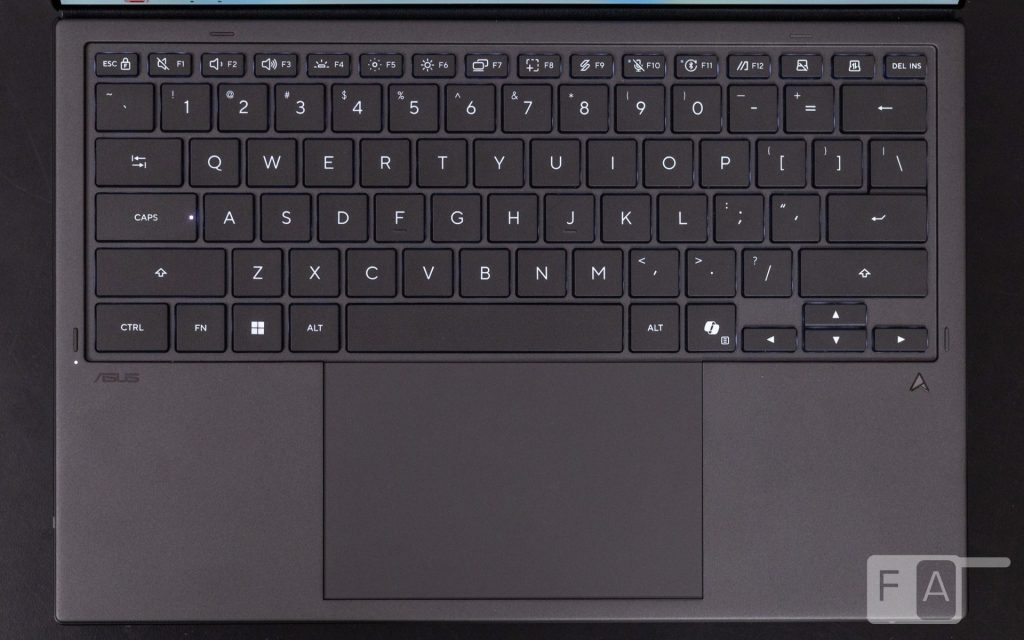
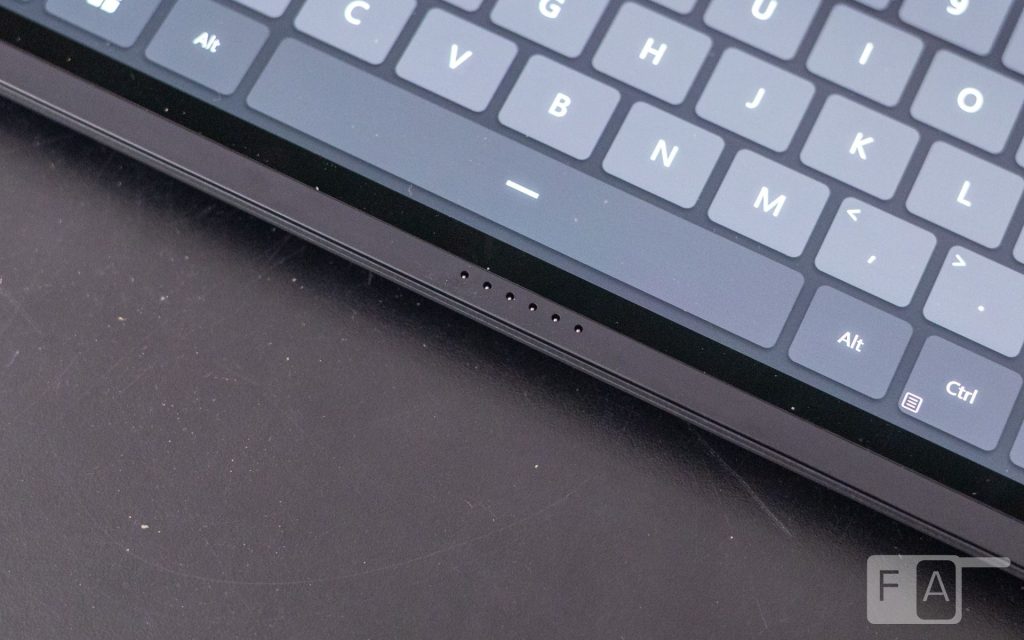
The keyboard and trackpad make for an interesting proposition on the Zenbook Duo, since the entire unit is removable. It aligns magnetically and connects to the laptop via pogo pins at the bottom bezel. ASUS claims the internal battery, larger this generation, lasts up to 52 hours without the backlight and up to 11.6 hours with it on. A USB-C port on the left side also allows for wired connectivity and charging.
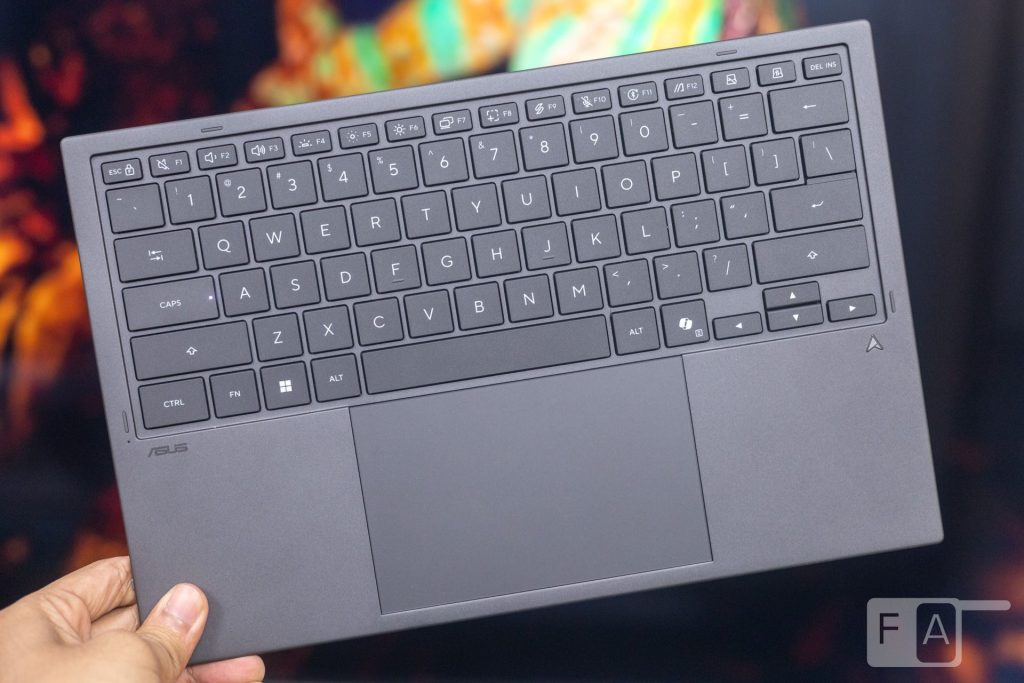
Despite being a removable part, the typing experience is not compromised. In fact, it is better to type on than a few traditional laptops we have reviewed previously. The keys offer 1.7mm of key travel with a 19.5mm key pitch, impressive figures for a thin, detachable keyboard. The typing feel is very similar to a good laptop keyboard from ASUS, meaning it has a satisfying, snappy response. We were up to full typing speed within a short period of use. A 0.3mm dish-shaped indentation on each key also contributes to the comfortable typing experience.
The ErgoSense trackpad is large, with a smooth surface for comfortable, accurate tracking. It supports ASUS’s Smart Gesture feature, enabling quick control of volume and brightness. The buttons use a traditional click mechanism, which feels fine, though we would love to see a haptic design in a future generation.
Ports and Connectivity
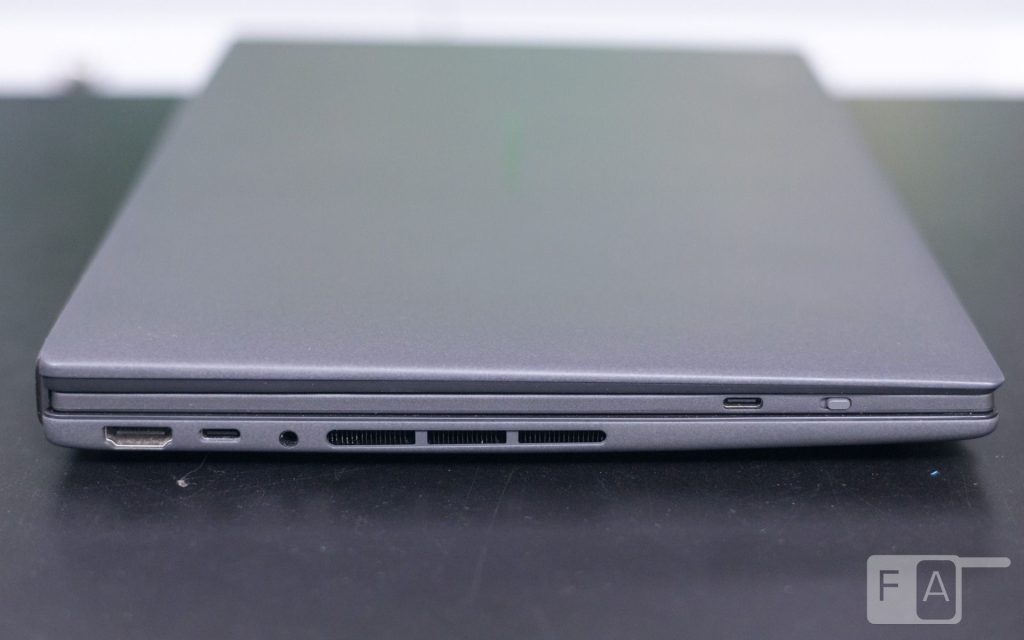
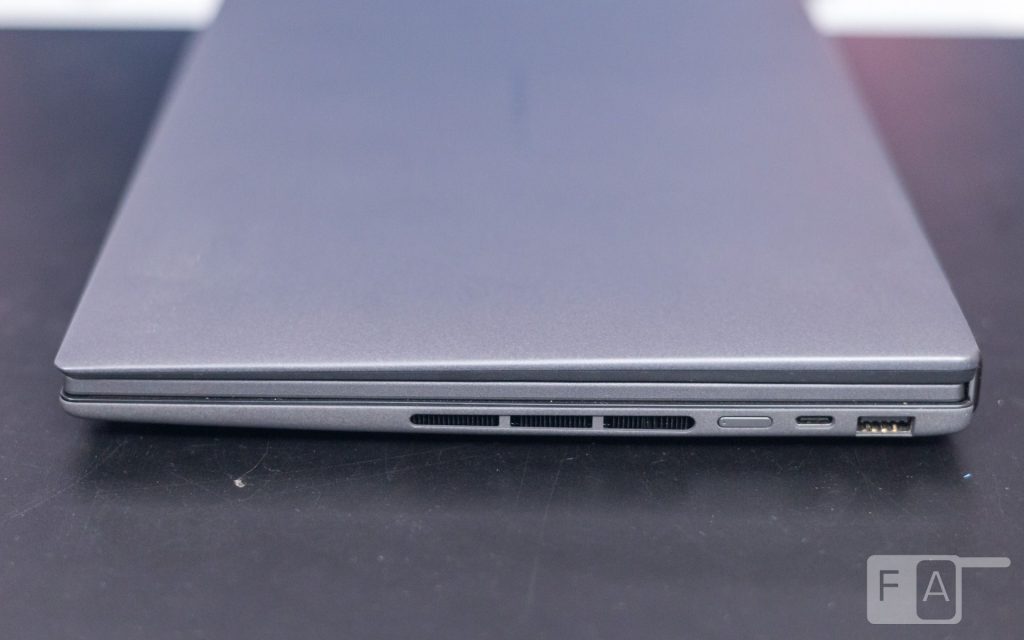
Even with its form factor limitations, the Zenbook Duo is packed with ports. On the left side, there is an HDMI 2.1 port, a Thunderbolt 4 port with support for power delivery and DisplayPort, and a 3.5mm combo audio jack. On the right side, there is another Thunderbolt 4 port and a USB 3.2 Gen 2 Type-A port. For a laptop with a profile this thin, it is impressive to see this many ports on board.
On the wireless front, the laptop is equipped with an Intel Wi-Fi 7 chip and supports Bluetooth 5.4. Intel’s Wi-Fi 7 chips have a strong track record for fast and reliable connectivity, and that holds true with the Zenbook Duo as well. Throughout our review, Wi-Fi worked as expected, with no issues.
Battery
With two high-resolution displays, the Zenbook Duo is not expected to be a battery life champion. However, it does not perform terribly in this regard either. ASUS has split the 99Whr battery between the top and bottom of the laptop. This is technology similar to that found in foldable smartphones. Coupled with the significant efficiency gains from Intel’s Panther Lake CPU, the Zenbook Duo delivers respectable battery life.
During our testing, with light to medium usage, the laptop lasted about 10 hours with both displays on. Switching off a display extended the battery life by nearly two hours. Running heavier applications or setting the refresh rate to 144Hz drains the battery much faster. Charging is handled via USB-C. With the 100W charger, it took about one hour and 40 minutes to charge from 0 to 100%.
Conclusion
The ASUS Zenbook Duo UX8407 answers the question we posed at the start of this review. A dual-screen laptop is not just a gimmick, provided the engineering behind it is sound and ASUS has put in the work here. The redesigned hinge, the excellent Lumina Pro OLED panels and the thoughtful ScreenXpert software come together to make the second screen feel genuinely useful rather than tacked on. Performance and thermals strike a sensible balance for the format. The detachable keyboard is comfortable to type on, and the battery life is respectable, considering the demands of two high-resolution displays. The one area with room to improve is how quickly the second display toggles on or off, a minor issue rather than a dealbreaker.
For professionals and multitaskers who have outgrown a single 14-inch screen, the Zenbook Duo offers a genuinely compelling alternative to carrying a second monitor. At Rs. 2,99,990, the Zenbook Duo does not come cheap. But for that price, you get a unique experience that feels well engineered and thoroughly thought out. For these reasons, the Zenbook Duo is worth considering, especially if you can benefit from the extra screen real estate. It is one of the most interesting laptops we have used this year.
The ASUS Zenbook Duo (UX8407) is available for purchase on Amazon and on ASUS’s online and offline stores.