
Apple has announced iPadOS 27, the next major update to its tablet operating system, at the WWDC 2026. Scheduled for release this fall, the update focuses heavily on deeper artificial intelligence integration via Apple Intelligence, expanded parental control frameworks, and foundational performance improvements.
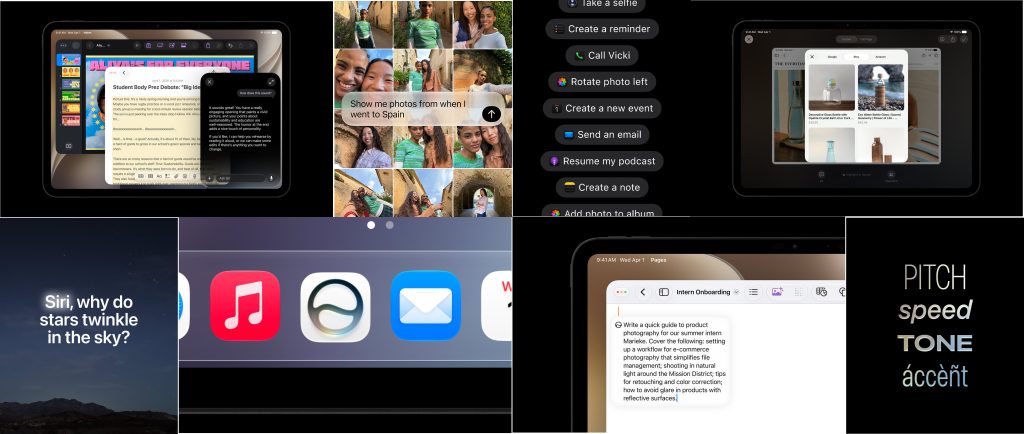
The Next Generation of Siri AI
At the center of iPadOS 27 is a re-engineered Siri AI, powered by Apple Intelligence. The updated assistant is designed to handle more complex, multi-turn conversations and utilize personal context to assist users across the operating system. Siri AI will initially launch in English later this year.
- Contextual Awareness: Siri AI can search for specific items across system apps, such as locating an older photo, finding a buried email, or retrieving a specific note based on natural language queries.
- In-App Actions: The assistant can execute tasks directly within applications like Messages, Music, and Reminders. For example, users can ask Siri to edit a recently sent message or add a song playing on a background video to a specific playlist.
- Broad World Knowledge: Siri can reference online information to provide detailed insights, gaming tips, or recipes, building upon the context of what the user is currently reading or doing.
- The New Siri App: A dedicated Siri application makes its debut, serving as a hub for all conversational history. Conversations sync across Apple devices, allowing users to start a query on an iPhone and resume it on an iPad. Users can also pin important conversations for quick retrieval.
- Visual Intelligence: Utilizing screenshots, users can tap or circle any onscreen item with a finger or an Apple Pencil to prompt Siri AI for more information regarding that visual element.
- Writing Assistance: Siri AI can generate text drafts from scratch or provide feedback on existing text. In Mail and Messages, it can adapt its style, tone, and punctuation to match the user’s natural writing voice.
- Voice Customization: Users can select a preferred voice and further modify its expressivity and pacing.
Apple Intelligence Ecosystem Expansion
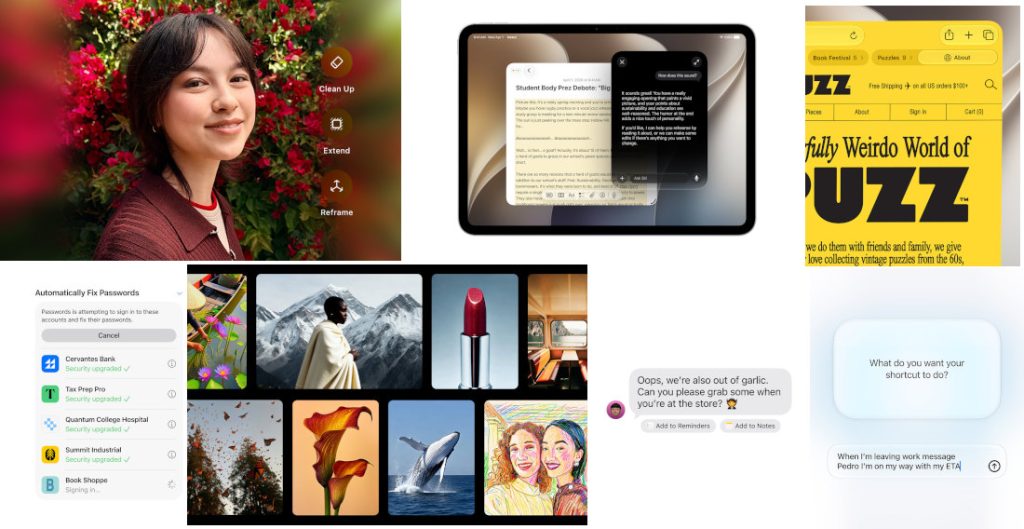
Beyond Siri, Apple Intelligence introduces automated capabilities and creative tools integrated directly into native iPadOS apps.
Photo and Video Editing
The Photos app receives major upgrades, including Spatial Reframing to adjust a photo’s composition after it has been captured. The new Extend tool uses AI to expand the boundaries of an image, while an upgraded Clean Up tool allows for the removal of larger unwanted background objects.
Additionally, users can now create custom slideshows with adjustable durations, transitions, and background music, which can be exported as standard video files.
Productivity Tools
- Notes: Siri AI can analyze typed or handwritten notes to extract next steps, format bullet points into structured agendas, or synthesize lecture notes into study guides.
- Safari: The browser introduces automated tab grouping based on topics. A new Notify Me feature monitors specific web pages for changes, such as price drops or inventory restocks, and alerts the user.
- Passwords App: The system can now automatically identify weak or compromised passwords and update them on behalf of the user with a single tap.
- Image Playground: This tool allows users to generate high-quality images, including photorealistic styles, from text descriptions or transform existing images based on prompts.
- Contextual Suggestions: Mail and Messages will suggest quick actions—such as adding an event to the Calendar or searching for a photo—based on the content of an ongoing conversation.
- Natural Language Shortcuts: Users can create complex automations by describing them in plain language. For example, a user can specify: “When I connect a keyboard, turn on Windowed Apps and tile Safari and Notes side by side.”
Comprehensive Child Safety Frameworks
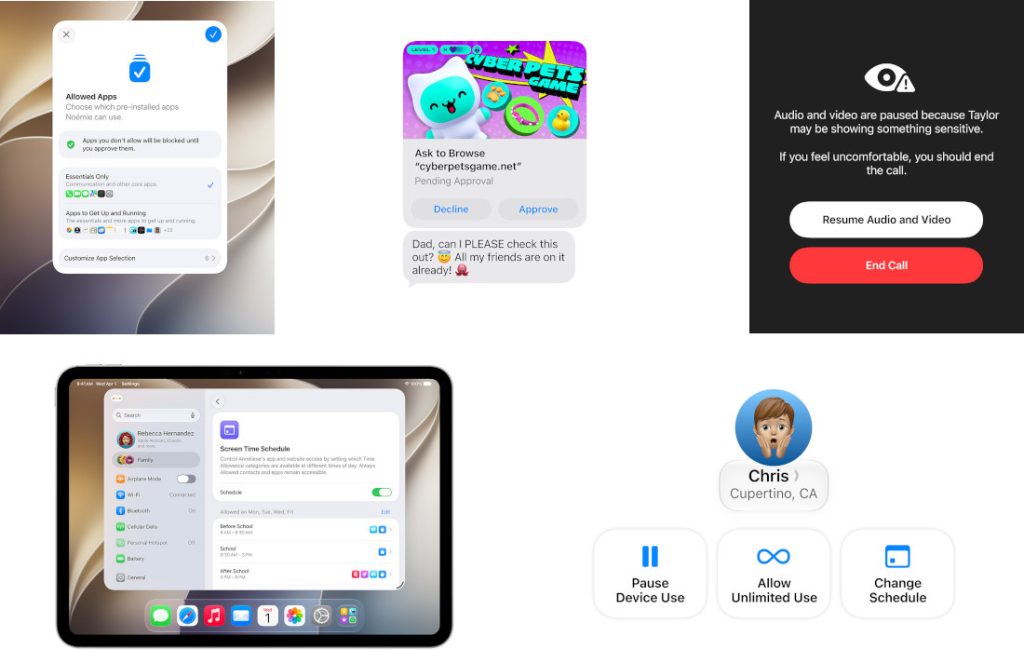
iPadOS 27 introduces a redesigned parental controls interface alongside more granular safety features designed to help parents manage and protect children online.
- Tailored Setup: Through an updated Setup Assistant, parents can choose an essential, recommended, or fully customized set of system applications that a child can access. Additional apps can be approved over time via the existing Ask to Buy feature.
- Ask to Browse: This feature requires children to request permission before visiting a new website. Parents receive the request within Messages, where they can review the URL before granting access.
- Expanded Communication Safety: Building on its ability to detect nudity, the system now flags and blocks media containing gore or violence in Messages, FaceTime, and other communication apps before a child views it.
- Age-Guided Time Allowances and Schedules: Developed alongside clinical and child development experts, the system provides age-specific guidance for daily screen time limits across categories like Entertainment, Games, and Social Media. A new Schedules tool allows parents to restrict or permit specific apps based on the time of day or day of the week.
Core OS Enhancements and Performance
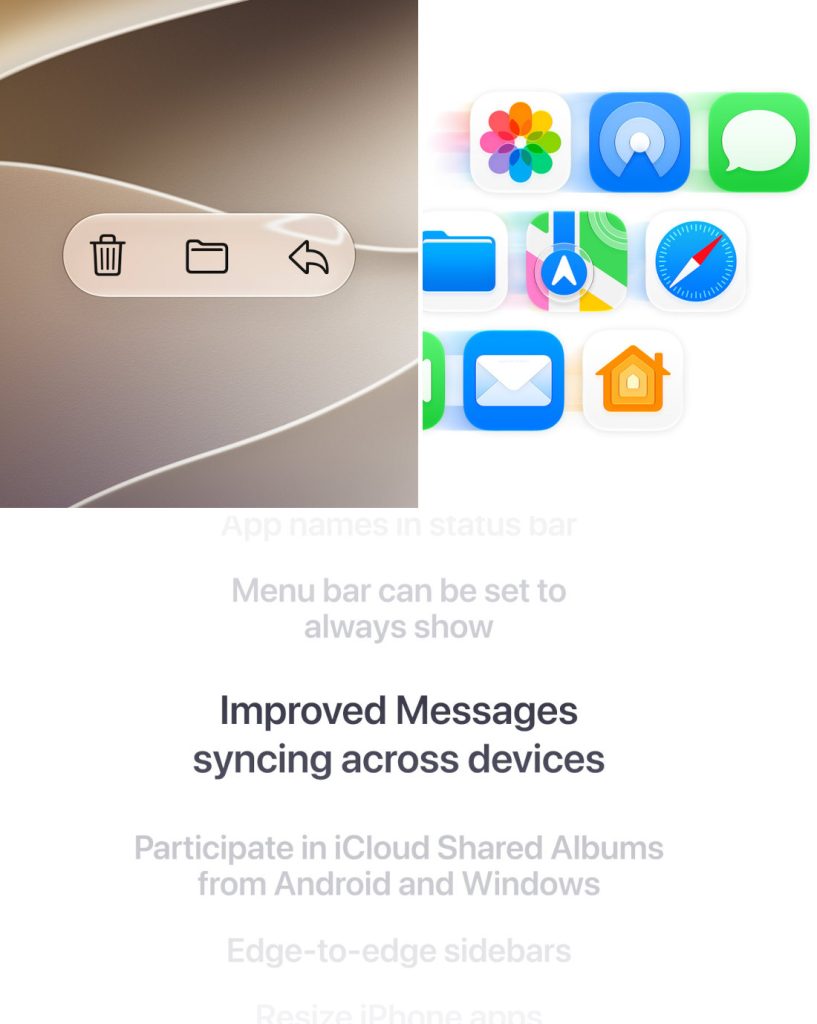
Apple has implemented several foundational improvements to make iPadOS 27 more responsive and reliable.
| Feature Area | Key Enhancements |
| Visuals & Display | Liquid Glass updates improve contrast and refraction for better readability. App icons feature sharper details, and a new slider allows users to customize the system appearance from clear to fully tinted. |
| Data & Performance | File transfer speeds to external drives and browsing speeds are up to 5x faster. General optimization includes an upgraded CPU scheduler for faster app launches and snappier AirDrop transfers. |
| Connectivity | Smoother network transitions ensure the iPad seamlessly switches between Wi-Fi and cellular connections without dropping active sessions like FaceTime calls. |
| Messages Sync | Missed notifications and unread message counts sync faster and more reliably when reconnecting a device. |
Additional Feature Updates
- Smart Home Capabilities: The Home app gains Apple Intelligence integration, allowing it to combine related notifications, generate text summaries of HomeKit Secure Video footage before viewing, and perform semantic searches for video clips. Supported cameras can now stream and record in 4K.
- Accessibility: VoiceOver gains richer image descriptions for situational awareness. A new live captioning tool generates synchronized subtitles for any video and can translate existing captions into other languages. The Magnifier tool also receives updated low-vision assistance utilities.
- Calendar: Users can add or modify events by writing or speaking a simple description, which the app automatically parses into specific calendar details.
- Maps Flyover: Flyover environments leverage Visual Intelligence models and aerial imagery to render intricate details, such as structural architectural elements and individual tree shapes.
- AirPods Custom EQ: Users can manually adjust low, mid, and high frequencies directly within the AirPods settings menu.
-
iCloud Shared Albums: Cross-platform support is improved, making it easier for Android and Windows users to join and contribute via iCloud.com. The platform now supports full-resolution media sharing, advanced filtering, and custom reactions.
Availability
Developers can access the iPadOS 27 beta through the Apple Developer Program, with a public beta launching next month via the Apple Beta Software Program. The update will be available as a free download this fall for supported iPad models as follows:
- iPad Pro: M4 models and later; 12.9-inch (4th generation and later); 11-inch (2nd generation and later)
- iPad Air: 13-inch (M2 and later); 11-inch (M2, M3, and M4 models); 11-inch (4th generation and later)
- iPad: A16 models; 9th generation and later
- iPad mini: A17 Pro models; 6th generation and later
Siri AI will be available in beta later this year and requires an Apple Intelligence–enabled device set to a supported language. Siri AI will not initially be available in the EU on iOS and iPadOS.