
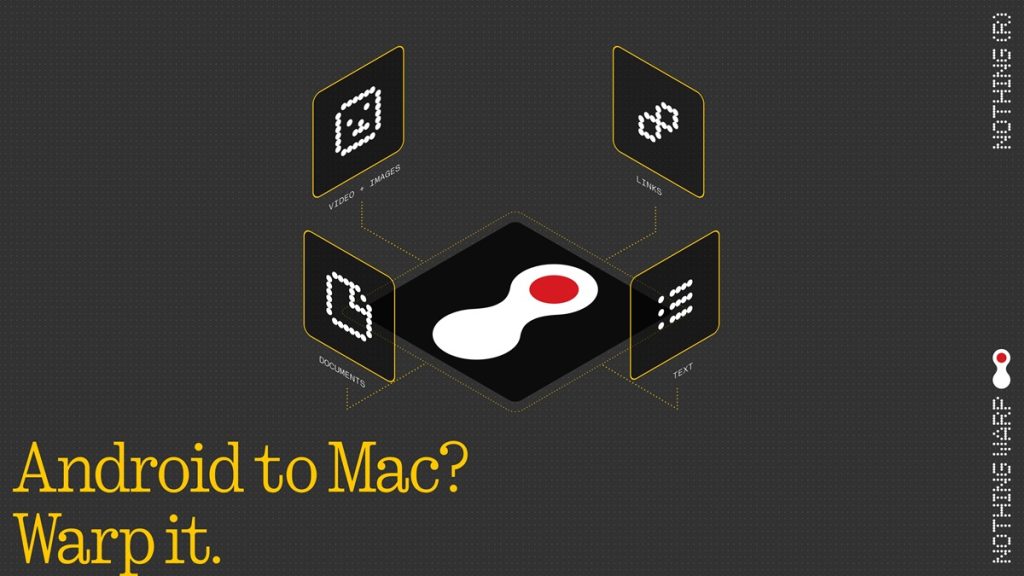
Nothing has confirmed that Nothing Warp is back after a short pause of around a week. The company says the issues have been fixed following the earlier beta release, and the tool is now available again with improvements.
Earlier, Nothing Warp was available through the Google Play Store in beta. However, the distribution method has now changed, and the app is currently provided as an APK via QR code instead.
Nothing Warp
Nothing Warp lets users send files, links, text, and images between a browser and an Android phone. It works in both directions, enabling quick transfer across devices. The tool is browser extension-based, which keeps it lightweight and broadly compatible across different setups.
A few important things to know
- It uses your own private Google Drive to move files
- Nothing Warp does not store your files
- Your data remains with you
How it works
Nothing Warp consists of two parts:
- A browser extension for Chromium-based browsers on macOS, Windows, and Linux
- A lightweight Android app that adds Nothing Warp to the phone’s share menu
Once both are installed and signed in with the same Google account, transferring content between devices becomes simpler.
Phone to Computer
Tap Share on any file, choose Nothing Warp, and it appears on your computer.
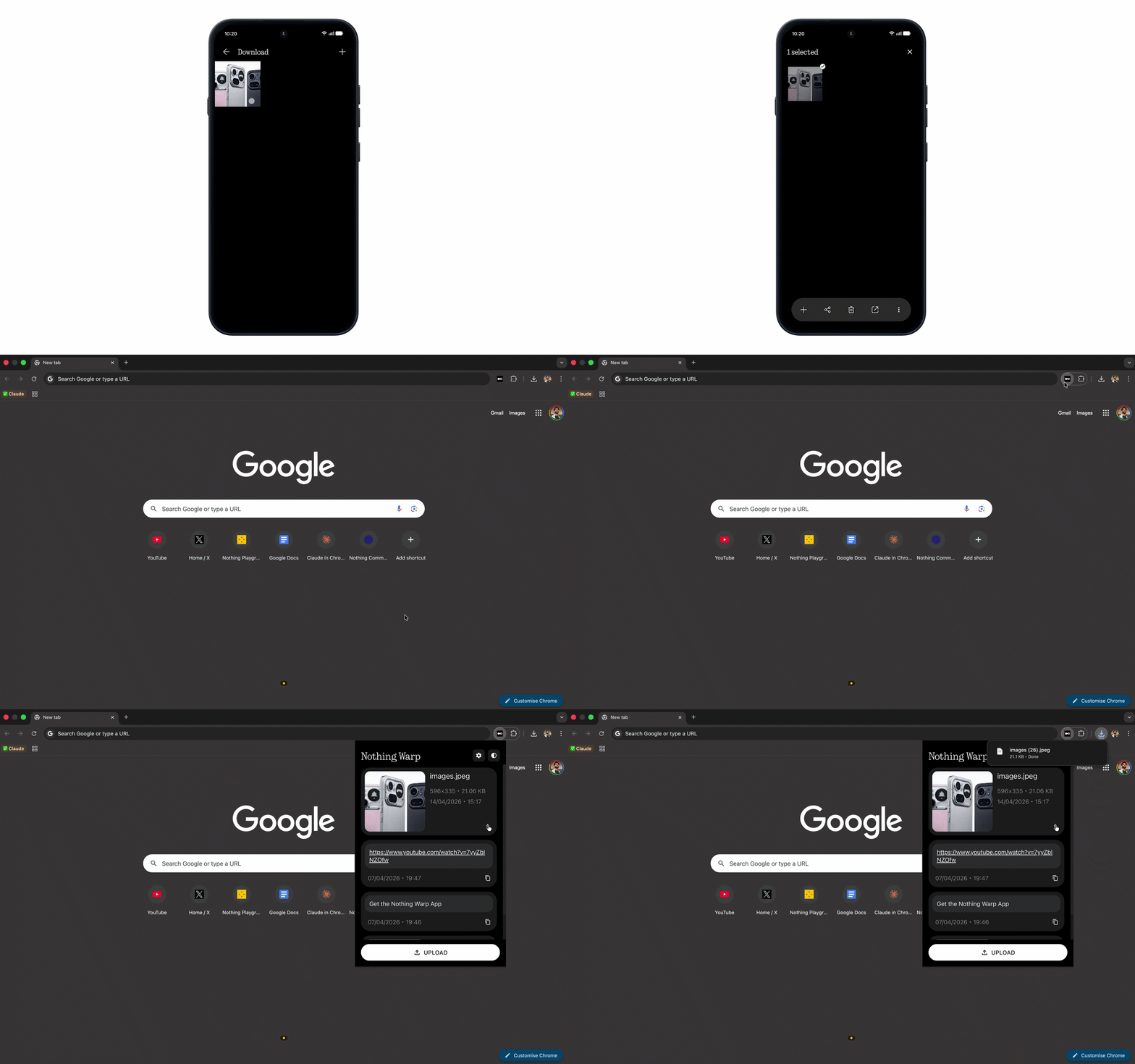
Computer to Phone
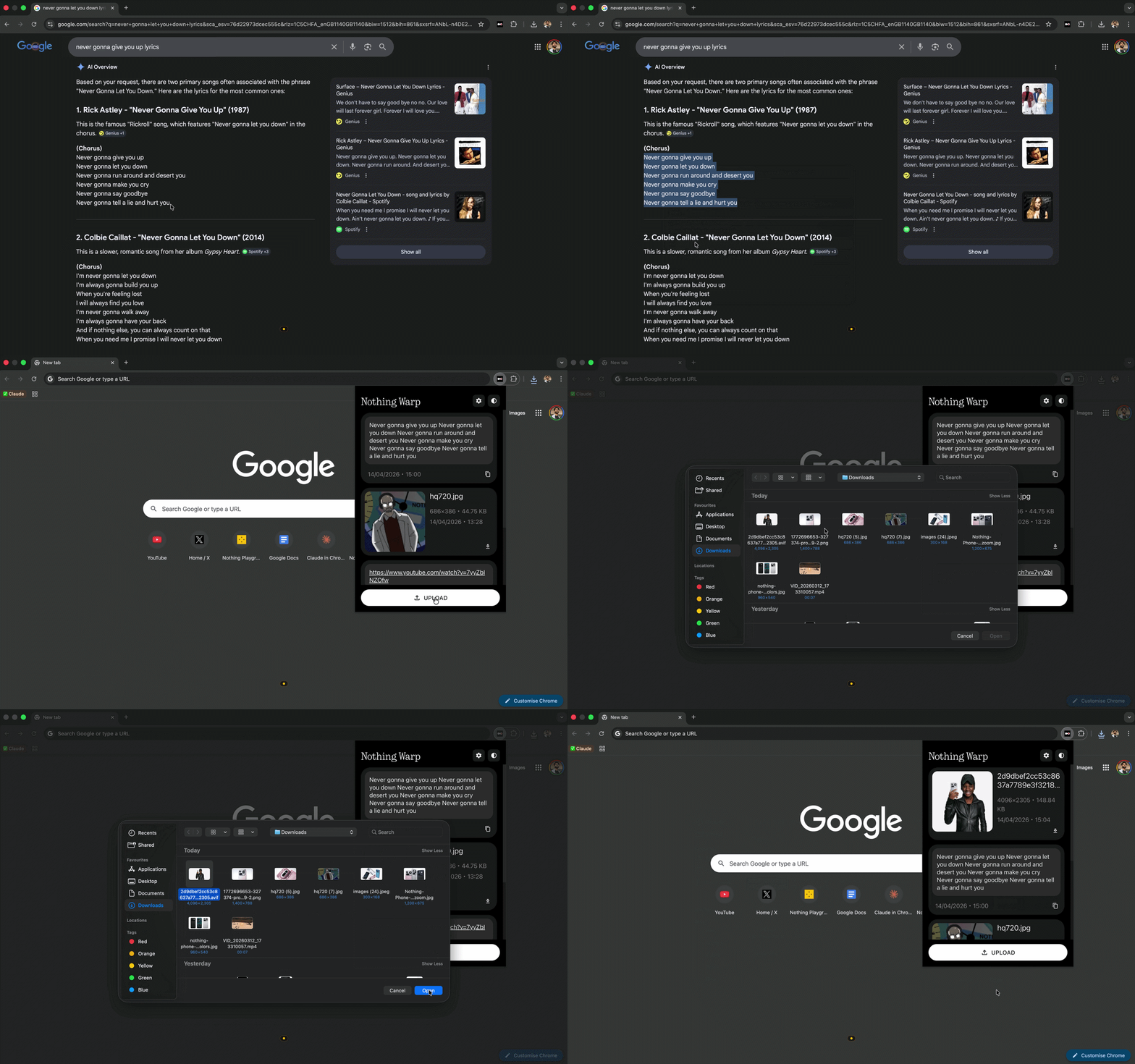
There are three ways to send content:
- Open the extension and click “Upload”
- Right-click any highlighted content and click “Send with Nothing Warp”
- Paste clipboard content directly into the extension window
How to install
On your computer, install the Nothing Warp extension from the Chrome Web Store.
To install on Android, download the Nothing Warp APK by scanning the QR code. Open the APK in Files, proceed through the Google security scan, tap install, and sign in using the same Google account. It works with any Android phone.
Availability
Nothing Warp is now available again after a one-week pause. It was previously offered via Google Play in beta, but the current version is distributed as an APK through a QR code. Users can install it directly and continue testing the updated release.