

Google Colab is expanding its integration with Google Gemini by introducing Custom Instructions and Learn Mode. These new features give users more control over how the Gemini assistant behaves within notebooks and how it supports both coding and learning.
Custom Instructions allow users to personalize the AI at the notebook level, while Learn Mode transforms Gemini into a guided coding tutor. Together, they make the assistant more flexible for developers, educators, and students.
Custom Instructions
Custom Instructions let users define how Gemini should respond based on their workflow, project, or learning needs. These settings are saved at the notebook level and can be reused across sessions.
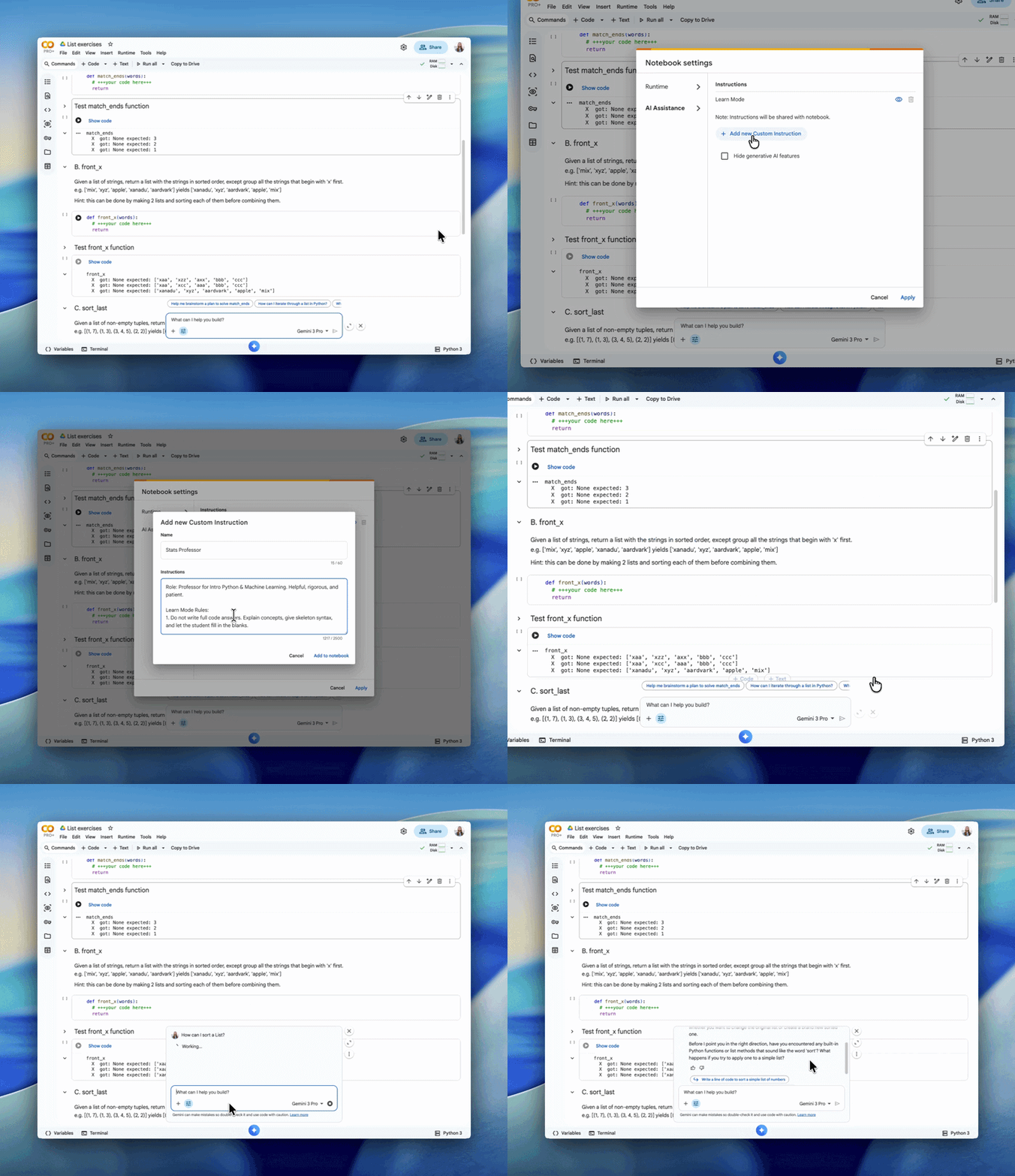
Key features:
- Set preferred coding style and response format
- Specify libraries or tools Gemini should use
- Add context such as class syllabus or project requirements
- Customize responses for workflows, coursework, or specific tasks
- Toggle directly from the Gemini chat interface
- Power Learn Mode by shaping how guidance is delivered
Learn Mode
Learn Mode shifts Gemini from a code generator to a teaching assistant. Instead of providing ready-to-use code, it focuses on helping users understand concepts through guided explanations.
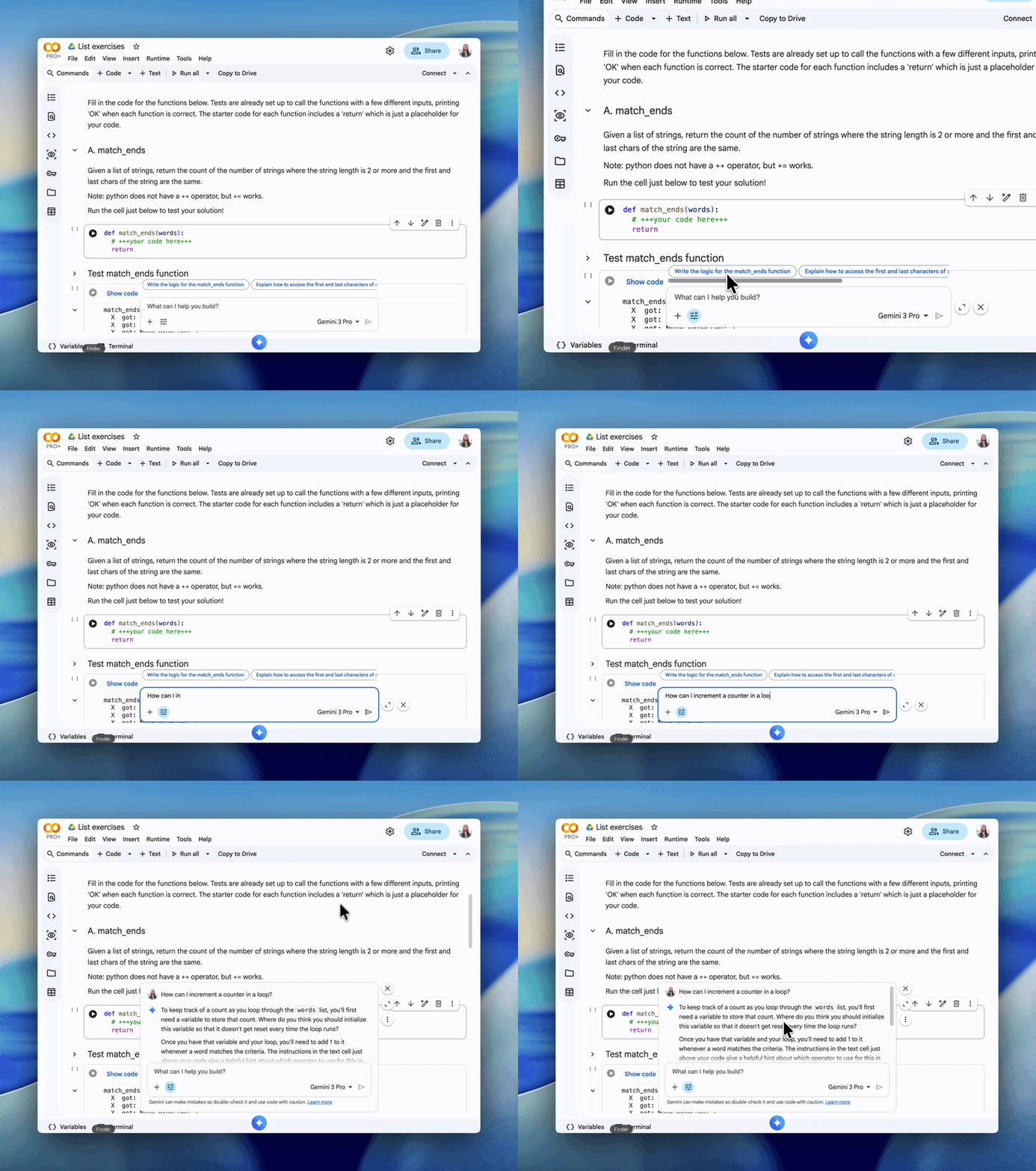
Key features:
- Provides step-by-step instructions instead of full code outputs
- Breaks down complex problems into smaller steps
- Explains underlying concepts and logic clearly
- Helps users learn new frameworks and programming languages
- Encourages active learning over copy-paste usage
- Can be enabled from the Gemini chat window in Colab
- Adapts responses based on Custom Instructions
Learn Mode is especially useful for beginners, educators, and developers exploring new tools or frameworks.
Example notebooks and exercises
Google Colab includes example notebooks where Gemini is preconfigured with Learn Mode. Users can start a chat with the assistant and follow guided exercises, including Python-based tasks such as list and string exercises.
Availability
Custom Instructions are stored within each notebook in Google Colab and are automatically applied to future Gemini chats in that notebook. When a notebook is shared, these instructions are included, ensuring collaborators get the same personalized AI experience.
Learn Mode can be toggled directly from the Gemini chat interface in Colab and is available in supported notebooks, including guided learning environments.