
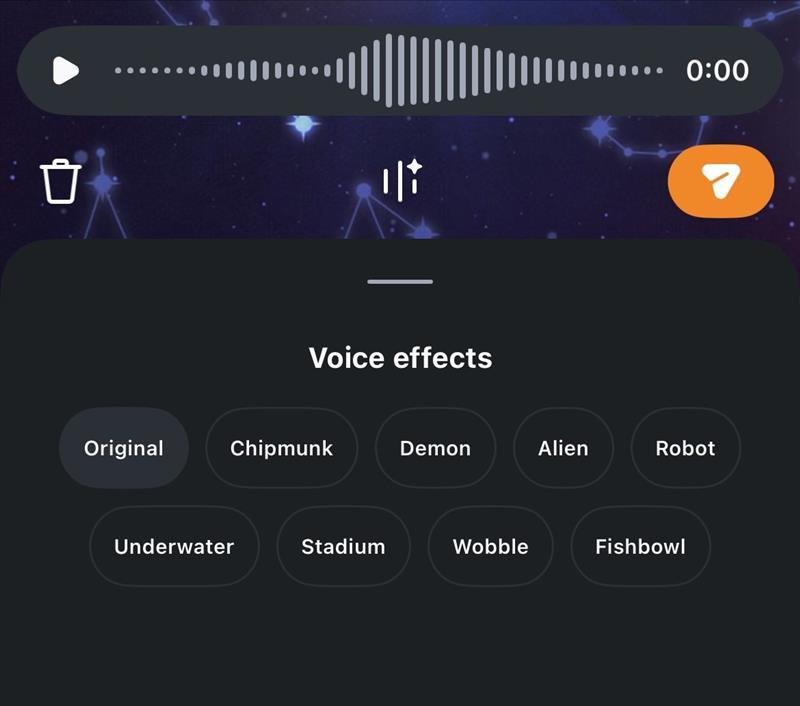
Instagram has updated its Direct Messages (DMs) with a new feature called AI Voice Effects for Voice Notes. This addition allows users to apply various character-style audio modifications to their recorded voice messages before sending them to other users on the platform.
The AI technology is designed to alter the sound of the user’s voice while maintaining the original recording’s rhythm, tone, and underlying emotion. Furthermore, the feature includes an interactive element for recipients.
When a modified voice note is received, the chat interface displays which specific effect was applied. Recipients can then tap this indicator to apply the exact same voice effect to their own audio reply.
How to Apply Voice Effects
Users can access and use the new audio feature by following these steps:
- Open a Direct Message thread.
- Tap the voice message record button to begin.
- Select the Voice Effects button located within the composer to view the available audio filters.
- Record the voice note as usual.
- Tap on the different available effects to preview how the recording sounds with each modification applied.
- Send the message.
Once sent, the chosen effect will be visible to the recipient, who can then choose to mimic it for their response.