
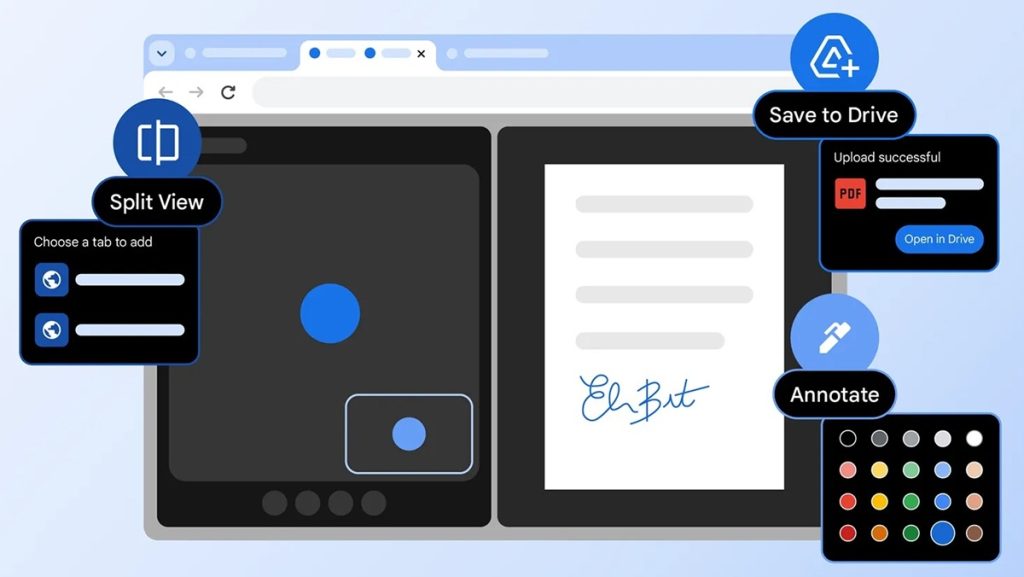
Google Chrome has introduced three new features focused on multitasking and document handling within the browser. The update adds Split View for side-by-side tab viewing, PDF annotation tools in the built-in viewer, and a direct Save to Google Drive option for PDF files.
New Features in Chrome
Split View
Split View allows users to display two tabs simultaneously within a single Chrome window. During early testing, users reported using it to grade assignments, take notes while watching videos, and reference documentation while coding.
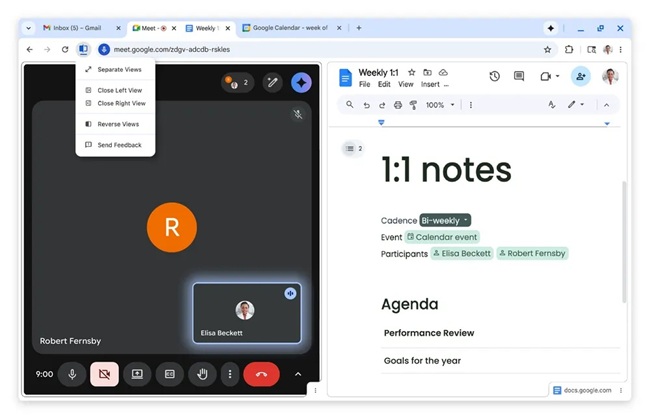
The feature reduces the need to switch repeatedly between tabs or manage multiple windows. It creates a single workspace for comparing content, reviewing information, or working across two pages at the same time.
PDF Annotations
Chrome’s built-in PDF Viewer now supports annotations. Users can highlight text and add notes directly within a PDF file in the browser.
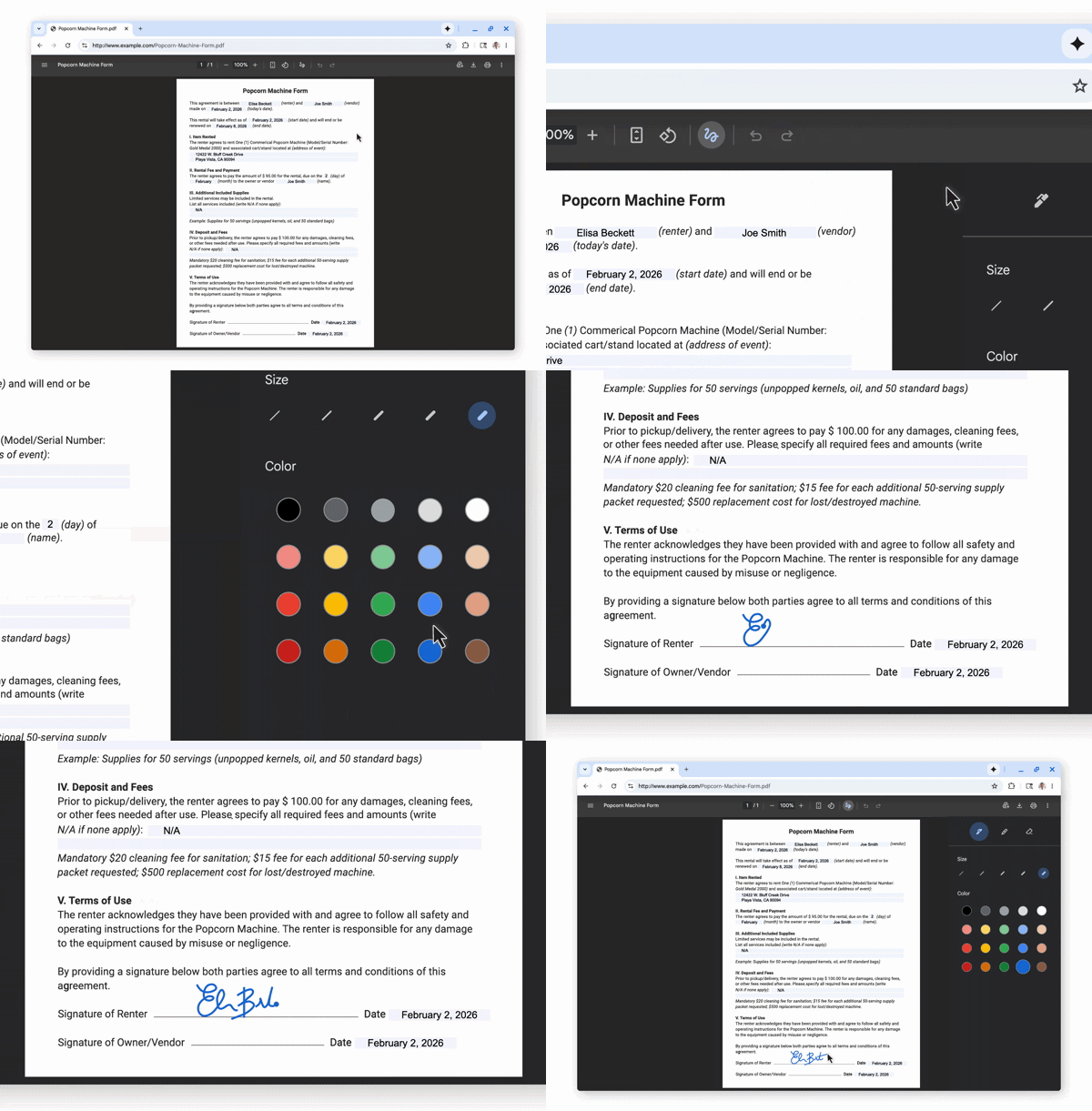
This removes the need to download documents and open separate applications for editing. The tool can be used for adding digital signatures, reviewing reports, marking class materials, or highlighting sections in personal documents.
Save to Google Drive
Chrome allows users to save PDF files directly to Google Drive from the browser, ensuring documents are backed up, organized, searchable, and accessible across devices.
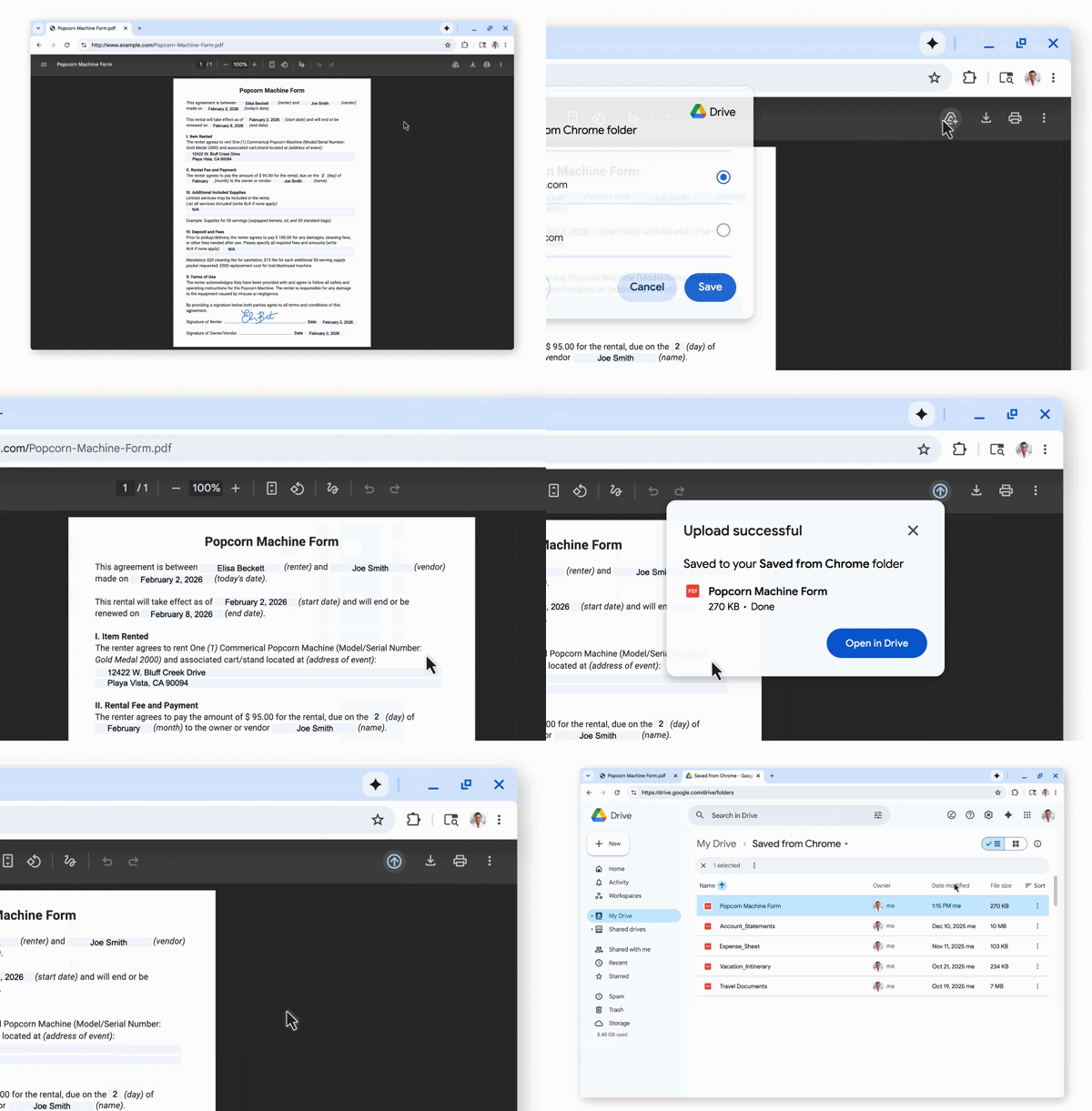
Instead of downloading files locally and uploading them again, PDFs can be stored directly in Drive and are automatically placed in a dedicated “Saved from Chrome” folder.
Availability
The new features are rolling out in Chrome for personal and enterprise users. Availability depends on the browser version and phased update rollout, and the tools can be accessed after updating to the latest release.