
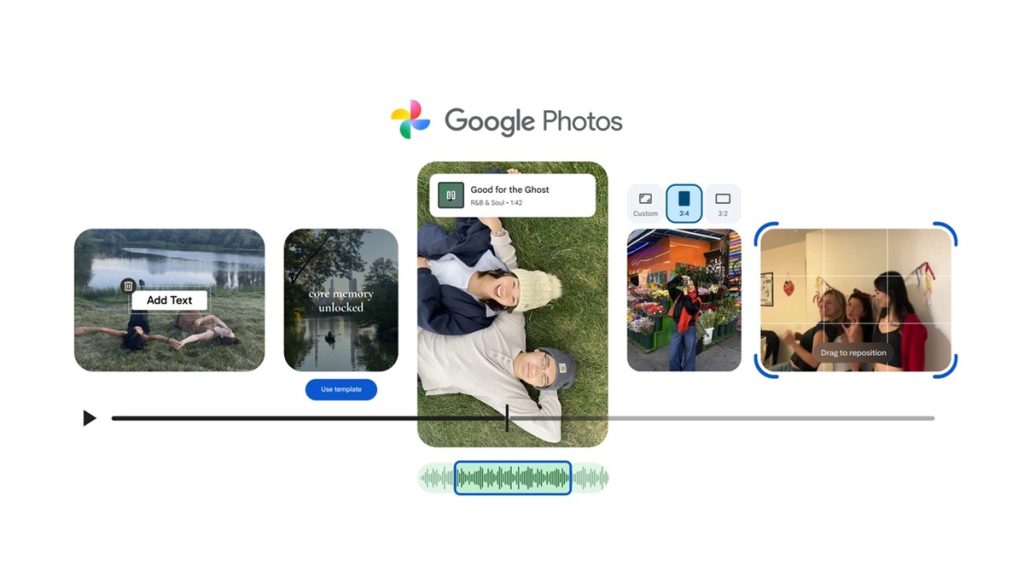
Google Photos is receiving a set of new video editing features that make highlight video creation more flexible across Android and iOS. The update introduces ready-made templates, a redesigned editor, improved soundtrack options, custom text overlays and expanded clip-level editing.
New Video Editing Tools in Google Photos
1. Highlight video templates for quick creation
Templates are rolling out on Android, offering preset formats with synced music, text and cuts. Users can choose a template, select photos and clips, and Google Photos will automatically generate a shareable highlight video that matches the beat. The feature is available under Create → Highlight video, with additional templates planned.
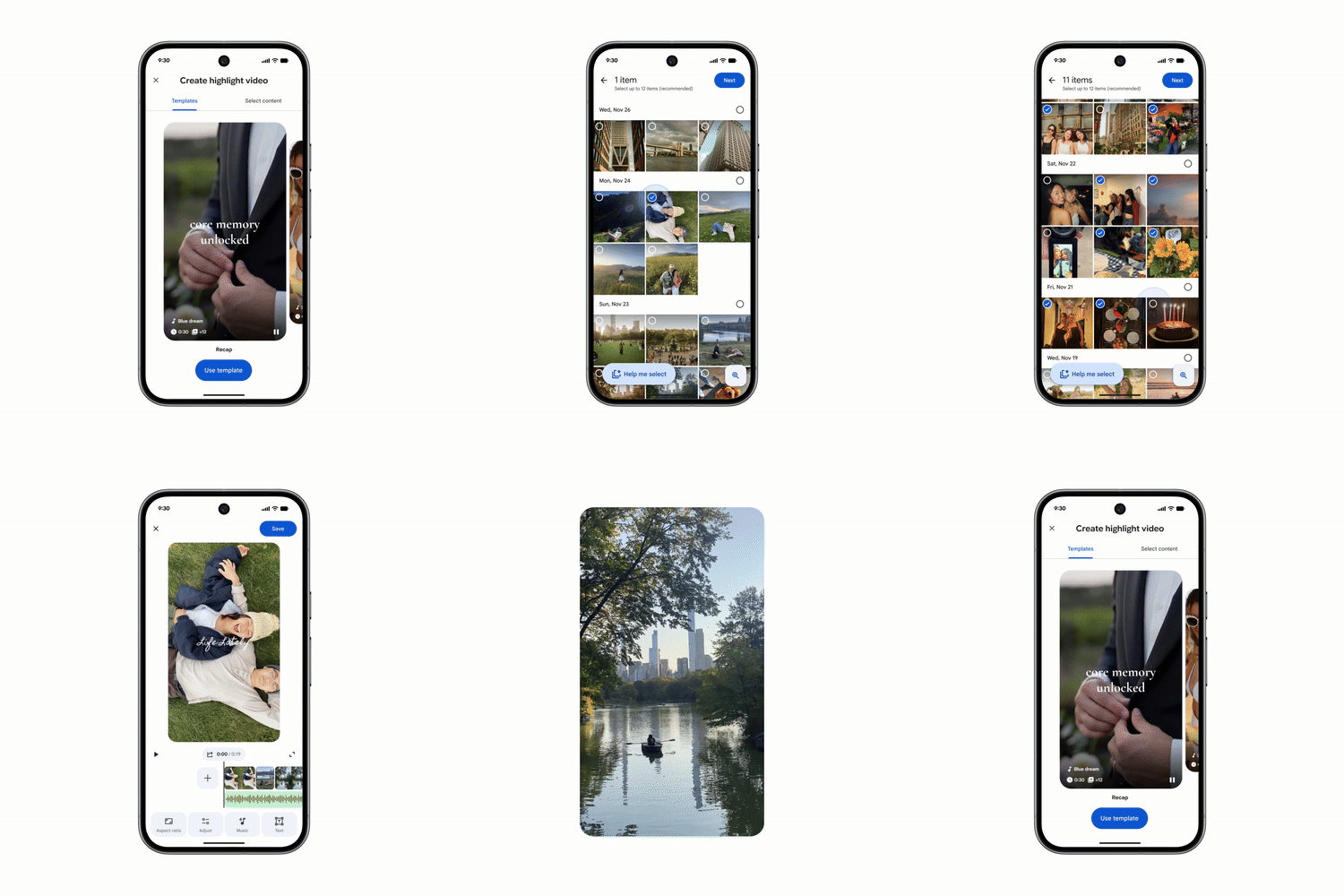
2. Redesigned video editor for easier editing
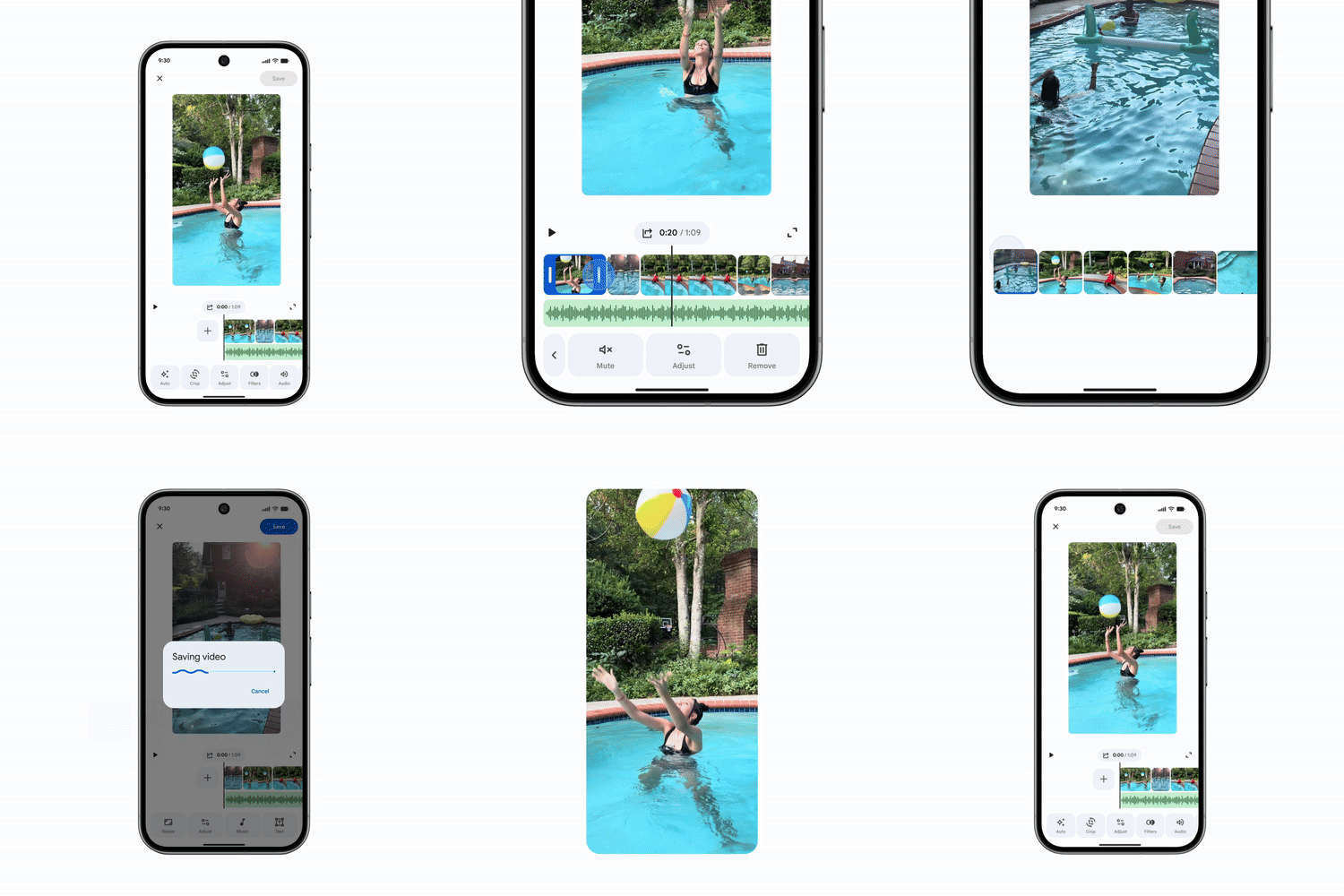
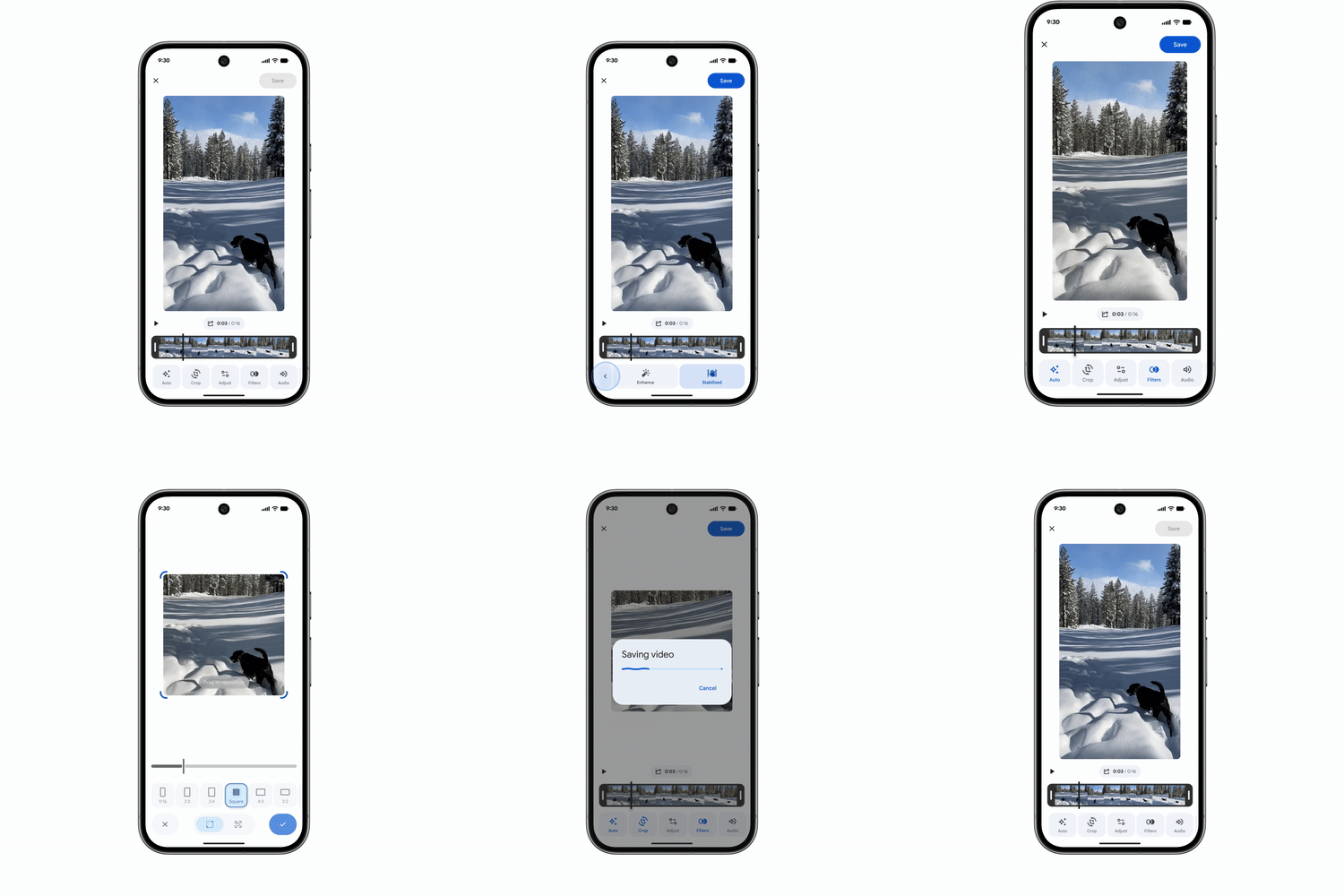
The updated editor on Android and iOS features a simplified layout, a universal timeline for multi-clip editing, and an adaptive canvas for easier navigation. All key tools are placed in a single unified interface to streamline adjustments.
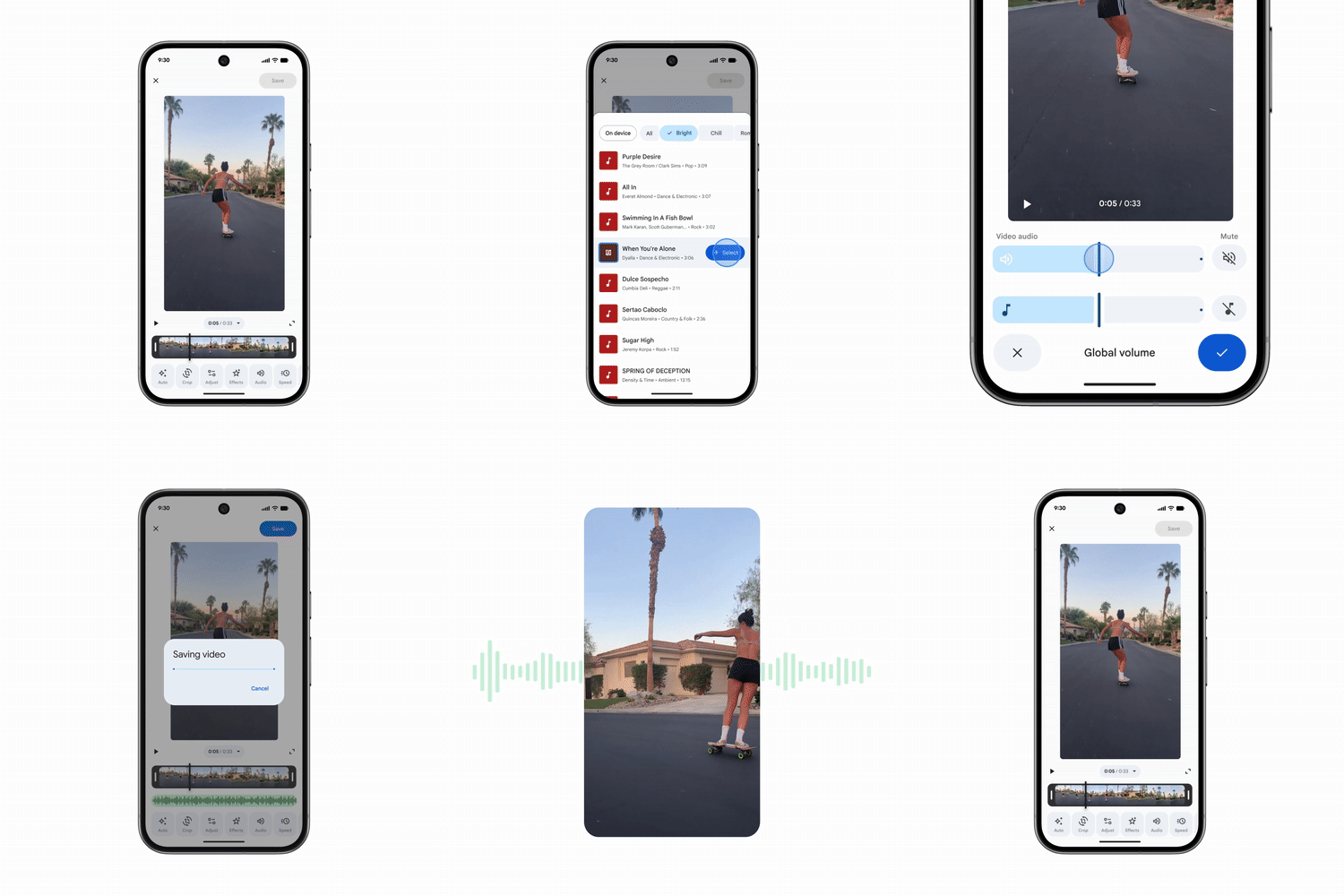
3. Improved music selection
Users can browse the Google Photos music library more easily and apply a suitable soundtrack to their highlight videos on both Android and iOS.
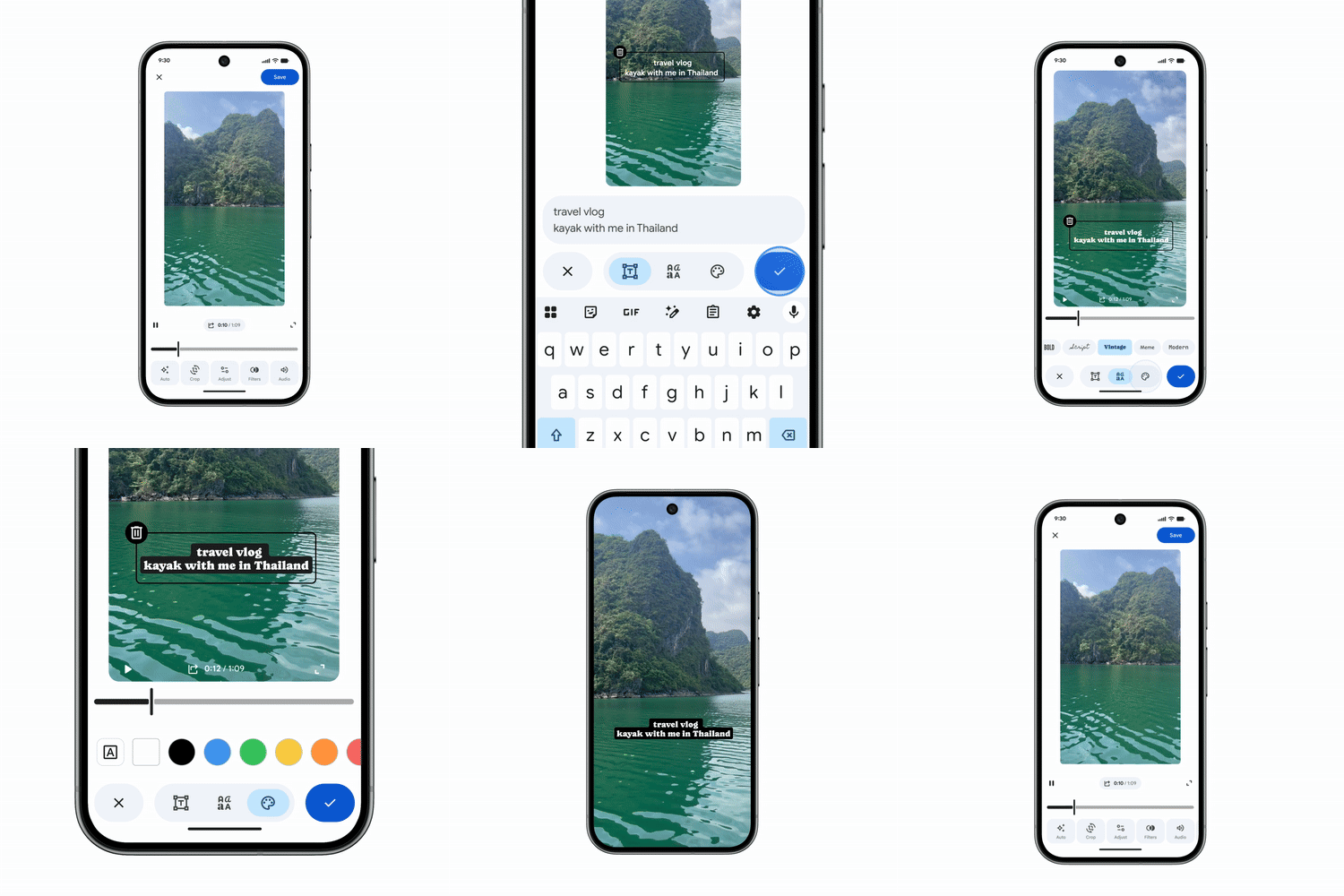
4. Custom text overlays
Android users can now add text overlays with new font styles, colors, and background options. This allows clearer labeling or added context within highlight videos.
5. Enhanced editing for individual clips
The redesigned editor is now the default editing interface for single video clips on Android. Users can adjust, trim, and add music or text to a single clip for more detailed customization.
Availability
All of these features are already available or are rolling out gradually across Android and iOS.