
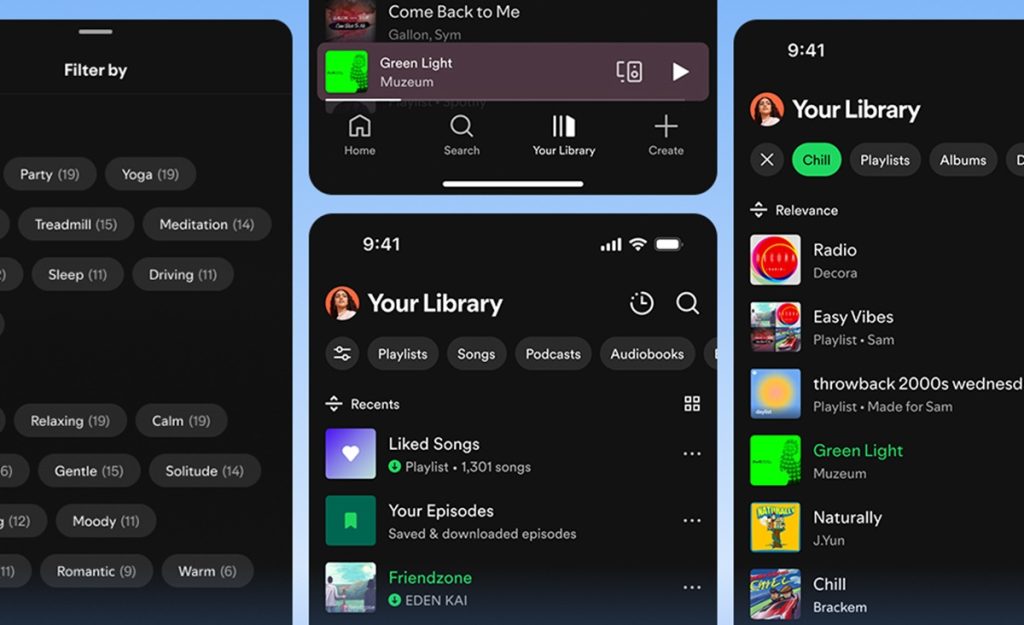
Spotify has added several updates for Premium accounts, designed to give listeners more control over their music experience. The enhancements include advanced playlist options, voice-based song requests, and tailored recommendations based on mood, activity, or genre.
Smart Filters for Library Organization
Users can now quickly organize their saved music, podcasts, and audiobooks using Smart Filters.
- Tap the filter icon in the top-left corner of Your Library.
- Choose from options sorted by activity, mood, or genre.
- The Library updates immediately to match your selection.
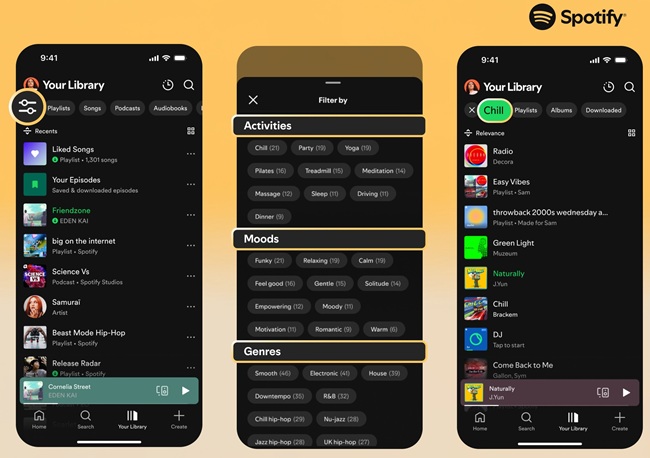
This feature helps locate content for exercise, winding down, or travel listening efficiently.
Hide or Temporarily Pause Songs
- Hide tracks: Use the three-dot menu in Now Playing and select “Hide in this playlist” to skip a song in future plays.
- Snooze tracks: Premium users can pause a track from appearing in recommendations for 30 days, giving a temporary break from familiar tunes.
Discover Weekly Now Genre-Specific
The Discover Weekly playlist can be refreshed based on specific genres.
- Tap buttons such as Pop, Funk, or R&B above the playlist.
- Spotify generates a new 30-track selection tailored to your listening patterns.
This allows listeners to explore new songs or revisit favorites more easily.
Updated Queue Features
The queue has been redesigned for Premium users, offering:
- Shuffle and Smart Shuffle playback
- Repeat and Sleep Timer options
- Spotify recommendations once the queue ends
Autoplay and Smart Shuffle can be disabled to give users complete control.
Enhanced Playlist Editing
Spotify has improved playlist customization tools:
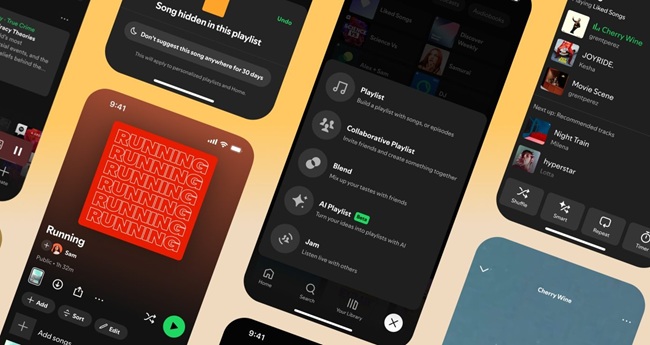
- Add, reorder, and organize tracks
- Change playlist titles and design custom cover art
- In select regions, create playlists from Liked Songs filtered by genre or mood
Request Music with Voice DJ
Premium users can now interact with DJ using voice commands:
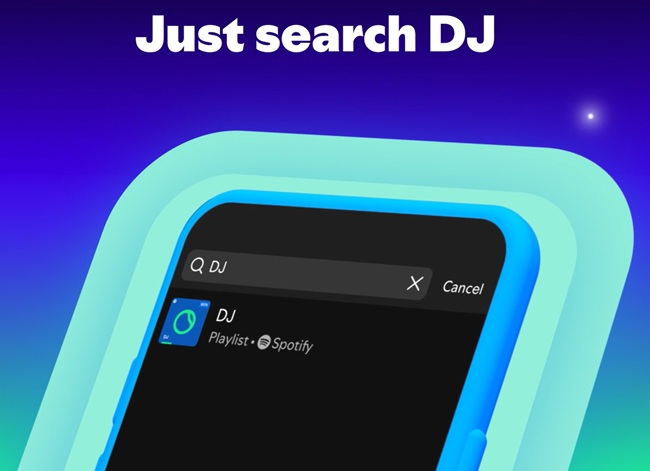
- Press and hold the DJ button
- Request songs by mood, genre, or vibe
- DJ adjusts the session with new or familiar tracks
Availability
These personalization features, including Smart Filters, are gradually rolling out on mobile and tablet devices for Premium users in Australia, Canada, Ireland, New Zealand, South Africa, the UK, and the US.