
Apple has unveiled its next-generation desktop operating system, macOS 27 “Golden Gate.” Scheduled for release this fall, the update focuses heavily on deep artificial intelligence integration via Apple Intelligence, expanded child safety guardrails, and subtle visual and architectural performance improvements.
Notably, macOS 27 marks a definitive shift in hardware support, natively running exclusively on Macs equipped with Apple silicon.
Siri AI and Apple Intelligence
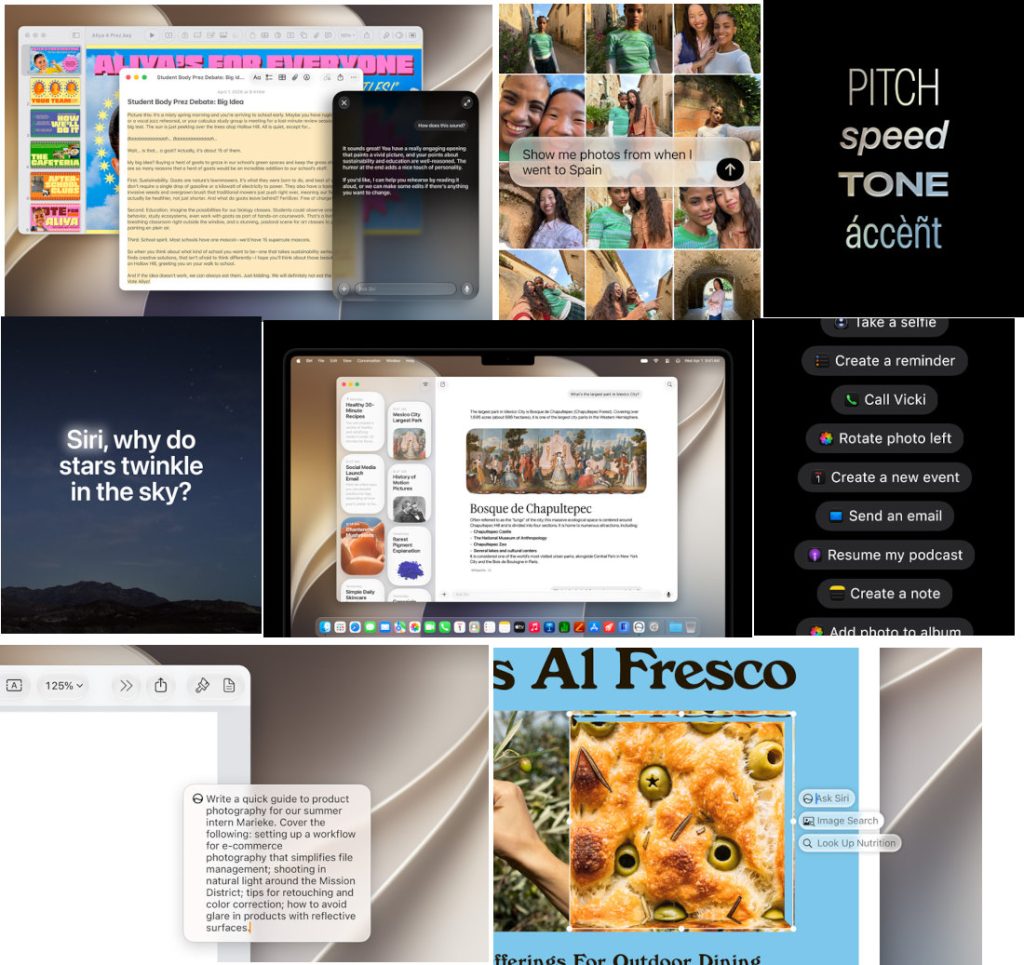
The central pillar of macOS 27 is Siri AI, a re-engineered conversational assistant powered by Apple Intelligence. Designed to be more context-aware, Siri transitions from a basic command tool into a broader productivity assistant.
- Dedicated Siri App: For the first time, Siri features a dedicated application interface that compiles conversation history. Users can manage ongoing queries on their Mac and seamlessly resume them on an iPhone.
- System-Wide Writing and Visual Tools: Siri AI can generate text drafts from scratch, edit existing text, and alter tone or punctuation inside native applications like Mail and Messages. A new Visual Intelligence feature allows users to take a screenshot of any onscreen element (such as a PDF or image) and ask Siri to analyze, explain, or take action on the content.
- In-App Execution and Personal Context: Siri can now execute multi-step commands across local apps—such as retroactively editing a sent message, adding a song to a playlist based on a show currently playing, or digging up buried files, photos, and emails using natural language prompts.
- Global Knowledge Base: Siri can pull real-time information from online sources to assist with deep research or project workflows.
Note: Siri AI features will launch initially in English later this year.

Workspace Productivity and Creative App Updates
Native macOS applications receive targeted productivity enhancements designed to automate repetitive digital tasks.
Safari and Passwords
Safari introduces automatic Tab Grouping, which organizes open web pages by topic. A new monitoring tool, Safari Notify Me, watches specified pages for user-defined changes—such as retail price drops or inventory restocks—and alerts the user. Additionally, the standalone Passwords app can now automatically detect weak or leaked credentials and update them securely on the user’s behalf with a single click.
Creative Tools and Automation
The system incorporates Image Playground, allowing users to generate and modify high-quality illustrations or photorealistic images based on text descriptions. Photo editing is upgraded with Spatial Reframing (re-adjusting photo composition post-capture), an Extend tool (generatively expanding image borders), and an enhanced Clean Up tool for removing larger background objects.
System automation is simplified through Shortcuts, where users can build complex, multi-app macros simply by typing a description of the workflow they want to achieve.
Expanded Child Safety and Parental Controls
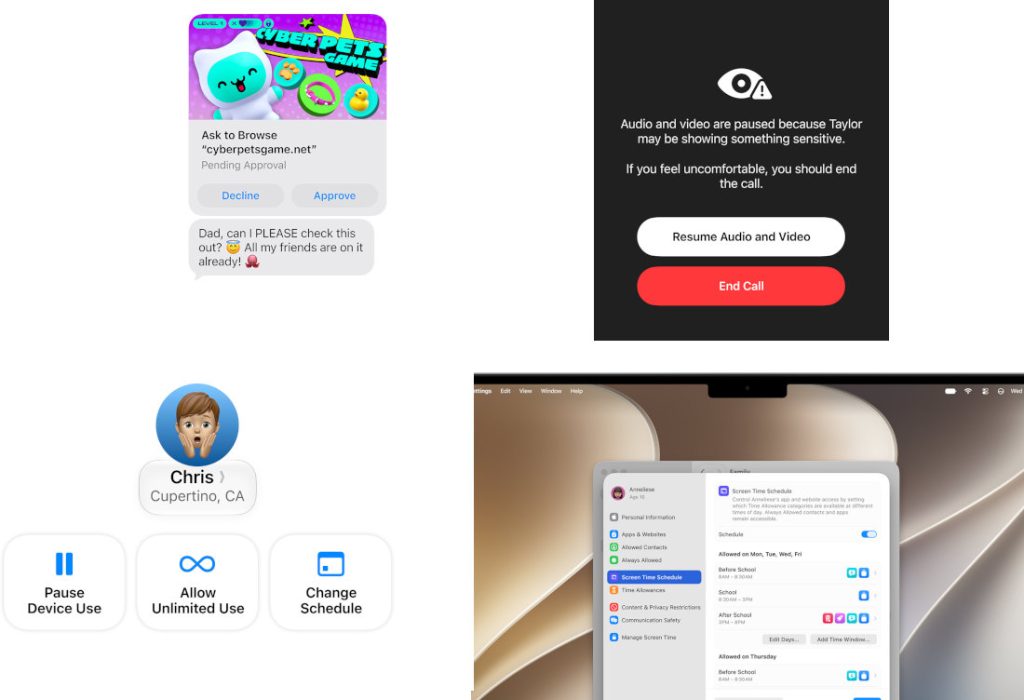
macOS 27 delivers a redesigned Parental Controls interface within System Settings alongside more rigorous online safety protocols:
- Ask to Browse: Restricts children from visiting unapproved websites. Requests for access are sent directly to a parent’s Messages app for review.
- Communication Safety: Building on existing nudity filters in Messages and FaceTime, the system now scans for and intervenes before children are exposed to graphic violence or gore in shared media.
- Expert-Guided Time Allowances: Parents can set specific screen-time boundaries across distinct categories (Games, Social Media, Entertainment). Apple now includes age-appropriate schedule recommendations developed alongside clinical child development specialists.
System Architecture, Design, and Core Refinements
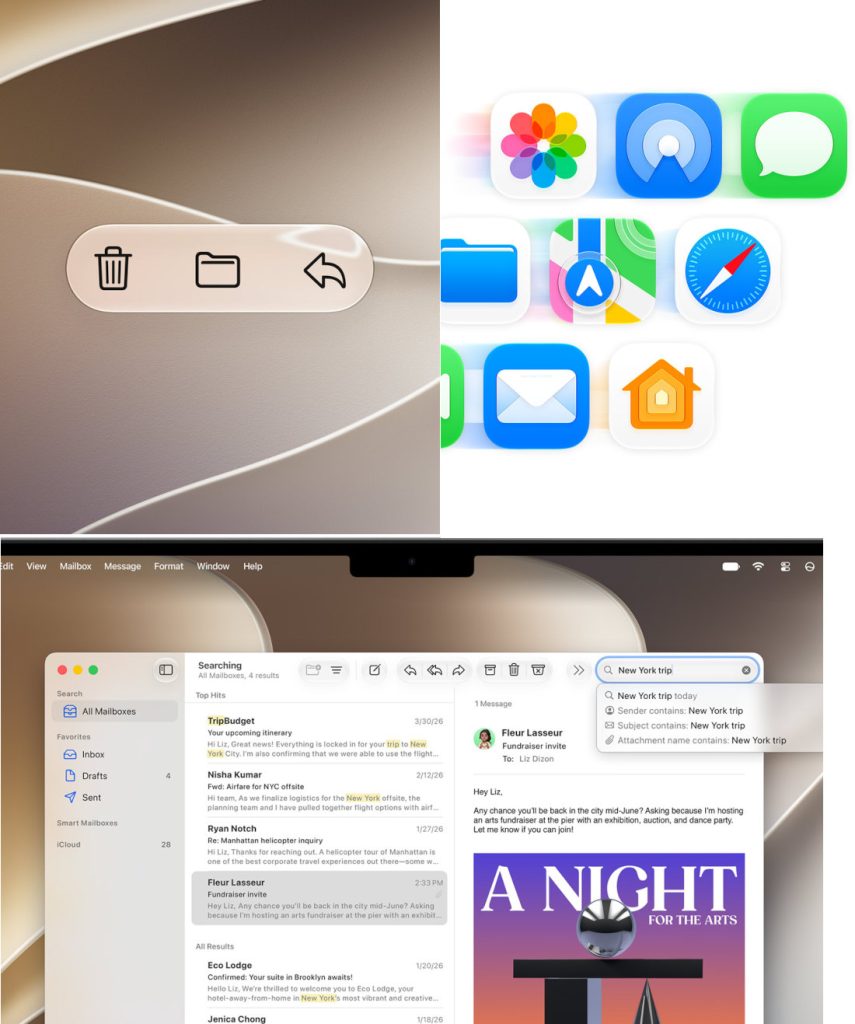
Beneath the AI features, Apple has introduced several underlying visual and performance optimizations.
| macOS 27 Core Refinements | |
| Liquid Glass Interface | Uniform refraction, improved contrast, custom tint slider |
| Performance Boosts | Faster AirDrop, speedier, network file browsing |
| Pro Display Support | Ultrawide monitor layouts, supporting up to 5K at 120Hz |
- Liquid Glass Interface: The desktop design language has been updated with a framework called Liquid Glass. It offers more uniform refraction and higher contrast across window shapes, toolbars, and the menu bar. A dedicated system slider allows users to adjust the aesthetic from completely transparent (“ultraclear”) to heavily tinted.
- Performance and Navigation: Users will notice faster AirDrop transfer speeds, snappier local network file browsing, and faster load times for Safari start pages. Core applications like Mail feature an overhauled search ranking system to surface relevant threads faster.
- System-Wide Pull-to-Refresh: Adapting a mobile convention, users can now swipe down to refresh content natively within Safari, Mail, News, Podcasts, and Calendar.
- Cross-Platform iCloud Shared Albums: Non-Apple users on Android and Windows can now join and contribute full-resolution photos to iCloud Shared Albums via an optimized web portal on iCloud.com.
Hardware compatibility and availability
macOS 27 “Golden Gate” drops support for any remaining Intel-based Mac architectures. It is strictly compatible with the following hardware:
- MacBook Neo (2026)
- MacBook Air (Apple silicon, 2020 and later)
- MacBook Pro (Apple silicon, 2020 and later)
- iMac (Apple silicon, 2021 and later)
- Mac mini (Apple silicon, 2020 and later)
- Mac Studio (2022 and later)
- Mac Pro (Apple silicon, 2023 and later)
The developer beta of macOS Golden Gate 27 is available now through the Apple Developer Program.
A public beta will be available next month through the Apple Beta Software Program. The full release will be available as a free update this fall. Siri AI will be available in beta later this year and requires an Apple Intelligence–enabled device set to a supported language. Available in English to start. Siri AI will not initially be available in the EU on iOS and iPadOS.