

Adobe has announced the general availability of AI Collaborators in Workfront. The feature allows marketing teams to assign tasks to AI agents within existing workflows and review their output in Workfront, while keeping the relevant project context, permissions, activity records, and human review connected to the task.
Adobe Workfront AI Collaborators
An AI Collaborator is a permissioned user in Workfront that connects an AI agent to project work. Teams can assign it a task in the same way they assign work to a person, and it can be connected to any AI agent the team has built.
Workfront automatically provides the agent with the information required for the task, including the task description, campaign brief, messaging rules, brand voice, competitive analysis, and other relevant project details. This gives the agent the required project context without relying on an individual user to create a detailed prompt.
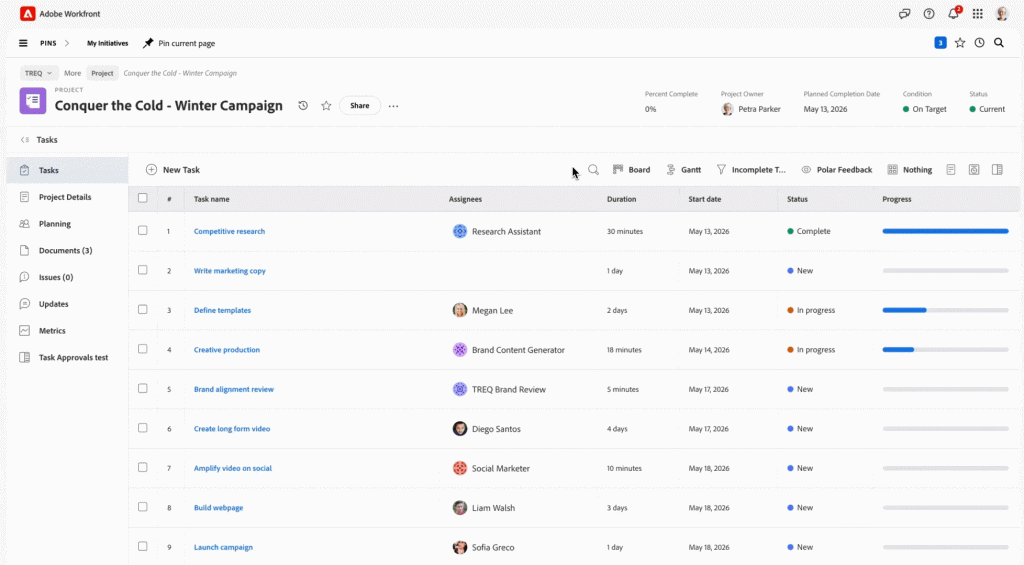
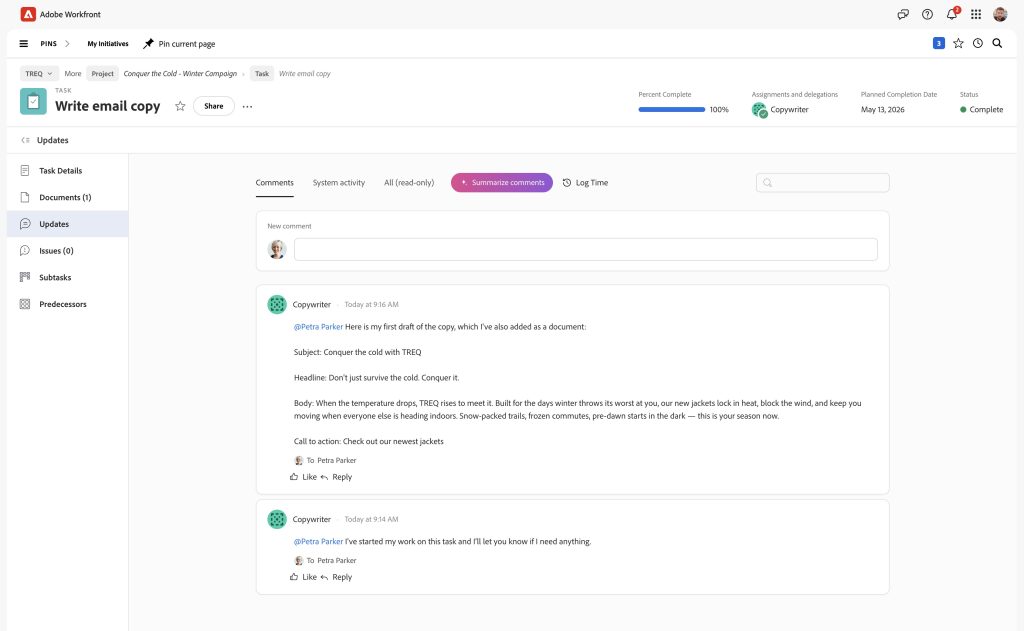
After completing the task, the agent returns its output to the relevant Workfront task for review and approval. The workflow maintains permissions and activity records, with human approval required before the work is shipped.
AI Collaborators provide four key workflow characteristics:
- Permissioned: The agent’s access is tied to its assigned role.
- Visible: Results are posted in Workfront instead of remaining in an individual chat.
- Repeatable: The same context and instructions can be applied to recurring tasks.
- Auditable: Activity is logged throughout the workflow, with human approval required before work is shipped.
AI Collaborator use cases
Adobe has outlined several use cases from its AI Collaborator beta customers, including copy creation, localization, advertising variations, and brand compliance.
Copy creation: An AI Collaborator connected to a team’s copywriting agent, built in Microsoft Copilot Studio, can create a landing page draft using the project brief, brand guidelines, messaging pillars, and custom details supplied in the request. The copywriter can then review and refine the draft.
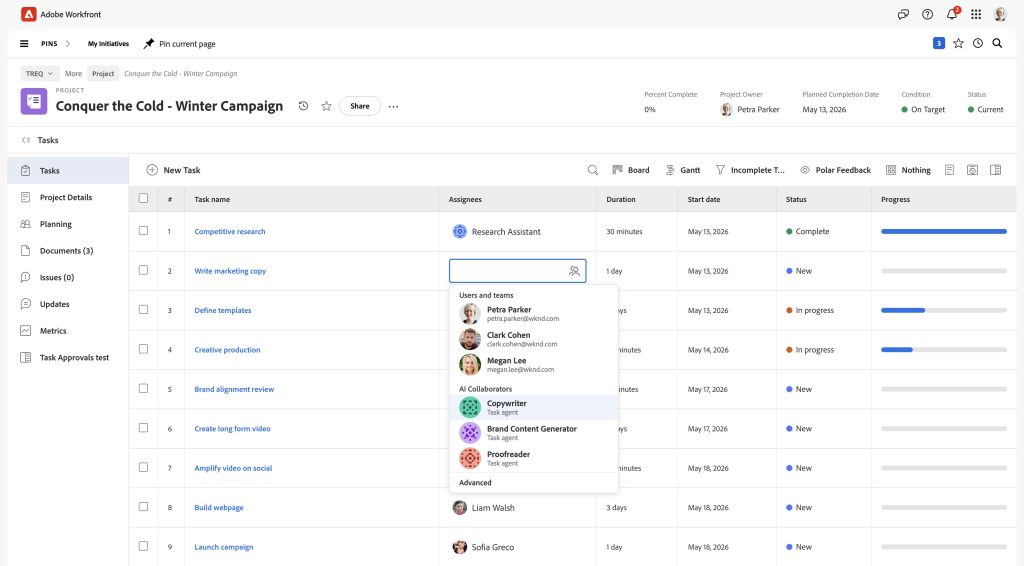
Localization: An approved piece of content can be localized across multiple markets. A regional reviewer checks each version for local nuance, brand fit, and compliance before approving it, while the workflow from the source content through the approved localized versions remains in Workfront.
Ad variations: An AI Collaborator connected to a team’s Writer agent can transform a campaign brief into multiple LinkedIn ad variations.
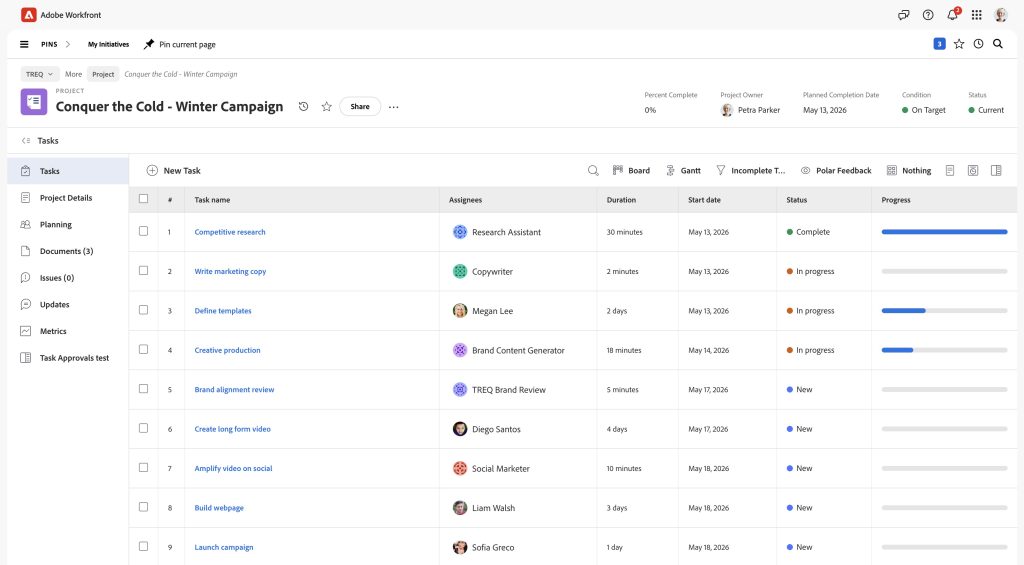
Brand compliance: A content reviewer Collaborator can check content before it reaches approvers. When powered by Adobe Brand Intelligence, it can apply written brand guidelines and use information from real approvals, rejections, and comments when assessing how the brand is represented in content.
Adobe’s global marketing team is also building AI Collaborators for:
- Generating channel-specific image renditions when hero assets are added to a project
- Drafting pages in Adobe Experience Manager
- Coordinating event-promotion handoffs across teams
Scaling multiple AI agents
AI Collaborators can connect multiple specialized agents across different stages of a workflow. Agents can be chained together, with inputs and outputs automatically passed between people and agents, allowing multiple steps to progress without someone manually coordinating each stage.
Since the work runs in Workfront, teams can monitor agent activity and identify agents that require tuning.
Setup and integrations
Setting up an AI Collaborator takes a few minutes and does not require extensive development. The setup involves:
- Naming the collaborator
- Describing what it does
- Connecting it to an existing agent
- Assigning it to a task
Customers can connect AI Collaborators to agents built on platforms such as:
- Microsoft Copilot Studio
- Claude managed agents
- Writer
Connections to other agents can also be made through:
- Public API endpoint
- MCP endpoint
- Agent-to-agent connection
Workfront MCP
Adobe also offers Workfront MCP, which allows teams to access Workfront from AI tools they already use, including Claude, Microsoft Copilot, Gemini, and ChatGPT.
The two capabilities work in different directions:
- AI Collaborators: Bring AI agents into Workfront workflows.
- Workfront MCP: Allows AI assistants to access Workfront.
AI Collaborators therefore allow work to move from Workfront to connected agents, while Workfront MCP allows AI assistants to interact with Workfront.
Availability
Adobe Workfront AI Collaborators are now generally available.