
Google has introduced selfie video verification as a new sign-in option for Google Accounts. The feature helps users regain access to their accounts if they are locked out or do not have access to their usual phone or computer.
Selfie video works as an alternative recovery method alongside options such as recovery email, recovery phone number, passkeys, and recovery contacts. Users must set up a selfie video in their Google Account before they can use it for account recovery. It cannot be added while an account is locked or during the recovery process.
How to set up and use selfie video verification
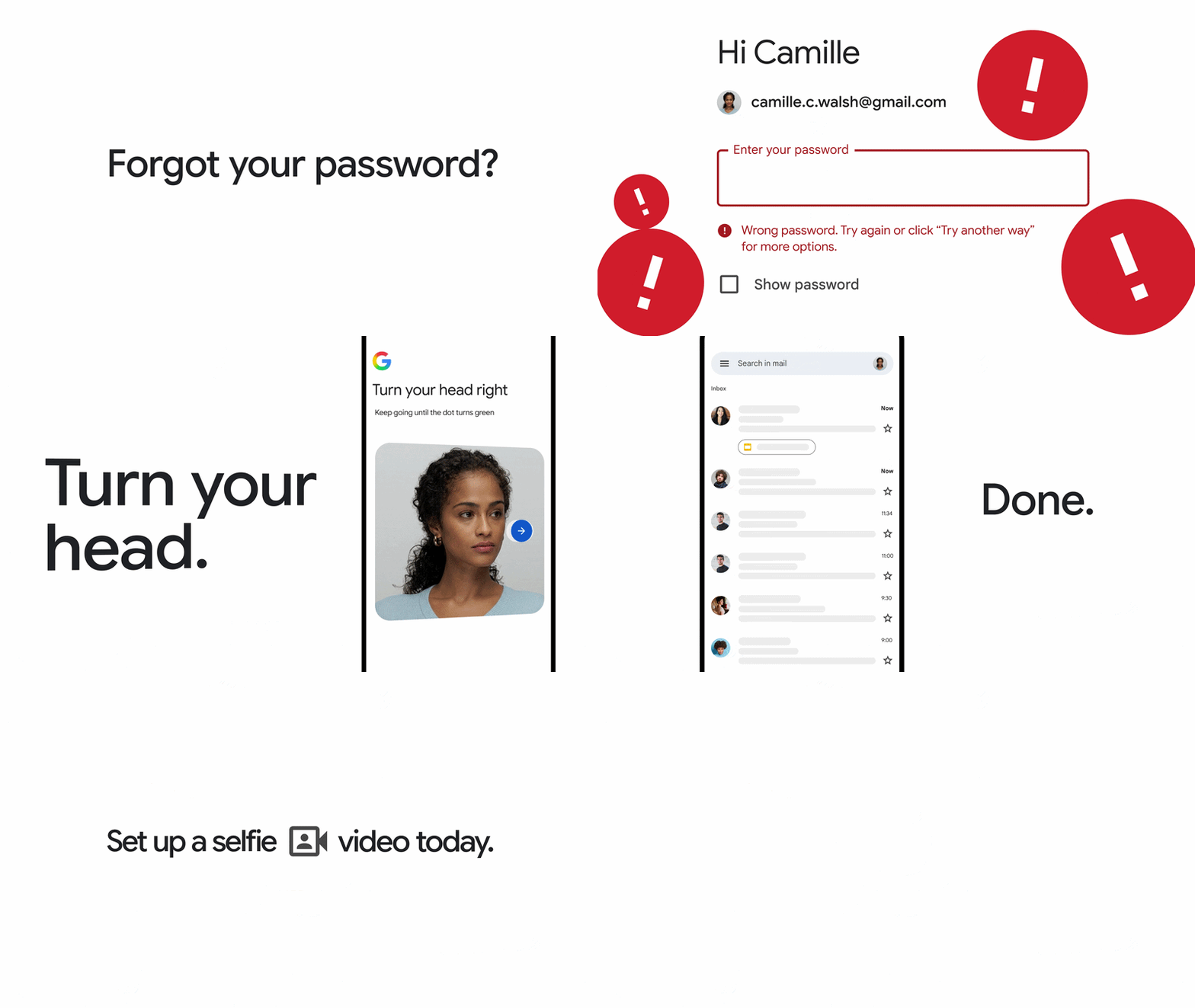
Users can set up selfie video verification by using their device camera and following guided instructions that include simple head movements. The process captures multiple angles of the user’s face to create a saved selfie video.
During account recovery, users may be asked to record a new selfie video. Google compares it with the saved video to check whether the faces match and verify account ownership.
Privacy and security features
Google says the selfie video is recorded and stored only with user consent. Users can delete their saved selfie video anytime from their Google Account settings.
The selfie video:
- Is used for sign-in verification unless users choose to share it for additional purposes.
- Is encrypted at rest while stored.
- Includes security checks to help prevent impersonation attempts using fake photos or deepfake videos.
Google verifies that the recording is live by requiring users to perform simple movements and also uses existing security systems to detect suspicious sign-in attempts.
Availability
The selfie video sign-in option is available for eligible Google Account users. It is not available for all regions, accounts, or devices. Users can check eligibility and set up the feature through g.co/signin-selfie.