
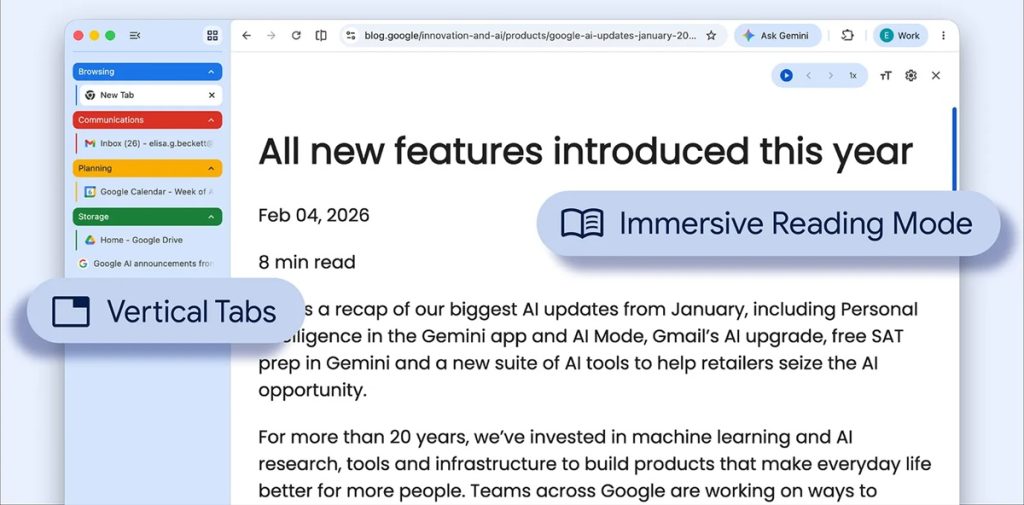
Google is rolling out two new features in Chrome aimed at improving tab organization and webpage viewing: vertical tabs and an updated reading mode. These features introduce new ways to manage multiple tabs and view content in a simplified layout.
Vertical Tabs for Tab Organization
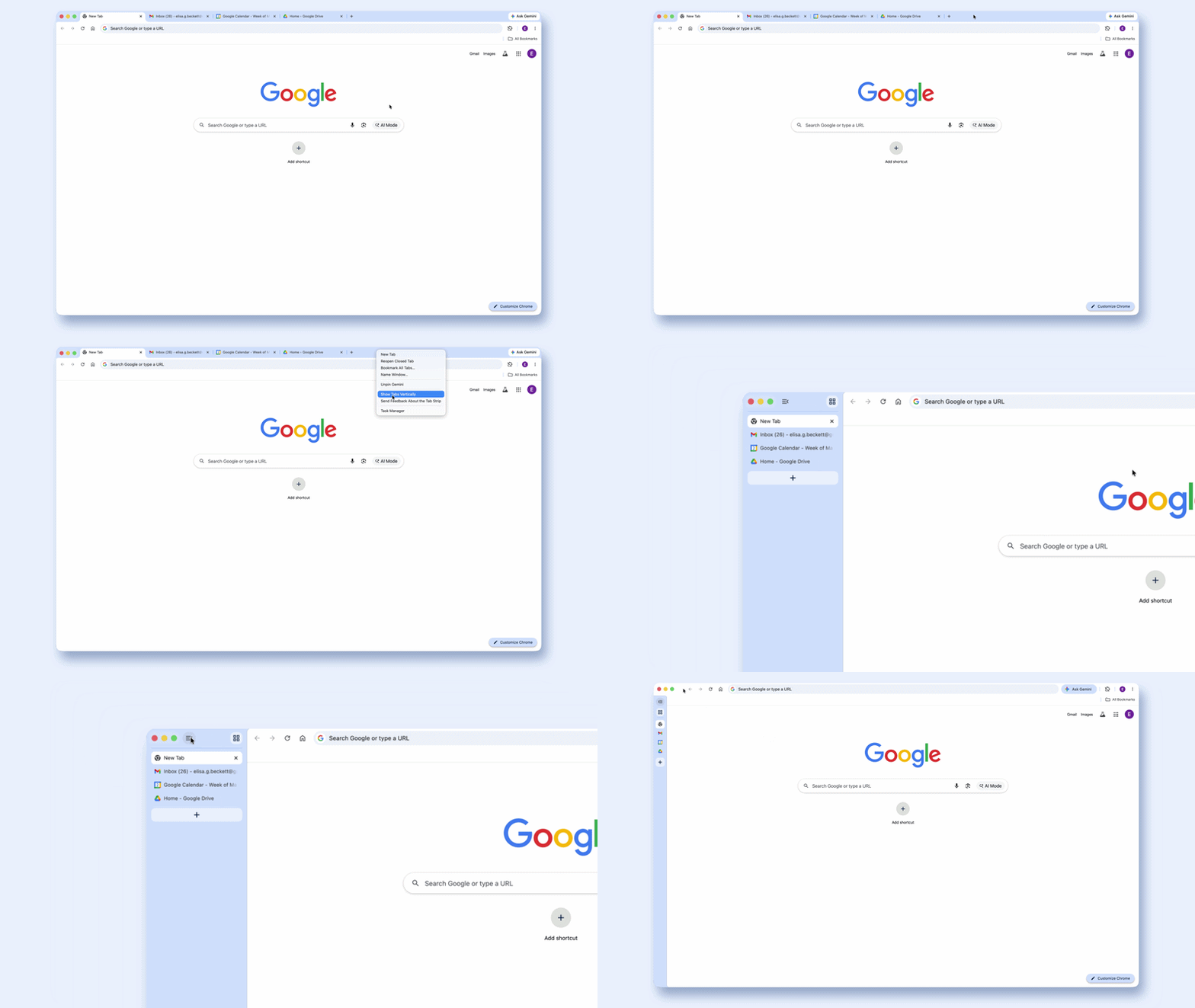
Chrome now allows users to switch from the traditional horizontal tab bar to a vertical tab layout. This can be enabled by right-clicking on a Chrome window and selecting “Show Tabs Vertically.”
With vertical tabs:
- Tabs appear along the side of the browser window
- Full page titles are visible for each tab
- Tab groups can be managed from the side panel
- Navigation between multiple open tabs is consolidated in one area
This layout provides an alternative way to organize and view tabs, especially when many tabs are open at the same time.
Reading Mode with Full-Page Interface
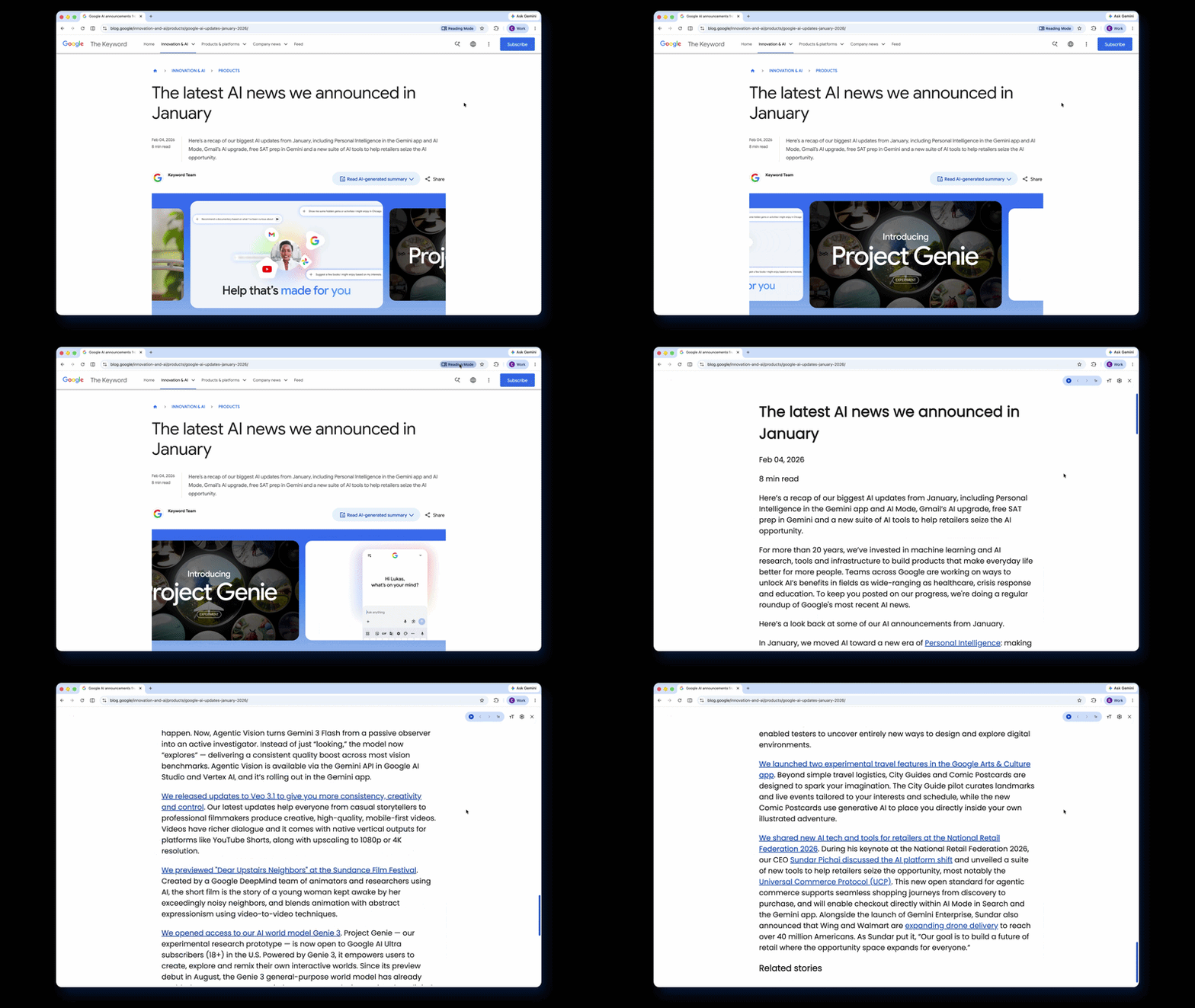
Chrome’s reading mode has been updated with a full-page interface that presents webpages in a simplified format. Users can access it by right-clicking on any webpage and selecting “Open in reading mode.”
The reading mode:
- Removes ads, sidebars, and other page elements
- Displays content in a text-focused layout
- Presents webpages in a clean and consistent format
- Helps convert cluttered pages into a simplified reading view
This mode restructures webpages into a format focused on content readability.
Availability
The vertical tabs feature and updated reading mode are rolling out to Chrome users starting today. Availability may vary depending on the browser version and platform. Users can access these features by updating Chrome to the latest available version.