
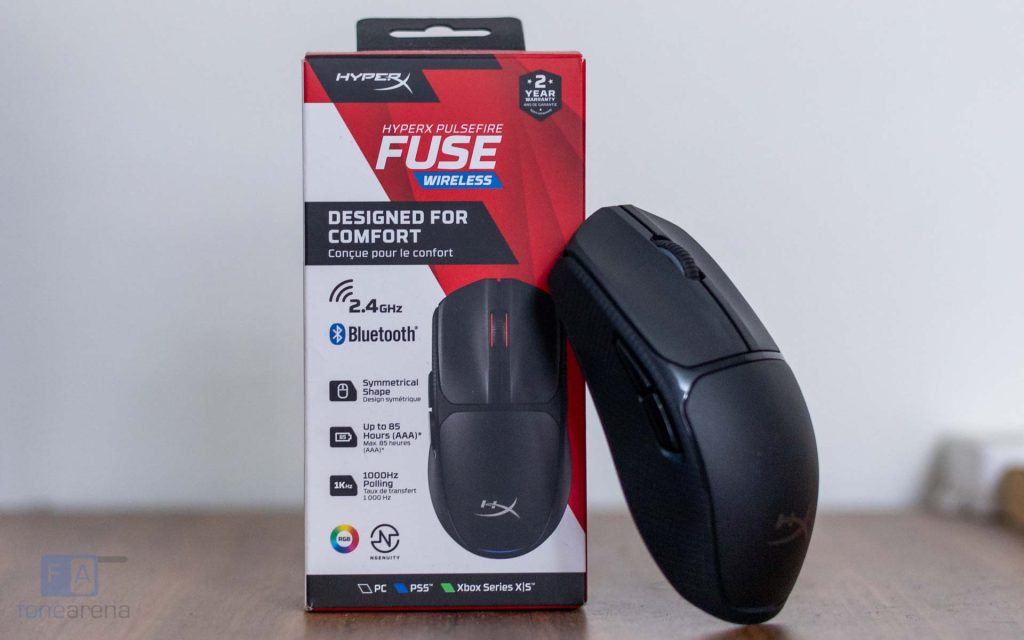
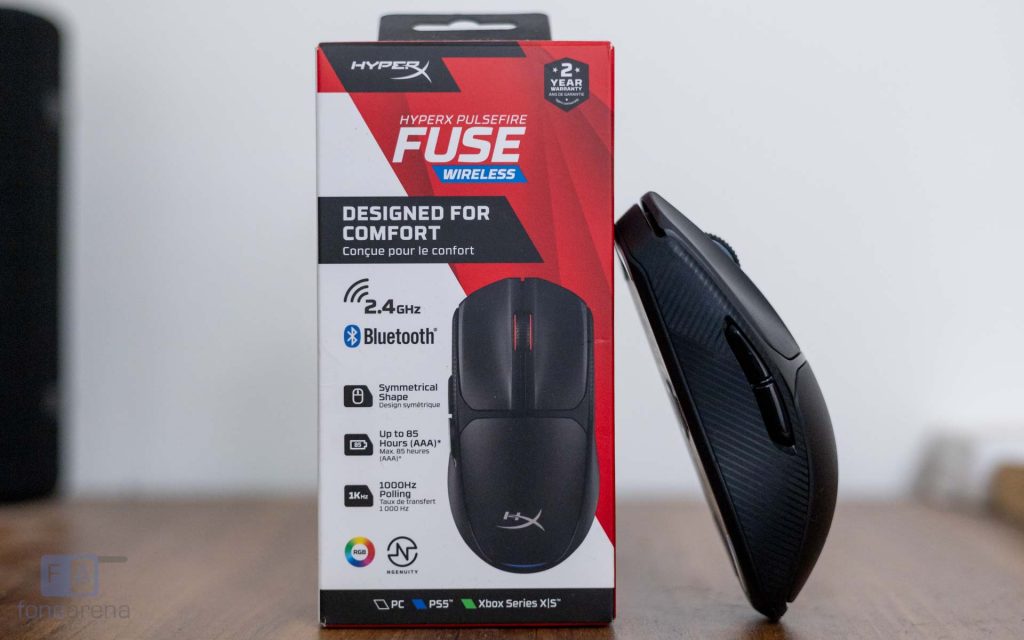
The budget gaming mouse segment in India has become increasingly competitive, especially with wireless models now available at affordable price points. The HyperX Pulsefire Fuse Wireless Gaming Mouse aims to bring low-latency wireless performance, lightweight design, and customizable features to gamers for under Rs. 3,000.
Does the HyperX Pulsefire Fuse deliver reliable performance for competitive gaming, or are there compromises at this price? Here’s our detailed review to find out.
Box Contents
- HyperX Pulsefire Fuse
- USB Type-A Wireless Dongle
- AAA Alkaline Battery
- Quick Start Guide
Design and Build Quality
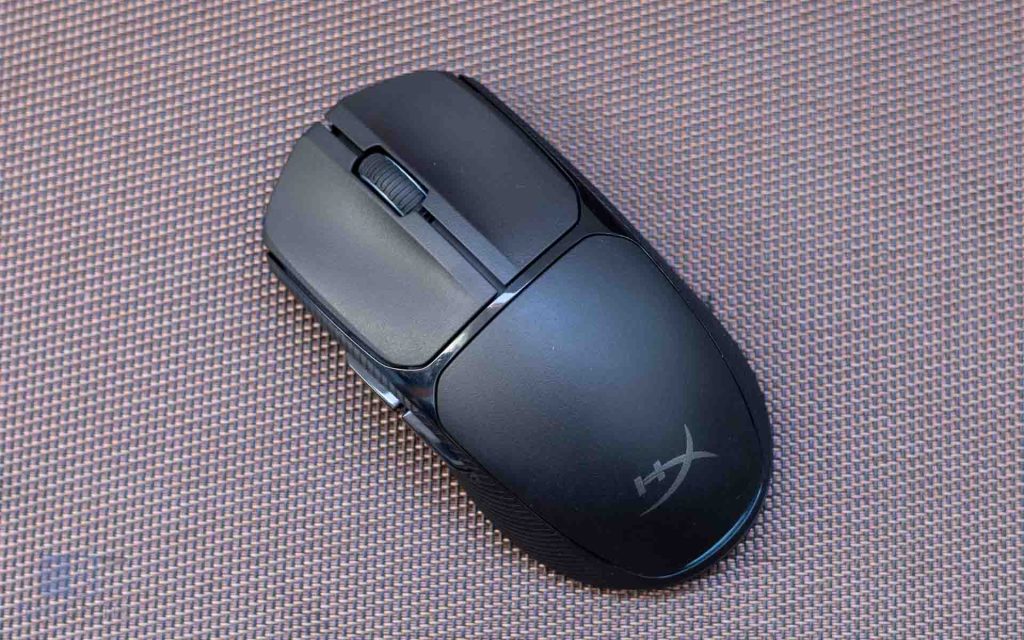
The Pulsefire Fuse features a clean, ambidextrous design with a subtle two-tone finish. The matte primary shell is bordered by a thin glossy accent, giving it a slightly distinctive look without appearing overly aggressive.
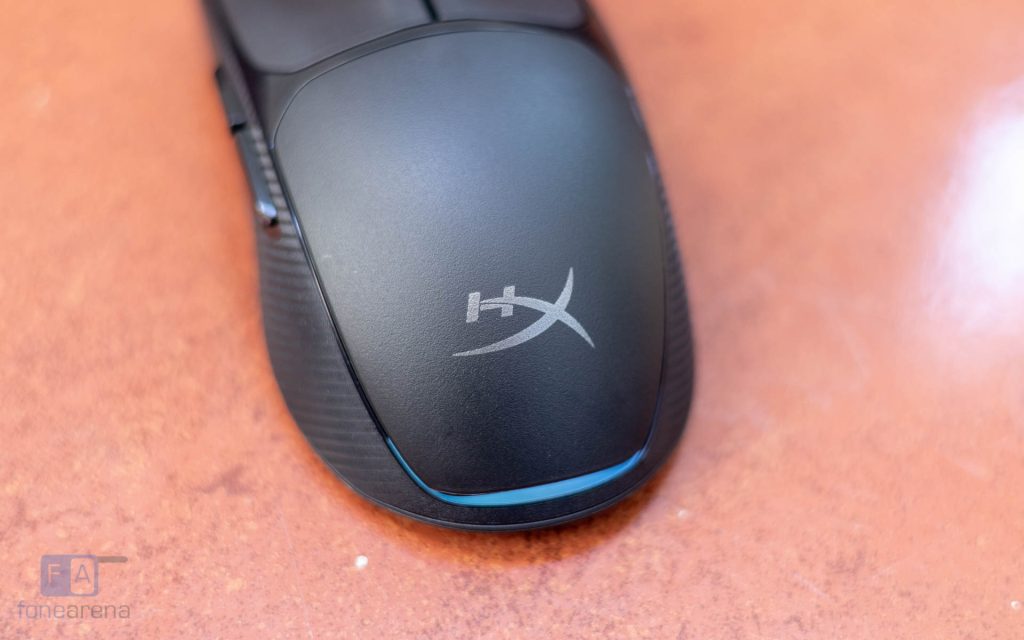
Being a gaming mouse, there is diffused RGB lighting around the scroll wheel and the battery cover which isn’t excessively bright. Since this is a battery-powered wireless mouse, turning off RGB can help conserve battery life.
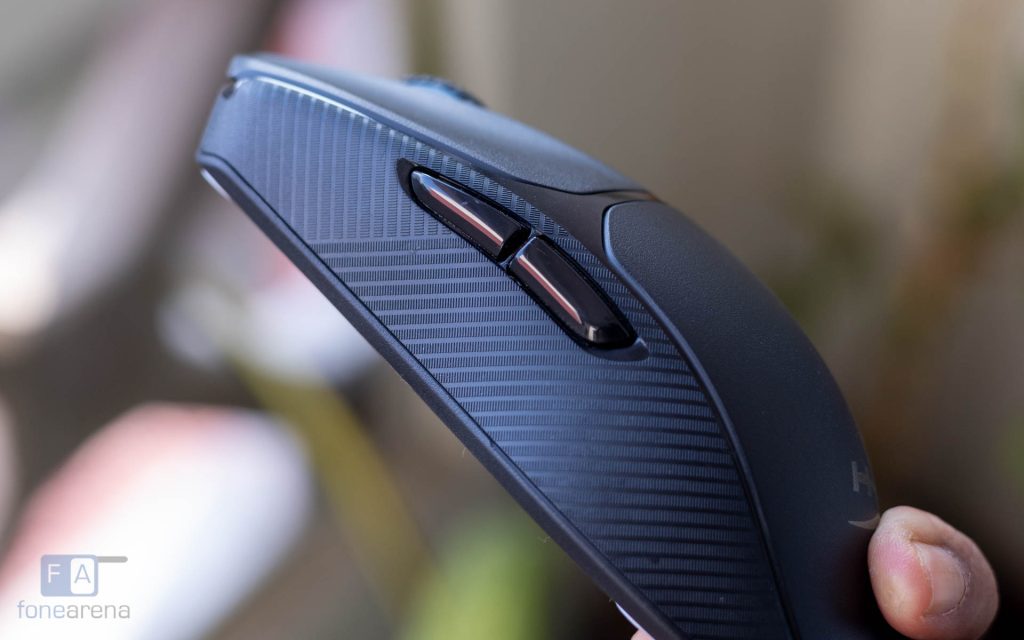
The matte coating resists fingerprints well, which is an advantage in humid conditions where sweat and grime can accumulate quickly. The textured “Microline” grips on the sides add some surface friction, though they don’t feel dramatically different from smooth plastic in short-term use.
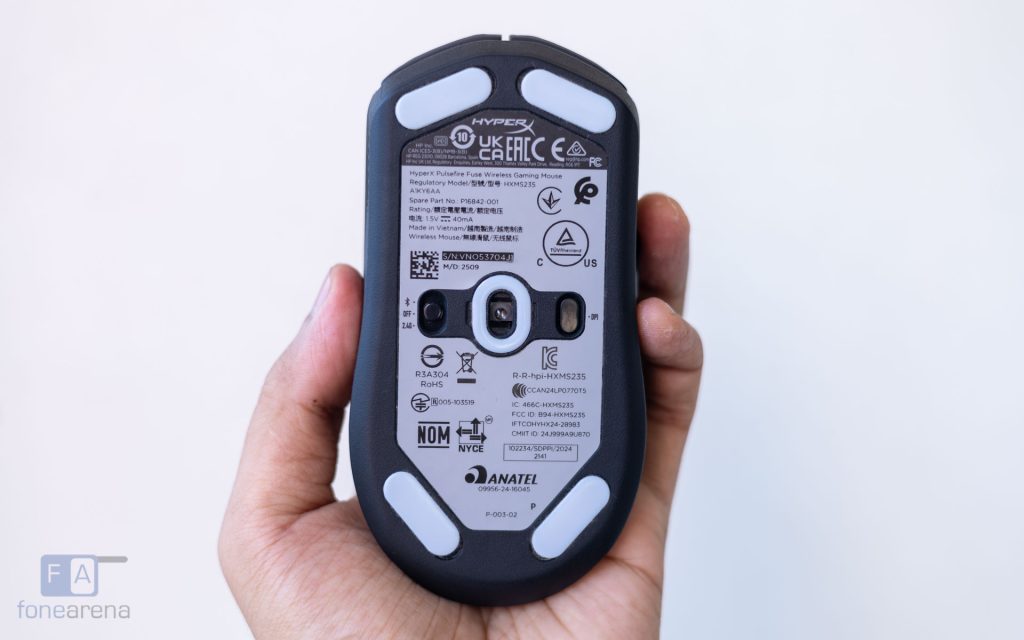
At the bottom, five PTFE skates provide a smooth glide across most surfaces.
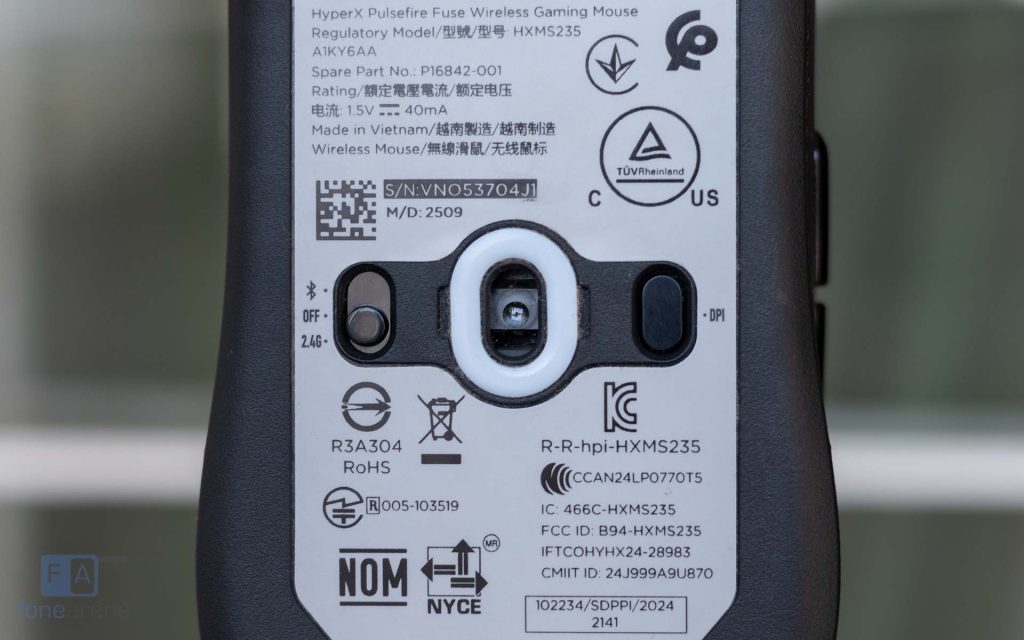
There’s also a wireless mode toggle and a DPI button placed on either side of the sensor.
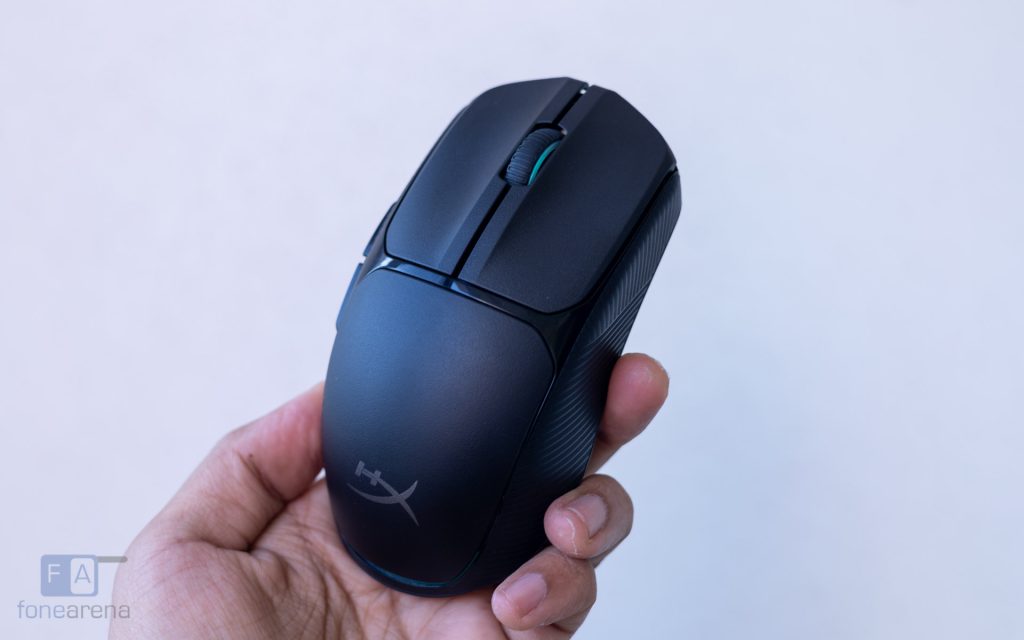
Build quality is solid for the price. The shell shows no noticeable flex, seams are clean, and there’s no rattle. It doesn’t match the refinement of premium options like the Logitech G Pro Wireless or the Razer Viper, but those are positioned in a much higher price bracket.
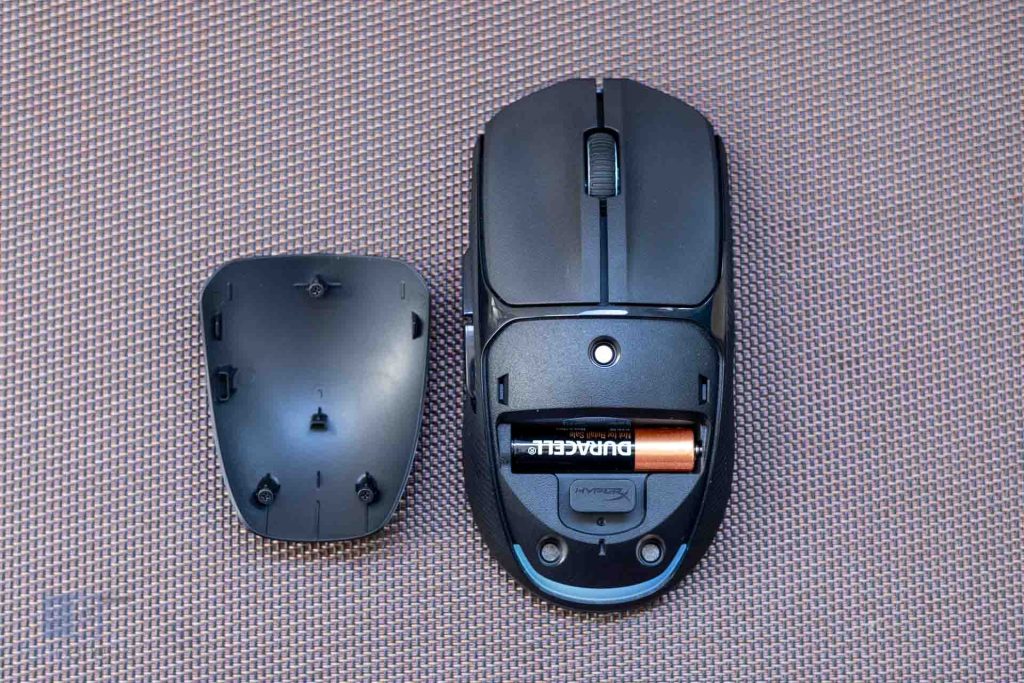
The mouse runs on a removable AAA battery housed under a magnetically secured palm rest cover, which is easy to remove. Beside the battery slot, there is a dedicated USB dongle storage slot that adds convenience when travelling, which is highly appreciated.
Buttons, Ergonomics & Weight
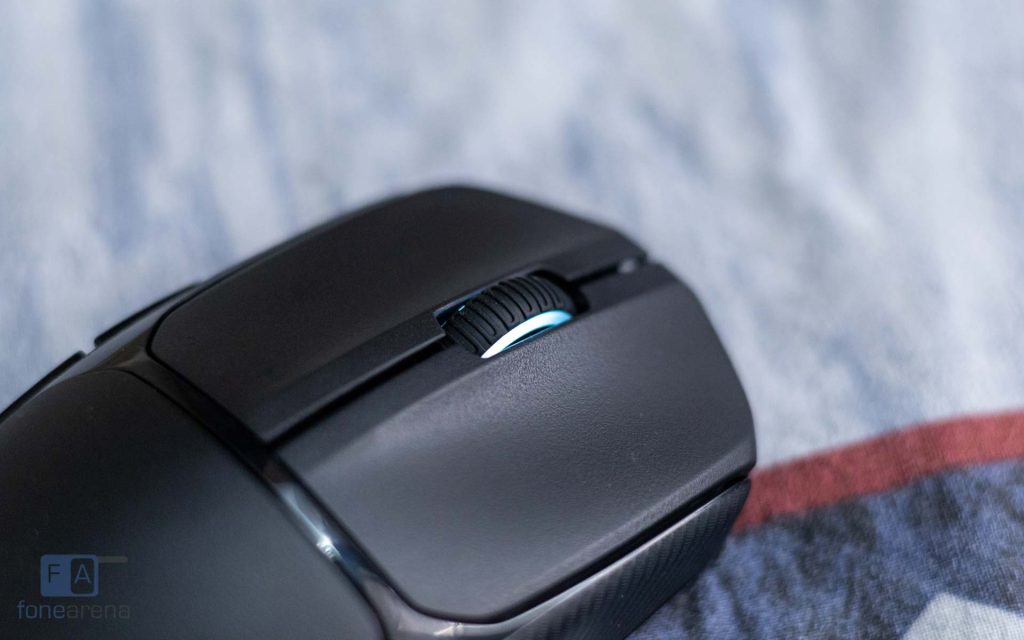
The mouse features a total of six buttons, including the DPI switch, five of which can be configured using the companion PC software. While the overall shape is ambidextrous, the forward and back buttons are positioned on the left side, making the mouse better suited to right-handed users.
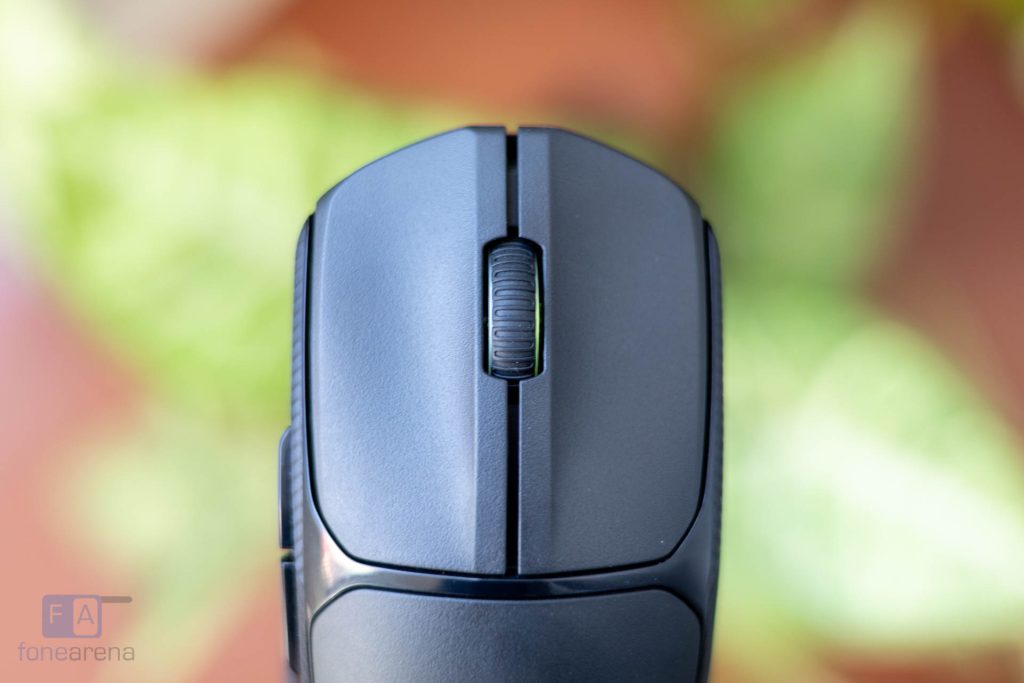
The primary left and right hand buttons use Kailh switches rated for 20 million clicks. They feel click-y and tactile, so they are ideal for gaming. However, they are not particularly quiet, which may be worth considering if you plan to use this mouse in a shared or office environment.
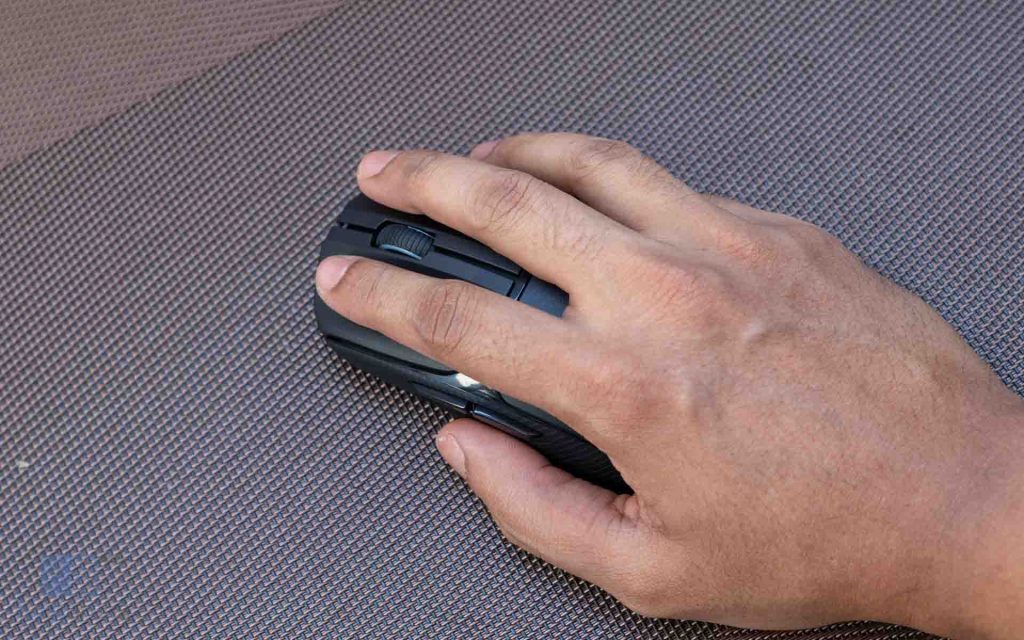
In terms of ergonomics, the symmetric design and textured grips make it comfortable for extended use. With a hybrid fingertip and palm grip, I found the mouse easy to adapt to, and it remained comfortable during longer gaming sessions without causing finger fatigue.
Weighing 75gms with the included AAA battery (64g without), the mouse strikes a balanced middle ground. It isn’t an ultra-lightweight competitive mouse, but it also doesn’t feel heavy in use. With low sensitivity settings, the weight wasn’t intrusive, and lifting or repositioning the mouse felt effortless.
Performance and Battery Life
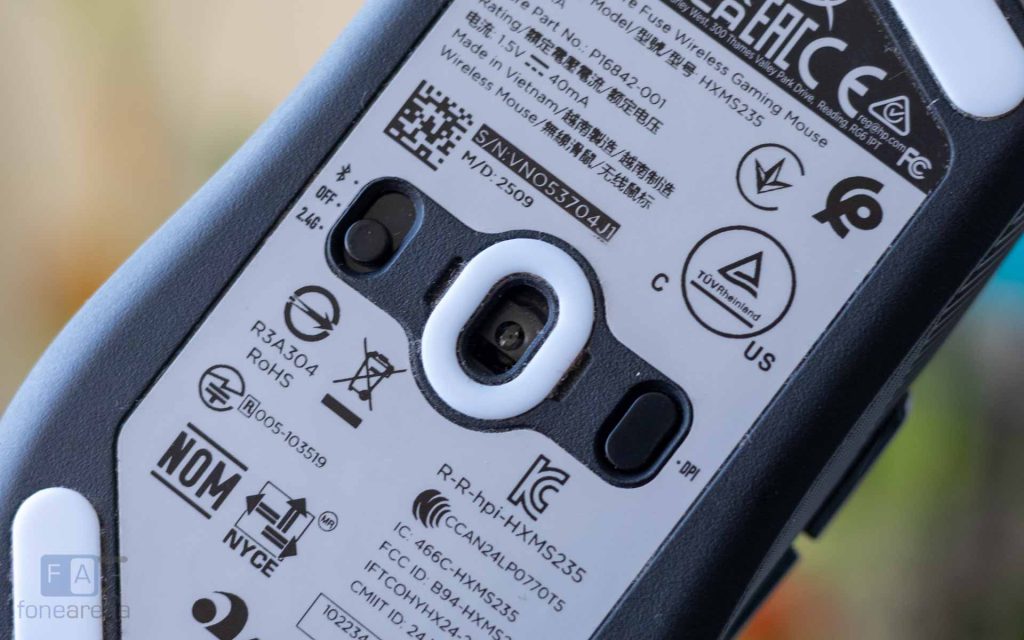
For the sensor, HyperX has elected to use the Pixart PAW3311, which is a “flawless” sensor typically found in budget friendly lightweight gaming mice. It supports up to 12,000 DPI, a 1000Hz polling rate, 35G acceleration, and tracking speeds of up to 300 IPS. These specifications are more than sufficient for even competitive gaming.
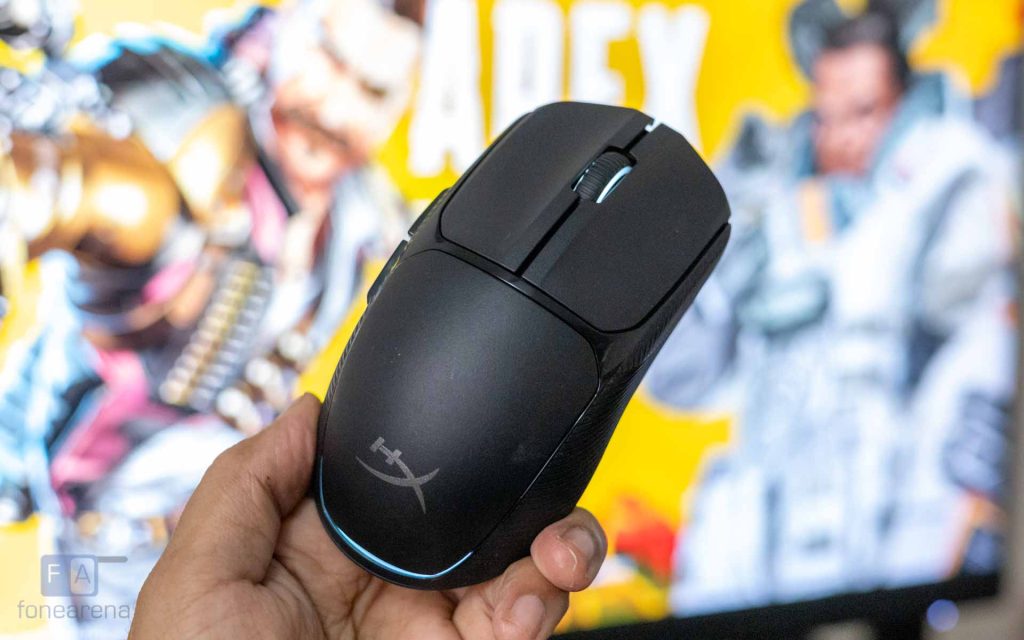
In everyday use, the sensor performed as expected. Tracking was consistent and precise across both fast-paced FPS titles and slower, story-driven games. Flick shots felt natural, and the PTFE skates contributed to smooth, controlled movement. Despite the AAA battery being positioned toward the rear, creating a slight back-weight bias, it did not negatively affect handling during extended sessions.
When connected via the 2.4GHz dongle, latency was virtually indistinguishable from a wired connection during gaming. Modern wireless technology has matured significantly, and in practical use, the experience felt responsive even in fast-paced competitive titles. A useful feature here is dual-device support, allowing the mouse to stay connected to one PC via the 2.4GHz dongle and another via Bluetooth for quick switching between systems.
Bluetooth connectivity adds versatility, making it easy to pair the mouse with laptops, tablets, or secondary systems. However, the added latency is noticeable in fast-paced games, making Bluetooth better suited for productivity or casual use.
HyperX claims up to 85 hours of battery life on a single AAA battery, and this appears to be realistic based on testing. Since the mouse relies on a removable battery rather than an internal rechargeable unit, it cannot be used while charging. However, swapping in a fresh battery takes only seconds, minimizing downtime.
Software
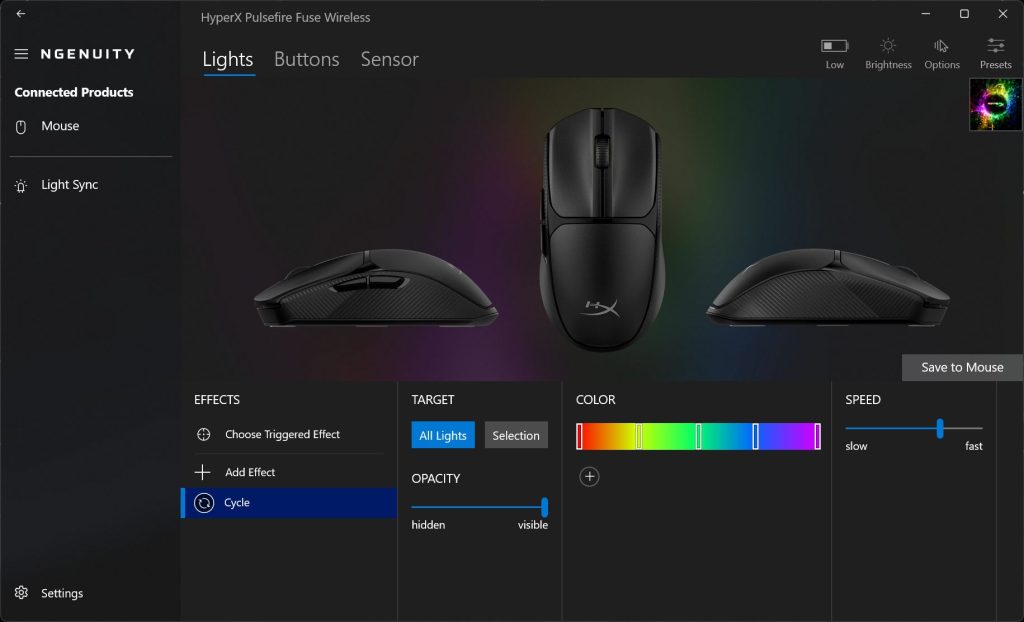
HyperX has a companion software called NGENUITY, and it is only supported on Windows. The application is lightweight and can also sync lighting effects with other compatible HyperX peripherals.
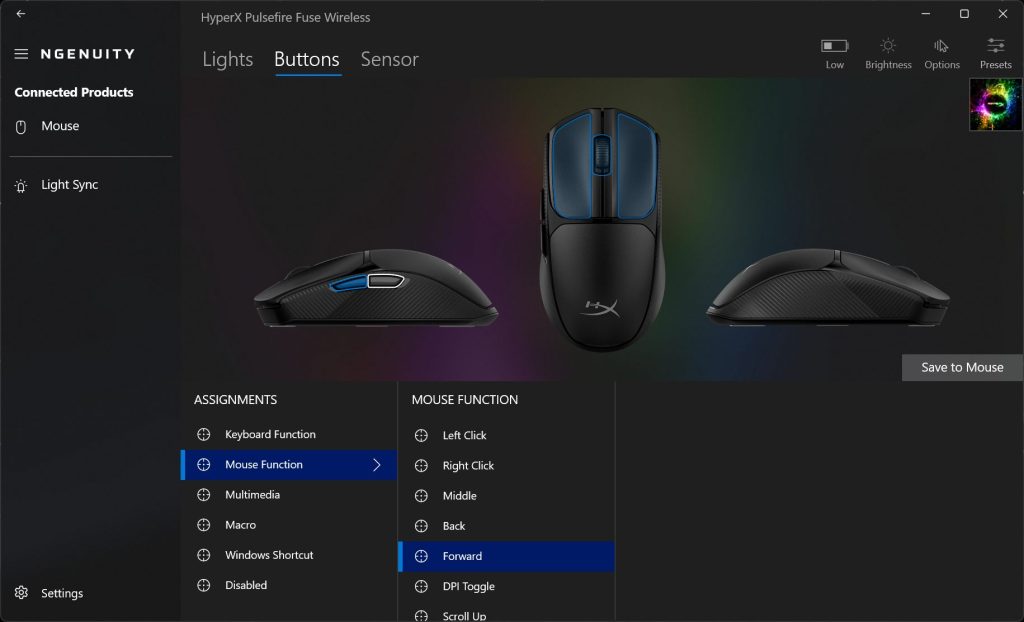
The customizations offered are straightforward. The buttons can be remapped, including the ability to record and trigger macros. RGB lighting supports multiple preset effects, and configurations can be saved directly to the mouse’s onboard memory.
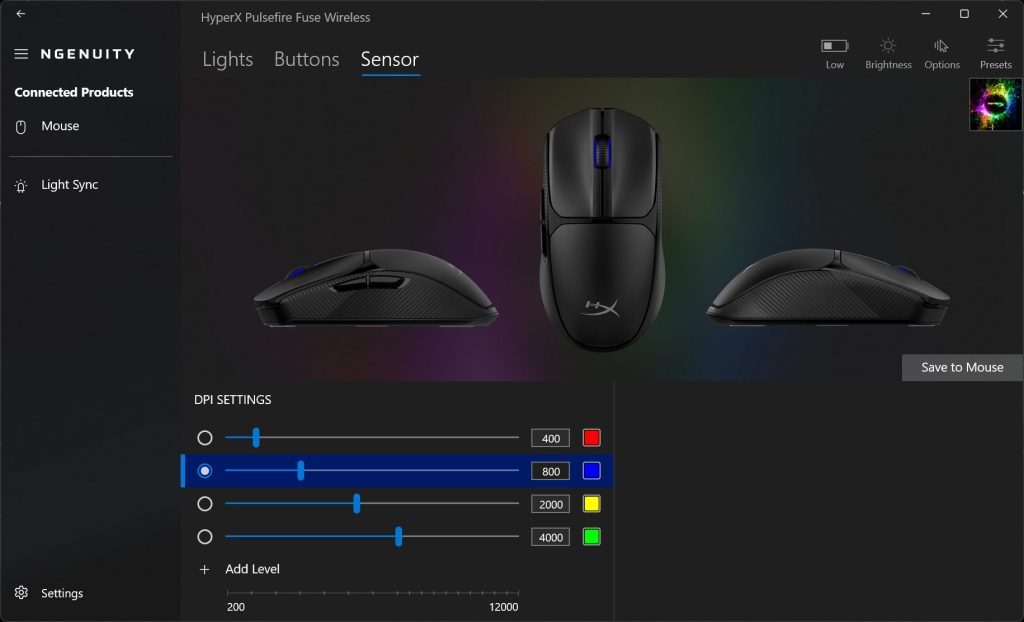
Users can also configure up to five DPI levels, which can be cycled through using the dedicated DPI button on the underside.
Conclusion
Wireless gaming mice in the budget segment have improved significantly, and the HyperX Pulsefire Fuse Wireless Gaming Mouse is a strong example of that progress. It delivers reliable sensor performance, solid build quality, dual-mode connectivity, and RGB lighting, all in a lightweight, comfortable design.
The compromises are minimal, and its performance is easily on par with wired mice in the same price range. The added flexibility of 2.4GHz and Bluetooth connectivity further strengthen its appeal.
Currently priced at Rs. 2499 on Amazon, the Pulsefire Fuse offers excellent value. It’s an easy pick for first-time wireless gaming mouse buyers and anyone looking to go wireless on a budget.