

Google has updated Circle to Search to let users translate text continuously as they scroll through content. Earlier, translations would stop whenever the screen content changed, forcing users to restart the process each time.
Circle to Search with Continuous Scroll Translation
To use the new feature, users need to long-press the home button or navigation bar, select the Translate icon, and tap “scroll and translate.” Once activated, translations occur automatically while scrolling through a page or even when switching apps, allowing uninterrupted reading of foreign-language text.
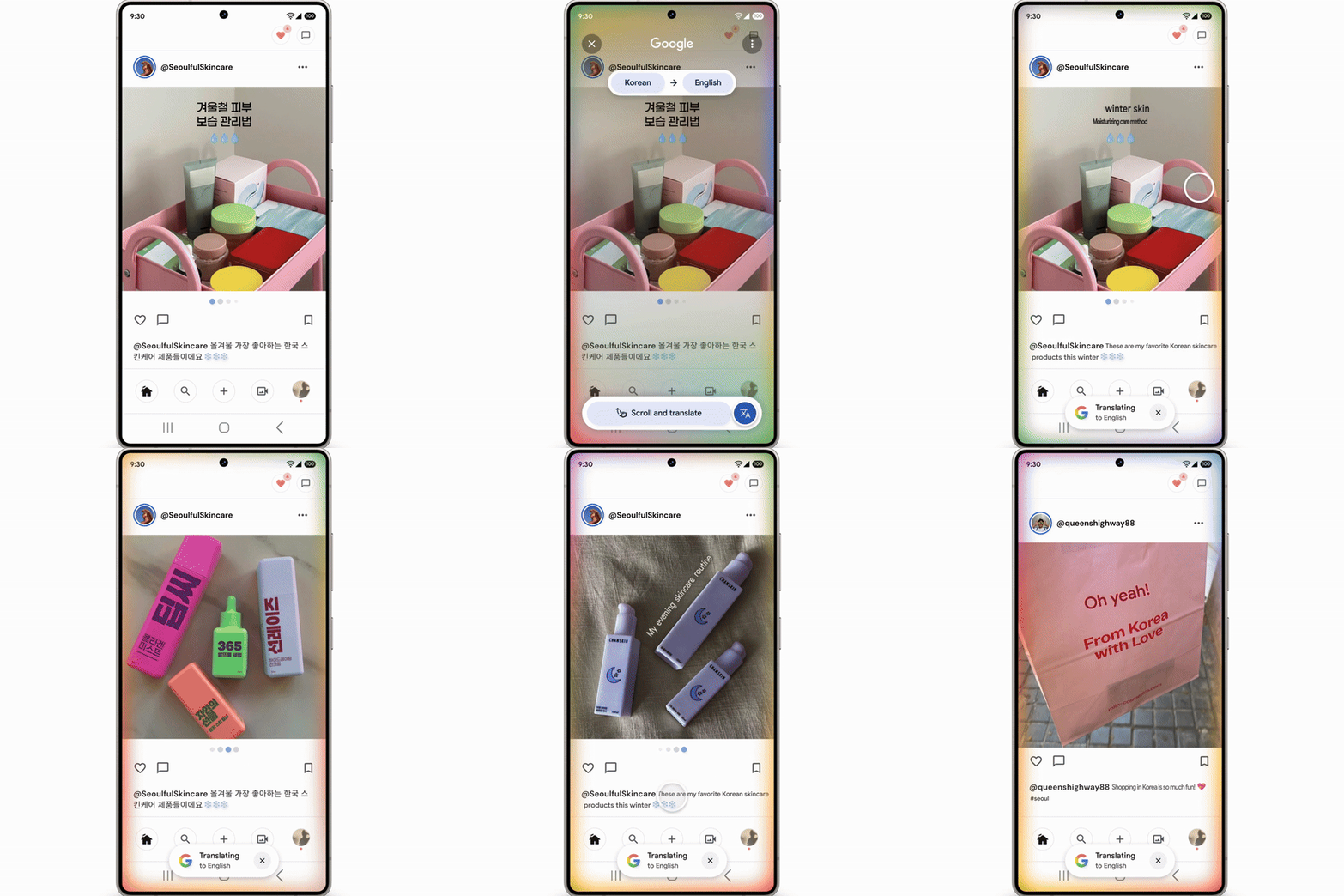
This improvement is designed to make it easier to access information from social media posts in other languages or browse restaurant menus and other text while traveling. By maintaining translations in real-time, users no longer need to repeatedly restart the translation tool, creating a smoother and more efficient experience.
Availability
The update begins rolling out this week on Android devices, initially targeting select Samsung Galaxy models.