

Telegram has introduced an update packed with fresh features, including the ability to quote specific message parts when replying, sending replies to different chats, adding quote formatting to text, configuring link previews, customizing your account’s color, and much more.
Quote Specific Parts of Messages
Now, users can quote specific sections of messages when responding, ensuring precision in their replies. By tapping and holding the message, you can select the text and choose ‘Quote.’ This feature highlights the chosen text with a pleasing animation.
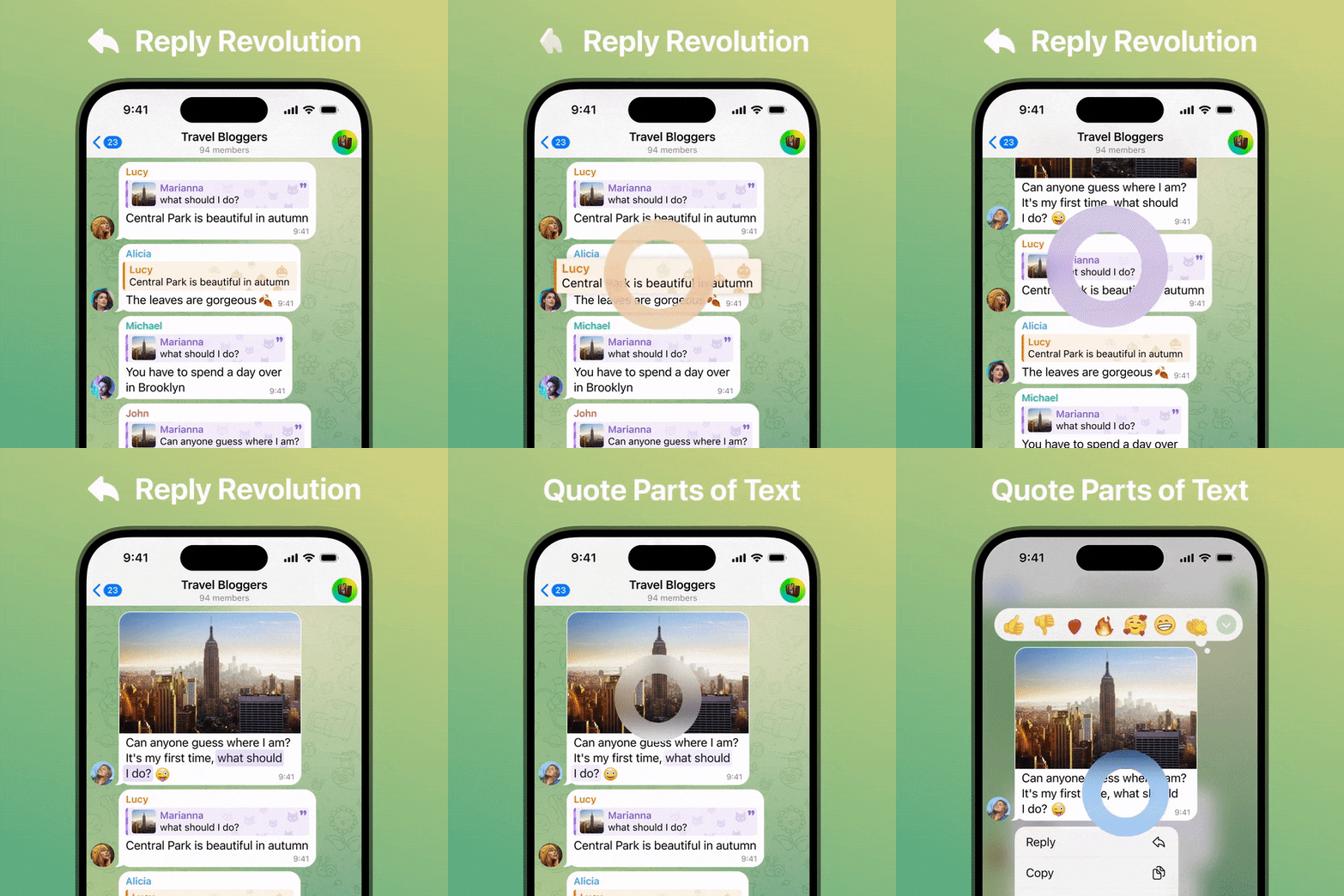
Send Replies to Other Chats
Starting today, you can send replies to other chats, either for a more private conversation or to shift discussions to a different group or channel. Simply tap the reply bar above the input field, select ‘Reply in Another Chat,’ and choose your destination.
Quote Formatting
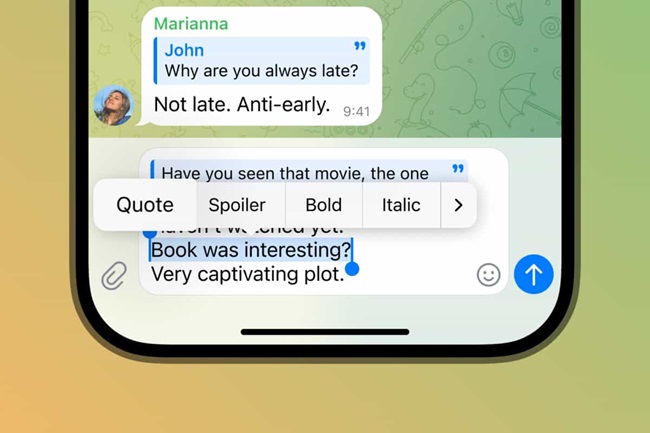
In addition to quoting others directly, you can add quote formatting to any text, even incorporating multiple quotes in a single reply. Telegram has made formatting options more accessible through an improved context menu.
Adjustable Link Previews
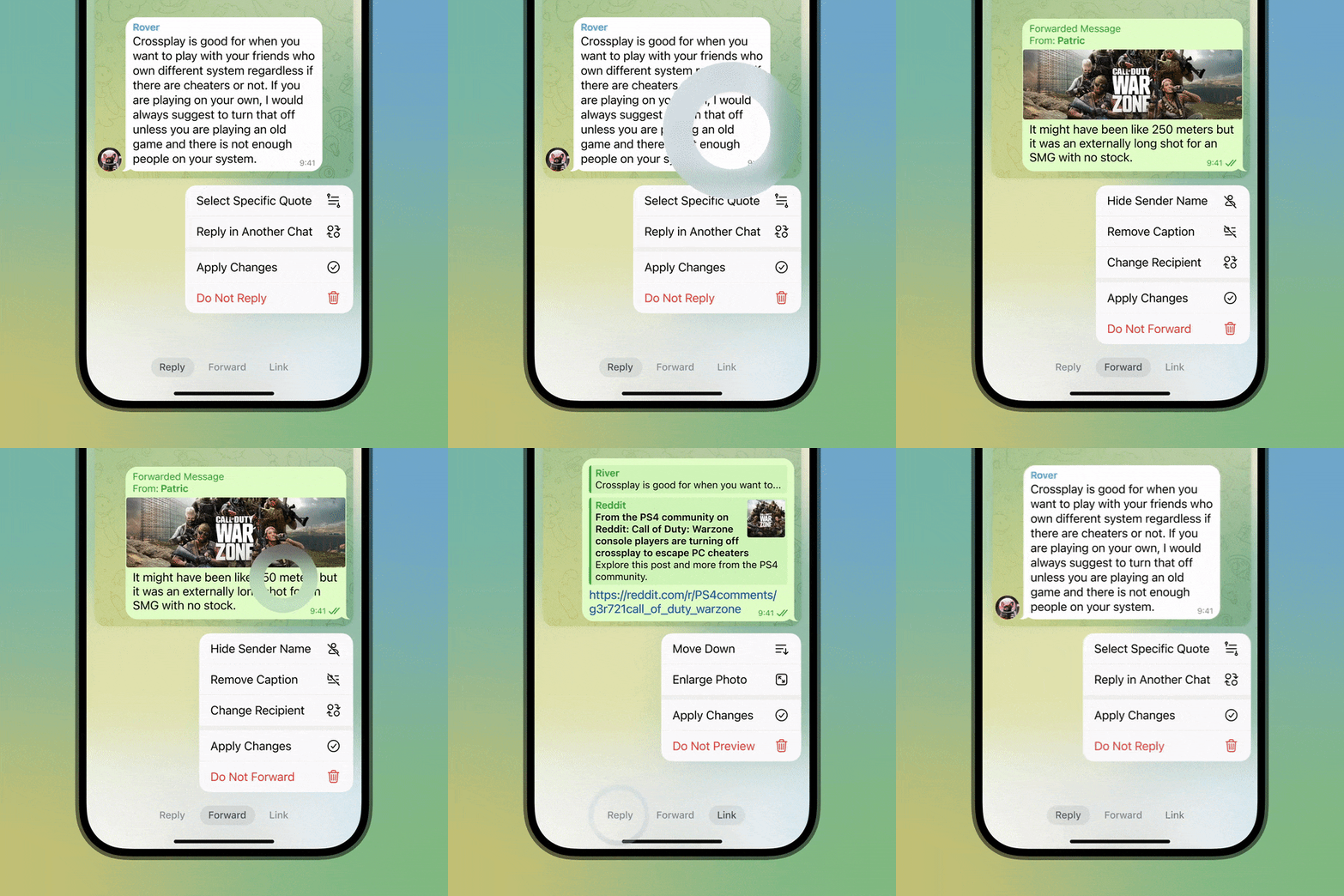
The update offers greater control over link previews in your messages. You can adjust the size of media, choose whether the preview appears above or below your message, and select which link to preview when multiple links are present. Opening links is easier now, as you can tap anywhere in the preview area.

Reply, Forwarding, and Link Settings
When replying, forwarding messages, including links in replies, or performing all three actions together, you can now access all settings conveniently using the new tabs in the menu.
Account Colors
Telegram Premium users can personalize their accounts by selecting a color or color combination for their account. This change affects the color of their name in all groups, any links they send, and replies to their messages. Users can also choose an icon to create a unique background for their messages when others quote or reply to them.
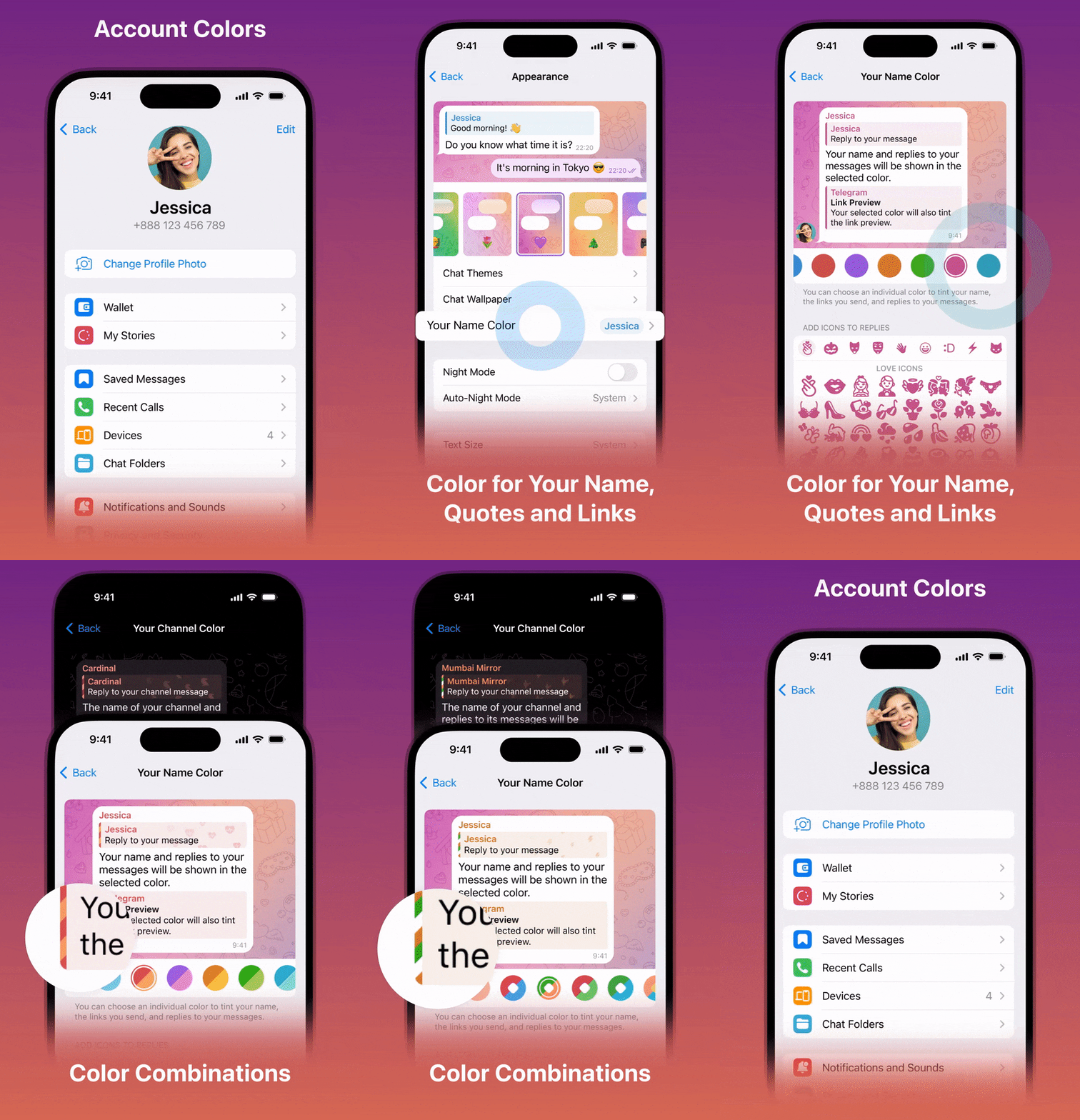
For Android users, set an account color by navigating to Settings > Chat Settings > Change Name Color. On iOS, go to Settings > Appearance > Your Name Color. These settings are also available for channels that have been boosted to Level 5 or higher.
Story Improvements
Telegram Stories, introduced in August, now allow you to fast-forward and rewind videos. Simply hold down on the screen and slide right or left to control playback. For better selfies, use the front flash, with customizable warmth and intensity settings.

To adjust the flash settings, hold the ⚡ icon when using the front-facing camera for a story. If you’re new to Telegram Stories, a quick tutorial covers basic browsing gestures when you open them for the first time.

Availability
The update is available on Android (Google Play or Telegram’s website) and iOS (App Store), advancing Telegram for Android to version 10.1.3 or later.