

vivo recently started teasing the launch of the upcoming X Fold6 in China with serveral details about the phone.
From “One App per Screen” to the Atomic Workbench
Building on the foundation laid by its predecessor, the vivo X Fold6 introduces a deeply re-engineered Atomic Workbench via OriginOS 6 Fold.
Rather than basic, rigid split-screen layouts, the Atomic Workbench functions as a unified, macro-task environment. It bundles disparate applications together based on a singular goal, allowing them to collaborate simultaneously. Users can curate and save task-specific setups for instant, one-click retrieval, including:
- Meeting Workbenches: Grouping video conferencing tools, shared document viewers, and AI recorders.
- Investment Workbenches: Keeping live financial charts, calculators, and news feeds open side-by-side.
- Travel & Shopping Workbenches: Aggregating itineraries, maps, translation tools, and retail apps.
The AI Companion: Always Present, Never Intrusive
The intersection of generative AI and the foldable form factor is where the X Fold6 aims to establish a new industry benchmark: becoming “the mobile terminal with the best AI user experience.”
On standard smartphones, interacting with AI is a heavily siloed, question-and-answer process. You open an AI app, ask a question, extract the answer, and close it to return to your work. The X Fold6 disrupts this pattern. Backed by vivo’s self-developed AI Blue Heart large data model and the Blue Heart “Little V” assistant, AI becomes a persistent, ambient partner on the unfolded canvas.
Users can pin an AI assistant to one sector of the screen while independently executing tasks on another. Impressively, OriginOS 6 Fold allows users to deploy multiple AI assistants simultaneously, letting them parse the exact same prompt through different perspectives concurrently.
Silicon Tailored for the Large Screen: The Dimensity 9500 Super Edition
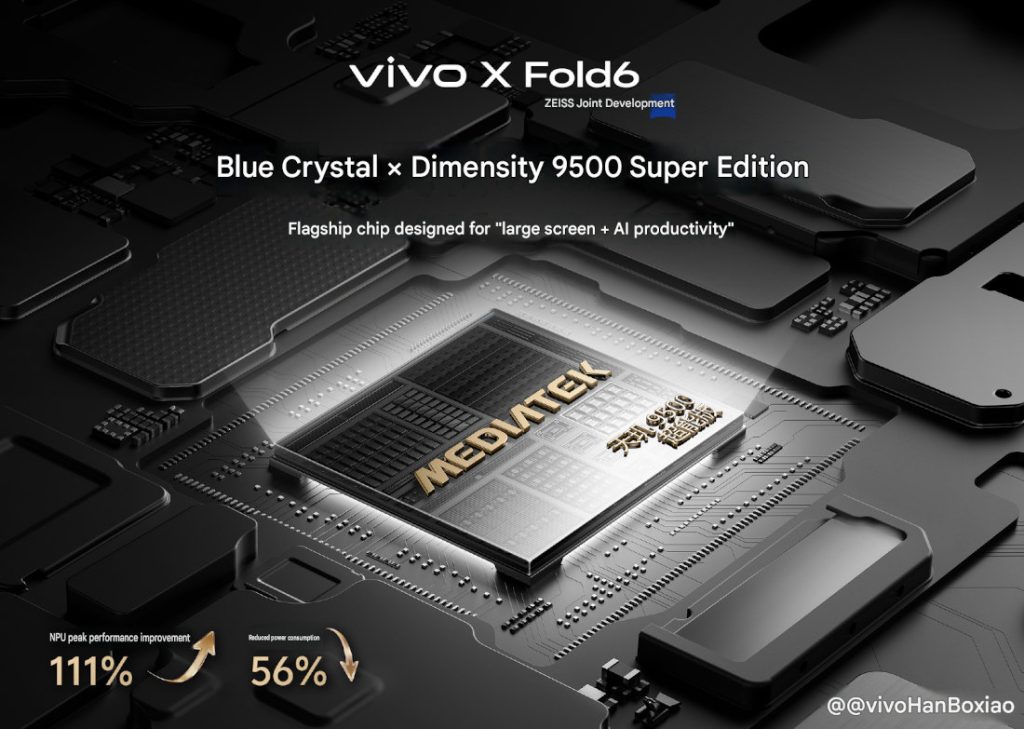
Running four or five applications simultaneously alongside heavy AI workloads presents a massive engineering hurdle. Executing parallel edge AI tasks triggers sustained, peak-load spikes on a device’s Neural Processing Unit (NPU), which traditionally leads to severe thermal throttling, UI stuttering, and catastrophic battery drain.
To solve this, vivo spent two years co-developing a bespoke system-on-chip with MediaTek: the Blue Crystal x MediaTek Dimensity 9500 Super Edition. This marks a rare industry milestone where a flagship chip has been radically re-developed from the underlying architecture specifically for foldable, multi-window rendering and edge AI environments.
[Dimensity 9500 Super Edition Upgrades vs. Preprocessor NPU]
Peak NPU Performance:  +111% █ █ █ █ █ █ █ █ █ █ █
Power Consumption:     -56%  █ █ █ █ █ (Reduced)
By doubling computing power while halving energy consumption, this customized silicon acts as the foundational muscle behind the phone’s heavy multitasking capabilities. The downstream performance metrics showcase massive leaps in daily office efficiency:
- 7x Faster Offline Speech Transcription: The custom AI voice engine handles meeting minutes with a 7% increase in text accuracy and a 57% spike in word summarization speeds.
- Enhanced Long-Text Inference: The AI File Manager features a 20% speed boost for multi-document text summarization and deep Q&A sessions.
- High-Efficiency Concurrent Engine: Prevents UI lag or frame-drops when resizing, dragging, or dropping files across four to five active window layouts.
Desktop Paradigm Shifting: AI File Manager & PC Mode
To position the X Fold6 as a legitimate “lightweight office tool,” vivo targeted a classic mobile pain point: chaotic document management.
The AI File Manager
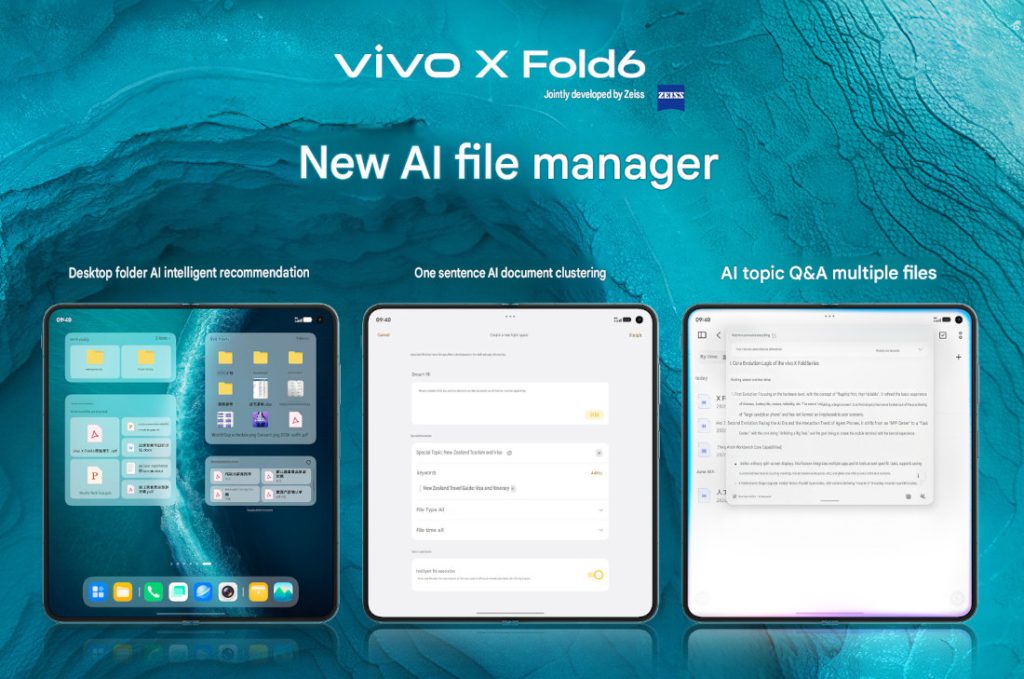
OriginOS 6 Fold adopts an intuitive, computer-centric file logic directly on the mobile OS. It introduces a desktop folder component allowing users to pin frequently altered active files directly to the home screen.
AI integration removes the manual labor of data management:
- AI Intelligent Naming: Automatically cleans up cryptic or garbled download filenames.
- AI Intelligent Recommendations: Pre-emptively suggests relevant historical documents right before a scheduled meeting begins.
- AI File Clustering: Enables single-sentence organizational commands. Dictating “Compile all documents related to my travel guide and visa itinerary” will prompt the OS to automatically scan, aggregate, and sweep dozens of scattered files across your local storage into one organized folder.
- Batch Parsing via Little V: Instead of opening multiple documents one by one to cross-reference data, users can ask Little V to look across an entire topic folder simultaneously, synthesizing a clean, singular analytical conclusion from multiple files at once.
Brand New PC Mode
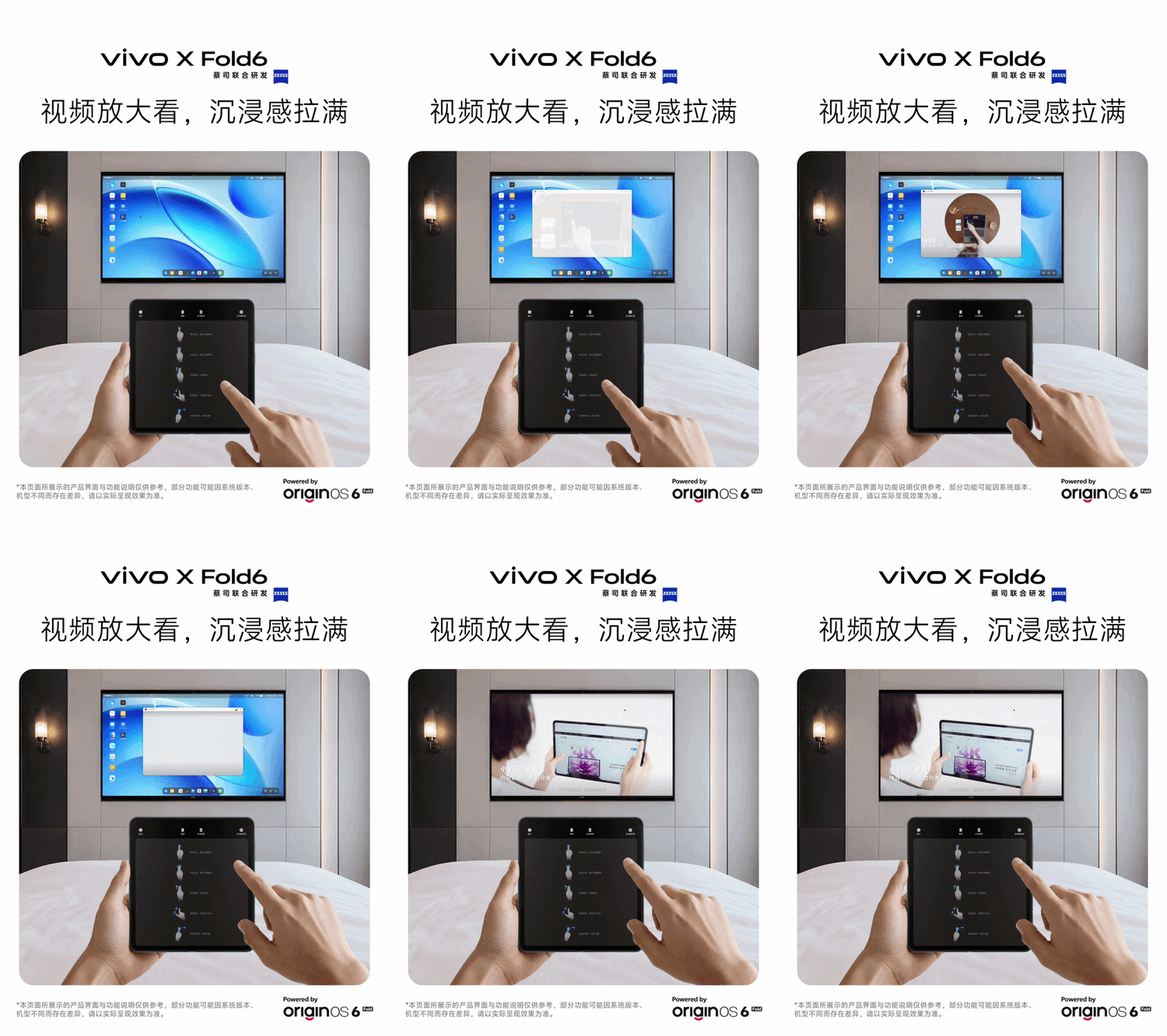
When the physical limits of an 8-inch internal display are reached, the X Fold6 introduces a native, highly adapted PC Mode. Connecting the device to an external monitor or hotel television instantly transforms the output into a traditional desktop interface.
Applications expand into freely scalable windows for heavy spreadsheet manipulation or complex slide editing. Simultaneously, the smartphone’s primary display morphs into a high-precision, gesture-based touchpad supporting direct clicking, swiping, and dragging—rendering heavy laptops increasingly redundant for the modern business trip.
We should know more details about the vivo X Fold6, including the launch date, in the coming days.