

Apple announced a suite of accessibility updates that use Apple Intelligence to bring new capabilities to features users rely on every day, including VoiceOver, Magnifier, Voice Control, and Accessibility Reader. These accessibility updates, powered by Apple Intelligence, are set to roll out later this year.
VoiceOver and Magnifier Get Smarter
For users who are blind or have low vision, VoiceOver and Magnifier, powered by Apple Intelligence, can describe onscreen information or a user’s surroundings.
The new Image Explorer in VoiceOver uses Apple Intelligence to deliver more detailed descriptions of images system-wide — covering photographs, scanned bills, personal records, and more. Users can also press the Action button on iPhone to ask questions about what’s in the camera viewfinder and receive detailed, conversational responses, with follow-up questions supported.
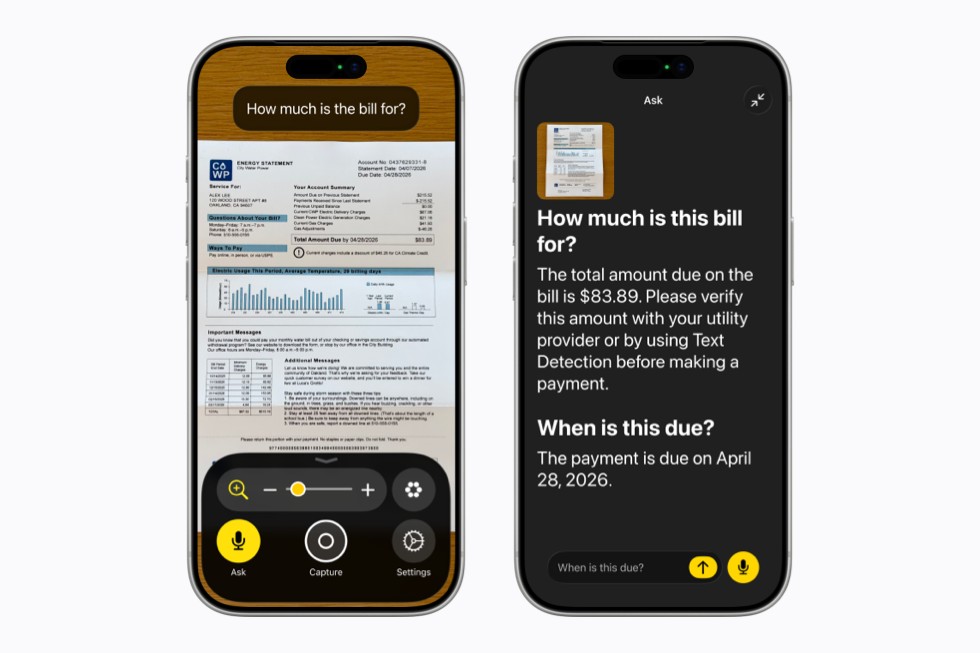
Magnifier sees similar upgrades, bringing Apple Intelligence-powered visual descriptions to a high-contrast interface tailored for low-vision users. It also supports the Action button and now responds to spoken commands like “zoom in” or “turn on flashlight.”
Voice Control Goes Natural Language
Voice Control is getting a major overhaul with natural language input, letting users navigate iPhone and iPad entirely by voice using intuitive descriptions instead of memorized labels or numbers. You can say things like “tap the guide about best restaurants” or “tap the purple folder” — making it especially useful in visually rich apps like Maps and Files. This feature will be available in English in the US, Canada, UK, and Australia.
Accessibility Reader and Generated Subtitles
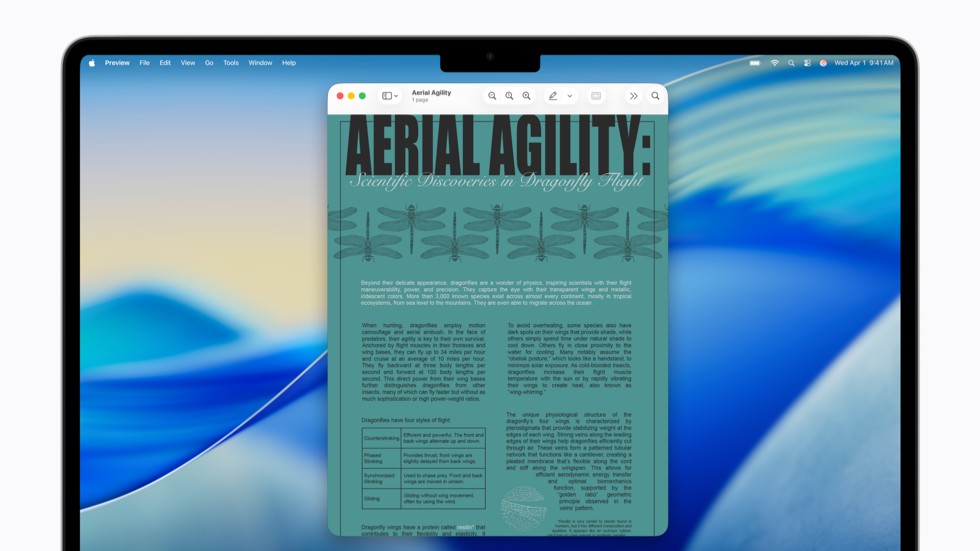
Accessibility Reader is a customized reading experience for users with a wide range of disabilities, from dyslexia to low vision. It now handles complex content like scientific articles with multiple columns, images, and tables. It adds on-demand summaries and built-in translation while preserving custom formatting.
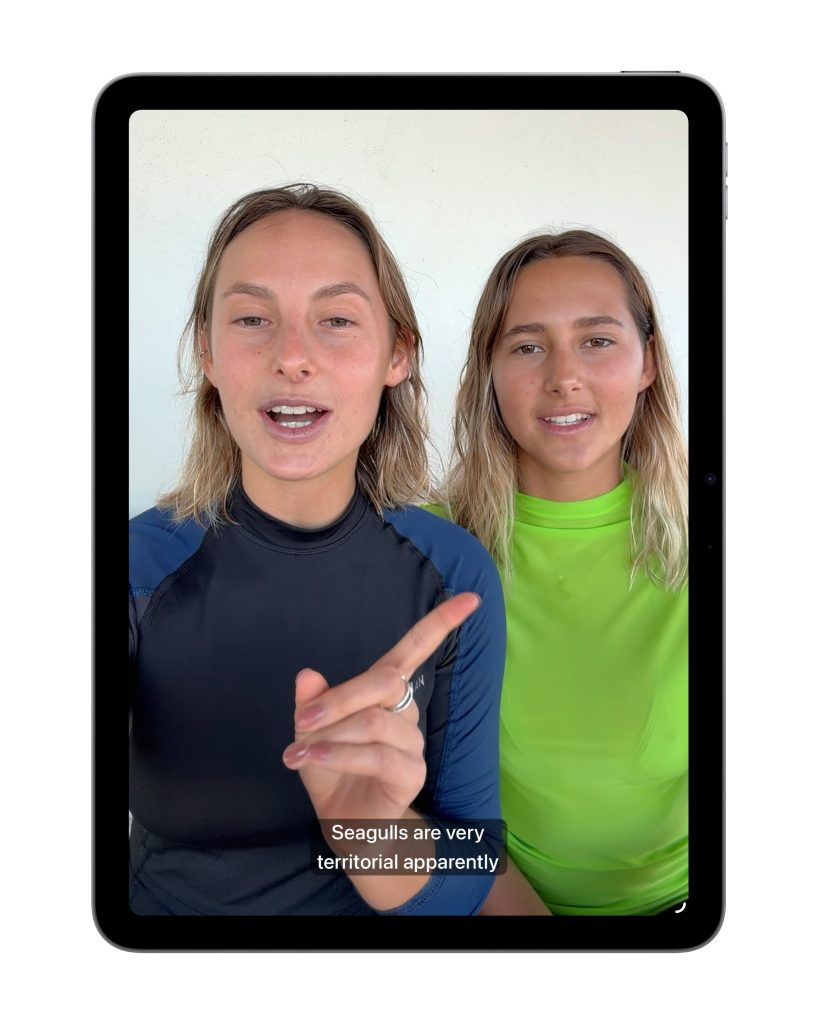
Meanwhile, a new Generated Subtitles feature will automatically transcribe spoken dialogue in uncaptioned videos — including personal clips and streamed content — across iPhone, iPad, Mac, Apple TV, and Apple Vision Pro. Subtitles are generated entirely on-device for privacy. This will initially be available in English in the US and Canada.
Wheelchair Control via Apple Vision Pro

One of the most impactful new features is power wheelchair control using Apple Vision Pro’s eye-tracking system. Designed for users who cannot use a joystick, the feature works with Tolt and LUCI alternative drive systems at launch, supporting both Bluetooth and wired connections. Apple says it will work with more developers to expand compatible wheelchair systems.
Additional Highlights
- Vehicle Motion Cues come to visionOS to reduce motion sickness
- Face gestures on Vision Pro for performing taps and system actions
- Sony Access Controller support for iOS, iPadOS, and macOS
- Larger Text support coming to tvOS
- Name Recognition now supports 50+ languages for deaf and hard-of-hearing users
- Made for iPhone hearing aids get improved pairing and handoff
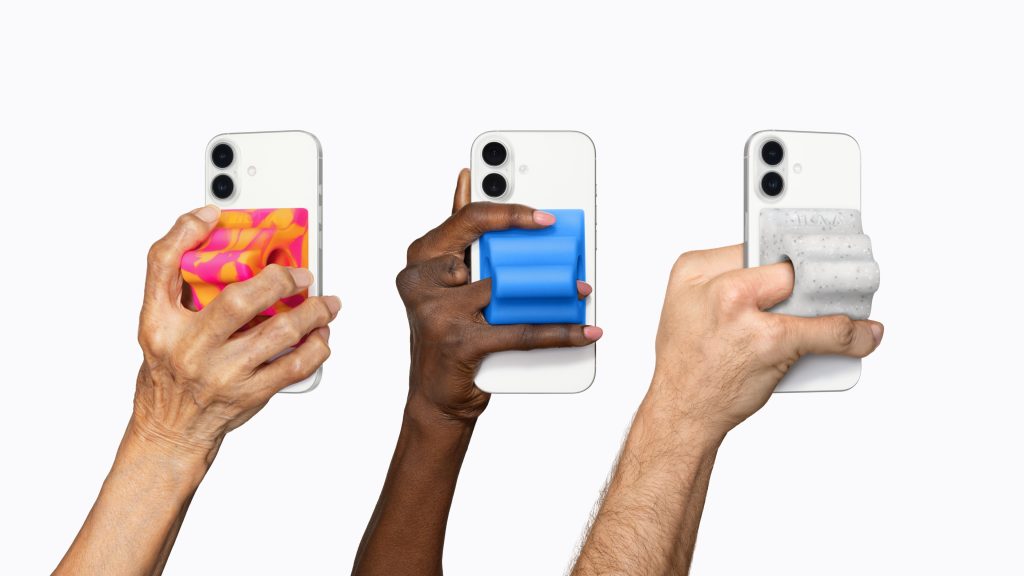
Alongside these new software accessibility features, Apple also introduced the Hikawa Grip & Stand for iPhone. It is an adaptive MagSafe accessory designed with disabilities in mind and is now available in three new colors on Apple’s online store in select countries—a collaboration between designer Bailey Hikawa and PopSockets.

Availability
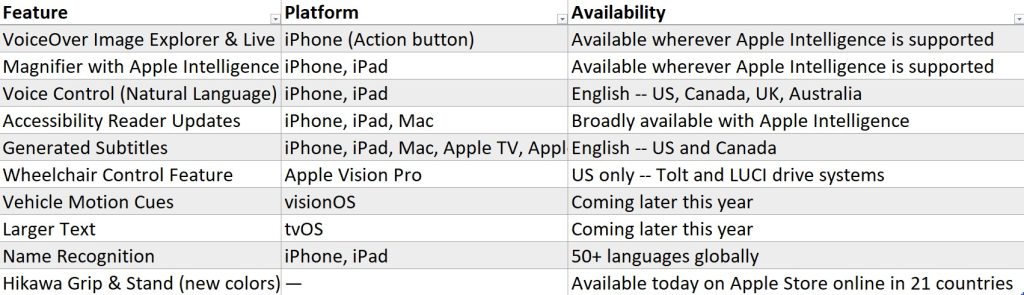
All software features are coming later in 2026 as part of upcoming updates to iOS, iPadOS, macOS, tvOS, and visionOS. Apple Intelligence is currently available in beta across 17 languages. Some features, particularly Voice Control with natural language and Generated Subtitles, have limited regional availability at launch.
Apple’s approach to accessibility is unlike any other,” “Now, with Apple Intelligence, we are bringing powerful new capabilities into our accessibility features while maintaining our foundational commitment to privacy by design.
The accessibility features our users rely on every day become even more powerful with Apple Intelligence. With these updates, we’re bringing new, intuitive options for input, exploration, and personalization — designed to protect users’ privacy at every step.