
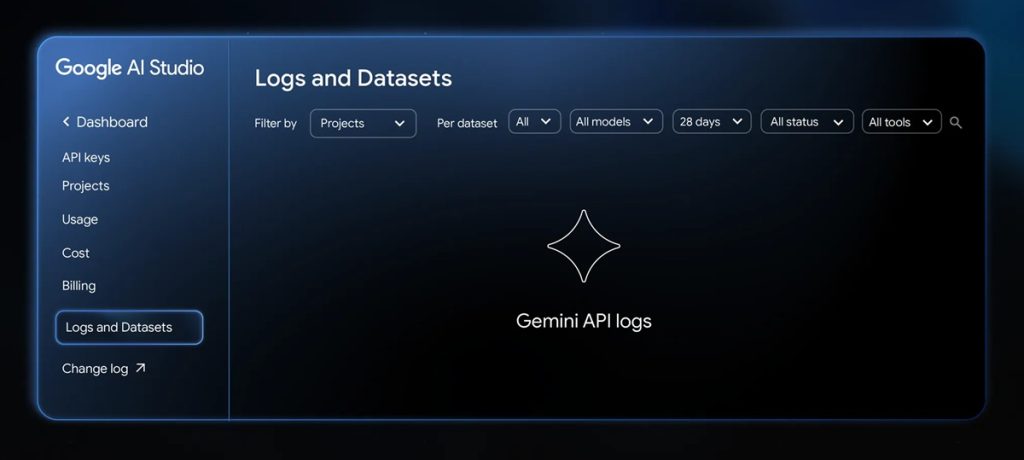
Google has introduced new logs and datasets features in Google AI Studio, allowing developers to assess AI output quality, track model behavior, and debug issues more effectively. The update improves observability and simplifies evaluation workflows for Gemini API-based applications.
Simplified setup and automatic tracking
Developers can enable the new logging feature directly within the AI Studio dashboard by selecting “Enable logging.” Once activated, all GenerateContent API calls from a billing-enabled Cloud project—successful or failed—become visible in the dashboard. This builds a complete interaction history without requiring code changes.
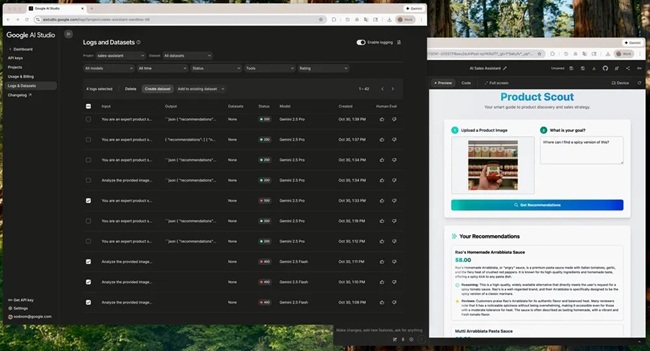
Logging is available at no monetary cost across all regions where the Gemini API operates. It helps developers quickly identify issues and trace specific model interactions when debugging or refining their applications.
Key capabilities include:
- One-click setup via the dashboard with no code modifications
- Automatic logging of all supported GenerateContent API calls
- Visibility into both successful and unsuccessful requests
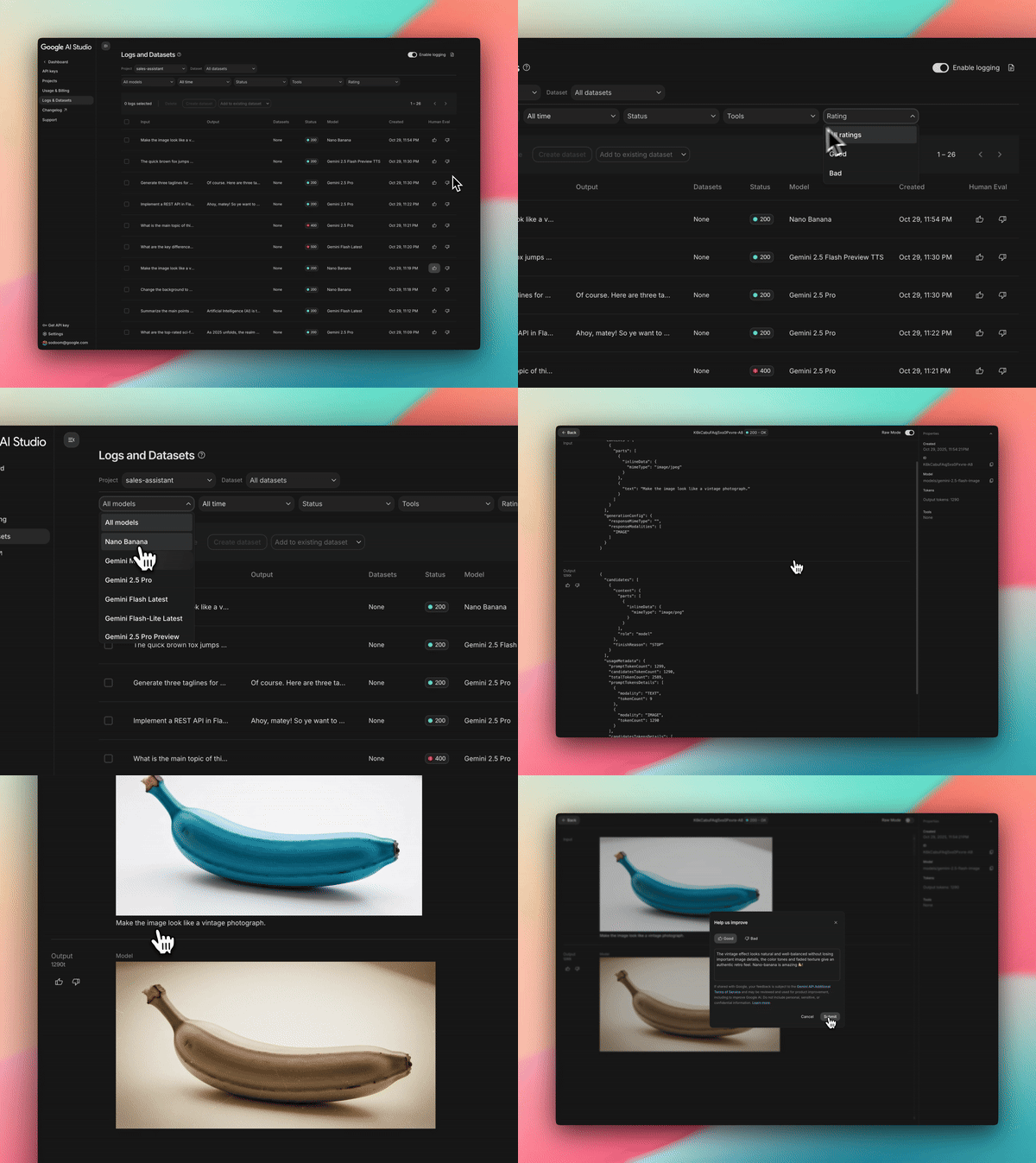
- Response code filtering to locate and fix errors efficiently
- Access to detailed attributes such as inputs, outputs, and API tool usage
Exportable datasets for evaluation
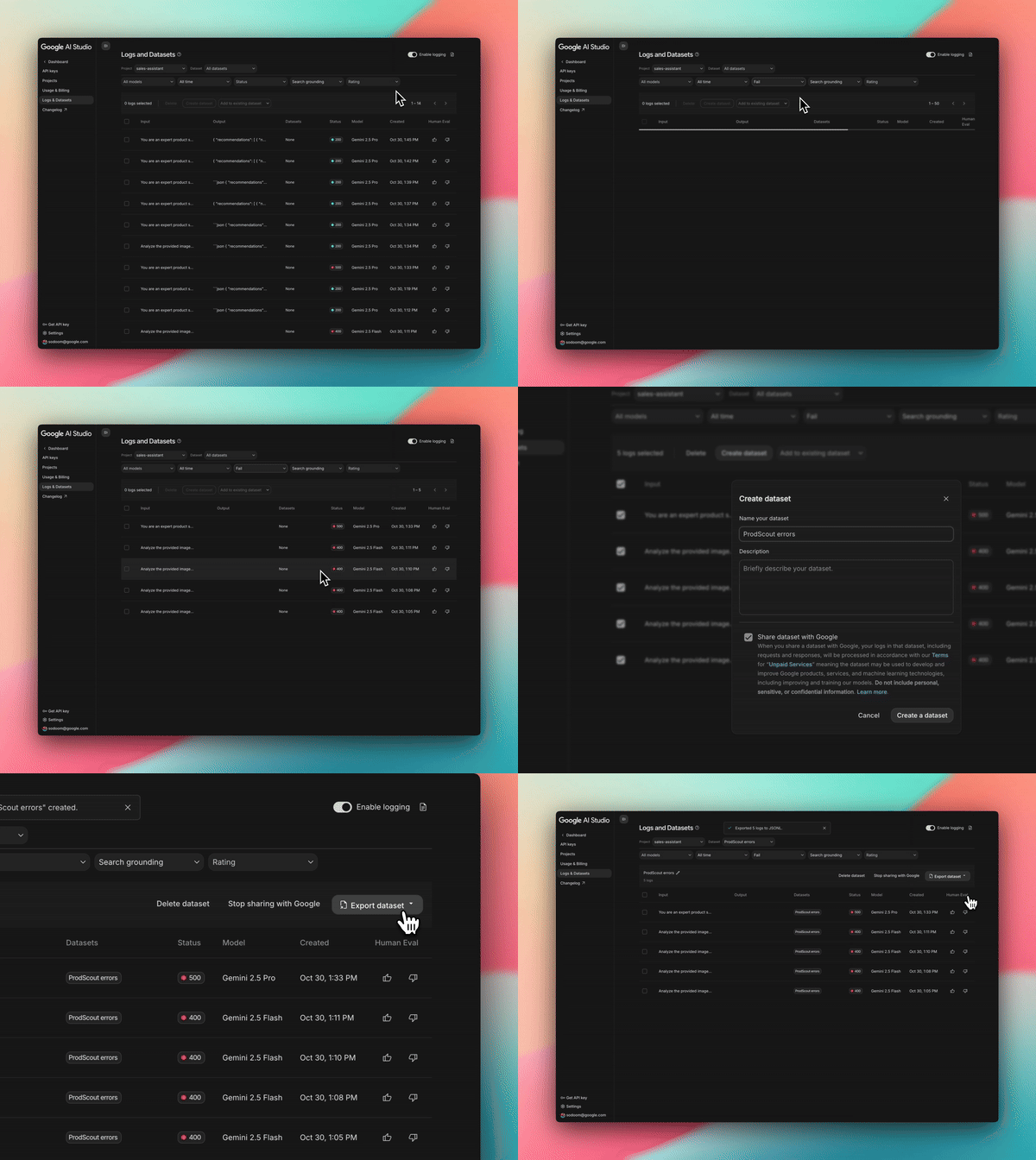
Every user interaction can now be analyzed through exportable datasets, enabling offline testing and performance benchmarking. Developers can download these logs as CSV or JSONL files to study response quality and model consistency over time.
Key uses include:
- Identifying instances where model quality or performance fluctuates
- Building a consistent baseline for reproducible evaluations
- Using the Gemini Batch API for batch testing with saved datasets
- Refining prompts and tracking ongoing improvements
- Reference guidance through the official Datasets Cookbook
These datasets provide a practical foundation for evaluating prompt effectiveness and measuring performance changes between iterations.
Optional dataset sharing for feedback
Google also allows developers to share selected datasets to help improve model performance for real-world use cases. Shared data contributes to refining Gemini models and Google’s AI products more broadly.
Key points:
- Developers can share datasets directly with Google for evaluation
- Shared datasets assist in improving end-to-end model behavior
- Contributions may support the development and training of Google models and services
Availability
The new logs and datasets features are now live in Google AI Studio Build mode. Once logging is enabled, developers can monitor their applications throughout the full lifecycle—from prototype to production—ensuring continuous quality assessment and easier debugging.