
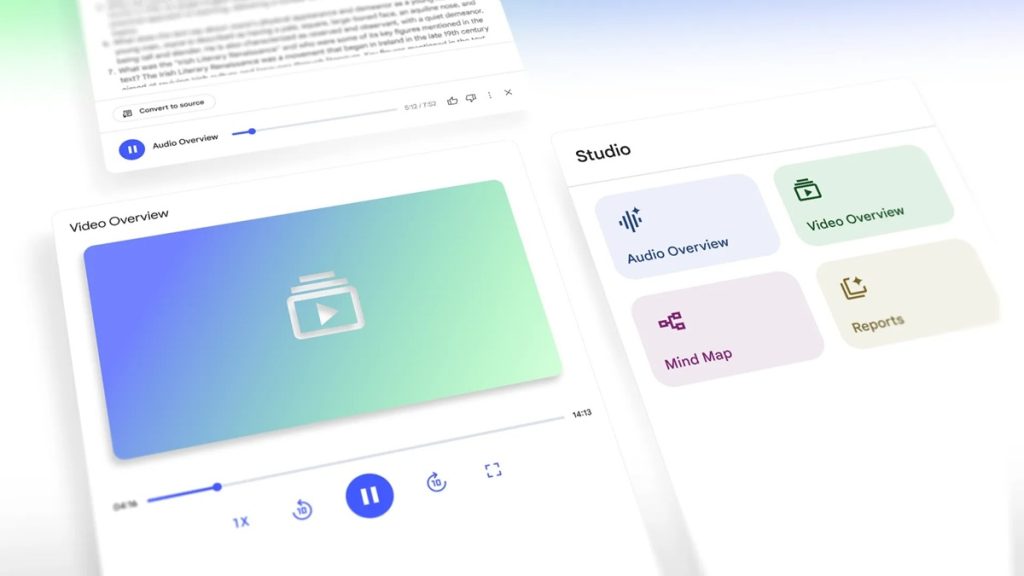
Google has introduced Video Overviews and an upgraded Studio panel in NotebookLM, its personalized AI research assistant.
Video Overviews Now Available
Following Audio Overviews, Video Overviews offer a visual method to understand complex subjects, featuring AI-hosted narrated slides, as revealed earlier at Google I/O.
These slides include images, diagrams, quotes, and data pulled directly from your documents to explain concepts more clearly. Video Overviews are especially useful for illustrating processes and making abstract ideas tangible. The company said more video formats will be added in the future.
Users can customize Video Overviews by specifying focus topics, learning goals, and target audiences. Whether you’re new to a subject or an expert seeking deeper insights, the AI adapts accordingly.
Upgrades to the Studio Panel
NotebookLM’s Studio panel now allows users to create and store multiple outputs of the same type—Audio Overviews, Video Overviews, Mind Maps, and Reports—within a single notebook. This flexibility unlocks new learning opportunities:
- Public notebooks can include Audio Overviews in multiple languages for global reach.
- Team notebooks can feature role-specific Audio and Video Overviews to streamline collaboration.
- Students can generate outputs focused on different chapters or topics to aid study.
The Studio panel displays four clear options at the top for creating these outputs, with all generated content listed below. Multitasking is possible now, letting users listen to Audio Overviews while exploring Mind Maps to work more efficiently.
Availability
- Video Overviews are rolling out now to all English-speaking users, with more languages coming soon.
- The redesigned Studio panel will become available to all users over the next few weeks.