
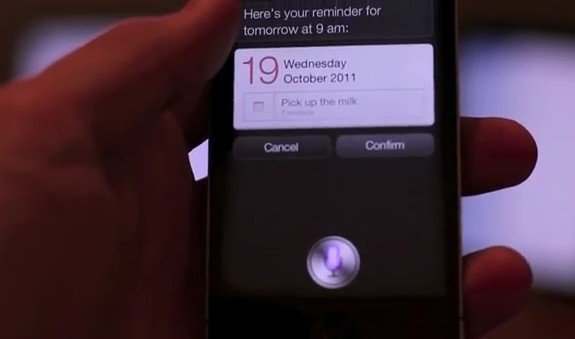
Remember The Milk aka RTM is a popular Getting Things Done service and I was using it a lot in the past. Now the folks at RTM have announced support for adding tasks to you Remember The Milk using Siri on the iPhone 4S. Watch the video after the break for the magic in action
httpv://www.youtube.com/watch?v=9STCWcKDcYg
Here are the steps to get Siri working with the service according to their blog post
- Open Settings on your iPhone 4S
- Tap Mail, Contacts, Calendars
- Tap Add Account…
- Tap Other
- Underneath Calendars, tap Add CalDav Account
- In the ‘Server’ field, enter: www.rememberthemilk.com
- In the ‘User Name’ and ‘Password’ fields, enter your Remember The Milk details
- Tap Next
- You should be returned to Mail, Contacts, Calendars, with the account added. Scroll to the bottom of the screen, and tap Default List
- Tap Remember The Milk
- You’re done! Start asking Siri to remind you about tasks. 🙂
Looks like reminders added to the iPhone 4S calendar are also pushed to your RememberTheMilk account. The ability to add reminders to a service which is available on iOS, Android, BlackBerry and as Web application just through simple voice commands is downright impressive !