
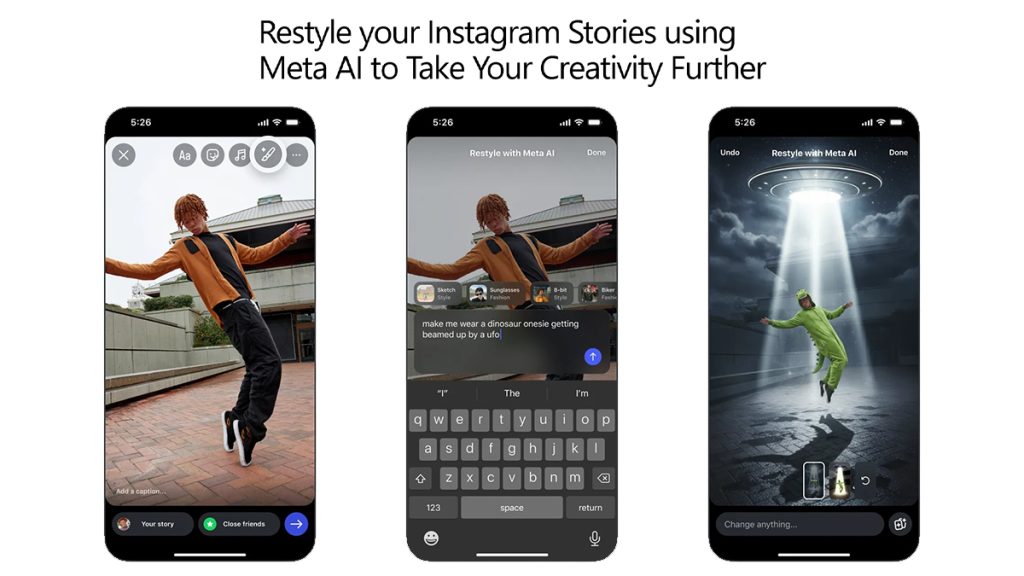
Instagram has introduced a new “Restyle” feature for Stories, powered by Meta AI, that lets users creatively edit photos and videos within the app. The update enables users to remove unwanted elements, change the mood of an image, or add artistic effects before sharing their story.
Edit photos and videos using Meta AI
The new Restyle icon in Instagram Stories allows users to make edits through text prompts or preset effects.
To edit photos:
- Tap the + on your profile photo and select an image from your camera roll.
- Choose the Restyle icon in the top tray.
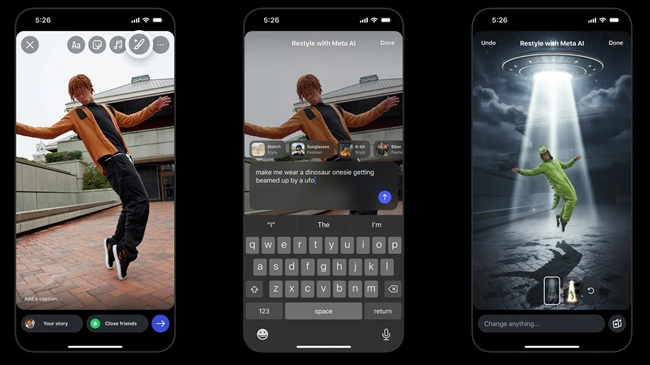
- Select Add, Remove, or Change, and describe the edit you want.
- Type your prompt in the bar at the bottom, or pick a preset effect above it.
- Tap the browser icon in the lower right corner for additional effect options.
- Once the image is generated, select Done before sharing your story.
To edit videos:
- Tap the + on your profile photo and select a video.
- Open the Restyle icon in the top tray.
- Choose a preset effect and tap Done after generation to share.
Remove distractions or add creative elements
The feature makes it easy to refine images by removing unwanted background items or adding new visual elements. Users can prompt Meta AI to modify aspects such as hair color, add accessories like crowns or balloons, or replace plain scenes with new backgrounds, including sunsets or party themes.
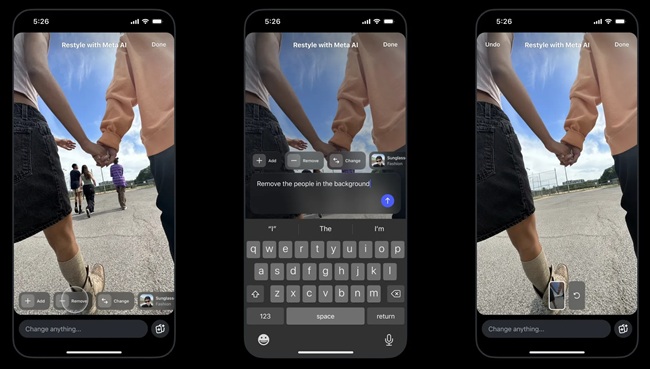
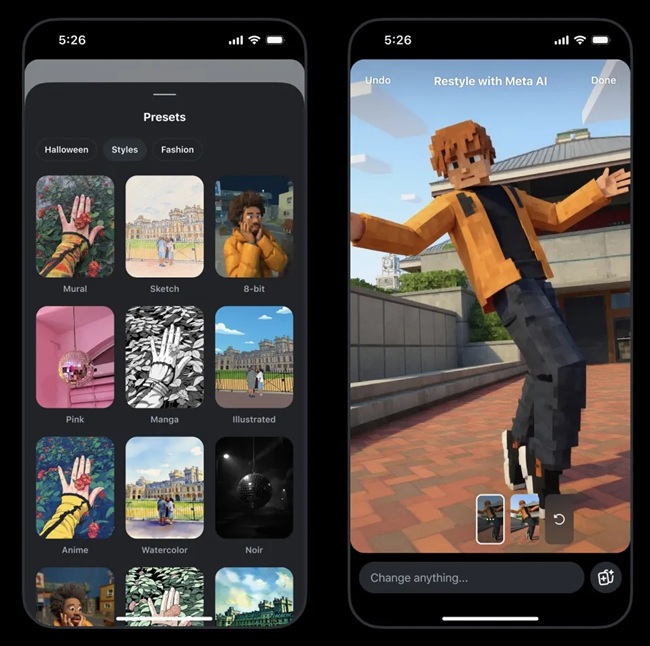
Explore preset effects for quick edits
Instagram includes preset effects that allow instant creative adjustments.
- Users can restyle their appearance with effects like “sunglasses,” “biker jacket,” or “black clothes,” or convert the entire image style into watercolor or film noir.
- Short videos can also be transformed — adding fire, snow, or underwater visuals — to enhance storytelling with minimal effort.
Create trends using ‘Add Yours’ stickers
Users can share their restyled content with Add Yours stickers to encourage friends to try the same effects. Swiping up on a restyled image lets users apply this sticker before sharing. Others can tap Add Yours on a story to recreate the same edits using their own photos or videos, allowing creative trends to spread easily.
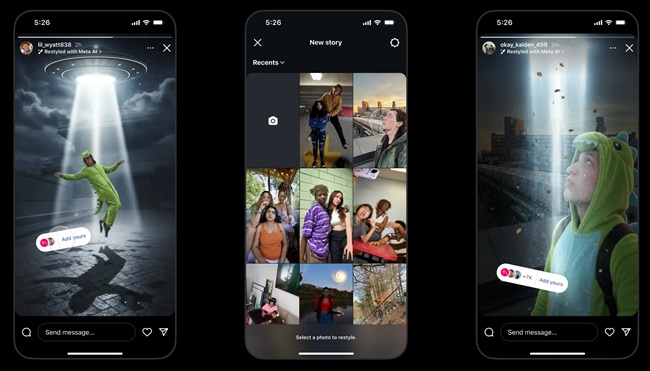
Tips for writing effective prompts
Meta suggests being specific and descriptive when using prompts for better results. Users can mention:
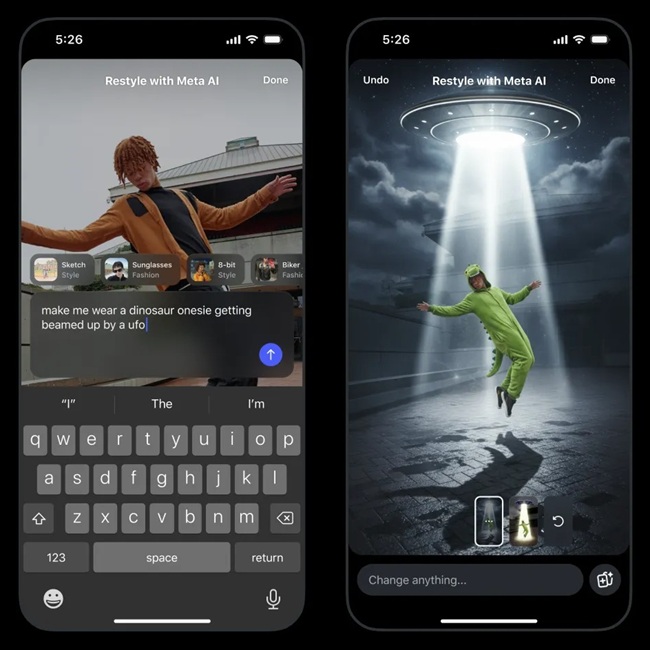
- Subject: “Add a crown on top of the girl’s head.”
- Lighting or mood: “Add dramatic lighting” or “use a single paparazzi flash.”
- Composition: “Place in the bottom left corner” or “in the background.”
- Style: “Make photorealistic” or “film noir style.”
- Location: “In outer space” or “in Paris.”
Availability
The Restyle feature for Instagram Stories is gradually rolling out and will be available to all users within the app for free.