
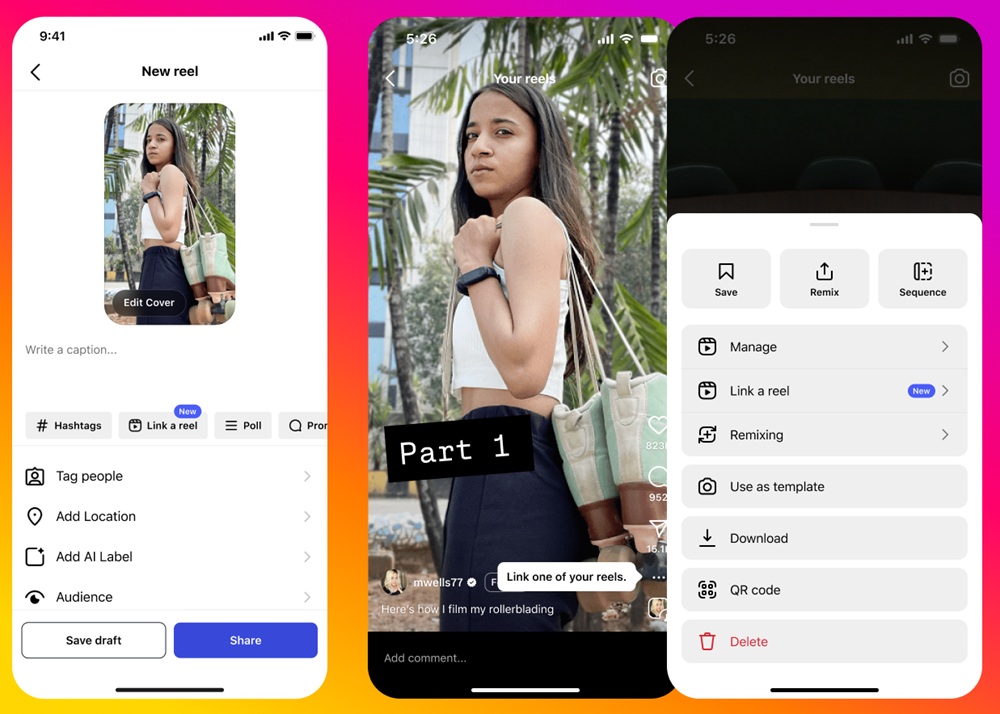
Meta-owned Instagram has rolled out a new update that lets creators link multiple Reels into a “series”, allowing audiences to follow connected content over time.
The company noted that more users are sharing content in an episodic format and building dedicated audiences around these “Reels series.” Based on this trend and creator feedback, the new linking option has been introduced.
How the Reels Linking Feature Works
Creators can connect one Reel to another around a topic or theme. Both new Reels and previously published Reels can be linked. However, subscriber-only Reels and close friends Reels cannot be included.
Linking a New Reel
- When creating a Reel, tap Link a reel under the caption field.
- Select the Reel you want to connect (only one can be chosen at a time).
- Add a title (up to 15 characters). If no title is added, it defaults to “Linked reel.” The title can be edited or removed later.
- Tap OK, then Share.
Linking an Existing Reel
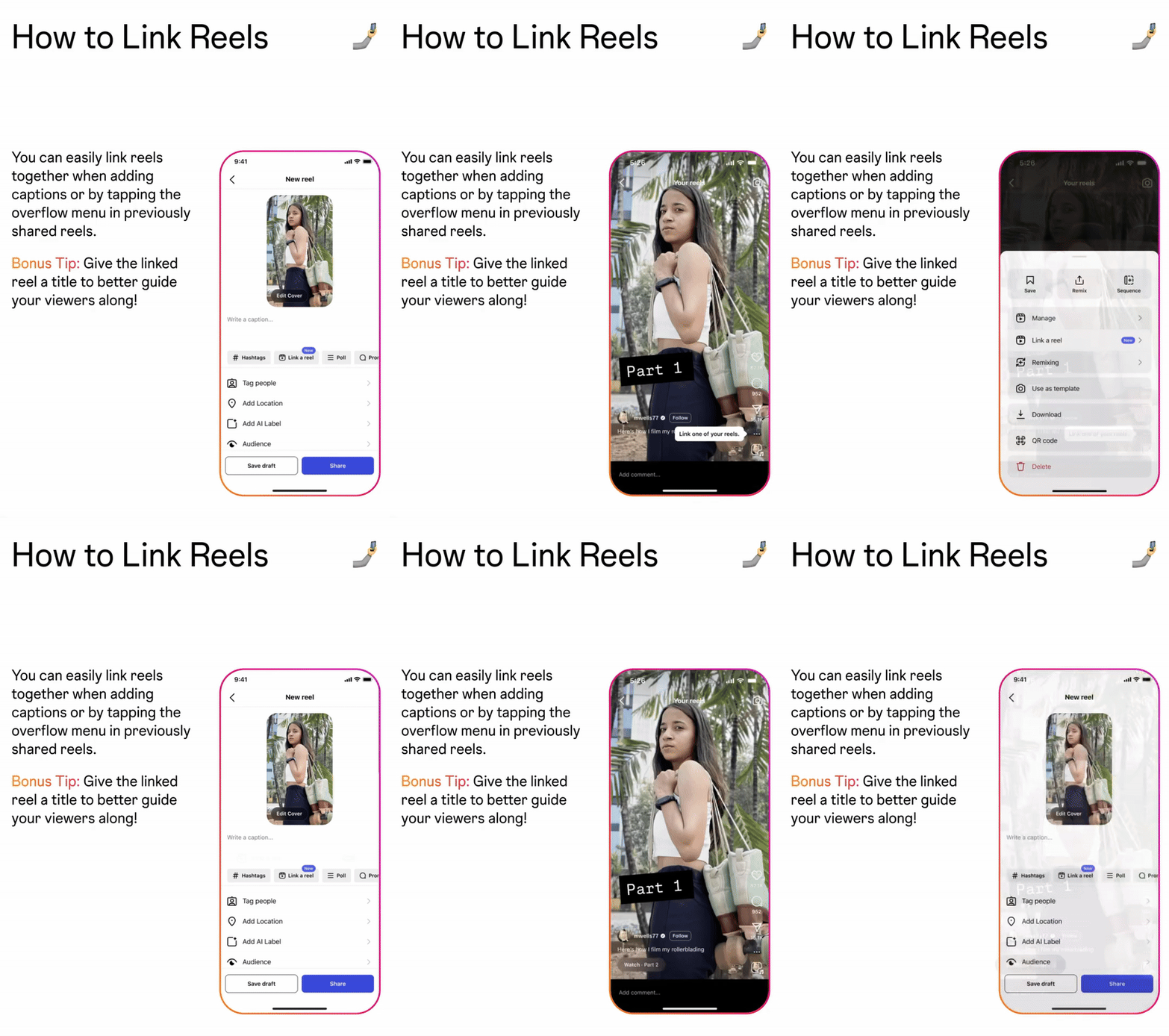
- Open the Reel and tap the menu icon on the right.
- If no link exists, tap Add linked reel. If a link is already present, tap Edit linked reel.
Editing or Unlinking a Reel
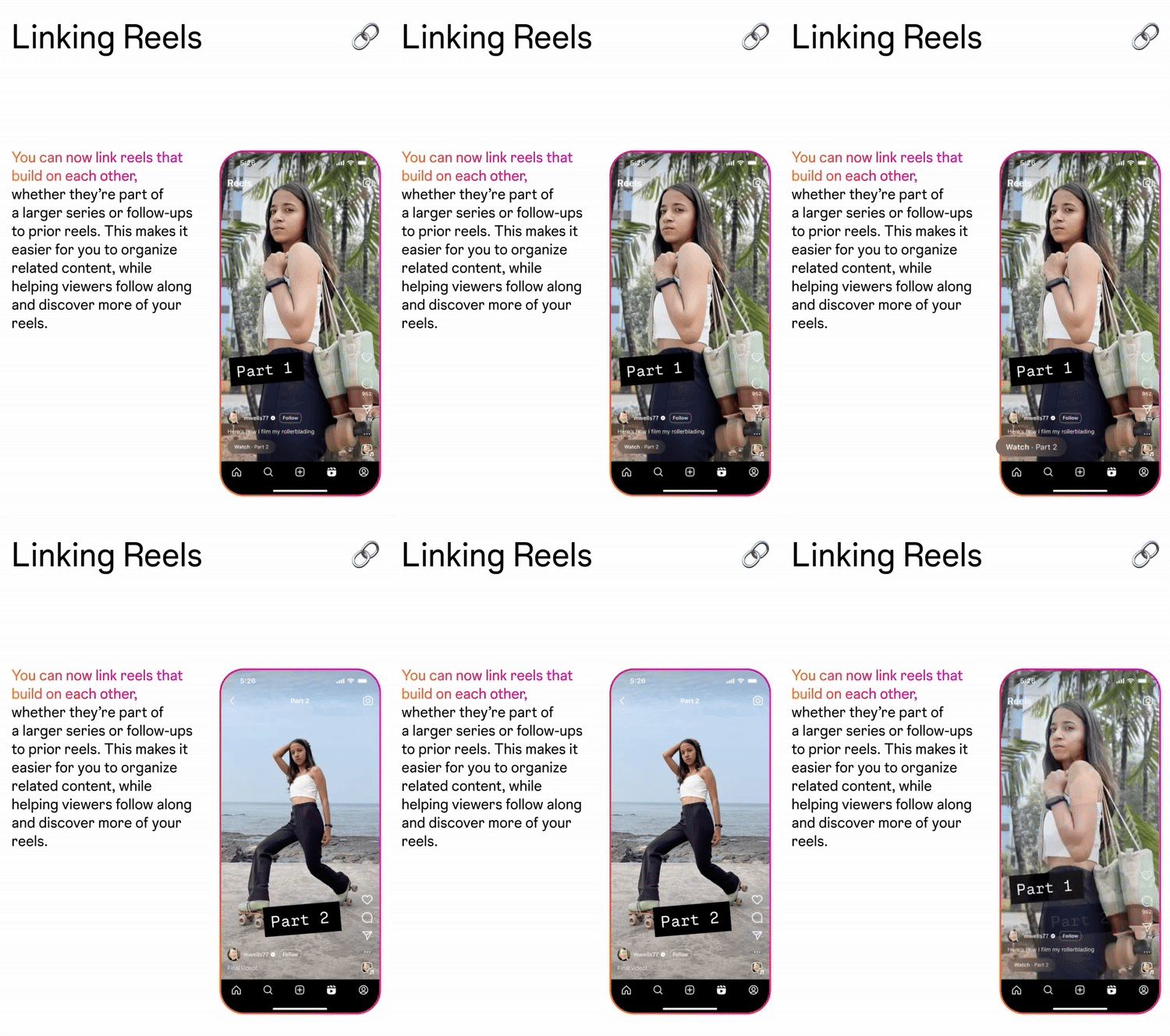
- After selecting a linked Reel, tap Edit linked reel.
- Choose Change reel to connect a different one, or Unlink to remove the connection.
- Once unlinked, the Reel will no longer appear as part of the original series.
Availability
The Reels linking feature is rolling out globally to all Instagram users.