
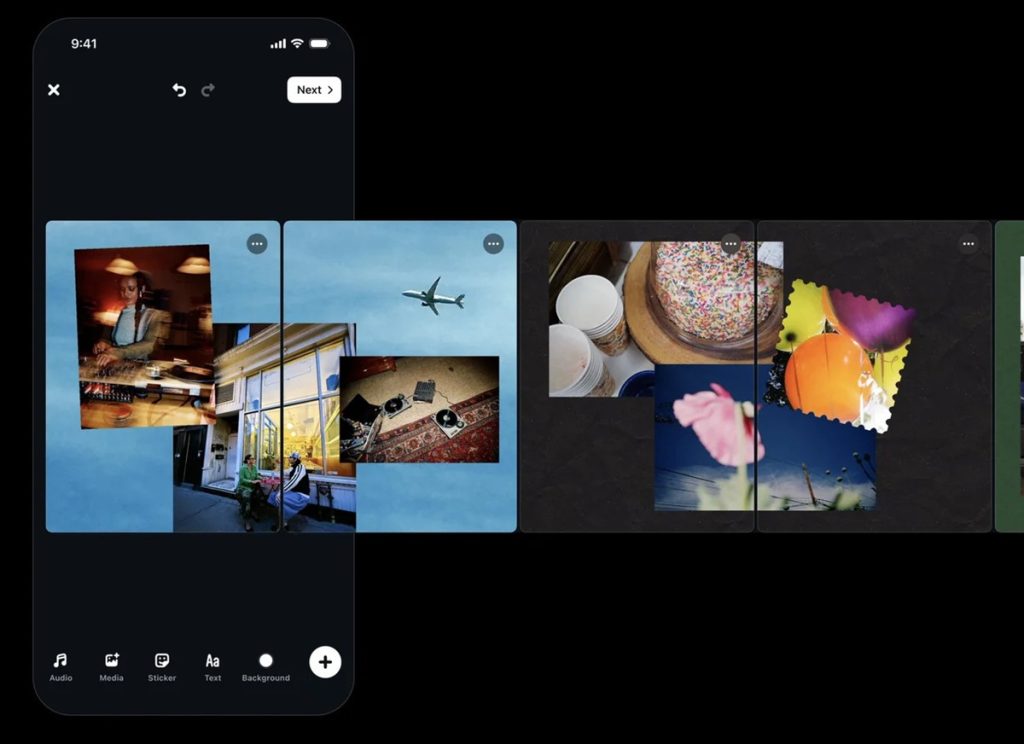
Instagram’s Edits app has added support for creating carousels, allowing users to combine photos and videos on a canvas. The update brings existing Edits creative tools to carousel projects, along with additional tools built specifically for carousels.
Dan Moreno, Design Engineer on the Edits team, said carousels repeatedly came up when the team asked creators what they wanted the app to support next. The new editor lets users arrange photos, videos and text across multiple slides, with support for layouts and cutout effects.
Edits Carousel editor
The carousel editor lets users add photos, videos and text to projects. Users can apply layouts, create stickers with the cutout tool, and use filters and adjustments. A photo can extend from one slide into the next, while a headline can continue across multiple slides, making the swipe between slides part of the composition.
For precise positioning and alignment, the editor includes existing Edits tools such as color grading, scale and rotation. These controls let users adjust individual elements across the canvas.
Saved styles and presets
The carousel editor carries over saved settings from Edits. Users can access saved fonts, styles and colors across projects and formats, along with presets for adjustments, colors, audio and text styles.
The editor also uses the familiar Edits interface, so these saved settings are available within carousel projects.

Share directly to Instagram
Once editing is complete, users can share their carousel directly from Edits to Instagram. They can also download the carousel to post it elsewhere, without exporting and re-uploading it or worrying about quality loss along the way.
How to create a carousel
Users can create a carousel by following these steps:
- Open Edits and go to the Projects tab.
- Tap (+) and select Carousel.
- Choose one or more photos and videos.
- Arrange the media on the canvas.
- Edit the media using tools such as audio, text, filters, adjustments and cutouts.
- Share the carousel directly from Edits to Instagram.
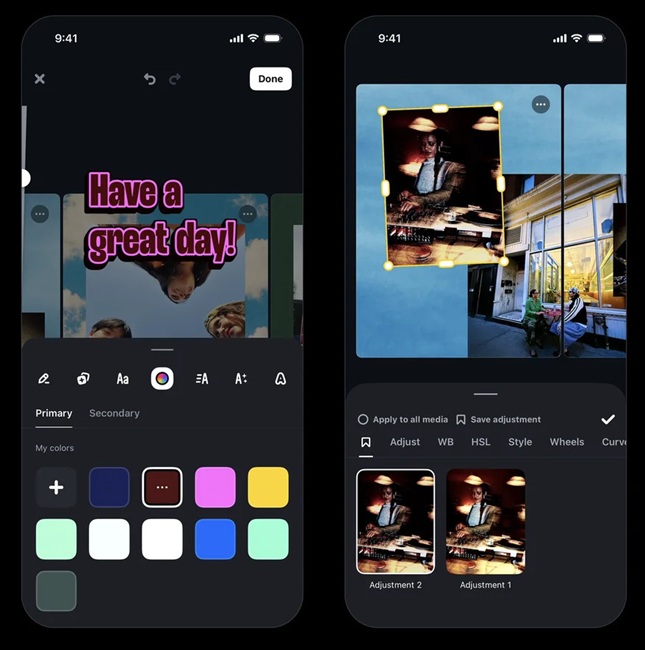
Users can also manage slides and layouts while editing:
- Tap the “+” button to insert a blank slide, or pull from the right edge of the carousel to add one.
- Tap “…” on a slide to duplicate it, insert a new slide on the left or right, or reorder slides.
- Use the layout tool to add multiple photos in preset layouts.
- Adjust the padding and spacing between items in a layout.
- Edit adjustments and filters individually within a layout.
Availability
The carousel feature is now available on iOS, while Android support is coming soon. The Edits team said it will continue building the editor as carousels evolve, with creators shaping what it develops next.