
Qwen has open-sourced Qwen-Image-2.1, an image generation and editing model in the Qwen-Image series. It combines text-to-image generation and image editing in a single model, with a 7B visual generation component and native support for generating and editing transparent images.
Qwen says the model focuses on balancing image quality, inference efficiency, and computational cost.
Compact and Efficient
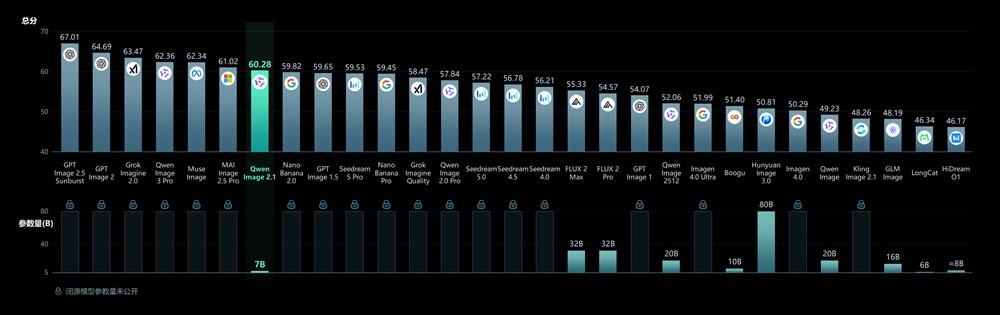
Qwen-Image-2.1 uses a lightweight architecture with 32 Single-Stream DiT layers and 7B parameters in its visual generation component. Qwen says the model delivers strong image generation quality, while its Qwen-Image-Bench comparison covers both open-source and closed-source models.
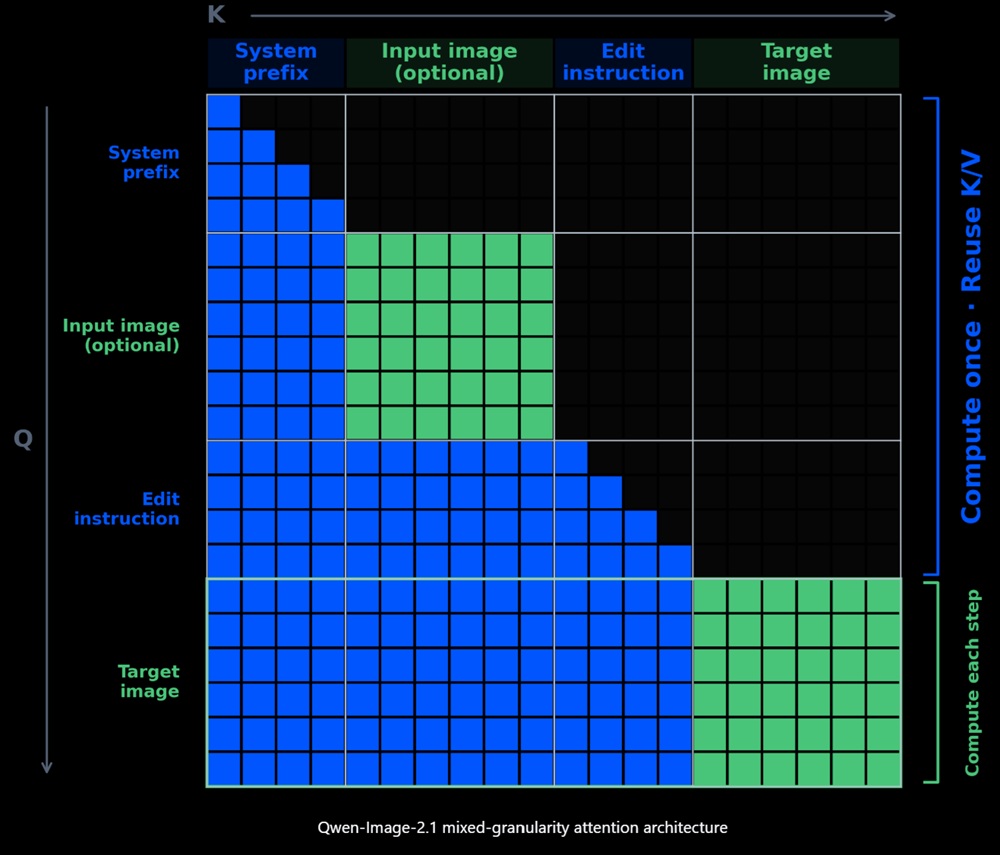
For multi-image editing, Qwen-Image-2.1 uses a mixed-granularity attention architecture to improve inference efficiency and reduce memory usage. The approach includes:
- Token-level causal masking for text, including the system prefix and editing instructions.
- Chunk-level masking for image generation.
- KV cache reuse for input images and editing instructions.
- Static context computation and caching during the first step.
Native Transparency and Unified Editing
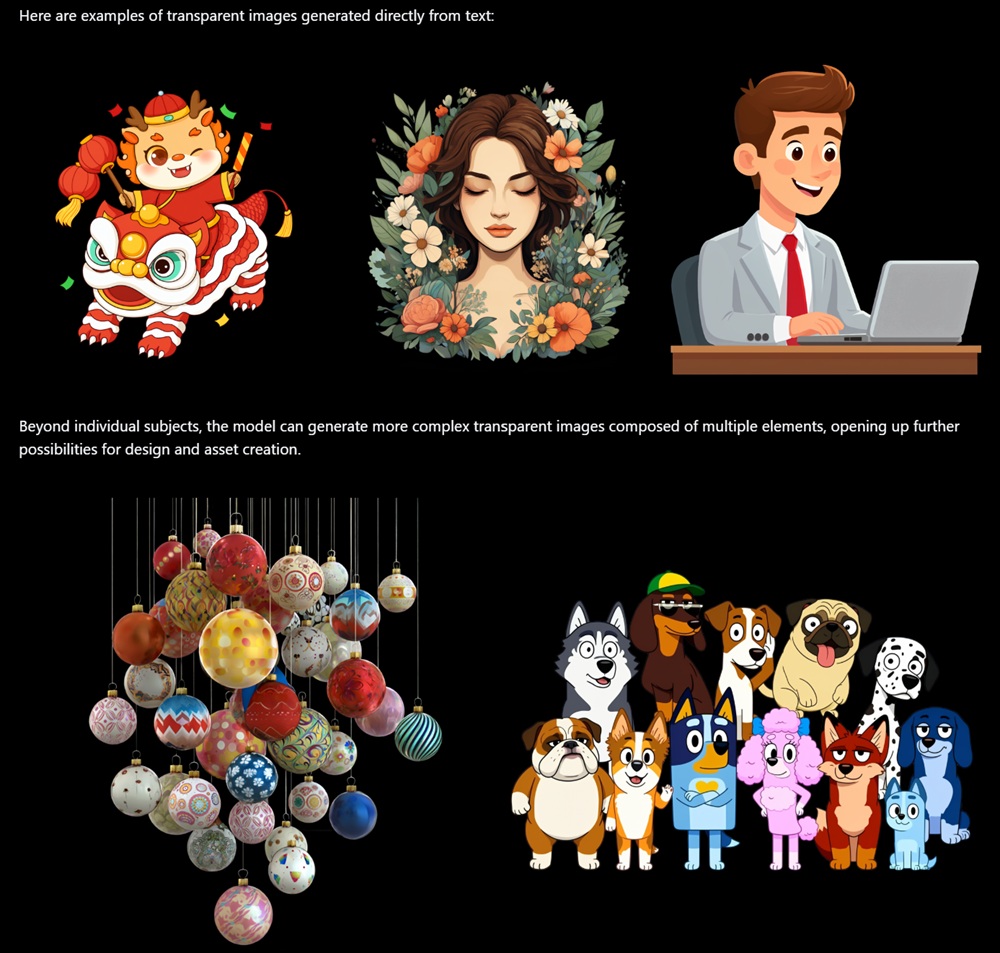
Qwen introduced Qwen-Image-Layered in December 2025 as a dedicated model for transparent image generation. Qwen-Image-2.1 integrates this capability with generation and editing, using the prompt to determine whether to output a regular image or an image with a transparency channel.
The model supports:
- Generating transparent images with multiple elements.
- Editing transparent images while retaining the transparent background.
- Editing text within transparent layers.
- Extracting subjects from RGB photographs as RGBA layers with transparency.
- Reusing extracted subjects in subsequent design and composition work.
Reference Images and Local Editing
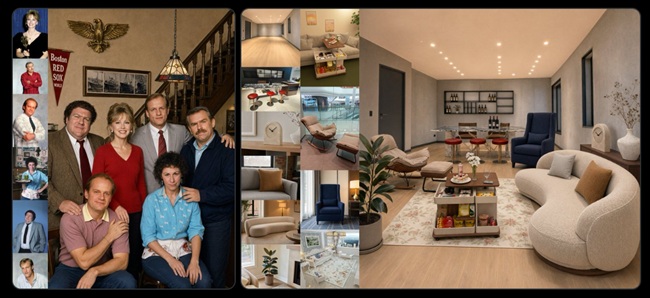
Qwen-Image-2.1 supports up to 10 reference images, allowing multiple subjects and assets to be combined into a single composition. The examples in Qwen’s announcement include six portrait references for a group photograph, five inputs for a virtual try-on composition, and 10 furnishing images for an interior arrangement.
For local editing, users can specify the area to modify through:
- Colored circles for identifying multiple regions.
- Painted annotations for marking an editing area.
- A separate mask used together with the original image.
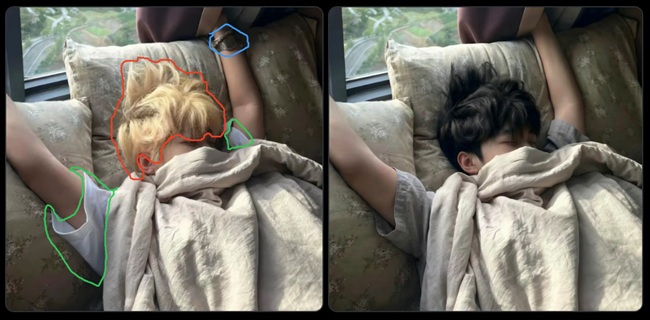
The model can apply different edits to multiple selected regions and add or replace elements within a specified area. When circles or annotations obscure the original content, the original image and a separate mask can instead be provided together. Successive local edits can also preserve the rest of a scene, allowing edited images to be assembled into simple animations.
People and Product Fidelity
Qwen-Image-2.1 improves editing fidelity for portraits and products. For people, the model focuses on preserving facial features so that a person’s identity remains more consistent across edits. For products, it aims to preserve:
- Text
- Textures
- Shape
- Defining product features
Panoramas, Infographics and Storyboards
The model supports panorama, infographic, and storyboard generation. These workflows include:
- Expanding a photograph into a panorama that can be explored from different viewing directions in a visualization tool.
- Turning a model photograph into a detailed infographic.
- Converting a three-view character reference into a complete storyboard.
Text Rendering and Portrait Details
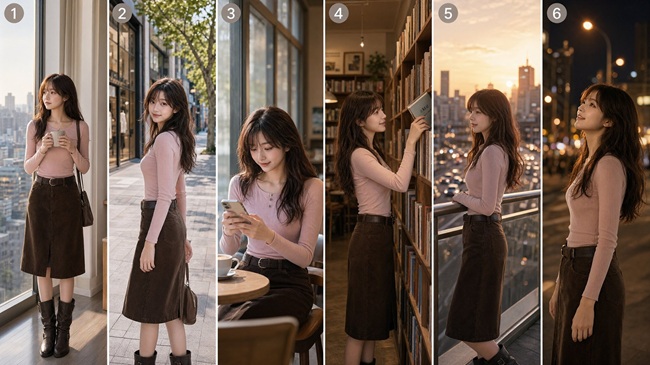
Qwen-Image-2.1 improves text rendering by considering the text content along with type styles, layout, and its relationship with the overall composition. It also improves portrait lighting and fine details.
Availability
Qwen-Image-2.1 is now available with open weights. It can also be tried through Qwen Studio.