Home » Android, HTC, India

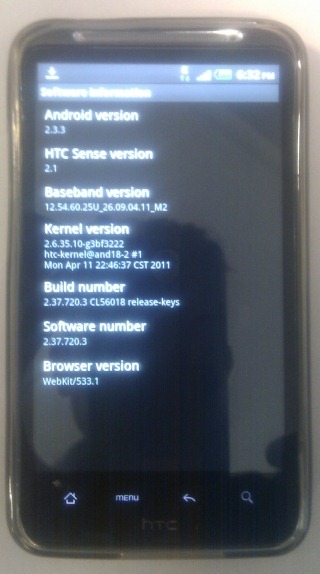
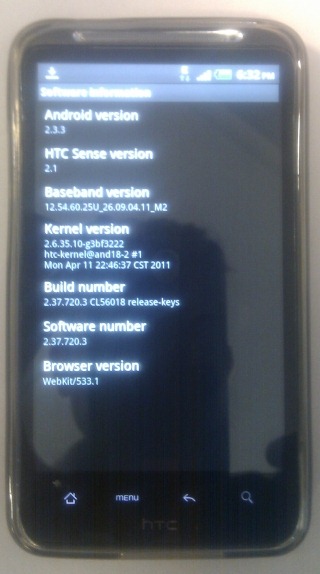
HTC Desire HD gets Android Gingerbread update in India

on May 30, 2011 – 8:09 pm10 Comments

htc-desire-hd-gingerbread-india

The HTC Desire HD has received the Android 2.3.3 Gingerbread update in India and is about 100 MB in size.

We would recommend you to backup your phone first before proceeding with the update. And you can grab the update over WiFi or 3G provided you have lot of free usage.

Thanks Aravindhan

Related Posts with Thumbnails

Varun Krish is a Mobile Technology Enthusiast and has been blogging about mobile phones since 2005. His current phones include the Nokia Lumia 800 and Apple iPhone 4S. You can follow him on Twitter @varunkrish and on Google+ You can also mail Varun Krish

  • VIJAYRAJ

    Wow…i got upgraded to GINGERBREAD in my HTC desire HD 2.3.3

    • SUSHEEL

      Hi! Did you get it done automatically? Or did you check for updates?

  • RK

    i haven’t got yet just checked my mobile

  • Kushang

    hey which mobile network are you guys using?? i am on BSNL but have not received the update yet :( second.. how do i know that update is available? I tried the setting -> About Phone -> System software updates, but no luck :( :(

  • Hridesh Varma

    Hi there…

    Can anyone help me out in finding an alternate way to get the update. I have been trying the whole day through my Wifi connection :( :’(

    • Sashank

      Hey, I had some trouble too downloading it over WiFi. This is what I did -
      Turn off WiFi and check for updates using 3G/EDGE. Any mobile internet you have is fine. It should show you that an update is available. It did for me, everytime with mobile internet, but not on WiFi.

      When it shows that, start downloading the update over mobile internet. After its done about 0.5-1%, cancel it, turn off mobile internet, turn on WiFi and check again. If it still shows ‘no update available’, repeat the above process till it does.

      It took me around 4-5 tries to get it to show over WiFi, then downloaded and installed perfectly. Try this out and let me know how it goes. Good luck!

      • Hridesh Varma

        Thanks Shashank, i’ll surely try…if anything let u knw…thanks once again :)

  • Chetan

    This was very helpful Varun. me downloadin now for DHD…
    so excited that its OFFICIAL UPGRADE. however i hv ported my HD2 and using 2.3 … thanks a lot..

  • Renjith

    Another way to use Wifi to download is start check for update with 3g and when download is going on turn on Wifi and disable 3g . The rest of the download will resume on Wifi

    • Sashank

      I tried that at first, but it didn’t work for me. Didn’t go past 0.0% even after 5 mins. Maybe I didn’t wait long enough. I’ve noticed it takes some time to begin downloading, and once it does it moves at normal speed.